
What's inside
- Best CPU LGA Sockets: Top Picks for Every Build
- Socket compatibility matters more than the socket name
- Top picks by build situation
- Socket and platform comparison
- Use this decision matrix before you buy
- Cooler fit: the overlooked source of rework
- A no-rework compatibility check
- Which socket should you buy?
As an Amazon Associate I earn from qualifying purchases. This post may contain affiliate links at no extra cost to you.
Best CPU LGA Sockets: Top Picks for Every Build
The best CPU LGA choice is the motherboard platform that matches your processor, supports the features you need, and fits your cooler—not simply the newest socket. For a new gaming or general-purpose Intel build, LGA1851 with a compatible Core Ultra 200S processor is the current-generation option; for a lower-cost upgrade or a system you already own, staying on LGA1700 can save money and avoid replacing more parts.
Socket compatibility matters more than the socket name
LGA describes how the CPU connects to the motherboard: its contact pads meet pins in the socket. The number identifies a physical platform, but does not guarantee that every processor with a matching socket will work in every motherboard. The chipset, motherboard BIOS, power delivery, and memory support also matter.
As an Amazon Associate we earn from qualifying purchases at no extra cost to you.

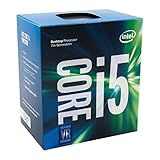

In particular, LGA1700 and LGA1851 are not interchangeable. A CPU that fits one cannot be installed in the other, even if a cooler or motherboard looks similar. Check the motherboard’s CPU support list for the exact processor and BIOS version before buying. If you are assembling a working system rather than replacing one component, compare the total platform cost: CPU, motherboard, memory, and any cooler mounting hardware.
Top picks by build situation
Best for a new Intel platform: LGA1851
Choose an LGA1851 motherboard if you are building around an Intel Core Ultra 200S desktop processor and want that platform’s current features. Motherboards using Intel 800-series chipsets, such as Z890, are designed for this socket. Z890 boards commonly provide enthusiast-level connectivity and CPU overclocking support with compatible unlocked processors; less expensive chipset options suit builds that do not need those features. Confirm the specific board’s expansion slots, USB ports, storage connections, and memory type rather than assuming all boards share the same configuration.
This is the cleanest choice for a new build when the selected CPU is LGA1851. It is not a drop-in upgrade for an LGA1700 system, so budget for a motherboard change and check whether your existing cooler’s mounting kit supports the new socket.
Best for a value build or LGA1700 upgrade: LGA1700
LGA1700 supports a range of Intel Core desktop processors from the 12th, 13th, and 14th generations, subject to motherboard and BIOS support. The platform includes 600- and 700-series chipsets, including B760 and Z790. A B760 board is often a sensible match for a mainstream build; Z790 is worth considering when you specifically need its feature set or CPU overclocking support.
This socket makes most sense when you already own a compatible motherboard, or when a complete LGA1700 bundle costs less than moving to a newer platform. It is also a practical way to reuse DDR4 memory, but only if you choose a DDR4 motherboard: DDR4 and DDR5 versions of LGA1700 boards are separate products, and their memory slots are not interchangeable.
Best for a high-end workstation: choose by workload, not socket alone
For demanding production work, an enthusiast desktop socket may not provide enough memory capacity, PCIe expansion, or CPU cores. Compare workstation-class platforms and their specific processor families if your work depends on multiple graphics cards, large memory pools, or high-bandwidth expansion. Do not assume a consumer LGA1851 or LGA1700 board becomes a workstation platform just because it has a high-end chipset.
Socket and platform comparison
| Platform | Compatible desktop CPU families | Example chipsets | Memory considerations | Best fit |
|---|---|---|---|---|
| LGA1851 | Intel Core Ultra 200S desktop processors | Intel 800 series, including Z890 | Board-specific; check DDR5 type and supported speeds | New builds using a compatible Core Ultra 200S CPU |
| LGA1700 | Compatible 12th-, 13th-, and 14th-generation Intel Core desktop processors | Intel 600 and 700 series, including B760 and Z790 | Some boards use DDR4; others use DDR5. The board determines which. | Budget builds, existing-system upgrades, and memory reuse |
These are platform-level comparisons, not a guarantee that every CPU works on every board in a chipset family. Consult the board maker’s CPU list and BIOS notes. Chipset features and board connections also vary by model.
Use this decision matrix before you buy
| Your situation | Shortlist | Check before committing |
|---|---|---|
| Building new and buying a Core Ultra 200S CPU | LGA1851 motherboard | Exact CPU support, memory type, cooler mounting, and case clearance |
| Replacing a CPU but keeping an LGA1700 board | A processor listed for that exact board | BIOS version, board power limits, and cooler capacity |
| Keeping an existing DDR4 kit to reduce cost | An LGA1700 DDR4 motherboard, if compatible with your CPU | DDR4 must be specified on the board; it cannot be installed in DDR5 slots |
| Planning CPU overclocking | A suitable unlocked CPU and a chipset/board that support overclocking | Power delivery, cooling, and whether the feature is worth the extra cost |
| Reusing a cooler from another build | Either socket, if the cooler has the correct mounting hardware | Socket kit, radiator or tower clearance, and case dimensions |
Cooler fit: the overlooked source of rework
Socket compatibility and cooler compatibility are related, but not identical. A cooler may support LGA1700 and still need a separate mounting kit for another socket. Before ordering, check the cooler maker’s compatibility list for the exact socket and whether the required bracket is included. Also verify that the cooler fits the case and does not collide with tall memory modules or the motherboard’s heatsinks.
For an air cooler, compare its height with the case’s maximum CPU-cooler clearance. For a liquid cooler, check radiator size, mounting positions, and clearance for the radiator plus fans. A bigger cooler is not automatically better: match cooling capacity to the CPU’s power behavior, case airflow, noise preference, and available space.
If you are moving an existing cooler, inspect the mounting hardware before dismantling the old system. Missing screws or a socket-specific bracket can delay assembly even when the cooler itself is suitable. Avoid improvising with an incompatible bracket; uneven mounting pressure can cause poor contact and unstable temperatures.
A no-rework compatibility check
- Start with the CPU model. Confirm its socket from the manufacturer’s specifications; do not infer compatibility from the processor generation alone.
- Choose a motherboard that names that CPU. Check the board’s support page for the exact model and any minimum BIOS version. If an update is needed, find out whether the board can update BIOS without a supported CPU installed.
- Match the memory. Confirm DDR4 or DDR5 support and check the board’s recommended memory slots and capacity limits.
- Check the cooler and case together. Confirm the socket bracket, cooler height or radiator fit, and room around memory and motherboard heatsinks.
- Compare the complete cost. Include a new motherboard, memory, cooler hardware, and any other parts you cannot reuse—not just the CPU price.
Which socket should you buy?
Choose LGA1851 for a new Intel build centered on a compatible Core Ultra 200S processor. Choose LGA1700 when you already have a supported board, want to reuse compatible DDR4 memory, or find a complete system upgrade that is meaningfully less expensive. In either case, the motherboard’s CPU support list and the cooler’s mounting specification are the final checks that prevent an expensive parts mismatch.