
What's inside
As an Amazon Associate I earn from qualifying purchases. This post may contain affiliate links at no extra cost to you.
For clean leather engraving, choose a diode or CO₂ laser with adjustable power, use it only on vegetable-tanned leather, and run it with effective exhaust ventilation; never laser-engrave chrome-tanned leather because its tanning chemistry can release hazardous fumes when heated.
The best machine depends on your workload. A 10W-class diode is a sensible entry point for small tags and occasional projects, while a 40W-class CO₂ machine is better suited to faster, repeatable production and a larger work area. For either type, a light, controlled burn usually gives better detail than maximum power.
As an Amazon Associate we earn from qualifying purchases at no extra cost to you.


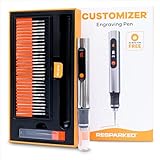
Choose by the work you plan to do
| Situation | Suitable machine | Useful specifications | Trade-off |
|---|---|---|---|
| Occasional tags, patches, and small designs | Entry-level diode engraver, such as an xTool D1 Pro or a comparable enclosed diode machine | About 10W optical output; roughly 430 × 390 mm working area on the D1 Pro | Lower initial cost, but slower engraving and more sensitivity to material variation |
| Regular small-batch work | Higher-power diode, such as an xTool S1 in an appropriate configuration | Common configurations offer about 20W or 40W optical output; bed sizes vary by version | More throughput than a basic diode; verify the exact laser module and enclosure configuration before buying |
| Frequent production or larger pieces | CO₂ machine, such as a Glowforge Pro or a comparable enclosed CO₂ engraver | About 45W laser power; approximately 495 × 279 mm printable area on the Glowforge Pro | Fast engraving and a larger usable area, but higher cost, more space needs, and additional maintenance |
Specifications are manufacturer-listed figures and can vary by model revision or configuration. Bed dimensions are not always the same as the area available for engraving: check the machine’s usable field, pass-through options, and clearance for the items you intend to mark. A nominal 10W diode is not directly comparable with a 40W CO₂ tube as a complete measure of speed or cutting ability; the laser type, optics, motion system, and material all matter.
Leather that is safe to engrave—and leather to avoid
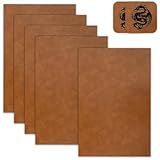
Vegetable-tanned leather is the standard choice for laser engraving. It is made using plant-derived tannins and generally produces a readable brown mark when engraved with a controlled pass. Start with undyed, uncoated veg-tan, then test the exact hide: thickness, finish, moisture, and tanning batch can all change the result.
Do not engrave chrome-tanned leather. Its chromium-based tanning chemistry can produce hazardous fumes under laser heat. Avoid unidentified leather, mixed-tan scraps, and finished items whose coatings or adhesives are unknown. If a supplier cannot confirm the tanning method and finish, do not put it in the machine.
“Engravable leatherette” is not automatically safe just because it resembles leather or is sold for personalization. Leatherette may contain PVC or other plastics that can release corrosive or toxic fumes when lasered. Use it only if the manufacturer explicitly identifies it as laser-safe and supplies material guidance. Never assume a material is safe based on its color, smell, or appearance.
Power and speed: begin with a test, not a recipe
There is no universal setting for laser engraving leather. Machine power, lens, focus, hide thickness, color, and surface finish all affect the burn. The practical goal is a crisp, shallow mark—not a deep charred groove.
| Laser type | Conservative starting point | How to adjust |
|---|---|---|
| 10W diode | About 10–20% power at 3,000–5,000 mm/min | If the mark is faint, lower speed in small steps or raise power slightly; if edges char, increase speed or reduce power. |
| 20W diode | About 8–15% power at 4,000–6,000 mm/min | Use a test grid; higher optical output can burn through thin leather quickly. |
| 40–45W CO₂ | About 5–12% power at 300–600 mm/s | Use the machine’s own speed units and controller guidance; low-power behavior differs by tube and controller. |
These are cautious test ranges, not guaranteed settings. Confirm that the laser can fire consistently at the chosen low power; some systems have a minimum stable output. Focus according to the machine instructions, then engrave a small grid on an offcut from the same hide. Change one variable at a time. If the mark looks sooty, try a faster pass or lower power before adding a second pass. Keep air assist modest: excessive airflow can disturb small pieces or spread debris, while inadequate extraction leaves smoke around the work.
Ventilation is part of the machine setup
Leather smoke contains fine particles and combustion by-products. An enclosure connected to an exterior exhaust is generally the most dependable setup. Use ducting of the diameter specified by the machine, keep the run short with few bends, and vent outdoors away from windows, doors, and neighboring air intakes. A fan’s advertised airflow does not guarantee good extraction once duct length and bends add resistance.
If outdoor exhaust is not possible, use a purpose-built laser fume extractor with suitable particulate and gas-phase filtration, sized for the engraver and its enclosure. A particle filter alone does not remove all gases and odors. Follow the extractor maker’s filter replacement schedule, and do not treat an open window or a room air purifier as a substitute for source capture.
- Keep the lid closed and extraction running before, during, and after a job; allow time to clear residual smoke.
- Check duct joints and filters regularly. A sudden increase in odor or visible haze can signal a leak, blocked duct, or saturated filter.
- Never leave a laser running unattended. Leather can ignite, especially if the job is too slow or the material is curled near the beam.
Setup details that improve the finished mark
- Confirm the material. Use documented vegetable-tanned leather with no unknown coating, adhesive, or surface treatment.
- Flatten and secure it. Hold the leather flat with nonflammable weights outside the engraving area. Raised or curled edges can shift focus and catch fire.
- Prepare the artwork. Bold shapes and clear lettering reproduce more reliably than hairline details. For small text, test the actual size on a scrap first.
- Focus and run a sample. Use a corner or offcut to find a setting that darkens the surface without deep charring.
- Clean after engraving. Once the piece is cool, gently brush away residue with a soft brush or dry cloth. Avoid soaking the leather; water and aggressive rubbing can spread soot or alter the finish.
Ownership costs and common failure points
Diode machines often cost a few hundred to around a thousand dollars, depending on output, enclosure, and accessories. Enclosed CO₂ machines commonly run from a few thousand dollars upward. These are broad market ranges, not quotes; ventilation, ducting, filtration, and a fire-safe work area add to the real setup cost.
Diode modules are typically replaced as units, while CO₂ systems require attention to tube life, mirrors, lens cleanliness, and alignment. In either setup, smoke residue on optics can reduce performance, so inspect and clean components only as directed by the manufacturer. Exhaust filters and duct connections also need periodic attention. The most common avoidable failures are engraving unknown leather, running too slowly, skipping a test patch, and allowing smoke to circulate inside the enclosure.
For occasional leather engraving in a small workshop, a well-enclosed 10W-class diode with reliable exhaust is a reasonable starting choice. For frequent batches, choose a faster machine based on usable bed size and extraction capacity—not power alone. Whatever you buy, safe material identification and ventilation matter as much as the laser’s headline specification.