
What's inside
As an Amazon Associate I earn from qualifying purchases. This post may contain affiliate links at no extra cost to you.
Best Wood Etching Machines for Detailed Wood Projects
For most detailed wood projects, choose a well-supported diode laser engraver with an enclosed or easily ventilated work area; step up to a CO₂ laser for faster work, larger boards, and more consistent results on plywood. The best wood etching machine depends less on its advertised power than on the wood you use, the detail you need, the size of your work, and how you will control smoke and fumes.
Below are established machine families to compare in 2026. Specifications vary by configuration and accessories, so confirm the working area and laser type for the exact model before buying. “Optical power” refers to the laser output, not the machine’s electrical input. The figures below are representative model specifications, not a guarantee of engraving speed or cut depth.
As an Amazon Associate we earn from qualifying purchases at no extra cost to you.

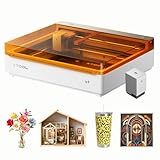
| Machine | Laser type and output | Working area | Best fit | Ventilation considerations |
|---|---|---|---|---|
| xTool S1 20W | Diode, 20W optical | 498 × 330 mm | Enclosed desktop use and detailed work on small to medium pieces | Use an exhaust hose or compatible filtration; an enclosure alone does not remove fumes |
| Ortur Laser Master 3 10W | Diode, 10W optical | 400 × 400 mm | Budget-conscious hobby work and open-frame access | Needs a dedicated enclosure and exhaust or filtration in an occupied workspace |
| OMTech Polar 50W | CO₂, 50W | 510 × 300 mm | Frequent production, engraving, and cutting suitable wood stock | Requires a properly routed exhaust system; plan for machine cooling and installation space |
| Glowforge Pro | CO₂, 45W | Approximately 508 × 279 mm | Guided software workflow and repeatable projects within a compact bed | Vent outdoors or use the manufacturer’s filtration option as directed |
Choose by wood, detail, and workload
For occasional custom wood etching on a budget
A 10W diode such as the Ortur Laser Master 3 can produce crisp names, line art, and small decorative designs on prepared wood. It is a sensible entry point if you are comfortable setting up an enclosure and learning focus, speed, and power adjustments. Its 400 × 400 mm area accommodates many signs and panels, but an open-frame machine needs extra attention to eye safety and smoke containment.
Diode lasers are generally effective on lighter woods and can mark darker woods, though results depend on species, surface finish, and laser wavelength. Expect slower engraving or more passes than with a higher-output machine. Thin plywood can be engraved well, but cutting it cleanly is a separate, more demanding task.
For an enclosed desktop setup and fine artwork
The xTool S1 20W is a stronger diode option when you want an enclosure and a larger working area than many entry-level desktop machines. It suits intricate text, illustrations, and small-batch personalized items. Its 498 × 330 mm bed is useful for plaques and components, but it will not accommodate every wide sign without repositioning.
Fine detail is not determined by wattage alone. A clean lens, accurate focus, stable material, and suitable image resolution matter just as much. For tiny lettering, test the smallest intended text on scrap: grain, knots, and plywood veneer quality can blur details that look sharp on screen.
For regular plywood work or faster production
A 50W CO₂ machine such as the OMTech Polar is a better fit when throughput and cutting capability matter, provided you have room for the machine, cooling, and exhaust. CO₂ lasers are commonly chosen for wood because they engrave and cut wood effectively. A 510 × 300 mm bed covers many project panels, but check the usable area and pass-through options if you make long signs.
The Glowforge Pro offers a guided workflow in a compact CO₂ format, with a working area of about 508 × 279 mm. It can suit users who value a streamlined software experience over a larger bed. Both CO₂ choices need deliberate installation planning; they are not simply desktop machines to run beside an open window.
What the wood itself changes
Plywood is convenient and dimensionally stable, but its glue layers and face veneer vary. Voids, patches, and uneven veneer can create inconsistent engraving or failed cuts. Use laser-suitable plywood from a supplier that identifies its adhesive and intended process; never assume ordinary construction plywood is safe or will cut cleanly. Some adhesives produce hazardous fumes, and unknown sheet goods are a poor material for laser work.
Hardwoods such as maple, cherry, and walnut can yield attractive, high-contrast marks, but dense grain and natural color variation affect the result. A pale species may show a dark engraving clearly, while a dark species can make subtle tonal work harder to read. For consistent custom wood etching, use offcuts from the same board and finish state as the final piece.
Decision matrix: match the machine to your situation
| Your situation | Practical choice | Trade-off to accept |
|---|---|---|
| New user, limited budget, occasional small projects | 10W diode with a suitable enclosure and exhaust | Slower work; more experimentation with settings |
| Intermediate user, detailed artwork, medium pieces | Enclosed 20W diode | Still slower than CO₂ for many production tasks; bed size limits wide work |
| Frequent plywood cutting and batch production | 50W-class CO₂, if installation and ventilation are feasible | Higher purchase and setup costs; cooling and exhaust add complexity |
| Wide boards or oversized signs | Machine with a bed or pass-through sized for the actual stock | Large format can demand more floor space and stronger smoke handling |
Scorch control and safe ventilation
Scorching comes from excess heat, smoke lingering on the surface, poor focus, or material that burns unevenly. Before a full job, engrave a small test grid on the same stock. Change one variable at a time—speed, power, or number of passes—and record the result. Masking tape can reduce surface smoke staining on some projects, but test it first; it can affect fine detail and must be removed carefully.
Keep the work flat and in focus, clean the lens and mirrors according to the manufacturer’s instructions, and remove debris from the bed. Air assist can help clear smoke from the engraving area and reduce flare-ups, but it does not replace exhaust ventilation. Never leave a running laser unattended, and keep suitable fire-safety equipment nearby.
Route exhaust outdoors where permitted, using ducting that suits the machine and keeping bends and restrictions to a minimum. If outdoor exhaust is not possible, use a filtration system designed for the machine and material, maintain its filters on schedule, and follow the manufacturer’s guidance. Odor is not a reliable indicator that air is safe. Do not process PVC, vinyl, or unidentified plastics; these can release corrosive or hazardous substances.
Ownership costs and common failure points
Entry-level diode machines are generally available for a few hundred dollars to around $1,500, depending on power, enclosure, and accessories. Desktop CO₂ systems commonly cost several thousand dollars, with installation, exhaust, cooling, and filtration potentially adding materially to the total. Treat these as broad market ranges rather than fixed prices.
On diode units, the laser module is a major wear item and may eventually require replacement; smoke residue on the lens can also reduce performance if ignored. CO₂ machines require attention to optics, alignment, cooling, and the eventual replacement of the laser tube. Across both types, neglected residue and poor ventilation are frequent causes of disappointing results and avoidable maintenance.
Bottom line
Choose a 10W diode for occasional, lower-cost projects; a 20W enclosed diode for a more capable desktop setup; or a 50W-class CO₂ laser for regular plywood work and faster production. Before choosing any laser etching machine for wood, verify the true work area against your largest board, confirm the machine supports the materials you plan to process, and budget for ventilation. Those checks will matter more to reliable laser wood etching than a headline power number alone.