
What's inside
- Quick comparison of the leading machines
- Best choices by workshop situation
- Head-to-head: diode versus CO₂ for woodworking
- Bed size is more important than it first appears
- Setup, exhaust, and workshop requirements
- Performance on common woodworking materials
- Ownership costs and maintenance that affect the decision
- Bottom line
- Related Guides
As an Amazon Associate I earn from qualifying purchases. This post may contain affiliate links at no extra cost to you.
For most woodworkers, the best laser cutting machine is a 50–55W CO₂ model with a usable bed around 500 × 300 mm; choose a 40W diode machine for lower cost and simpler ventilation, or a larger professional CO₂ machine when cabinet panels and frequent production matter.
These laser cutter reviews focus on the decisions that affect a workshop: real cutting area, thickness on common woods, setup, exhaust, and the ownership work that is easy to miss in a product listing.
As an Amazon Associate we earn from qualifying purchases at no extra cost to you.


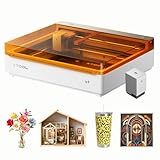

Quick comparison of the leading machines
| Machine | Laser type and power | Usable work area | Typical wood capability | Setup and exhaust | Best fit |
|---|---|---|---|---|---|
| xTool S1 40W | Diode, 40W optical output | 498 × 330 mm | Thin plywood, solid wood, and MDF; practical single-pass capacity depends strongly on species and settings | Enclosed; ducted exhaust or the optional purifier; no water chiller | Beginners, small shops, and occasional signs |
| xTool P2 | CO₂, 55W | 600 × 308 mm | Efficient cutting of plywood, hardwood, MDF, and acrylic; commonly used for material around 6–12 mm with multiple passes or careful settings | Enclosed; requires ducting or a suitable filtration system; integrated water cooling | General woodworking and repeatable production |
| Glowforge Pro | CO₂, 45W | 495 × 279 mm | Thin plywood, hardwood, MDF, and other approved sheet materials; thicker stock usually needs multiple passes | Enclosed; exhaust hose or optional filter; air assist and cooling are built into the system | Guided workflow and low setup complexity |
| OMTech Polar 350 | CO₂, 50W | 510 × 300 mm | Strong performance on plywood, solid wood, MDF, and acrylic in a compact format | Enclosed; ducted exhaust, water cooling, and more manual alignment than consumer-focused machines | Value-conscious users willing to maintain equipment |
| Thunder Nova 35 | CO₂, commonly 100W in this class | 900 × 600 mm | Suitable for larger furniture components and repeated cutting of thicker sheet goods | Large enclosed system; dedicated exhaust, cooling, and substantial floor space required | Professional or high-volume workshops |
Published cutting limits are not interchangeable. A manufacturer may quote the thickest basswood cut under ideal conditions, while a woodworker may need clean edges in birch plywood, walnut, or MDF. Glue content, moisture, resin, focus accuracy, air assist, and lens cleanliness can change the result more than a few watts of advertised power.
Best choices by workshop situation
| Your situation | Recommended direction | Why |
|---|---|---|
| First machine, limited budget, occasional projects | Enclosed 20–40W diode such as the xTool S1 40W | Lower entry cost, no water chiller, and adequate capacity for ornaments, boxes, templates, and small signs |
| Regular plywood cutting and mixed materials | 50–55W CO₂ such as the xTool P2 or OMTech Polar 350 | CO₂ wavelengths are substantially more effective on clear acrylic and generally cut wood faster than diode systems |
| Prefer guided software over machine adjustment | Glowforge Pro or xTool P2 | Camera-assisted positioning and streamlined workflows reduce setup decisions |
| Need larger panels or repeated production | 90–100W CO₂ with at least a 900 × 600 mm bed | A larger bed reduces tiling and repositioning, while higher power improves throughput |
| No safe way to vent smoke outdoors | Delay purchase or budget for a properly rated filtration system | A laser enclosure does not make smoke and combustion products harmless |
Head-to-head: diode versus CO₂ for woodworking
Diode machines: economical and simpler, but slower
The xTool S1 40W represents the capable enclosed diode category. It is attractive when the main work is engraving hardwood, cutting thin plywood, making jigs, and producing small decorative parts. Its roughly 498 × 330 mm bed is large enough for many signs and box panels, and the machine avoids the separate water-cooling loop used by many CO₂ systems.
The limitation is material and speed. Blue-diode lasers are not effective on clear acrylic, and thicker wood often requires multiple passes. A 40W rating also does not mean every species cuts at the same thickness. Resinous pine can char heavily, MDF can produce a dark edge, and plywood glue lines can stop a cut that succeeds easily in basswood.
CO₂ machines: the better all-round woodworking tool
The xTool P2, Glowforge Pro, and OMTech Polar 350 are closer to a conventional production tool. Their CO₂ lasers cut wood more quickly and handle clear acrylic, which matters if a project combines timber with windows, inlays, or templates. Their work areas are similar enough that the deciding factor is often workflow rather than headline power.
The P2 offers the largest bed of the three at 600 × 308 mm and is designed around camera-assisted positioning and repeat jobs. Glowforge Pro emphasizes an approachable software workflow and has a passthrough arrangement for longer stock, but its standard bed is narrower. The Polar 350 is a compact 50W alternative with a more traditional machine layout; it can offer good value, but the owner should expect more responsibility for alignment, water cooling, exhaust, and maintenance.
Bed size is more important than it first appears
Measure the finished part, not merely the raw sheet. A 600 × 308 mm bed does not necessarily allow a 600 × 308 mm design once margins, clamps, honeycomb boundaries, and safe clearance are included. For example, if you leave a 10 mm margin on every side, the practical design area becomes approximately 580 × 288 mm:
(600 − 20) × (308 − 20) = 580 × 288 mm
That is enough for many box sides and medium signs, but not for a full 600 × 600 mm cabinet side. A 900 × 600 mm machine provides approximately 880 × 580 mm after the same margin, which can eliminate multiple setups. Passthrough slots help with long boards, but they do not automatically solve alignment; you still need a straight reference edge and a repeatable registration method.
Setup, exhaust, and workshop requirements
Every machine needs a stable, nonflammable surface, electrical capacity appropriate to the model, a computer or compatible control device, and a clear plan for smoke extraction. Place the machine where the lid can open fully and where the exhaust hose can be short and reasonably straight. Long, flexible hoses reduce airflow and allow residue to accumulate.
- Diode setup: assemble the enclosure, install the air-assist pump, connect exhaust or filtration, square the frame, and run a focus test on scrap.
- CO₂ setup: add the exhaust system, water cooling, air assist, and any required chiller or pump connections. Check that cooling water circulates before firing the laser.
- Software setup: create a material library containing power, speed, passes, focus height, and air-assist settings. Keep separate entries for plywood brands because adhesives vary.
- First cut: use a small test grid rather than committing a finished panel. Inspect both the top surface and the underside for incomplete cuts and excessive scorching.
Never cut PVC, vinyl, unknown plastics, or treated wood. These materials can release corrosive or hazardous fumes and may damage the machine. Do not leave a laser running unattended: a cut can ignite when resin, paper masking, or a small offcut catches fire.
Performance on common woodworking materials
- Basswood: the most forgiving material for dialing in settings. It usually gives the cleanest learning curve for both diode and CO₂ machines.
- Birch plywood: a strong choice for boxes and furniture prototypes, but internal glue layers can require slower speeds, higher power, or an additional pass.
- MDF: cuts consistently when the sheet is flat, though edges can be dark and dusty. Good exhaust and frequent cleaning are particularly important.
- Hardwoods: walnut, maple, and cherry engrave attractively, but dense stock generally needs slower cutting or multiple passes. Test for smoke staining before production.
- Solid boards: knots, grain changes, and moisture make results less predictable. A laser is not a substitute for a saw when the job is simply separating thick lumber.
Ownership costs and maintenance that affect the decision
The purchase price is only part of the budget. General market ranges for enclosed machines are roughly several hundred to a few thousand dollars for diode systems, about $2,500–$6,000 for many 40–60W consumer or compact CO₂ systems, and often $5,000–$15,000 or more for larger professional CO₂ machines. Add ducting, an inline fan if needed, an air-assist compressor, filtration, a chiller, spare lenses, and materials.
The first performance losses usually come from dirty optics, a partially blocked exhaust path, a contaminated honeycomb bed, or poor cooling—not from an immediately worn-out laser source. Clean the lens and mirrors according to the manufacturer’s procedure, remove resin from the bed, empty water systems as recommended, and inspect hoses for cracks. CO₂ tubes and diode modules eventually require replacement; air-assist pumps, fans, belts, and exhaust filters are more routine wear items.
For a frequent user, a faster CO₂ machine can cost less per finished part even when its purchase price is higher. If a diode machine takes 12 minutes to cut a panel and a CO₂ machine takes 4 minutes, 100 panels represent 1,200 versus 400 laser minutes—a difference of more than 13 hours before setup time is counted. That calculation matters only if the work is frequent enough to use the extra capacity.
Bottom line
Choose the xTool S1 40W when space, budget, and simple maintenance matter more than speed. Choose the xTool P2 when you want the strongest general-purpose balance of bed size, automation, and CO₂ cutting performance. Choose the Glowforge Pro for a guided workflow and the OMTech Polar 350 for compact CO₂ value with more hands-on ownership. For furniture parts, batches, or large signs, step up to a 900 × 600 mm professional CO₂ machine rather than trying to tile every job on a small bed.