
What's inside
As an Amazon Associate I earn from qualifying purchases. This post may contain affiliate links at no extra cost to you.
The best mini laser etching machine for small projects is a fully enclosed 10W diode unit if you need a compact, beginner-friendly setup; choose a 20W diode for faster work on wood, or a fiber machine if you need to mark bare metal regularly. The machine itself is only part of the fit: allow room for its enclosure, ventilation, cable access, and a safe way to handle the laser’s exhaust.
“Mini” describes the footprint, not necessarily the work area or safety setup. Before buying, measure the largest item you plan to mark, check which materials the laser can actually process, and plan where fumes will go. The comparison below uses approximate manufacturer-published dimensions and specifications; bundles and revisions can differ, so confirm the exact configuration before ordering.
As an Amazon Associate we earn from qualifying purchases at no extra cost to you.
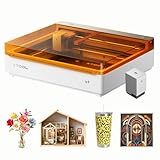


Compact laser machines compared
| Machine | Laser type and rated output | Approximate work area | Approximate machine footprint | Best fit |
|---|---|---|---|---|
| xTool M1 | Diode, 10W or 5W versions | About 385 × 300 mm (15.2 × 11.8 in) | About 557 × 453 × 230 mm (21.9 × 17.8 × 9.1 in) | Small crafts, wood, and users who want an enclosed machine with optional blade-cutting functions |
| LaserPecker 2 | Diode, about 5W optical output | Up to about 100 × 2000 mm (3.9 × 78.7 in) in sliding mode | Compact laser head; usable space depends on its stand and the object | Small, shallow engravings and portable work on objects that can be positioned under the head |
| Atomstack A10 Pro | Diode, about 10W optical output | About 410 × 400 mm (16.1 × 15.7 in) | About 570 × 600 mm (22.4 × 23.6 in), before adding clearance | Budget-conscious wood and craft work where an open-frame machine can be safely enclosed |
| xTool F1 | 10W diode plus 2W infrared | About 115 × 115 mm (4.5 × 4.5 in) | About 179 × 235 × 334 mm (7.0 × 9.3 × 13.1 in) | Small tags, tools, and mixed-material marking where a tiny work area is acceptable |
| ComMarker B4 | Fiber, commonly 20W or higher configurations | Typically about 110 × 110 mm (4.3 × 4.3 in), depending on lens | Head and base dimensions vary by configuration; allow space for the control unit | Frequent marking of bare metals and durable identification tags |
Work area and footprint are not interchangeable. An open-frame desktop laser etcher needs extra room around its frame, while an enclosed desktop laser etching machine may need a smaller operating zone but more clearance for its lid and exhaust hose. A fiber desktop laser marking machine can have a compact marking field yet still require space for its base, controller, and protective enclosure.
Choose by material and project size
Mostly wood, paper, or coated craft materials
A 10W diode machine is a practical starting point for coasters, signs, ornaments, and small shop labels. It can engrave wood and mark many opaque craft materials, but results vary with species, finish, color, and settings. A 20W diode generally works faster and can cut thicker stock than a 10W model, but it does not turn every material into a suitable laser target.
Check material guidance before processing plastics. PVC and vinyl can release hazardous corrosive gases and should not be laser-processed. Unknown plastics, treated wood, and coated materials also warrant caution; identify the material and consult the machine maker’s safety guidance. A laser-safe enclosure and effective exhaust are important even for a small desktop machine.
Small parts and occasional marking
The xTool F1’s small field and dual laser types suit users who value material flexibility more than a large bed. The diode can handle many wood and craft tasks; the infrared source is intended for certain metals and plastics, with compatibility depending on the material and coating. It is a mini laser marking machine for compact items, not a substitute for a larger bed when engraving broad panels.
The LaserPecker 2 takes a different approach: its compact head and sliding workflow can accommodate long objects, but positioning and alignment matter. It is worth considering for occasional small marks on items that are awkward to fit in a box-style machine. For repeatable production, a fixed enclosed machine is often easier to set up consistently.
Regular bare-metal identification
For stainless-steel tools, tags, and components, consider a fiber laser such as a ComMarker B4 rather than buying a diode machine and expecting it to mark bare metal directly. Fiber systems are designed for metal marking, but their small lens-dependent fields and higher purchase cost make them a specialized choice. Check the lens size and the maximum height of the part, not just the advertised marking area.
Match the machine to your workspace
| Your situation | More suitable choice | Why |
|---|---|---|
| Very limited bench space; mostly tiny tags | xTool F1 or a compact portable diode system | Small work field and machine body; still plan for safe enclosure and exhaust |
| Beginner making wood gifts once or twice a month | Enclosed 10W diode, such as the xTool M1 | Moderate bed, fewer exposed laser hazards, and approachable setup |
| Regular batches of wood signs or larger craft pieces | 10W–20W diode with roughly 400 mm bed, such as an Atomstack A10 Pro-class frame | More usable area and throughput, provided you can add an enclosure and exhaust |
| Frequent bare-metal marking | Fiber desktop laser marking machine | Purpose-built for metal marking; the investment and safety setup suit ongoing use |
For an open-frame machine measuring about 570 × 600 mm, a 700 × 750 mm bench is a more realistic minimum than a 570 × 600 mm one: that leaves roughly 65–75 mm per side for frame access and cable routing. An enclosure, lid opening, and exhaust hose can increase the required area substantially. Measure the full operating setup, including the space needed to load material and open doors—not just the frame dimensions.
Setup and ownership details that affect the decision
- Plan ventilation first. Route exhaust outdoors where practical, or use a filtration system specified for the machine and material. A small enclosure does not make fumes harmless.
- Budget for safe operation. Use the manufacturer’s enclosure and wavelength-appropriate eye protection, keep the work attended, and maintain a clear area around the machine. Do not rely on ordinary sunglasses or a camera view as laser protection.
- Allow time for alignment. Open-frame systems often need more care with focus, material placement, and repeat positioning. A camera or fixed jig can reduce setup errors, but neither replaces a test mark.
- Expect routine cleaning. Dust and smoke residue collect on lenses, rails, and fans. Follow the manual’s cleaning method; a dirty lens can reduce performance and may overheat.
- Know what wears out. Diode modules and fans have finite service lives, and belts or rollers may need adjustment on frame machines. Exhaust filters are consumables if used. Fiber systems avoid some diode-module limitations but cost more to service and configure.
For occasional projects, a lower-cost open-frame machine can make sense only if you are prepared to add a suitable enclosure and extraction. For a shared room or a first machine, an enclosed diode model is usually the simpler route. If metal marking is the main job, choose a fiber system from the outset rather than paying for features that do not solve the material problem.
Bottom line
Choose an enclosed 10W diode machine for approachable wood and craft work, a higher-power diode with a larger bed for frequent larger projects, and a fiber desktop laser marking machine for regular bare-metal identification. Pick the smallest work area that comfortably fits your real projects—but size the workspace for safe loading, ventilation, and access. That is what makes a mini laser etching machine practical rather than merely compact.