
What's inside
- Quick ranking: which CNC projects are worth making?
- 1. Personalized signs: the strongest all-around choice
- 2. Layered wall art: high perceived value from inexpensive stock
- 3. Serving boards and trays: attractive, but food safety changes the workflow
- 4. Desk organizers: the best small-space product
- 5. Plant trellises: simple geometry with seasonal demand
- 6. Interlocking stools and small furniture: higher price, higher risk
- Choose by your machine, budget, and experience
- A realistic profit calculation
- Where to get files—and what to check first
- What wears out first?
- Related Guides
As an Amazon Associate I earn from qualifying purchases. This post may contain affiliate links at no extra cost to you.
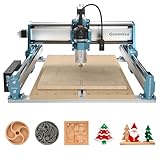
The best CNC router projects to make and sell in 2026 are personalized signs, layered wall art, serving boards, plant trellises, organizer trays, and small furniture parts—because they use modest amounts of material, fit on hobby machines, and offer enough customization to avoid competing only on price.
As an Amazon Associate we earn from qualifying purchases at no extra cost to you.


Quick ranking: which CNC projects are worth making?
| Rank | Project | Typical material cost | Recommended machine area | Cutting time | Assembly | Realistic selling range |
|---|---|---|---|---|---|---|
| 1 | Personalized signs | $8–$25 | 24 × 24 in or larger | 20–60 minutes | Low | $35–$120 |
| 2 | Layered wall art | $10–$30 | 12 × 18 in | 30–90 minutes | Medium | $45–$160 |
| 3 | Serving boards and trays | $15–$45 | 12 × 24 in | 35–90 minutes | Low to medium | $45–$140 |
| 4 | Desk organizers | $5–$18 | 12 × 12 in | 15–45 minutes | Low | $25–$75 |
| 5 | Plant trellises | $8–$25 | 18 × 24 in | 25–70 minutes | Low | $30–$90 |
| 6 | Interlocking stools and small furniture | $35–$100 | 24 × 48 in | 2–5 hours | High | $120–$350 |
These figures assume plywood, hardwood offcuts, or MDF purchased in small quantities. They exclude machine depreciation, design time, packaging, finishing supplies, and failed pieces. A project that sells for $60 is not automatically profitable if it occupies four hours of shop time.
1. Personalized signs: the strongest all-around choice
Signs are among the most practical CNC router projects because the design can stay nearly identical while the name, address, logo, or message changes. Popular formats include nursery names, wedding signs, cabin signs, house numbers, workshop plaques, and business lobby signs.
Use pine, cedar, hardwood panels, MDF, or exterior-rated plywood according to the intended location. A 12 × 24-inch sign is manageable on a compact machine, while a 24 × 36-inch sign commands a higher price but requires more workholding and finishing space.
- Best selling feature: personalization rather than complex geometry.
- Common failure: tiny lettering that tears out or becomes difficult to paint.
- Useful bit set: a 60-degree V-bit for lettering, a 1/8-inch end mill for detail, and a 1/4-inch end mill for clearing.
- Finishing reality: paint masks, sanding, and outdoor topcoat can take longer than cutting.
2. Layered wall art: high perceived value from inexpensive stock
Layered maps, topographic designs, botanical silhouettes, geometric panels, and family-name artwork can turn thin sheets into a product that looks substantially more expensive than its raw material cost. Three layers of 1/4-inch plywood may cost $10–$20, yet a carefully finished piece can sell for $60–$160.
This is a particularly good CNC router project for beginners after they understand toolpaths and zeroing. Each layer should have registration marks or alignment holes. Use tabs sparingly, because removing many tabs from thin material creates visible damage.
Paint each layer before assembly when possible. Painting after gluing makes it harder to reach edges and increases the chance of getting finish on the wrong surface. PVA wood glue works for most indoor plywood projects; use an adhesive appropriate to the materials and environment for outdoor work.
3. Serving boards and trays: attractive, but food safety changes the workflow
Serving boards are excellent router CNC projects when made from stable hardwood, bamboo, or suitable edge-glued panels. Add handles, juice grooves, engraved initials, or a shallow pocket for crackers. Trays can also include removable dividers, but avoid designs that trap crumbs in inaccessible corners.
For items that contact food, select a finish specifically labeled for that use and follow its curing instructions. Do not assume that any clear coat becomes suitable merely because it is fully dry. A smooth surface also matters: pockets should be cleaned thoroughly, and sharp inside corners should be softened with an appropriate radius.
Boards are more demanding than signs because end grain, tear-out, and moisture movement affect the result. A spoilboard that is not flat can produce an uneven groove. Surfacing the spoilboard and securing the workpiece firmly are more important than adding decorative detail.
4. Desk organizers: the best small-space product
Pen trays, headphone stands, phone docks, charging organizers, and modular drawer inserts fit small CNC machines and use inexpensive offcuts. They are among the most useful CNC router projects for beginners because a simple pocket, slot, or contour teaches the core operations without consuming a full sheet of material.
Design around common objects instead of guessing dimensions. Measure the customer’s phone, cable connector, or pen diameter, then add clearance. For a slot-fit organizer, a starting clearance of 0.5–1 mm per side is often more practical than a perfectly tight fit, though the correct value depends on the material, tool diameter, and machine accuracy.
Offer matching sets rather than isolated pieces. A pen tray, phone stand, and business-card holder cut from the same wood can raise the order value while sharing finishing and packaging steps.
5. Plant trellises: simple geometry with seasonal demand
Plant trellises, garden labels, herb markers, and wall-mounted propagation shelves are good CNC router project ideas for makers who want larger products without complicated joinery. Cedar and exterior plywood are common choices, but the finish and fasteners must suit moisture exposure.
Use rounded ends and generous internal corners to reduce breakage. Narrow lattice members are vulnerable during routing, sanding, shipping, and installation, so avoid making decorative parts thinner than the material and toolpath can reliably support. Selling sets of three or four garden markers may be more profitable than selling one small item individually.
6. Interlocking stools and small furniture: higher price, higher risk
Flat-pack stools, laptop stands, monitor risers, shelf brackets, and children’s step stools can command the highest prices, but they require better material selection, stronger joints, and more quality control. These are not ideal first projects unless you already understand fit testing and load-bearing construction.
Make a prototype from inexpensive MDF before cutting hardwood or premium plywood. Check that parts assemble without excessive force, then test for wobble and racking. A press-fit joint that is too tight can split plywood; one that is too loose can make the finished item unsafe or unstable.
Choose by your machine, budget, and experience
| Your situation | Best starting choice | Why | Avoid initially |
|---|---|---|---|
| Under $25 per project in materials | Signs, organizers, layered art | Low waste and inexpensive sheet goods | Large hardwood furniture |
| Compact 3018-style machine | Coasters, tags, small trays | Fits a small work area and shallow stock | 24-inch signs and full-size shelves |
| 24 × 24-inch hobby router | Signs, wall art, trellises | Useful size without demanding a full workshop | Oversized cabinet parts |
| Beginner learning CAD/CAM | Flat trays and simple plaques | Few operations and easy measuring | Multi-part press-fit furniture |
| Frequent custom orders | Personalized signs and name plaques | Repeatable files with variable text | One-off sculptural designs |
A realistic profit calculation
Suppose a personalized sign sells for $75. Materials cost $14, finish and masking supplies cost $4, packaging costs $5, and the cutting and finishing process takes 1.5 hours. If you assign $25 per hour to your labor, labor is $37.50. The estimated contribution before machine depreciation, transaction fees, and overhead is:
$75 − $14 − $4 − $5 − $37.50 = $14.50.
That margin improves if several signs are cut in one setup, if design time is spread across many variations, or if the sign is priced according to its size and personalization. It does not improve by simply cutting faster if sanding and painting remain the bottleneck.
Where to get files—and what to check first
Free CNC router project files can be useful for learning, but inspect the license before selling anything made from them. Some files permit personal use only; others allow commercial use with attribution. Check the file format, stock thickness, intended bit diameter, minimum feature size, and whether the design contains open vectors or duplicate paths.
Before cutting valuable material, run an air cut or preview the toolpath. Confirm that the origin, cut depth, tabs, ramps, and pocket boundaries are correct. A free file is not automatically ready for your machine.
What wears out first?
- Cutting bits: dull edges increase fuzzing, heat, and burn marks. Replace or resharpen them when finish quality declines rather than waiting for a breakage.
- Spoilboard: repeated surfacing reduces its thickness. Check flatness periodically and replace it before workpieces stop sitting securely.
- Collets: dust and wear can cause bit runout. Clean the taper and collet, and replace damaged components.
- Dust collection: clogged filters reduce airflow and leave abrasive dust on rails and lead screws.
- Workholding: loose clamps are a safety and quality problem. Keep clamps outside the toolpath and use screws, tape, or a vacuum system appropriate to the material.
The most dependable CNC router projects that sell are not necessarily the most intricate. They are repeatable, easy to personalize, economical to package, and attractive after ordinary finishing. Start with one design that fits your machine, record the actual time and material used, and expand only after the numbers support the selling price.