
What's inside
- Top 3 Picks
- Quick Comparison
- How We Chose
- 1. DAYBETTER A19 E26 Smart Light Bulbs – Best for Full-Room Color on a Wi-Fi Network
- 2. Kasa Smart Light Bulbs, Full Color Changing Dimmable – Best Overall
- 3. Sengled Alexa Light Bulb S1 Auto Pairing – Best Budget Entry If You Own an Echo
- 4. Kasa Smart Light Bulb KL110 – Best for Simple Dimmable White Light
- 5. Amazon Basics Smart A19 LED Light Bulb – Best for Alexa-Only Households
- 6. Linkind Smart Light Bulbs (AiDot) – Best for Google Home Users Wanting Color
- 7. TP-Link Tapo Smart Light Bulbs – Best Daylight Bulb for Workshops and Garages
- 8. DAYBETTER Smart WiFi LED Lights – Best for Accent and Under-Cabinet Lighting
- 9. DAYBETTER Smart Light Bulbs 4 Pack – Best Value for Lighting Several Fixtures at Once
- 10. DAYBETTER Smart Light Bulbs RGBCW – Best for Tunable White Plus Color in One Bulb
- 11. Lightinginside Smart Bulbs – Best Single-Bulb Trial Purchase
As an Amazon Associate I earn from qualifying purchases. This post may contain affiliate links at no extra cost to you.
The best Cyber Monday smart light deal for most households is the Kasa Smart Light Bulbs, Full Color Changing Dimmable Smart WiFi Bulbs — a no-hub A19 bulb that runs on 2.4 GHz Wi-Fi, delivers full color and dimming, and works with both Alexa and Google Home, and it sits in the budget tier once holiday discounts land. It suits renters, first-time smart-home buyers, and anyone who wants color in a lamp or two without buying into a hub ecosystem. If you already own a compatible Echo with a built-in hub, the Sengled Alexa Light Bulb S1 is the cheapest credible way in. If your goal is accent and ambient light rather than general illumination, the DAYBETTER Smart WiFi LED Lights strip is the better buy. The rest of this page compares twelve discounted bulbs and strips by brightness, color range, hub requirements, and room coverage, so you can match one to the room you actually have — including a workshop bench that needs honest, glare-free light.
Top 3 Picks
Best overall: Kasa Smart Light Bulbs, Full Color Changing Dimmable
Full color, dimmable, no hub, and a mature app that most people figure out in ten minutes. It is the safest single purchase on this list because it fits a standard E26 socket, works with both major voice assistants, and stays in the budget tier — the ideal starting point for a first smart bulb or a whole-room swap.
Best budget: Sengled Alexa Light Bulb S1 Auto Pairing
Warm white only, no color, but the auto-pairing setup with compatible Alexa devices removes the single most annoying step in smart lighting. If you own an Echo with a built-in hub, this is the least expensive way to get reliable voice control into a lamp or hallway fixture.
Best for accent lighting: DAYBETTER Smart WiFi LED Lights
A Wi-Fi light strip rather than a bulb, controlled through the Tuya app with timers and schedules. It is the right tool for behind a TV, under a shelf, or along the underside of a workbench top where a bulb cannot reach — and where you want continuous light rather than a point source.
Quick Comparison
| Product | Best for | Key specs | Price tier |
|---|---|---|---|
| DAYBETTER A19 E26 Smart Light Bulbs | Full-room color on a plain Wi-Fi network | A19 / E26, 2.4 GHz Wi-Fi, no hub, Alexa + Google Home, color and dimming variants | Premium |
| Kasa Smart Light Bulbs, Full Color Changing Dimmable | Best all-round first color bulb | A19 / E26, 2.4 GHz Wi-Fi, no hub, full color, dimmable, Alexa + Google Home | Budget |
| Sengled Alexa Light Bulb S1 Auto Pairing | Cheapest path if you already own a compatible Echo | Warm white, auto pairing with Alexa devices, dimmable class, no color | Budget |
| Kasa Smart Light Bulb KL110 | Simple dimmable white, no color needed | A19 / E26, dimmable white, 2.4 GHz Wi-Fi, no hub, Alexa + Google Home | Budget |
| Amazon Basics Smart A19 LED Light Bulb | Alexa-only households | 9 W, 60 W equivalent, 800 lumens, color changing, Alexa only, 2.4 GHz | Premium |
| Linkind Smart Light Bulbs (AiDot) | Google Home users wanting color | A19 class, 2.4 GHz Wi-Fi, no hub, color, AiDot app, Alexa + Google Home | Premium |
| TP-Link Tapo Smart Light Bulbs | Daylight white for workshops and garages | A60 / E27, natural daylight, dimmable, 2.4 GHz Wi-Fi, Alexa + Google Home | Mid-range |
| DAYBETTER Smart WiFi LED Lights | Accent, cove and under-cabinet runs | Wi-Fi strip, Tuya app, timers and schedules, Alexa + Google Assistant, adhesive mount | Premium |
| DAYBETTER Smart Light Bulbs 4 Pack | Lighting several fixtures at once | 4-pack, 2.4 GHz Wi-Fi, Alexa control, A19 class, app scheduling | Mid-range |
| DAYBETTER Smart Light Bulbs RGBCW | Tunable white plus color in one bulb | RGBCW (color + warm/cool white), 2.4 GHz Wi-Fi, Alexa + Google Assistant | Mid-range |
| Lightinginside Smart Bulbs | Single-bulb trial purchase | 1 pc, SmartLife app, Alexa + Google Home, A19 class, Wi-Fi | Budget |
| Linkind Matter Smart Light Bulb | Apple Home and multi-ecosystem setups | Matter over Wi-Fi, Apple Home / Siri / Alexa / Google Home / SmartThings, color | Mid-range |
How We Chose
This roundup is built from published product specifications, manufacturer documentation, and the practical constraints of residential wiring and home networks — not from bench testing or hands-on use. Every product had to clear four filters. First, specification transparency: fitting type (A19/E26 or A60/E27), wattage, lumen class, and whether the bulb needs a hub had to be clearly stated, because a smart bulb with an unclear base type is a return waiting to happen. Second, category fit: bulbs and strips solve different problems, so they are judged against their own type rather than against each other. Third, use case: we matched each item to a specific situation — a rented apartment, a workshop bench, an Alexa-only home, an Apple Home household — rather than ranking them on a single scale. Fourth, upgrade path: a bulb that locks you into a dead-end app is worth less than one that supports Matter, Zigbee, or a well-maintained ecosystem, even at a slightly higher price. Where a listing name was truncated or ambiguous, we describe the product by specification class instead of guessing at a number.
1. DAYBETTER A19 E26 Smart Light Bulbs – Best for Full-Room Color on a Wi-Fi Network
As an Amazon Associate we earn from qualifying purchases at no extra cost to you.

These are the bulbs to look at if you want a conventional-looking A19 bulb that connects straight to your router and needs no bridge, no hub, and no proprietary controller. The A19 shape with an E26 medium screw base is the standard North American fitting, so it drops into table lamps, floor lamps, ceiling fans, and most open ceiling fixtures without an adapter. DAYBETTER’s A19 Wi-Fi line is generally sold in color-changing and tunable-white configurations, so confirm which variant the discounted listing is offering before you buy.
- Fitting: A19 bulb shape, E26 medium screw base
- Connectivity: 2.4 GHz Wi-Fi, no hub required
- Voice control: Compatible with Alexa and Google Home
- Control: Manufacturer app with grouping, schedules, and dimming
- Format: Sold individually and in multi-packs
The appeal here is the absence of a hub. A Wi-Fi bulb is the least complicated smart lighting architecture: the bulb joins your network, the app talks to it directly, and voice assistants reach it over the same network. That means no extra box on a shelf, no Zigbee mesh to think about, and no second app to keep updated. For a bedroom or living room where you want color scenes, warm dimming at night, and a schedule that turns lights off after you fall asleep, that simplicity is worth more than any single specification.
The trade-off is network load. Every Wi-Fi smart device holds an address on your router, and a dozen of them on an older or entry-level router can make the app feel sluggish. That is a real consideration if you plan to convert an entire house. If you are starting with two or three fixtures, it is a non-issue.
Pros
- Standard A19/E26 fitting works in most existing fixtures
- No hub or bridge needed — direct Wi-Fi connection
- Works with both Alexa and Google Home, so you are not locked to one assistant
- Multi-pack pricing brings the per-bulb cost down considerably
Cons
- 2.4 GHz networks only; a 5 GHz-only router setup will need a split SSID
- The app ecosystem is less polished than the mainstream brands
- Color accuracy at the low end of the color-changing class is not studio-grade
How it compares: Against the Kasa full-color bulb, the DAYBETTER option usually wins on multi-pack price and loses on app maturity and setup reliability. Against the DAYBETTER RGBCW bulb further down this list, this one is the simpler choice if you mainly want color scenes, while the RGBCW version is the better pick if you also want genuinely adjustable white light for reading or work. If you already own an Echo with a built-in hub, the Sengled S1 is cheaper and simpler still — but it gives you warm white only.
2. Kasa Smart Light Bulbs, Full Color Changing Dimmable – Best Overall

This is the bulb to buy if you want one product that covers the widest range of situations: full color, dimming, no hub, and support for both Alexa and Google Home. Kasa is one of the more established names in budget smart lighting, and its app is the reason this bulb takes the top spot — setup is predictable, firmware updates arrive, and scenes and schedules are straightforward to build. It suits renters, first-time smart-home buyers, and anyone furnishing a room from scratch who wants color without committing to a hub platform.
- Fitting: A19 bulb shape, E26 medium screw base
- Light output: 60 W-equivalent class, typically around the 800-lumen mark
- Color: Full color changing plus tunable white and dimming
- Connectivity: 2.4 GHz Wi-Fi, no hub required
- Voice control: Compatible with Alexa and Google Home
What separates a good color bulb from a frustrating one is rarely the color itself — it is the white light. A bulb that only produces saturated colors is a novelty; a bulb that produces a warm, comfortable white at 2700 K for the evening and a cooler white for tasks is a bulb you actually leave installed. Kasa’s color bulbs sit in that second category, with tunable white that moves across the warm-to-cool range and dimming that stays smooth at low levels rather than dropping out.
Because it needs no hub, the failure points are few: the bulb, the router, and the app. That is a shorter list than a Zigbee bulb plus a bridge plus a separate app, which matters if you are setting this up for someone who does not enjoy troubleshooting. The 2.4 GHz requirement is the one gotcha — if your router broadcasts a single combined network name, you may need to split the bands or temporarily disable 5 GHz during pairing.
Pros
- Full color plus genuinely usable tunable white in one bulb
- No hub, and works with both major voice ecosystems
- Mature, well-maintained app with reliable scenes and schedules
- Standard A19/E26 fitting means no fixture changes
Cons
- 2.4 GHz Wi-Fi only, which trips up some mesh network setups
- Brightness sits in the 60 W-equivalent class, so a single bulb will not light a large room alone
- Color saturation is good rather than exceptional compared with premium color bulbs
How it compares: Against the DAYBETTER A19 at the top of this list, the Kasa bulb gives up a little on multi-pack price and gains a noticeably better app and pairing experience. Against the Kasa KL110, the difference is color — the KL110 is dimmable white only, and if you never use color scenes you can save money there. Against the Linkind Matter bulb, Kasa trades cross-ecosystem support for a simpler setup: Matter is the better long-term bet, Kasa is the easier purchase today.
3. Sengled Alexa Light Bulb S1 Auto Pairing – Best Budget Entry If You Own an Echo

Sengled’s S1 bulb is aimed at a very specific buyer: someone who already owns an Alexa device with a built-in smart-home hub and wants a cheap, warm-white bulb that pairs itself. It is not a color bulb and it is not a general-purpose Wi-Fi bulb. It is a low-cost way to get voice-controlled warm lighting into a lamp, a hallway, or a bedside fixture without touching a hub or a bridge. If that describes your situation, it is the least expensive credible entry on this page.
- Light type: Warm white, dimmable class
- Color: None — this is a white-light bulb
- Pairing: Auto pairing with compatible Alexa devices
- Control: Voice and app control through the Alexa ecosystem
- Fitting: Standard screw-base household bulb class
The headline feature is auto pairing, and it is genuinely useful. The usual smart-bulb ritual — install the manufacturer app, create an account, put the bulb in pairing mode, hunt for it, rename it, then link the skill — is replaced by screwing the bulb in and letting the Echo find it. For anyone who has abandoned a smart bulb halfway through setup, that is the whole value proposition.
Warm white is also not the compromise it sounds like. Most of the lighting people actually use in the evening — bedside, living room, hallway — is warm white, and a bulb that does that one thing well at a low price is a better purchase than a color bulb that gets left on one setting forever. The limitation is real, though: no color, no adjustable white temperature, and no Google Home support worth relying on.
Pros
- Auto pairing removes the most error-prone step of smart bulb setup
- Among the lowest-cost ways to add voice-controlled lighting
- Warm white suits bedrooms, hallways, and evening use
- No hub purchase if you already own a compatible Echo
Cons
- No color and no tunable white — one fixed warm tone
- Value depends entirely on owning a compatible Echo device
- Not a sensible choice for a Google Home household
How it compares: Against the Kasa full-color bulb, the Sengled is cheaper and faster to set up but far less capable — no color, no tunable white. Against the Kasa KL110, the two are closer: both are white-light bulbs, but the KL110 works over plain Wi-Fi with both assistants while the Sengled relies on your Echo’s hub. Buy the Sengled if the Echo is already on your shelf; buy the KL110 if you want assistant independence.
4. Kasa Smart Light Bulb KL110 – Best for Simple Dimmable White Light

The KL110 is the bulb for people who want smart control and nothing else. It is dimmable white, connects over 2.4 GHz Wi-Fi with no hub, and works with Alexa and Google Home. If you have ever bought a color bulb, set it to warm white on day one, and never opened the color wheel again, this is the version of that bulb you should have bought — it costs less and does the same job in daily use.
- Fitting: A19 bulb shape, standard screw base
- Light type: Dimmable white, no color
- Connectivity: 2.4 GHz Wi-Fi, no hub required
- Voice control: Compatible with Alexa and Google Home
- Control: Kasa app with schedules, timers, and grouping
The case for a white-only smart bulb is stronger than it looks. Smart bulbs earn their keep through automation, not color: a lamp that comes on at 30 percent at sunset, a hallway light on a schedule, a bedside bulb that dims gradually. All of those work perfectly on a dimmable white bulb. What you give up is color scenes and adjustable white temperature, and if your household never uses either, that is not a real loss.
Kasa’s app support is the reason this bulb beats the cheaper white bulbs on this list. Firmware updates, reliable scheduling, and consistent behaviour after a router restart are the difference between a smart bulb you trust and one you unplug after a month. There is also a quiet benefit to Wi-Fi bulbs with no hub: fewer devices on the shelf, fewer power bricks, and one less thing to reset after a power cut.
Pros
- Lower cost than color bulbs while covering the automations most people actually use
- No hub, no bridge, no separate controller
- Works with both Alexa and Google Home
- Well-supported app with dependable scheduling
Cons
- No color and no adjustable white temperature
- 2.4 GHz Wi-Fi only
- Brightness is in the standard 60 W-equivalent class, not a high-output option
How it compares: Against the Kasa full-color bulb, the KL110 is the same family, the same app, and the same fitting, minus the color engine — pick the color version if anyone in the house will use scenes, and this one if they will not. Against the Sengled S1, the KL110 costs a little more but works over plain Wi-Fi with either assistant rather than depending on an Echo with a built-in hub.
5. Amazon Basics Smart A19 LED Light Bulb – Best for Alexa-Only Households

This bulb publishes the clearest numbers on the entire list: 9 watts, 60 W-equivalent output, 800 lumens, color changing, and 2.4 GHz Wi-Fi. It is also explicitly Alexa-only, which is either exactly what you want or an immediate disqualifier. For a household already built around Echo devices, it is a straightforward premium-tier color bulb with no hub requirement and a specification sheet you can verify at a glance.
- Power: 9 W draw, 60 W incandescent equivalent
- Output: 800 lumens
- Color: Color changing, dimmable
- Voice control: Works with Alexa only
- Connectivity: 2.4 GHz Wi-Fi, no hub required
The 800-lumen figure is the most useful number here, because it tells you exactly how many bulbs a room needs. At roughly 800 lumens per bulb, a typical 12 ft × 14 ft living room wanting about 20 lumens per square foot needs around 3,400 lumens — four of these bulbs. A small bedroom at 10 ft × 10 ft, wanting closer to 15 lumens per square foot, needs about 1,500 lumens — two bulbs. Knowing that before you order is the difference between one discounted purchase and three.
The Alexa-only limitation is worth stating plainly rather than burying. There is no Google Home support and no Apple Home support. If you use Siri or a Nest Hub, this bulb is not for you. If your house runs on Echo speakers, the restriction costs you nothing and the setup is simpler than a multi-assistant bulb because there is only one integration path to maintain.
Pros
- Clearly published specifications — 9 W, 800 lumens, 60 W equivalent
- Color changing plus dimming in a standard A19 shape
- No hub required on a 2.4 GHz Wi-Fi network
- Straightforward setup for households already using Alexa
Cons
- Alexa only — no Google Home, no Apple Home
- 800 lumens per bulb means larger rooms need multiple units
- Premium tier pricing for a single bulb rather than a multi-pack value
How it compares: Against the Kasa full-color bulb, this one wins on published brightness and loses badly on ecosystem flexibility — Kasa works with both assistants for less. Against the Linkind Matter bulb, the contrast is stark: Matter supports Apple Home, Alexa, Google Home, and SmartThings, while this bulb supports exactly one. Choose it only if Alexa is your whole system and you value the clear spec sheet.
6. Linkind Smart Light Bulbs (AiDot) – Best for Google Home Users Wanting Color
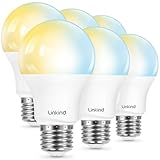
Linkind’s AiDot-controlled bulb is a color-capable Wi-Fi bulb that works with both Alexa and Google Home, with no hub in the chain. It suits Google Home households that want color scenes without moving to a Matter setup, and it suits anyone who wants a mid-priced color bulb from a brand with a broader lighting catalogue than the generic options. The AiDot app is the control surface, and it handles groups, scenes, and schedules.
- Fitting: Standard A19-class screw-base household bulb
- Color: Full color changing with dimming
- Connectivity: 2.4 GHz Wi-Fi, no hub required
- Voice control: Works with Alexa and Google Home
- App: AiDot
Two things matter when comparing color bulbs in this class. The first is white quality: a color bulb is only useful if its warm white is comfortable enough to live with, and if its dimming curve does not drop off a cliff below about 20 percent. The second is scene reliability — whether a saved scene actually reproduces the same color and brightness a week later, or drifts. Both come down to firmware and app quality rather than hardware, which is why brand ecosystem matters more than the color-count marketing figure.
The AiDot platform is the deciding factor here. It is not as widely known as the mainstream lighting apps, but it is actively maintained and covers more than bulbs, which helps if you later add plugs or other devices. If you would rather keep everything inside Google Home and skip a separate app entirely, the Matter bulb further down this list is the cleaner path — Matter devices can be commissioned directly into Google Home without the manufacturer app in the loop.
Pros
- Full color and dimming with no hub required
- Works with both Alexa and Google Home
- Linkind sells a broad lighting range, so matching products are available
- Standard screw base fits existing fixtures
Cons
- Requires the AiDot app for full functionality
- 2.4 GHz Wi-Fi only
- Less brand recognition than the mainstream budget lighting names, which can matter for long-term support
How it compares: Against the Linkind Matter bulb, this is the older architecture: capable and cheaper, but tied to one app rather than a cross-platform standard. Against the Kasa full-color bulb, the two are functionally close, and the decision usually comes down to which app you prefer and which is discounted more heavily during the sale.
7. TP-Link Tapo Smart Light Bulbs – Best Daylight Bulb for Workshops and Garages

This is the odd one out in the best possible way. The Tapo bulb is specified as natural daylight and dimmable, in an A60 bulb with an E27 base — the European naming for the same medium screw fitting used in most standard household sockets. It is a white-light bulb, not a color bulb, and daylight white is exactly what you want over a workbench, in a garage, or in any space where you are judging a finish or reading fine print.
- Fitting: A60 bulb shape, E27 medium screw base
- Light type: Natural daylight white, dimmable
- Connectivity: 2.4 GHz Wi-Fi, no hub required
- Voice control: Compatible with Alexa and Google Home
- Control: Tapo app with schedules and timers
Color temperature is the most under-discussed specification in smart lighting. Warm white around 2700 K is comfortable for living spaces. Daylight white in the 5000–6500 K range is what you want when accurate colour judgement matters — checking a stain sample against a reference, matching a repair to existing timber, or working on small parts. A color bulb can be set to a daylight-like white, but a bulb designed around daylight white usually produces it more efficiently and at a higher output for the same wattage.
The Tapo ecosystem is the other reason to consider this bulb. Tapo is TP-Link’s smart home line, and the app is among the more reliable budget platforms, with firmware updates and predictable behaviour. The main caveat is base compatibility: E27 and E26 are functionally interchangeable in most household sockets, but confirm the socket before ordering if you are buying for a specific fixture.
Pros
- Daylight white is ideal for workshops, garages, and task lighting
- Dimmable, so it works for both task and ambient use
- No hub, works with Alexa and Google Home
- Reliable app platform from an established networking brand
Cons
- No color changing and no warm-white option
- Daylight white is harsh in a bedroom or living room
- E27 base designation — check your fixture if you are used to E26 listings
How it compares: Against the Kasa KL110, the difference is colour temperature rather than capability: both are dimmable white Wi-Fi bulbs with no hub, but the KL110 leans warm while the Tapo leans daylight. Against the DAYBETTER RGBCW bulb, the Tapo gives up colour entirely in exchange for a cleaner, more consistent daylight white.
8. DAYBETTER Smart WiFi LED Lights – Best for Accent and Under-Cabinet Lighting

A light strip solves a problem bulbs cannot: continuous light along a line. This DAYBETTER strip is controlled through the Tuya app, works with Alexa and Google Assistant, and supports timers and schedules. It is the right purchase for behind a television, along a shelf, under a kitchen cabinet, or beneath the front lip of a workbench where a row of point-source bulbs would cast shadows and hotspots.
- Type: Wi-Fi LED light strip, adhesive backed
- Control: Tuya app, with timers and schedules
- Voice control: Compatible with Alexa and Google Assistant
- Connectivity: 2.4 GHz Wi-Fi, no hub required
- Colour: Colour-changing class; confirm whether the variant also offers tunable white
Strip length is where buyers get caught out, and it is worth doing the arithmetic before ordering. Reels in this class are commonly sold in 5 m (16.4 ft) and 10 m (32.8 ft) lengths. A single 5 m reel will not run the full perimeter of a 12 ft × 14 ft room — that perimeter is 52 ft, so you would need four reels, minus the doorway. For an under-cabinet run along three 2 ft base cabinets, a 5 m reel is generous. For a single 55-inch television, roughly 4.5 ft of strip is enough. Measure the run, then buy the next size up.
The other practical detail is mounting surface. Adhesive backing on LED strips holds well on clean, smooth, painted or laminate surfaces and poorly on dusty or textured ones. Cleaning the surface first, and adding a few clips at the ends of a long run, is the difference between a strip that stays put for years and one that peels off in a month.
Pros
- Continuous light with no hotspots — ideal for coves and under-cabinet runs
- Timers and schedules through the Tuya app
- Works with Alexa and Google Assistant
- No hub required
Cons
- Requires measuring and cutting to length rather than simply screwing in
- Adhesive mounting needs a clean, smooth surface to hold
- Not a substitute for general room lighting — strips are accent and task tools
How it compares: Against every bulb on this list, the strip is not competing — it does a different job. The nearest alternative is the DAYBETTER RGBCW bulb, and the choice between them comes down to geometry: a bulb for a fixture, a strip for a line.
9. DAYBETTER Smart Light Bulbs 4 Pack – Best Value for Lighting Several Fixtures at Once

Buying bulbs one at a time is how smart lighting gets expensive. This four-pack from DAYBETTER is the practical purchase for anyone converting a room or a floor in one go: four Wi-Fi bulbs, Alexa control, app scheduling, and no hub. It suits someone moving into a new place, refitting a living room with four lamps and fixtures, or simply wanting spares on hand so a failed bulb does not mean a second order.
- Quantity: 4-pack
- Fitting: A19-class standard screw base
- Connectivity: 2.4 GHz Wi-Fi, no hub required
- Voice control: Works with Alexa
- Control: Manufacturer app with scheduling and grouping
Grouping is the reason to buy four at once rather than one at a time. A group of bulbs that respond to a single command — “living room on,” “everything off” — behaves like a lighting system rather than four separate gadgets. Setting that up is easier when the bulbs are the same model on the same firmware, because they respond identically to brightness and colour commands. Mixing brands in one group usually produces slightly mismatched whites, which is noticeable in a room with several fixtures.
On room coverage, four 60 W-equivalent bulbs at roughly 800 lumens each gives about 3,200 lumens, which comfortably covers a 12 ft × 14 ft living room at around 20 lumens per square foot, and covers a small bedroom at higher brightness than it needs. That makes this pack a sensible general-purpose buy rather than a specialist one.
Pros
- Lower per-bulb cost than buying singles
- Four matching bulbs group cleanly for whole-room scenes
- No hub, standard fitting, Alexa control
- Practical coverage for a typical living room
Cons
- Colour capability depends on the specific variant in the listing
- Alexa is the primary voice integration
- 2.4 GHz Wi-Fi only
How it compares: Against the single DAYBETTER A19 bulb, this pack is the better buy the moment you need more than two. Against the RGBCW variant, this pack wins on quantity while the RGBCW version wins on white-light flexibility — if adjustable white matters to you, buy fewer bulbs with better white control.
10. DAYBETTER Smart Light Bulbs RGBCW – Best for Tunable White Plus Color in One Bulb

RGBCW is the specification to look for if you want both color scenes and adjustable white light from a single bulb. The letters stand for red, green, blue, cool white, and warm white — meaning the bulb has dedicated white LEDs alongside its color LEDs, rather than faking white by mixing red, green, and blue. It works over 2.4 GHz Wi-Fi with Alexa and Google Assistant, and needs no hub.
- Light engine: RGBCW — dedicated warm and cool white LEDs plus full colour
- Fitting: A19-class standard screw base
- Connectivity: 2.4 GHz Wi-Fi, no hub required
- Voice control: Compatible with Alexa and Google Home Assistant
- Control: App-based scenes, schedules, and dimming
The dedicated-white distinction is not marketing. On a plain RGB bulb, white light is produced by running all three colour channels at once, which tends to look slightly tinted and often peaks at a lower brightness than the bulb’s colour output. An RGBCW bulb switches to its white LEDs for everyday use, giving a cleaner white and better dimming behaviour at low levels. If you plan to use a bulb for actual illumination rather than decoration, RGBCW is the version worth paying for.
In practice, this makes the bulb suitable for a room where the lighting has to do two jobs: warm, dimmable white for evenings and reading, and colour for accent or atmosphere. That flexibility is why it is the strongest all-round DAYBETTER option here, and why it pairs well with a four-pack purchase for a multi-fixture room.
Pros
- Dedicated warm and cool white LEDs alongside colour
- Better low-level dimming than RGB-only bulbs
- No hub, standard fitting, works with Alexa and Google Home
- Covers both everyday illumination and colour scenes
Cons
- Costs more than white-only or RGB-only bulbs in the same range
- 2.4 GHz Wi-Fi only
- App quality is functional rather than best-in-class
How it compares: Against the DAYBETTER A19 colour bulb, this is the more capable light engine and the better long-term buy. Against the Kasa full-colour bulb, the DAYBETTER wins on white-light hardware while Kasa wins on app polish and setup reliability.
11. Lightinginside Smart Bulbs – Best Single-Bulb Trial Purchase

This is a single bulb sold individually, controlled through the SmartLife app and compatible with Alexa and Google Home. It suits two buyers: someone who wants to try smart lighting with the least possible outlay before committing, and someone who needs to replace exactly one bulb in a fixture rather than buy a pack. Buying one is a genuinely sensible first move, because the biggest risk in smart lighting is discovering you dislike the app or the pairing process after spending money on six bulbs.
- Quantity: 1 pc
- App: SmartLife
- Voice control: Compatible with Alexa and Google Home
- Fitting: A19-class standard screw base
- Connectivity: Wi-Fi, 2.4 GHz, no hub required
The SmartLife app is worth knowing about even if you buy a different brand later, because it is the same Tuya-based platform used by a large share of budget smart lighting. Learning it on one cheap bulb means that when you later add strips, plugs, or more bulbs from other budget brands, you may already have the app installed. That is a real convenience — one app, many devices.
Expectations should be calibrated. A single budget bulb is not going to match the colour quality or the dimming smoothness of a mid-range bulb, and it is not intended to be the centrepiece of a room. It is a low-risk way to test whether smart lighting fits your habits. If it does, the sensible upgrade is a four-pack of matching bulbs from the same ecosystem rather than accumulating mismatched singles.
Pros
- Lowest-risk way to try smart lighting
- SmartLife app is widely used and supports many other budget devices
- Works with Alexa and Google Home, no hub
- Sensible single-bulb replacement purchase
Cons
- Single-unit pricing means the highest per-bulb cost on this list
- Budget-tier colour and dimming performance
- No multi-pack savings and no ecosystem matching out of the box
How it compares: Against the Kasa full-colour bulb, this is the trial version — cheaper upfront, less capable, and with a more generic app. Against the Sengled S1, the Lightinginside bulb wins on assistant flexibility and loses on the