
What's inside
- Quick comparison of leading laser engravers
- Best overall diode choice: xTool S1
- Best budget option: Ortur Laser Master 3
- Best affordable CO₂ machine: OMTech Polar 350
- Best for easy software: Glowforge Pro
- Best for frequent production: xTool P2S
- Choose by your workshop situation
- What ownership is really like
- Setup and safety checks that matter
- Final recommendation
- Related Guides
As an Amazon Associate I earn from qualifying purchases. This post may contain affiliate links at no extra cost to you.
For most woodworking shops, the best laser engraver is the xTool S1 20W or 40W for an open-frame diode machine, the OMTech Polar 350 for an affordable enclosed CO₂ setup, and the Glowforge Pro for the simplest polished workflow; choose the xTool P2S when speed, thick wood, and production capacity matter more than price.
This laser engraver review compares machines by the factors that affect real workshop decisions: engraving detail, cutting ability, work area, setup, safety, software, maintenance, and ownership cost. Prices vary by bundle and promotions, so the ranges below are broad 2026 market estimates rather than fixed quotes.
As an Amazon Associate we earn from qualifying purchases at no extra cost to you.



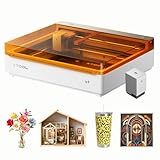
Quick comparison of leading laser engravers
| Machine | Laser type and power | Work area | Best material thickness | Typical market range | Best suited to |
|---|---|---|---|---|---|
| xTool S1 | Diode, 20W or 40W | 498 × 330 mm | About 10–15 mm wood in multiple passes, depending on species and lens | $700–$1,500 before optional accessories | Small shops wanting an enclosed diode machine |
| Ortur Laser Master 3 | Diode, up to 20W | 400 × 400 mm | Thin plywood, hardwood, leather, and engraving stock | $400–$900 | Budget users comfortable with setup and tuning |
| OMTech Polar 350 | CO₂, 50W | 510 × 305 mm | Approximately 10–12 mm wood in one or several passes | $2,000–$3,000 | Enclosed cutting and engraving at moderate production volume |
| Glowforge Pro | CO₂, 45W | 495 × 279 mm | Thicker wood than diode machines, subject to material and settings | $5,000–$7,000 | Users prioritizing guided software and minimal configuration |
| xTool P2S | CO₂, 55W | 600 × 305 mm | Production-oriented cutting of wood, acrylic, and other compatible materials | $4,000–$6,000 | Frequent use, larger work, and faster cutting |
Thickness figures are practical starting points, not guarantees. Wood species, glue lines, moisture, resin, air assist, focus, and the number of passes can change results substantially. Never cut unknown plywood or treated lumber until its adhesive and coating are confirmed safe for laser use.
Best overall diode choice: xTool S1
The xTool S1 is the strongest general recommendation for a woodworking shop that wants a relatively compact, enclosed diode laser. Its 20W version is suitable for signs, coasters, templates, inlays, leather labels, and thin plywood. The 40W version is the better choice when cutting matters as much as engraving.
Diode lasers are particularly good at detailed engraving on natural wood because they produce a narrow, controllable mark. They are slower than CO₂ machines when cutting larger panels, but they generally cost less to buy and operate. The S1’s enclosure, camera-assisted positioning on compatible configurations, air-assist options, and support for common laser-control software make it easier to integrate into a home workshop than a completely open-frame machine.
Choose the 20W model if engraving is at least 70 percent of your work. Choose 40W if you routinely cut 6 mm plywood, hardwood blanks, or batches of small parts. The larger laser does not automatically produce finer engraving; it mainly provides more cutting power and shorter cutting times.
Best budget option: Ortur Laser Master 3
The Ortur Laser Master 3 offers a lower-cost path into laser engraving, especially for a maker who already has a ventilated work area and is willing to assemble and tune the machine. It can produce attractive engraving on wood, slate, leather, and coated metals, but its open-frame design demands more attention to enclosure, smoke extraction, flame control, and eye protection.
Its main advantage is flexibility: the owner can choose an enclosure, air assist, honeycomb bed, and exhaust arrangement instead of paying for an integrated package. The trade-off is that setup quality becomes part of the machine’s performance. A loose belt, dirty lens, uneven workpiece, or poorly aligned frame can create banding and inconsistent depth.
This is a good laser engraver review result for occasional users and technically confident beginners, but not the best choice for a shared studio, classroom, or unattended production. The machine should never be left running without supervision.
Best affordable CO₂ machine: OMTech Polar 350
The OMTech Polar 350 is a compelling step up when cutting plywood, acrylic, and thicker wood is central to the business. A 50W CO₂ tube interacts more effectively with many nonmetallic materials than a diode laser, and the 510 × 305 mm bed accommodates common sign blanks and project panels.
The Polar 350 is enclosed and typically includes workshop-oriented features such as water cooling, air assist, an exhaust connection, and a rotary option depending on the package. It still requires more ownership knowledge than a consumer appliance. Water temperature, tube condition, mirrors, lens cleanliness, exhaust flow, and alignment all affect results.
For a woodworking shop making repeated batches, its faster cutting can outweigh the extra maintenance. For a hobbyist who engraves a few pieces per month, the purchase price and footprint may not be justified.
Best for easy software: Glowforge Pro
The Glowforge Pro remains attractive when ease of use, guided positioning, and a polished interface are more important than maximum control. It is designed around a streamlined workflow: prepare artwork, position the material, select a setting, and start the job. That reduces the learning curve for a craft business selling personalized signs, gifts, and décor.
The disadvantages are cost and dependence on the manufacturer’s software ecosystem. Experienced operators may want deeper control over speed, power, acceleration, layer behavior, and workflow automation than a simplified interface provides. The enclosed design is convenient, but ventilation and approved-material practices are still essential.
For this laser engraving machine review, the Glowforge Pro is easiest to recommend to a nontechnical user who values repeatable day-to-day operation. It is harder to justify for someone who wants to experiment with custom firmware, extensive parameter control, or the lowest cost per job.
Best for frequent production: xTool P2S
The xTool P2S is the production-oriented choice in this group. Its 55W CO₂ source, larger 600 × 305 mm work area, enclosed design, and camera-based positioning features make it better suited to repeated cutting and engraving than most desktop diode machines.
The P2S makes sense when orders involve many identical parts, thicker stock, or materials that a diode laser cuts slowly. Its higher price, larger footprint, ventilation requirements, and CO₂-tube ownership are the costs of that productivity. It is excessive for occasional nameplates, but potentially economical when machine time is limiting the business.
Choose by your workshop situation
| Your situation | Recommended direction | Reason |
|---|---|---|
| Under $1,000 and mostly engraving | Ortur Laser Master 3 or a 20W diode machine | Lower entry cost and strong detail on wood |
| Beginner with limited workshop experience | Enclosed xTool S1 | Less exposure to alignment and open-frame safety problems |
| Frequent cutting of 6 mm plywood | 40W diode or 50W CO₂ | More optical power reduces passes and job time |
| Shared studio or customer-facing space | Enclosed CO₂ or enclosed diode machine | Better containment, though ventilation is still required |
| Dozens of parts per week | xTool P2S or OMTech Polar 350 | Faster cutting and more suitable cooling and exhaust systems |
| Small space with occasional projects | Compact enclosed diode machine | Lower power draw, smaller footprint, and simpler maintenance |
What ownership is really like
Laser performance gradually changes because the machine is also a dust and smoke collector. Wood resin and soot accumulate on the lens, honeycomb bed, mirrors, and exhaust path. Clean the lens according to the manufacturer’s procedure, remove debris after each session, and inspect air-assist tubing regularly. A dirty lens can reduce cutting power and create a hot spot that damages the optics.
Diode modules eventually lose output and are normally replaced as a module. CO₂ machines have additional consumables: the tube, mirrors, lens, cooling water, and sometimes a chiller. Belts, rollers, fans, and exhaust hoses also wear. In many workshops, inconsistent results are caused by maintenance or material variation before the laser itself has failed.
Suppose a $1,200 diode machine, enclosure, air assist, and exhaust total $1,600. If it completes 800 saleable jobs before a major replacement, the equipment cost alone is about $2 per job. At 2,000 jobs, it falls to $0.80 per job, before electricity, materials, labor, failed pieces, and maintenance. This is why a faster CO₂ machine can be financially sensible for regular production even when its purchase price is much higher.
Setup and safety checks that matter
- Use a nonflammable, stable surface and leave clearance around ventilation openings.
- Install an enclosure and exhaust system that sends smoke outdoors or through a manufacturer-approved filtration system.
- Use air assist when cutting, keep a suitable fire extinguisher nearby, and remain present during every job.
- Do not laser PVC, vinyl, unknown plastics, pressure-treated wood, or materials containing hazardous coatings.
- Confirm focus and material flatness before increasing power; warped plywood is a common cause of incomplete cuts.
- Run a small power-and-speed test grid for each new wood species or plywood supplier.
- Save successful settings with the material thickness and batch source, not merely a generic label such as “birch.”
Final recommendation
Buy the xTool S1 20W for detailed woodworking projects and moderate cutting with a manageable learning curve. Move to the 40W S1 when cutting is frequent. Choose the OMTech Polar 350 when you need affordable CO₂ performance, the Glowforge Pro when software simplicity is the priority, and the xTool P2S when production speed and capacity justify the investment. The best laser engraver is not the one with the largest wattage; it is the one whose enclosure, work area, software, ventilation, and maintenance demands match how often your shop will actually use it.