As an Amazon Associate I earn from qualifying purchases. This post may contain affiliate links at no extra cost to you.
The best laser engraver for most woodworkers is a 10W to 20W diode laser with a work area of at least 400 x 400mm, while woodworkers who need to cut thicker hardwood or want CO2 speed and depth should choose a 40W to 55W CO2 machine with an enclosed cabinet.
As an Amazon Associate we earn from qualifying purchases at no extra cost to you.
Diode vs CO2 vs Fiber: Which Laser Type Fits Woodworking?
For wood, the laser source matters more than brand. Each type interacts differently with organic materials.
Diode Lasers (Blue Light, 455nm)
Diode lasers are the most common choice for woodworking shops because they engrave and cut wood, plywood, MDF, leather, and acrylic (opaque) well, are compact, and cost the least to run. Common optical output powers in 2026 are 5W, 10W, 20W, 30W and 40W. A 10W diode engraves hardwood cleanly up to 300-400 mm/min and can cut 6-8mm basswood or plywood in 2-4 passes. A 20W diode cuts the same thickness in one pass and engraves about 40% faster. Higher wattage mainly adds cutting power and speed, not finer detail.
CO2 Lasers (10,600nm)
CO2 lasers use a glass tube and mirrors to deliver far more efficient cutting on wood. A 40W-55W CO2 machine cuts 6mm walnut or cherry in a single pass and engraves at 600-1200 mm/s versus 200-400 mm/s for diodes. They also handle clear acrylic and produce less char on hardwoods due to shorter dwell time. Trade-offs are larger footprint, water cooling or integrated cooling, exhaust requirements, and higher initial cost.
Fiber Lasers
Fiber lasers are excellent for metal marking but perform poorly on wood. They are not recommended if woodworking is your primary use.
For woodworking, choose diode if you want an open-frame machine for large or irregular workpieces and lower cost, and CO2 if you prioritize fast batch production, cleaner cuts on hardwoods, and an enclosed, fume-managed system.
Engravable Work Area and Workspace Fit
Work area determines the largest piece you can engrave without repositioning. Laser engravers for woodworking fall into three size classes:
Compact (400 x 400mm to 400 x 415mm): Fits on a standard workbench. Good for cutting boards, signs up to 16 inches, and ornaments. Requires tiling for larger panels.
Mid-size (600 x 400mm to 600 x 600mm): Common for CO2 desktop machines like the Glowforge Pro and xTool P2. Handles cabinet doors and serving trays without tiling.
Extended / Modular (800 x 400mm+ with extensions): Machines like the xTool D1 Pro and Ortur Laser Master 3 offer rail extensions that stretch the Y-axis to 900-1200mm for long signs and boards.
Consider total footprint, not just engraving area. An open-frame diode with a 430 x 400mm engraving area may need a table space of 650 x 700mm plus 300mm clearance for the gantry overtravel. An enclosed CO2 with a 600 x 308mm bed often needs 1000 x 700mm of floor or bench space plus rear clearance of 150-200mm for exhaust ducting. If you plan to use a rotary attachment for tumblers or dowels, add 200mm of height clearance and check Z-height: many diode machines offer 50mm fixed focus with 40-80mm lift kits, while CO2 cabinets offer 70-110mm adjustable Z.
Comparison Table: Popular Woodworking Laser Engravers in 2026
This table focuses on specs that affect woodworking results directly. Market ranges as of 2026: diode machines typically $400-$1,200, desktop CO2 machines $1,800-$5,500.
Machine / Type
Laser Power (Optical)
Work Area (mm)
Max Material Thickness (Cut)
Engraving Speed
Machine Weight
Enclosure / Exhaust
xTool D1 Pro 20W (Diode, Open Frame)
20W
430 x 400 (expandable to 430 x 930 with extension kit)
10mm basswood / 8mm walnut in 1 pass
Up to 400 mm/s
~10 kg
Open, optional enclosure
Ortur Laser Master 3 20W (Diode, Open Frame)
20W
400 x 400 (expandable to 400 x 850)
10mm basswood / 7mm cherry
Up to 400 mm/s
~8.5 kg
Open, optional enclosure
AtomStack A30 Pro 33W (Diode, Open Frame)
33W (quad-diode)
400 x 400
15mm basswood / 12mm black walnut
Up to 400 mm/s
~12 kg
Open, optional enclosure
xTool P2 55W (CO2, Enclosed)
55W CO2
600 x 308 (with passthrough up to 600 x 2000mm)
18mm walnut / 12mm acrylic
Up to 600 mm/s
~47 kg
Fully enclosed, built-in exhaust fan
Glowforge Pro 45W (CO2, Enclosed)
45W CO2
508 x 279 (passthrough for 508mm wide material)
12mm hardwood / 10mm plywood
Up to 1200 mm/s (engrave)
~25 kg
Fully enclosed, external vent hose
OMTech Polar 50W (CO2, Desktop)
50W CO2
510 x 300
15mm hardwood
Up to 500 mm/s
~38 kg
Fully enclosed, water-cooled
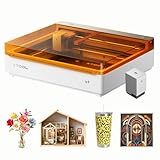
The xTool laser engraver lineup illustrates the split clearly: the xTool D1 Pro series targets the open-frame diode segment where you handle large wood slabs and want low setup complexity, while the xTool P2 moves into the enclosed CO2 category for faster throughput, camera alignment, and better fume control in a small shop.
Material Performance on Wood
Not all lasers perform equally across wood species and sheet goods.
Solid hardwood (walnut, maple, cherry, oak): Both diode and CO2 engrave well. CO2 produces slightly less edge char on dense oak due to higher speed. Diode 20W leaves a darker, higher-contrast burn that many woodworkers prefer for decorative engraving without staining.
Softwood (pine, cedar, basswood):
Diode lasers excel here. Low-power 5W-10W machines can engrave fine detail without excessive burning. CO2 can overburn soft grain if power is not reduced to 15-25%.
Plywood and MDF: CO2 cuts more cleanly with less edge darkening. Diode lasers cut plywood but glue layers in hardwood plywood (especially Baltic birch) require slower speeds and multiple passes, increasing char.
Coated / finished wood: Both types engrave through lacquer and oil finishes. CO2 is faster at removing thick polyurethane topcoats. Always engrave before final finish for the cleanest result.
What lasers do not cut well: No woodworking laser will reliably cut hardwoods thicker than 18-20mm in one pass, and no diode laser cuts clear acrylic or white acrylic. CO2 is required for clear acrylic.
Setup Requirements: Power, Ventilation, and Software
Setup is where buyers underestimate time and space needs.
Power and cooling: Diode machines run on a 24V power brick from a standard 110-120V outlet and draw 150-300W. CO2 machines draw 400-700W and require ventilation power on top. 50W-class CO2 lasers need either an integrated water cooling system or a chiller. Keep ambient temperature between 15-25C for consistent power output.
Ventilation is non-negotiable: Engraving MDF and plywood produces formaldehyde and fine particulates; walnut and cherry smoke will coat a shop in days. Enclosed CO2 machines include a 150-200 CFM inline fan and 4-inch duct to a window vent. Open-frame diodes must be used inside an enclosure or under a fume extractor with at least 200 CFM airflow and a carbon filter if venting outdoors is not possible. Plan for a 4-inch hose run under 3 meters with minimal bends.
Software and focus: Most diode machines use LightBurn or LaserGRBL with GRBL controllers; CO2 desktops like xTool P2 and Glowforge use proprietary camera-aided software plus LightBurn compatibility. Autofocus (on CO2) saves 2-3 minutes per material change versus manual focus gauges on diodes. If you work with warped boards, look for machines with adjustable Z and air assist. Air assist reduces char by 50% or more and prevents flare-ups on pine resin.
Decision Matrix: Which Machine Matches Your Situation
Your Situation
Best Fit
Why
Limited bench space, budget under $700, occasional signs and gifts
10W diode, 400 x 400mm open frame
Lowest cost and weight, fits on a rolling cart, handles most engraving without industrial exhaust
Small business, batch cutting boards and ornaments, speed matters
20W-33W diode with air assist and extension kit
Cuts 8-12mm stock in one pass, tiling for long signs, air assist keeps edges sellable without heavy sanding
Shared garage or basement shop, need fume control and cleaner cuts
45W-55W enclosed CO2 (e.g., xTool P2, Glowforge Pro, OMTech Polar)
Fully enclosed with camera alignment and ducted exhaust, significantly less smoke in living spaces
Fine marquetry, inlays, and thin veneer work
10W diode or 40W CO2 with small spot size (0.08-0.1mm)
Finer spot gives sharper corners on 1.5-3mm veneer without burning surrounding wood
Furniture parts, large panels over 24 inches wide
CO2 with passthrough slot or diode with Y-axis extension
Passthrough lets you feed full-length boards through the cabinet incrementally
Durability and Ownership Realities
Purchase price is only part of the cost. Expect these wear items and maintenance tasks:
Lens and mirrors: The focus lens on diode modules and the three mirrors plus lens on CO2 machines collect resin. Clean weekly with isopropyl alcohol and lens wipes if you engrave daily. A scratched lens drops power output by 15-30%. Replacement lenses cost $15-$40 for diodes, $30-$70 for CO2.
Diode module life: Diode lasers are rated for 10,000-15,000 hours, but wood dust on the heatsink shortens life. Blow out fans monthly. Keep air assist on when cutting to keep debris off the lens.
CO2 tube life: Glass CO2 tubes last 2,000-4,000 hours of firing time. Running above 85% power continuously accelerates wear. Budget for tube replacement every 18-30 months in a production shop.
Belts and wheels: V-wheels and timing belts stretch after 6-12 months of heavy use, causing wavy lines. Check belt tension quarterly; replacement belts are $10-$20.
Common mistakes that damage machines: Cutting without air assist and starting a fire in the kerf; engraving PVC-containing materials (produces corrosive chlorine gas); focusing too close and melting the nozzle on reflected material; and venting into an attic instead of outdoors, which voids warranties and coats insulation with resin.
Worked Calculation: True Cost Per Cutting Hour
To compare ownership beyond sticker price, estimate cost per hour for a typical small shop running 10 hours per week:
Diode example (20W machine at $850): Module life 12,000 hours = $0.07 per hour in laser wear + $0.05 electricity + $0.15 lens/belt consumables = approx $0.27 per hour. Add fume extractor filters at $60 every 150 hours if not ducted outdoors = $0.40 extra, total ~ $0.67 per hour.
CO2 example (50W desktop at $3,500): Tube 3,000 hours at $350 replacement = $0.12 per hour + $0.10 electricity and cooling + $0.20 optics and maintenance = $0.42 per hour before exhaust. CO2 tubes dominate long-term cost, while diode filters dominate if you cannot vent outside. Venting outdoors with a single straight duct eliminates filter cost and cuts diode hourly cost by more than half.
Choosing Based on Software and Support
If you already use LightBurn for a CNC or vinyl cutter, a GRBL-based diode will integrate faster. If you want minimal setup and a camera to trace hand-drawn designs onto scrap wood, an enclosed CO2 system with integrated camera saves layout time but locks you into that manufacturer’s software for camera features. Check that firmware updates are still provided; machines abandoned by manufacturers often lose compatibility with LightBurn updates within 2 years.
Frequently Asked Questions
Can an xTool laser engraver cut hardwood like walnut?
Yes. The xTool D1 Pro 20W cuts walnut up to about 8mm in one pass with air assist, and the xTool P2 55W CO2 cuts 12-18mm walnut in one pass depending on speed. For 3/4-inch (19mm) hardwood, both will require multiple passes and significant char cleanup, so resawing or using thinner stock is faster.
Do I need air assist for woodworking?
Air assist is strongly recommended for any cutting. It blows smoke away from the lens, reduces flame risk, and leaves a lighter edge that needs less sanding. For engraving only, it is helpful but not essential.
What ventilation do I need in a garage shop?
A 4-inch duct to an exterior window or wall with a 200+ CFM inline fan is the minimum for both diode and CO2 machines. For MDF and plywood, add a pre-filter to catch large particles before they reach the fan. Never vent laser smoke into HVAC returns.