As an Amazon Associate I earn from qualifying purchases. This post may contain affiliate links at no extra cost to you.
A desk upgrade rarely comes from a single purchase. Comfort, sound, lighting, and organization all shape how a workspace feels during long stretches of work, study, or gaming. This guide brings together five desk-focused picks that cover the essentials from different angles: an ergonomic vertical mouse for hand comfort, a neon sign for atmosphere, two speaker options for clear audio, and a wooden monitor stand that lifts screens and frees up surface space.
OUR TOP PICK
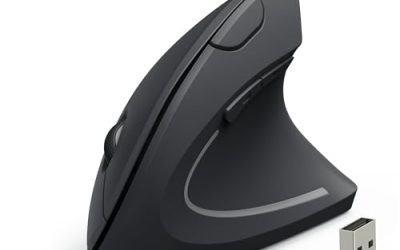
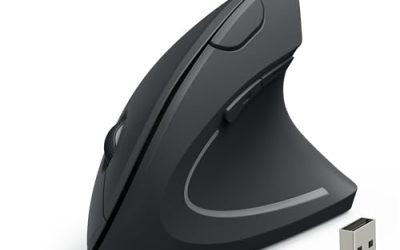
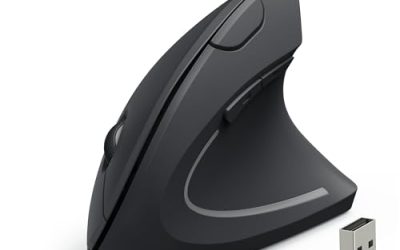
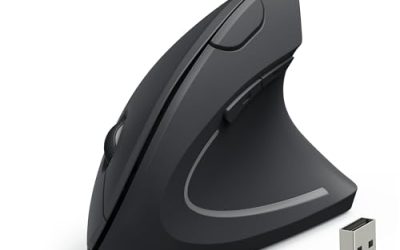
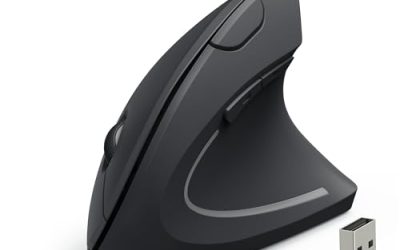
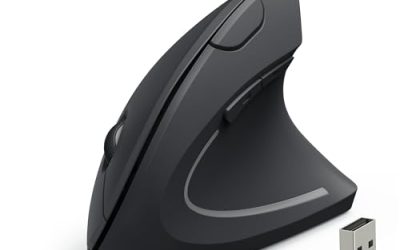
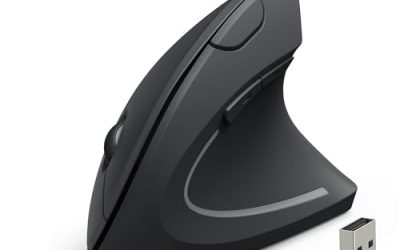
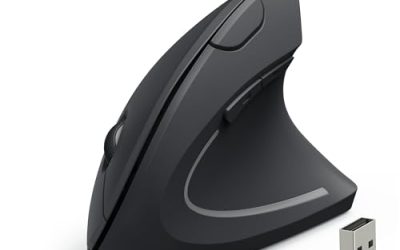
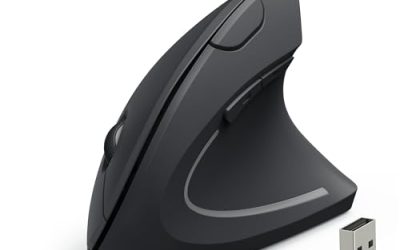
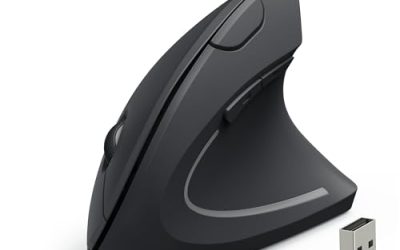
Anker 2.4G Wireless Ergonomic Mouse, Right Hand Vertical Mouse USB Receiver
Each pick serves a distinct role, so the best choice depends on what your current setup is missing. Someone dealing with wrist strain may start with the mouse, while someone building a game room or streaming corner may care most about lighting and sound. Read through the buying notes, compare the specs side by side, and pick the combination that fits your desk, your budget habits, and your daily routine.
As an Amazon Associate, we earn from qualifying purchases.
How to Choose
Start with the problem you notice most. If your hand and wrist tire quickly, prioritize an ergonomic mouse shape and a reliable wireless connection. Vertical mice keep the hand in a more natural handshake position, which many desk workers prefer for extended sessions. Check the connection type, the hand orientation, and whether a receiver is included, since those details decide how quickly the mouse works with your computer.
Next, think about atmosphere and audio. A neon sign adds character to a room and works well as background lighting for video calls, streaming, or a game room wall. Look at the design, the intended room, and the mounting style before choosing. For sound, decide between a simple 2.0 speaker pair for everyday listening and a 2.1 system with a subwoofer for fuller bass. Consider desk space, cable reach, and whether decorative lighting on the speakers matters to you.
Finally, do not overlook height and storage. A monitor stand riser lifts the screen toward eye level and creates usable space underneath for a keyboard, notebooks, or small accessories. Wooden stands also blend well with home office furniture. Measure your desk width, check the stand tiers, and confirm the surface can hold your monitor before ordering. With those basics settled, the five picks below are easy to compare.
The Anker 2.4G Wireless Ergonomic Mouse is a right-hand vertical mouse designed to keep the wrist in a relaxed, upright position. It connects through a USB receiver, which makes setup straightforward on most desktop and laptop computers. For anyone who spends long hours moving a cursor, drafting, or editing, the vertical grip is the main attraction: it reduces the flat, twisted posture that a standard mouse encourages.
Who It Suits
This mouse suits right-handed desk workers, students, and casual users who want a gentler grip without changing their whole setup. It is a sensible first step into vertical mice because the wireless connection keeps the desk tidy. Left-handed users should look elsewhere, and anyone who needs programmable buttons for specialized work should confirm the button layout before buying.
The Gamerneon Blue Poker Neon Sign brings casino-style character to a game room, man cave, or streaming background. The design centers on poker playing cards in a blue glow, which makes it a natural fit for card nights, home bars, and entertainment corners. As a decorative light, it adds personality without taking up desk surface, since it mounts on a wall.
Who It Suits
This sign suits anyone decorating a game room, home bar, or poker corner who wants a bold focal point. It also works as background lighting for streams and video content. Shoppers who prefer subtle decor may find the casino theme too playful, so match the design to the room before ordering.
The Cyber Acoustics CA-2014 is a compact 2.0 computer speaker pair rated at 4W for stereo sound. It is the straightforward choice in this guide: a simple desktop audio upgrade for video calls, music, and everyday media without a separate subwoofer. The small footprint helps on crowded desks where larger systems would crowd out monitors and accessories.
Who It Suits
These speakers suit home offices, dorm rooms, and shared desks where clear basic sound matters more than deep bass. They are a practical replacement for weak built-in laptop speakers. Listeners who want room-filling low end for movies and games should consider the 2.1 option below instead.
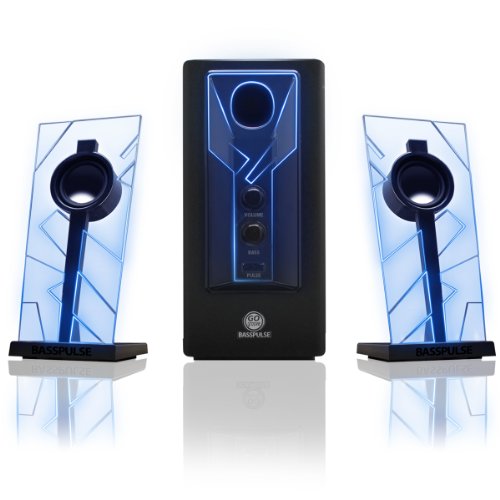
The GOgroove BassPULSE is a 2.1 computer speaker system with a powered subwoofer and blue LED glow lights. The subwoofer adds the bass depth that small 2.0 pairs cannot match, while the LED lighting gives the setup a gaming-room feel that pairs nicely with a neon sign. It is the entertainment-focused audio pick in this guide.
Who It Suits
This system suits gamers, movie watchers, and music listeners who want fuller sound at a desk. The LED accents also appeal to anyone building a themed setup. Users with very limited desk or floor space should measure carefully, since a subwoofer needs a home under or beside the desk.
The BONTEC Wood Monitor Stand Riser is a 2-tier wooden desktop organizer that lifts a monitor while adding storage space. Raising the screen can make long sessions more comfortable, and the tiers give keyboards, notebooks, and small items a place to go. The wood finish suits home offices that favor warm, furniture-like materials over plastic stands.
Who It Suits
This stand suits anyone whose monitor sits too low or whose desk feels cluttered. It works well in home offices, study spaces, and craft desks where surface room is precious. Buyers should confirm the stand width fits their monitor base and desk before ordering.
Putting the Desk Setup Together
These five picks combine into a balanced desk without much fuss. Start with the BONTEC stand to set screen height and reclaim surface space, then place the Anker vertical mouse where your hand naturally rests. Choose speakers based on your listening habits: the Cyber Acoustics pair for simple, compact sound, or the GOgroove system when bass and lighting matter. Finish with the Gamerneon sign on the wall behind the desk for atmosphere that shows up well on camera.
A few practical checks keep the setup smooth. Keep the mouse receiver within easy range of the computer, route speaker cables so they do not cross your work area, and leave ventilation space around any powered audio gear. For the neon sign, plan the wall spot and power access before mounting. Small decisions like these prevent the common frustrations that come with desk upgrades.
Care and Storage Tips
Dust the monitor stand and speakers regularly with a dry or slightly damp cloth, and keep liquids away from the mouse receiver and speaker electronics. For the vertical mouse, store the receiver in a consistent spot when traveling so it does not get lost. Neon signs should be handled gently during mounting and cleaning, following the guidance that comes with the product. When rearranging the desk, lift the monitor stand by its base rather than dragging it, especially with a screen on top.
FAQ
Is a vertical mouse hard to get used to?
Most people adjust within a few days. The handshake grip feels different at first, but the buttons and scroll behavior stay familiar. Give it a fair trial during normal work before deciding, and keep your old mouse nearby during the transition.
Should I choose 2.0 or 2.1 speakers for a desk?
Choose a 2.0 pair like the Cyber Acoustics CA-2014 for compact, everyday sound in small spaces. Choose a 2.1 system like the GOgroove BassPULSE when you want stronger bass for games, movies, and music and have room for a subwoofer.
Where should a neon sign go in a desk setup?
Wall space behind or beside the desk works best, where the glow adds atmosphere without shining directly into your eyes. It also reads well as a background for video calls and streams. Confirm power access near the chosen spot before mounting.
Does a monitor stand riser help with posture?
Raising the screen toward eye level can reduce neck strain during long sessions, and the storage space underneath keeps the desk organized. Pair the stand with a chair height that lets your feet rest flat for the best overall setup.
Final Verdict
For comfort, the Anker vertical mouse is the standout pick, offering a relaxed grip and simple wireless setup for right-handed users. For atmosphere, the Gamerneon poker sign delivers instant game-room character. Audio shoppers can keep things simple with the Cyber Acoustics 2.0 pair or step up to the GOgroove 2.1 system for bass and LED flair. The BONTEC wooden stand ties the setup together with better screen height and storage. Match the picks to your desk size and daily habits, and any combination of these five will feel like a genuine upgrade.
Product and ASIN Reference
Product
ASIN
Anker 2.4G Wireless Ergonomic Mouse, Right Hand Vertical Mouse USB Receiver
B00BIFNTMC
Gamerneon Blue Poker Neon Sign Casino Playing Cards Neon Signs for Man Cave
Compare the best vertical mice and neon signs for a warmer desk: an ergonomic wireless mouse, a poker neon sign, computer speakers, and a monitor stand.
Compare the best vertical mice, neon signs, computer speakers, and a wood monitor stand for a comfortable woodworking shop desk and design corner setup.

 1. Anker 2.4G Wireless Ergonomic Mouse
 2. Gamerneon Blue Poker Neon Sign
 3. Cyber Acoustics CA-2014 2.0 Computer Speakers
 4. GOgroove BassPULSE 2.1 Computer Speakers
 5. BONTEC Wood Monitor Stand Riser