As an Amazon Associate I earn from qualifying purchases. This post may contain affiliate links at no extra cost to you.
A woodworking desk often serves two purposes at once: a bench-side planning station for drawings, cut lists, and supplier orders, and a comfortable home office corner for the rest of the day. The accessories on that desk matter more than they might seem. A mouse that keeps your wrist in a neutral position, a monitor raised to a sensible height, speakers that fill the room without clutter, and a bit of warm decorative lighting can turn a plain worktop into a place you actually enjoy sitting down at.
OUR TOP PICK
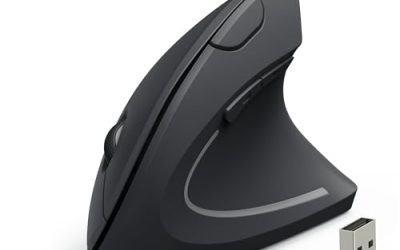
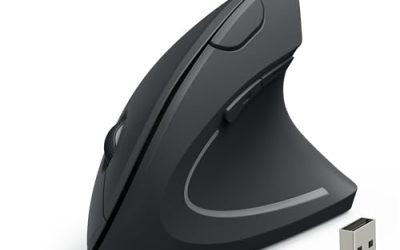
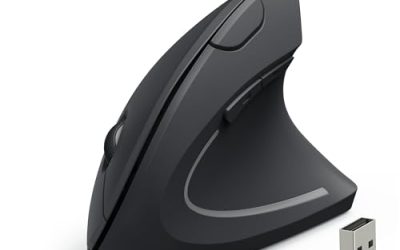
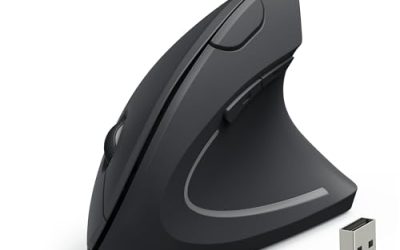
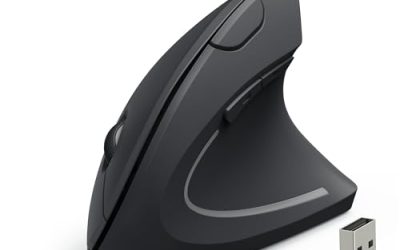
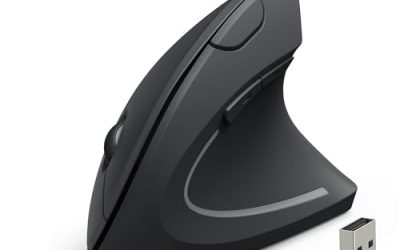
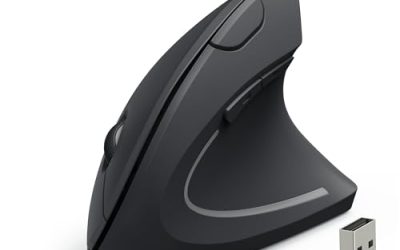
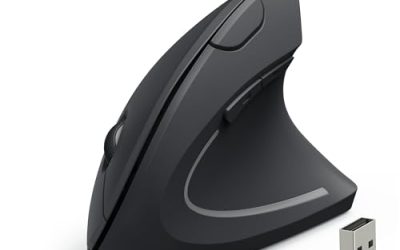
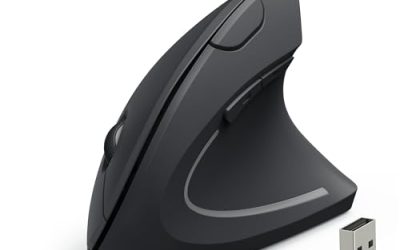
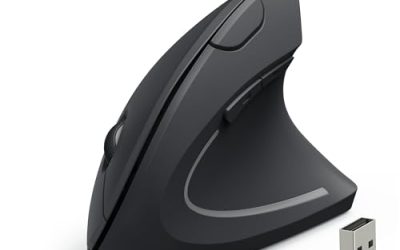
Anker 2.4G Wireless Ergonomic Mouse, Right Hand Vertical Mouse USB Receiver
This guide brings together five desk accessories that work well as a set: a vertical ergonomic mouse, a blue poker-style neon sign, two compact computer speaker options, and a two-tier wood monitor stand riser. Each product is described with its stated specifications and the kind of desk setup it suits best, so you can mix and match the pieces that fit your space, your seating position, and the way you use your desk through the week.
As an Amazon Associate, we earn from qualifying purchases.
How to Choose Desk Accessories for a Wood Desk Setup
Start with posture. A vertical mouse holds your hand in a handshake position rather than flat against the desk, which many people find more comfortable during long sessions of drawing, estimating, or writing. If you are right-handed and spend hours at the computer, a right-hand vertical mouse with a wireless connection keeps the desk surface clear of cables and lets you position the mouse wherever your arm naturally rests.
Next, look at screen height. A monitor stand riser lifts the screen so the top of the display sits closer to eye level, which reduces the need to hunch forward. A two-tier wood stand also adds a shelf underneath for notebooks, a keyboard, or small tools, and its wood finish pairs naturally with a timber desk or a workshop bench converted for office use.
Sound is the third piece. Compact 2.0 speakers give clean stereo sound for video calls, music, and instructional videos without taking up much room. A 2.1 system with a powered subwoofer adds low-end depth that suits music and films, and some models include LED glow lighting that doubles as ambient desk decor. Think about how much desk depth you have and whether you prefer a minimal footprint or a fuller sound.
Finally, decorative lighting sets the mood. A neon-style sign in a poker or playing card theme adds color and personality to a game corner, a workshop wall, or the back of a desk hutch. Blue light tends to feel calm and cool against warm wood tones, and a sign placed on the wall behind the monitor keeps the work surface free while still framing the setup.
The Anker 2.4G Wireless Ergonomic Mouse is a right-hand vertical mouse that connects through a USB receiver. The upright shape positions your hand at a natural angle, and the wireless connection keeps the desk free of cable drag. It is a straightforward choice for anyone moving from a flat mouse to a vertical design for the first time.
Who It Suits
This mouse suits right-handed users who spend long stretches at the desk working on plans, spreadsheets, or online orders. The vertical grip can feel more relaxed than a flat mouse during extended sessions, and the USB receiver makes setup simple on a desktop or laptop. If you share the desk with a left-handed user, or you prefer a wired connection, a different style may fit better.
The Gamerneon Blue Poker Neon Sign brings a casino playing card theme to a desk, game room, or workshop wall. The blue glow pairs well with warm wood tones, and the poker motif makes it a natural fit for a recreation corner or a shop lounge area. Mounted behind a monitor or above a shelf, it adds color without taking up work surface space.
Who It Suits
This sign suits anyone who wants a decorative focal point above a desk, in a game room, or on a workshop wall. The playing card design works especially well in spaces used for card games, sports viewing, or casual entertaining. If you prefer neutral or minimal decor, or you need lighting that doubles as a task light, a plain lamp may be a better match.
The Cyber Acoustics CA-2014 is a compact 2.0 computer speaker pair rated at 4W with stereo sound. The simple two-speaker layout fits easily on either side of a monitor or on a monitor stand shelf, and it covers the basics for calls, music, and videos without extra components to arrange.
Who It Suits
These speakers suit desks with limited depth, shared workspaces, and users who mainly need clear speech and background music. The compact footprint leaves room for notebooks and tools, and the straightforward setup appeals to anyone who wants sound without a separate subwoofer to place. If you listen to bass-heavy music or watch films often, a 2.1 system will give you more low-end presence.
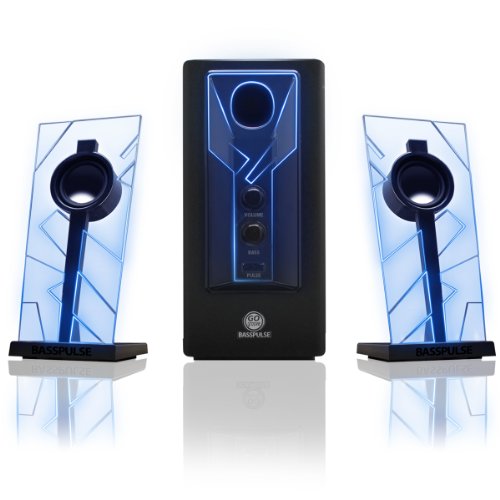
The GOgroove BassPULSE is a 2.1 computer speaker system with a powered subwoofer and blue LED glow lights. The subwoofer adds depth that small satellite speakers cannot produce on their own, and the LED lighting ties in visually with other blue accent lighting on the desk, including a neon sign.
Who It Suits
This system suits users who want fuller sound for music, films, and games, and who have floor or shelf space for a subwoofer. The blue LED glow also suits setups built around a consistent color theme. If your desk sits against a shared wall or you mostly join calls, the simpler 2.0 pair above may be the more practical choice.
The BONTEC Wood Monitor Stand Riser is a two-tier desktop organizer made with a wood finish. The raised top tier lifts a monitor to a more comfortable viewing height, while the lower tier creates storage space for a keyboard, notebooks, or small desk items. The wood look blends naturally with timber desks and workshop furniture.
Who It Suits
This stand suits anyone whose monitor sits too low on the desk, and anyone who wants to reclaim surface space by sliding a keyboard or notebook underneath. It fits home offices, workshop planning desks, and study corners where a warm wood finish is welcome. If you use a large multi-monitor arm setup, a fixed stand may not be needed.
Putting the Desk Setup Together
A sensible order is to place the monitor stand first, centered where you sit, then set the monitor on top and check that the screen sits at a comfortable height. Position the vertical mouse where your forearm rests naturally, with the USB receiver plugged into a nearby port. Place speakers on either side of the monitor for balanced stereo sound, keeping the subwoofer, if you choose the 2.1 system, on the floor or a low shelf where it will not crowd your feet. Finish by mounting the neon sign on the wall behind or above the desk so its glow frames the setup without reflecting directly on the screen.
Care and Storage Tips
Keep the wood stand dusted with a soft dry cloth and avoid placing drinks directly on the finish. Wipe the mouse and speaker cabinets with a slightly damp cloth when needed, keeping moisture away from ports and drivers. Route cables behind the stand to keep the surface clear, and store the mouse receiver in a small drawer or tray when the desk is used for project work. For the neon sign, follow the maker guidance for cleaning and keep the power cord away from heat sources and sharp bench tools.
FAQ
Is a vertical mouse hard to get used to?
Most people adjust within a few days. The handshake grip feels different at first, but cursor control works the same way, and many users find the position more comfortable for long sessions once the initial adjustment passes.
Should I choose 2.0 or 2.1 speakers for a desk?
Choose 2.0 speakers if space is tight or you mainly need clear speech and light music. Choose a 2.1 system with a powered subwoofer if you listen to music and films often and want deeper bass, and you have room to place the subwoofer.
Where should a neon sign go on a desk setup?
Wall mounting behind or above the monitor is the most practical spot. It keeps the work surface clear, frames the setup with color, and avoids reflections on the screen that can happen when a light sits directly in front of the display.
Does a monitor stand help with posture?
Raising the screen so its top edge is near eye level can reduce forward leaning and neck strain during long sessions. A two-tier stand also frees desk space underneath, which helps keep the work area organized.
Final Verdict
For a wood desk that doubles as a planning station and home office, the combination of a vertical mouse, a raised monitor, and well-chosen speakers covers comfort, organization, and sound in one pass. The Anker vertical mouse handles everyday pointing with a relaxed grip, the BONTEC wood stand lifts the screen and adds storage, and the two speaker options let you choose between a compact stereo pair and a fuller 2.1 system with LED glow. The Gamerneon poker sign finishes the setup with color and personality. Pick the pieces that match your space and habits, and the desk becomes a place that works as well for project planning as it does for everyday computer use.
Product and ASIN Reference
Product
ASIN
Anker 2.4G Wireless Ergonomic Mouse, Right Hand Vertical Mouse USB Receiver
B00BIFNTMC
Gamerneon Blue Poker Neon Sign Casino Playing Cards Neon Signs for Man Cave
Compare the best vertical mice and neon signs for a warmer desk: an ergonomic wireless mouse, a poker neon sign, computer speakers, and a monitor stand.
Compare the best vertical mice, neon signs, computer speakers, and a wood monitor stand for a comfortable woodworking shop desk and design corner setup.

 Anker 2.4G Wireless Ergonomic Mouse
 Gamerneon Blue Poker Neon Sign
 Cyber Acoustics CA-2014 2.0 Computer Speakers
 GOgroove BassPULSE 2.1 Computer Speakers
 BONTEC Wood Monitor Stand Riser