As an Amazon Associate I earn from qualifying purchases. This post may contain affiliate links at no extra cost to you.
A home desk has to do two jobs at once: keep your hands, wrists, and eyes comfortable through long work sessions, and feel like a place you actually want to sit down in. The right mix of ergonomic gear and warm decor can turn a plain corner of the house into a workspace that supports both focus and mood. A vertical mouse eases the twist in your forearm, a raised monitor stand lifts your screen to a natural eye line, and a soft neon glow adds character without the glare of a bare bulb.
OUR TOP PICK
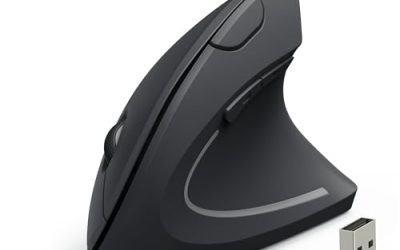
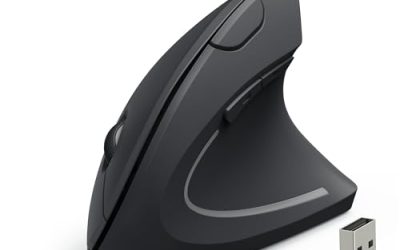
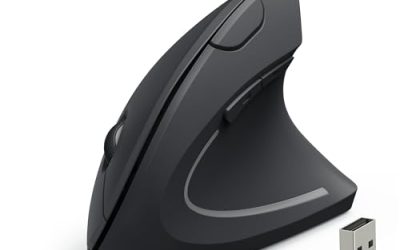
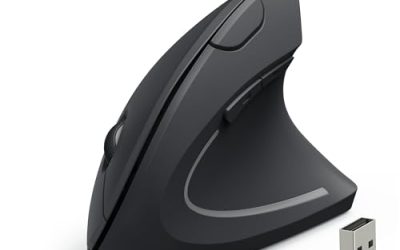
Anker 2.4G Wireless Ergonomic Mouse, Right Hand Vertical Mouse USB Receiver
This guide rounds up five desk-friendly picks that cover those needs: a right-hand vertical wireless mouse, a poker-themed neon sign for the wall behind your setup, two compact computer speaker sets for music and calls, and a two-tier wood monitor stand for storage and posture. Each product below includes a Specs list and a short note on who it suits, so you can match the pieces to your desk size, your work habits, and the look you want for the room.
As an Amazon Associate, we earn from qualifying purchases.
How to Choose
Start with comfort. A vertical mouse keeps your hand in a natural handshake position, which many desk workers prefer over a flat mouse for long stretches of scrolling and clicking. If you are right-handed and work at a desk most of the day, a wireless model with a USB receiver keeps your surface free of cables and lets you move the mouse to either side of a laptop. Check the shape against your hand size, and plan on a short adjustment period as your grip and pointer control adapt to the upright angle.
Next, think about screen height. A monitor stand riser lifts your display so the top of the screen sits near eye level, which can reduce neck strain during long sessions. A two-tier design also adds a shelf for a keyboard, notebooks, or small speakers, keeping the main desktop clear. Wood finishes pair well with home decor, so a stand can blend into a living room or bedroom setup without looking like office equipment.
For sound, consider how much desk space you can spare. A compact 2.0 speaker set fits neatly on either side of a monitor and covers calls, videos, and background music. A 2.1 set adds a powered subwoofer for deeper bass, which suits movie watching and gaming, but it needs floor or shelf space for the subwoofer and more cable management. Built-in lighting, such as blue LED glow, can double as ambient light in the evening.
Finally, add one decor piece that makes the desk feel personal. A neon sign works as wall art and soft lighting at the same time, and themed designs, such as playing cards for a game room or man cave corner, give the space a clear identity. Plan the mounting spot before you buy: a wall behind the desk keeps the glow in your peripheral vision without shining straight into your eyes, and a nearby outlet keeps the cord run short and tidy.
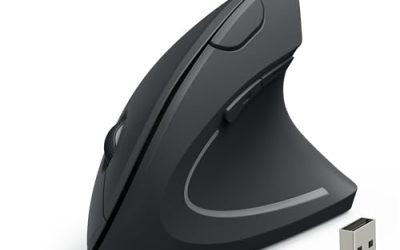
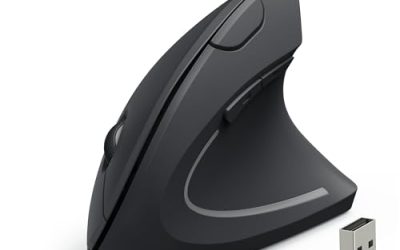
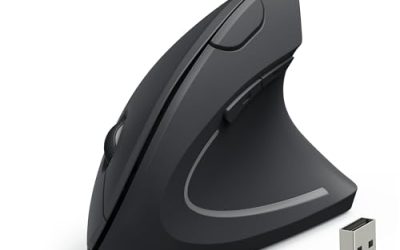
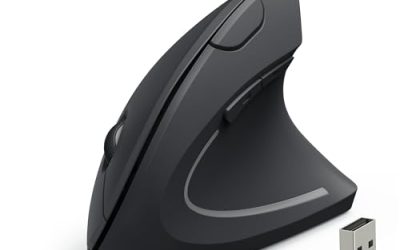
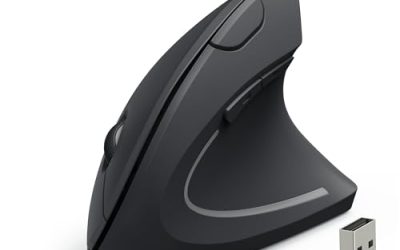
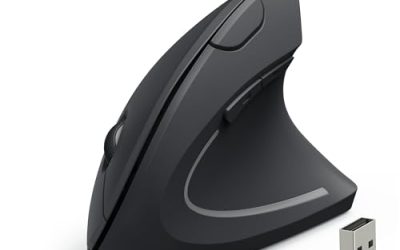
This right-hand vertical mouse is shaped to keep your hand in a handshake position instead of flat on the desk. It connects over a 2.4G wireless link with a USB receiver, so there is no cable dragging across your workspace and no pairing menu to work through each time you sit down. The upright shell suits users who spend long hours with a mouse and want a different wrist angle than a traditional flat design offers. Because the shape is taller than a standard mouse, it also works as a visible part of the desk setup rather than something that disappears under your palm.
Who It Suits
Right-handed desk workers who use a mouse for most of the day and want an upright grip. It also suits laptop users who prefer a plug-in receiver over Bluetooth pairing, and anyone setting up a shared desk where the mouse needs to move between computers quickly.
Gamerneon Blue Poker Neon Sign
Runner-Up
Gamerneon Blue Poker Neon Sign
Design: Blue poker neon sign with casino playing cards theme
This neon sign features a blue poker and casino playing cards design, made for game rooms, man caves, and desk corners with a playful streak. Mounted on the wall behind a desk, it doubles as soft ambient lighting in the evening and as a backdrop for video calls or streaming setups. The playing card theme gives the room a clear focal point, so the rest of the decor can stay simple. If your workspace shares a room with a card table or a home bar, the sign ties the two areas together without adding furniture.
Who It Suits
Home office owners who want the desk area to feel personal rather than purely functional. It also suits poker fans, game room setups, and anyone building a casual evening workspace where soft colored light is more relaxing than overhead lighting.
The CA-2014 is a compact 2.0 computer speaker set rated at 4W with stereo sound, sized for the space on either side of a monitor. A 2.0 setup keeps things simple: two small speakers, one cable run, and no separate subwoofer to find floor space for. That makes it a practical match for smaller desks, apartment work corners, and shared rooms where bass-heavy audio would carry into the next space. The modest footprint also leaves room on the desk for the monitor stand, keyboard, and everyday items like a notebook or a mug.
Who It Suits
Desk users who mainly need clear sound for video calls, online classes, and background music. It also suits anyone with a compact desk who wants stereo audio without giving up shelf or floor space to a subwoofer.
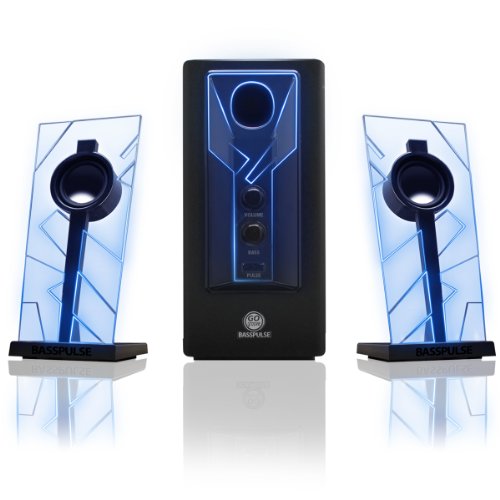
GOgroove BassPULSE 2.1 Computer Speakers
GOgroove BassPULSE 2.1 Computer Speakers
Configuration: 2.1 speakers with powered subwoofer
The BassPULSE set steps up to a 2.1 configuration with two satellite speakers, a powered subwoofer, and blue LED glow lights. The subwoofer adds low-end depth that small 2.0 speakers cannot reach, which makes a noticeable difference for movies, games, and music with strong bass lines. The blue LED glow also works as accent lighting, pairing naturally with a neon sign for an evening desk scene. Because the subwoofer needs its own spot, plan for floor space under the desk or a low shelf nearby, and allow a little extra time to route the cables neatly.
Who It Suits
Desk users who watch movies or play games at their setup and want fuller sound than a compact 2.0 set provides. It also suits anyone building an evening or gaming corner where blue accent lighting fits the room’s style.
This two-tier wood monitor stand raises your screen to a more comfortable viewing height while adding a lower shelf for storage. The top tier holds the monitor, and the space beneath can take a keyboard, notebooks, or small desk items, which keeps the main surface clear for writing and other tasks. A wood finish gives the stand a furniture feel, so it sits comfortably in a living room, bedroom, or home office without looking like office equipment. Pairing it with compact speakers on the desk keeps the whole setup organized and leaves the vertical mouse room to move.
Who It Suits
Anyone whose monitor sits too low on the desk and who wants storage built into the riser. It also suits home setups where a wood finish needs to match existing furniture, and tidy-desk fans who like a dedicated shelf for a keyboard and notebooks.
Putting the Desk Setup Together
These five pieces work as a set because each one handles a different part of the desk experience. The BONTEC stand sets the posture foundation by lifting the screen and organizing the surface. The Anker vertical mouse covers the input side with a handshake grip and a cable-free connection. The two speaker options let you choose between a compact 2.0 set for calls and background music or a 2.1 set with a subwoofer and LED glow for entertainment. The Gamerneon sign finishes the scene with wall decor that doubles as evening lighting.
For a small desk, start with the stand and the 2.0 speakers, then add the mouse and the sign. For a larger desk or a dedicated game room corner, the 2.1 speakers and the neon sign create a stronger evening mood. Either way, keep cables routed along the back edge of the desk, place the sign where its glow does not reflect on the screen, and leave enough clear space on the mouse side so the taller vertical shape can move without bumping the keyboard.
Care and Storage Tips
Wipe the monitor stand with a dry or slightly damp cloth to keep the wood finish looking clean, and avoid placing hot drinks directly on the surface. Dust speaker grilles and the neon sign with a soft dry cloth, and keep liquids away from powered parts. For the mouse, keep the USB receiver plugged in or stored in a consistent spot so it does not get lost between sessions. If you rearrange the desk, unplug the sign and speakers first, move one item at a time, and recheck cable slack before settling everything back into place.
FAQ
Is a vertical mouse hard to get used to?
Most people need a few days to adjust to the upright handshake grip, since the hand and forearm sit at a different angle than with a flat mouse. Shorter sessions at first can help, and pointer speed settings on your computer can be adjusted while you adapt. After the adjustment period, the grip often feels natural for long stretches of desk work.
Where should a neon sign go in a desk setup?
A wall behind or beside the desk is usually the best spot. The glow stays in your peripheral vision as ambient light without shining into your eyes or reflecting on the screen. Keep an outlet within reach so the cord does not cross the desk surface, and avoid hanging the sign where it competes with the monitor for attention during focused work.
Should I choose 2.0 or 2.1 computer speakers?
Choose a 2.0 set if desk space is tight and your audio is mostly calls, classes, and background music. Choose a 2.1 set with a powered subwoofer if you watch movies or play games at the desk and have floor or shelf space for the subwoofer. The 2.1 option in this guide also adds blue LED glow lighting for evening ambience.
Does a two-tier monitor stand help with desk organization?
Yes. The top tier raises the monitor toward eye level, and the lower shelf gives a keyboard, notebooks, and small items a dedicated place. That keeps the main desktop clear for writing, a mouse pad, and everyday items, which makes the whole setup easier to keep tidy.
Final Verdict
For a home desk that balances comfort and character, this five-piece lineup covers the essentials without overcomplicating the setup. The Anker vertical mouse addresses wrist posture, the BONTEC wood stand lifts the screen and adds storage, and the two speaker sets let you scale sound from compact and simple to bass-rich with LED glow. The Gamerneon poker sign brings the personality, turning a plain work corner into a space that feels finished. Start with the pieces that solve your biggest daily annoyance, then add the decor and lighting once the ergonomics are in place.
Product and ASIN Reference
Product
ASIN
Anker 2.4G Wireless Ergonomic Mouse, Right Hand Vertical Mouse USB Receiver
B00BIFNTMC
Gamerneon Blue Poker Neon Sign Casino Playing Cards Neon Signs for Man Cave
Compare the best vertical mice and neon signs for a warmer desk: an ergonomic wireless mouse, a poker neon sign, computer speakers, and a monitor stand.
Compare the best vertical mice, neon signs, computer speakers, and a wood monitor stand for a comfortable woodworking shop desk and design corner setup.


 GOgroove BassPULSE 2.1 Computer Speakers
 BONTEC Wood Monitor Stand Riser