Best Vertical Mice and Neon Signs for a Cozy Workshop Desk
Explore vertical mice, neon signs, computer speakers, and a wood monitor stand that help create a comfortable and well-lit workshop desk for daily use.
As an Amazon Associate I earn from qualifying purchases. This post may contain affiliate links at no extra cost to you.
A workshop desk often holds plans, notes, a screen, small tools, and everyday items that keep a project moving. When it also serves as a home office corner, comfort and atmosphere matter as much as storage. A vertical mouse can change how the hand rests during long sessions, while a neon sign gives a plain wall a focal point without taking desk space. Small speakers and a raised monitor stand complete the setup by keeping sound close and the screen steadier.
OUR TOP PICK
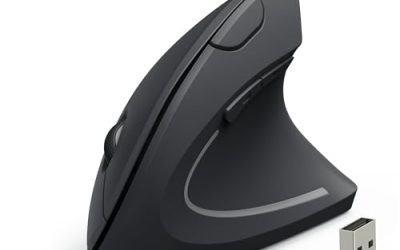
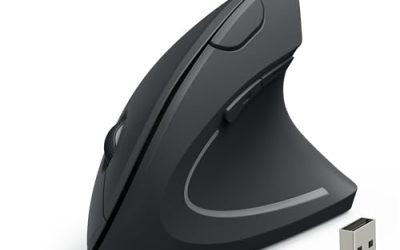
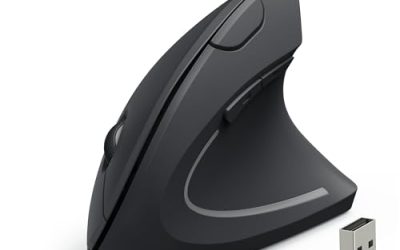
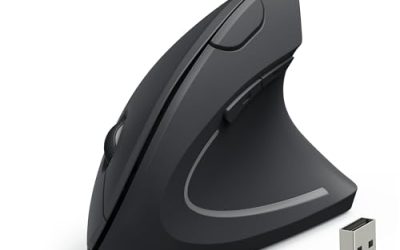
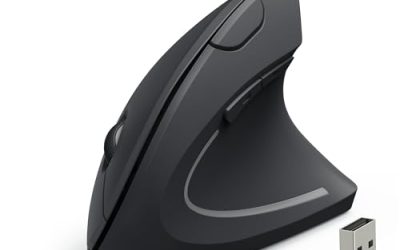
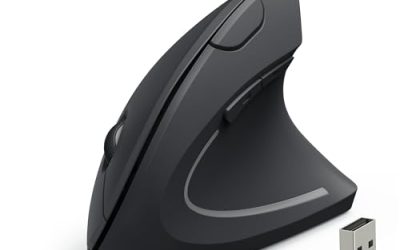
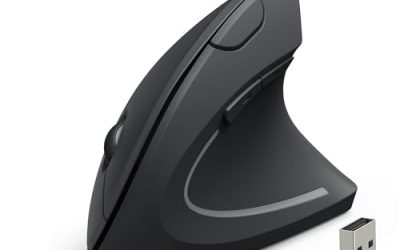
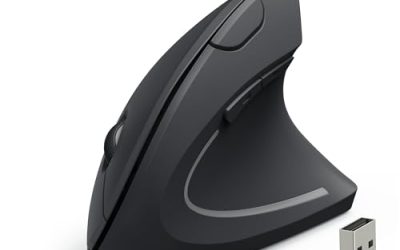
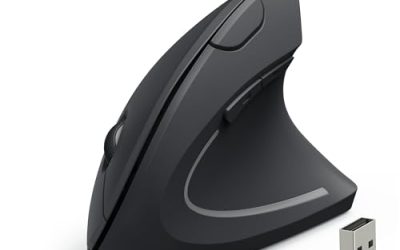
Anker 2.4G Wireless Ergonomic Mouse, Right Hand Vertical Mouse USB Receiver
This guide looks at five products for that mixed-use desk: a right-hand vertical wireless mouse, a blue poker-themed neon sign, two computer speaker options, and a two-tier wood monitor stand. Each solves a different part of the puzzle, from posture and cables to lighting, sound, and storage, for a small workshop, craft room, gaming corner, or home office nook.
As an Amazon Associate, we earn from qualifying purchases.
How to Choose
Start with how the desk is used most often. Someone who spends hours writing, browsing plans, or working through spreadsheets will notice mouse shape more than lighting. A vertical mouse lets the hand sit in an upright handshake position rather than flat. It can feel unusual at first, so consider hand size and desk depth. Right-hand models suit right-handed users; left-handed users should look for a mirrored design.
Next, think about light and mood. A neon sign needs clear wall space, nearby power, and enough distance from the screen to avoid glare. Blue light gives a cool evening feel that pairs well with dark wood, black metal, and gaming setups. Measure the wall first, and keep cords away from walkways, tool edges, and chair wheels.
Sound is easy to overlook. Compact 2.0 speakers keep the footprint small for calls, tutorials, and background music. A 2.1 system with a subwoofer adds fuller bass for movies, games, and music, but needs floor or under-desk room. Small benches suit the simpler pair; media corners suit the larger set.
Finally, consider screen height and storage. A monitor stand lifts the display and creates a shelf underneath for a keyboard, notebook, or phone. Wood stands blend with workshop furniture and soften a desk full of black electronics. Check stand width against the monitor base and confirm the shelf clears the keyboard.
1. Anker 2.4G Wireless Ergonomic Mouse, Right Hand Vertical Mouse USB Receiver
Top Pick
1. Anker 2.4G Wireless Ergonomic Mouse, Right Hand Vertical Mouse USB Receiver
Type: Right-hand vertical ergonomic mouse
Connection: 2.4G wireless with USB receiver
Power: Battery powered wireless design
Use: Computer work, browsing, office tasks, and general desk use
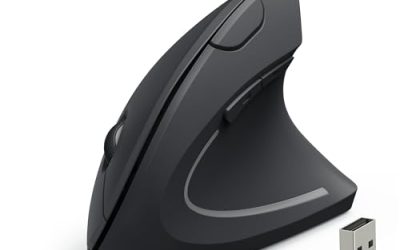
The Anker vertical mouse is the comfort-focused pick in this guide. Its upright shape is made for the right hand, with buttons positioned so the thumb and fingers can reach them while the wrist stays in a more neutral angle. The wireless connection uses a USB receiver, which keeps the desk free of a mouse cable and makes the mouse easy to move between a desktop and a laptop. For workshop desks where cords can catch on paper, rulers, or small parts, that cleaner surface is a practical benefit.
The vertical profile is taller than a flat mouse, so it should not be stored under a low shelf. The grip lets the hand rest on its side rather than pressing down flat. The shape takes a short adjustment period; several days of regular use helps the hand learn the button positions.
Who It Suits
This mouse suits right-handed users who want a different hand position for everyday computer work. It fits a workshop desk, home office, or shared computer station where a cable would get in the way. Users who prefer a low, flat mouse for fast gaming movements may want to keep a standard mouse nearby, but for steady office work the vertical shape is the main appeal.
2. Gamerneon Blue Poker Neon Sign Casino Playing Cards Neon Signs for Man Cave
Runner-Up
2. Gamerneon Blue Poker Neon Sign Casino Playing Cards Neon Signs for Man Cave
Type: Wall neon sign with poker playing-card theme
Color: Blue glow
Style: Casino and game room decor
Placement: Wall mounted above desk or in a man cave area
The Gamerneon blue poker neon sign is the decorative centerpiece of the list. Its playing-card theme gives a workshop, game room, or man cave a clear personality without needing a large framed poster or shelf display. The blue glow works well on darker walls and above a desk where the light can reflect softly across wood and metal surfaces. Because the sign mounts on the wall, it adds atmosphere while keeping the desktop clear for tools, notebooks, and a keyboard.
Placement matters. A spot centered above the monitor or slightly to one side looks balanced and keeps the glow visible during evening work. Run the cord behind the desk edge in a tidy line. Blue light feels calm at night, but a sign too close to the screen may compete with the display, so leave some distance.
Who It Suits
This sign suits readers who want a playful focal point for a desk wall, game corner, or workshop lounge area. It pairs well with dark furniture, wood shelving, and gaming setups. Readers who prefer a minimal, plain workspace may find the theme too bold, but for a room that already leans toward cards, games, and evening entertainment, it gives the wall a finished look.
The Cyber Acoustics CA-2014 speakers are the simple, space-saving sound option. As a 2.0 stereo pair, they keep the setup compact with two speakers that can sit on either side of a monitor or on a monitor stand shelf. The 4W output is aimed at everyday desk listening rather than room-filling volume, which is often enough for tutorials, video calls, spoken-word audio, and light background music while working. The small footprint is the key advantage on a crowded bench.
They can sit beside a laptop without blocking drawers, and controls stay within reach. Sound will be clearer than most built-in laptop speakers, especially for voices in instructional videos. For deep bass, the pair sounds lighter than a subwoofer system, so expectations should match the size.
Who It Suits
This pair suits readers who want clear everyday sound without giving up desk space. It works well in a small workshop office, student desk, or shared family computer area. Readers building a movie or gaming setup with strong bass should look at the 2.1 option below, while readers who value a tidy surface will likely prefer this compact pair.
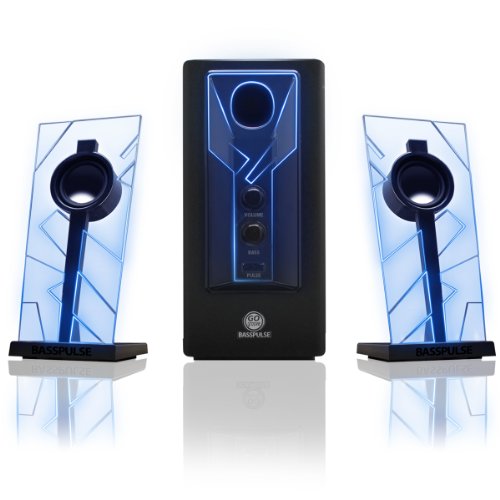
4. GOgroove BassPULSE 2.1 Computer Speakers with Blue LED Glow Lights and Powered Subwoofer
4. GOgroove BassPULSE 2.1 Computer Speakers with Blue LED Glow Lights and Powered Subwoofer
Type: 2.1 computer speaker system
Components: Two satellite speakers and a powered subwoofer
The GOgroove BassPULSE system is the fuller-sound option, built as a 2.1 setup with two satellite speakers and a powered subwoofer. The subwoofer handles low frequencies, giving music, games, and movies more depth than a small two-speaker pair can provide. Blue LED glow lights on the speakers tie in neatly with the blue neon sign in this guide, creating a matched evening look across the desk. That visual pairing makes the setup feel planned rather than pieced together.
The trade-off is space and cables. The subwoofer needs a floor or under-desk spot away from chair wheels. Guide satellite cords behind the stand to keep the surface clear. Volume and bass controls allow adjustment for late-night work or louder listening.
Who It Suits
This system suits readers who want stronger bass and a lighted desk look that matches a neon sign. It fits gaming corners, media desks, and workshop lounges where sound is part of the room. Readers with very limited floor space or a need for a minimal cable setup may prefer the compact 2.0 pair instead.
5. BONTEC Wood Monitor Stand Riser, 2-Tier Desktop Organizer
5. BONTEC Wood Monitor Stand Riser, 2-Tier Desktop Organizer
Type: Wood monitor stand riser and desktop organizer
Design: Two-tier shelf layout
Material: Wood finish
Use: Monitor elevation, keyboard storage, and desk organization
The BONTEC wood monitor stand riser is the storage and posture piece of the setup. By lifting the monitor, it brings the screen closer to eye level and frees the space underneath for a keyboard, notebook, phone, or small supply boxes. The two-tier design adds an upper shelf for the monitor and a lower area that works as a desktop organizer. Wood construction gives the desk a warmer, furniture-like feel that suits workshop and home decor settings better than plain plastic risers.
The stand also defines zones: monitor on top, keyboard underneath when not in use, small items off the main surface. That order matters where plans and project notes compete for room. Measure the monitor base, keyboard width, and shelf clearance before choosing.
Who It Suits
This stand suits readers who want a tidier desk and a raised screen without buying new furniture. It works in a home office, craft room, or workshop desk where wood tones already appear in shelves, benches, or tool handles. Readers with an oversized monitor base should measure carefully first, but for standard monitors and laptops the two-tier layout is a practical upgrade.
FAQ
Is a vertical mouse hard to get used to?
Most people need a few days because the hand sits upright instead of flat. Using the mouse for email, browsing, and document work helps the hand settle in. Keeping it close to the keyboard also makes the transition easier.
Where should a neon sign go above a desk?
A centered spot above the monitor or slightly off to one side usually looks balanced. The sign should sit far enough from the screen to avoid glare, with the cord routed behind the desk or along a wall edge. Blue light works well as background lighting in the evening, so a position that is visible but not directly in the line of sight is often the most comfortable choice.
Should a small desk use 2.0 or 2.1 speakers?
A 2.0 pair suits a small desk with simple cables. A 2.1 system adds a subwoofer for fuller bass but needs floor space. Voice, tutorial, and call listeners are usually fine with the smaller pair; media desks benefit from the larger system.
How do I know if a monitor stand will fit my desk?
Measure three things: the width of the monitor base, the width and height of the keyboard, and the depth of the desk. The stand top should fully support the monitor base, and the lower shelf should clear the keyboard with room to slide it in and out. Leave a few inches behind the stand for cables, and make sure the raised screen height still feels comfortable from the chair.
Final Verdict
For a cozy workshop desk, start with the Anker vertical mouse for comfort and the BONTEC wood stand for a raised screen and cleaner surface. The Gamerneon sign adds personality, while the speaker choice depends on space: Cyber Acoustics 2.0 for compact simplicity, GOgroove BassPULSE 2.1 for bass and matching blue light. Measure the stand first and give the mouse an adjustment period. The result works hard by day and feels inviting in the evening.
Product and ASIN Reference
Product Name
ASIN
Anker 2.4G Wireless Ergonomic Mouse, Right Hand Vertical Mouse USB Receiver
B00BIFNTMC
Gamerneon Blue Poker Neon Sign Casino Playing Cards Neon Signs for Man Cave
Compare the best vertical mice and neon signs for a warmer desk: an ergonomic wireless mouse, a poker neon sign, computer speakers, and a monitor stand.
Compare the best vertical mice, neon signs, computer speakers, and a wood monitor stand for a comfortable woodworking shop desk and design corner setup.


 4. GOgroove BassPULSE 2.1 Computer Speakers with Blue LED Glow Lights and Powered Subwoofer
 5. BONTEC Wood Monitor Stand Riser, 2-Tier Desktop Organizer