What's inside
As an Amazon Associate I earn from qualifying purchases. This post may contain affiliate links at no extra cost to you.
A particle sensor can show whether fine dust is building up while you work and how quickly it clears after a cut. It cannot capture dust, identify every hazardous substance, or replace a properly sized dust collector and respirator. Treat it as a way to check shop conditions and spot problems—not as a safety clearance device.
As an Amazon Associate we earn from qualifying purchases at no extra cost to you.
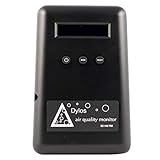


What a particle sensor can tell you
Most consumer monitors estimate airborne particle concentration by drawing air through a small optical sensor. They commonly report PM2.5, particles with an estimated diameter of 2.5 micrometers or less, and sometimes PM10. Fine wood dust can fall in the PM2.5 range, but the reading is not a precise measurement of wood dust alone. Smoke, outdoor pollution, and other aerosols can affect it too.
These monitors are useful for comparing conditions: Is the reading higher near the table saw than across the shop? Does it drop when the collector runs? Does it stay elevated after sanding stops? A consumer sensor is not a substitute for occupational exposure monitoring, and its displayed number should not be treated as proof that breathing air is safe.
What to look for before buying
For a workshop, choose a monitor that measures PM2.5 and updates often enough to show changes during a task. A one-minute update is more useful for checking a cut than a device that reports only a slow daily average. Look for a visible number and a trend display; an app is convenient, but not essential.
Placement matters as much as features. Put the sensor near breathing height, roughly 4 to 6 feet above the floor, and away from the direct blast of a tool, dust-collector exhaust, open window, or supply vent. A sensor sitting on a bench beside a sander may be hit with a concentrated plume that does not represent the air a worker breathes. Conversely, a monitor tucked in a clean corner can miss a problem.
Check operating limits and maintenance instructions. Optical sensors can accumulate dust and drift, especially in a dirty shop. Some monitors allow the sensor inlet to be cleaned; others require service or replacement. Do not blow compressed air into an inlet unless the manufacturer permits it. It can damage the sensor or drive dust deeper inside.
Sensor types compared
| Type | Best use | Trade-off |
|---|---|---|
| Basic PM2.5 monitor | Checking trends and comparing before-and-after readings | Usually limited data storage and fewer alerts |
| Connected indoor air monitor | Logging readings and checking changes from a phone | Costs more; app, Wi-Fi, or cloud service may be required |
| Professional particle counter | Detailed particle-size counts or documented investigations | Much more expensive and often unnecessary for routine shop checks |
For most home shops, a basic monitor or connected indoor-air unit is enough to reveal whether dust lingers after work. A professional counter makes sense when a safety professional needs size-resolved measurements or when results must support a formal investigation. It is poor value if the goal is simply to see whether a collector is doing better than it did last month.
What to buy for a small workshop
A low-cost PM2.5 monitor is a reasonable starting point if you mainly want a live reading and can take notes yourself. Compare readings at the same location and under similar conditions; small differences between consumer devices may reflect sensor variation rather than a real change in exposure. Browse basic PM2.5 air quality monitors for options with a clear display and stated particle measurement.
Pay more for a connected monitor if you will use its history, alerts, or remote viewing. A trend graph can show whether a reading returns toward its usual baseline in 10 minutes or stays raised for an hour. Check whether logging continues without a subscription and whether the device can export or retain data. See connected PM2.5 air quality monitors.
Do not buy a device solely because it also reports a single “air quality” score. That score may combine gases, humidity, and particles in a way that obscures the dust reading you need. If the monitor lacks a clear PM2.5 value, it is harder to use for comparing dust-control changes.
How to use readings to improve dust control
First, record a baseline with the shop quiet and the collector off. Then run a typical task—such as sanding for 10 minutes—with the collection setup you normally use. Note the peak, how long the reading stays elevated, and the time it takes to approach the baseline. Repeat the test with the collector on and the same workpiece and tool. This is a practical comparison, not a formal exposure test.
If readings remain high, check the source before buying a more expensive sensor. Look for a loose hose, a partly blocked filter, a full collection bag, poor hood positioning, or a leak at a duct joint. Fine dust may also escape from a tool whose port is too small for the collector, or from sanding done without effective local capture. A monitor cannot tell you which failure occurred; inspect the setup and test one change at a time.
Use a dust collector or shop vacuum suited to the tool as the primary control, with a properly fitted respirator when the task or exposure warrants one. General room filtration can reduce suspended dust, but it does not replace capture at the saw, sander, or router. Keep the monitor out of the filter’s direct airflow when evaluating the whole room; otherwise it may show a clean pocket while dust remains elsewhere.
Limits, placement, and upkeep
Expect noisy readings when doors open, vehicles idle nearby, or outdoor air enters. Humidity and sensor design can also affect optical readings. If the number jumps unexpectedly, check the inlet for dust and compare it with the shop’s activity before assuming the collector failed. A single spike is less useful than a repeatable pattern.
Keep a short log of task, tool, collection setup, sensor location, and recovery time. Clean the sensor only as directed and periodically compare it in the same location with another monitor if available. Replace or service it if readings become erratic or the manufacturer specifies a sensor-life limit. The useful result is not an impressive low number on the display; it is evidence that a control change consistently reduces airborne dust during the work you actually do.