As an Amazon Associate I earn from qualifying purchases. This post may contain affiliate links at no extra cost to you.
A home desk has to work hard. It needs to feel comfortable during long writing, design, or gaming sessions, look good in the background of video calls, and keep everyday gear organized without turning into a tangle of cables and clutter. That is why many people build their setup around a few key pieces: a vertical mouse for a more natural hand position, a neon sign for warm character, compact speakers for clear sound, and a wooden monitor stand that lifts the screen and frees up space underneath.
OUR TOP PICK
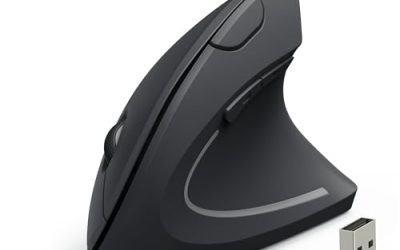
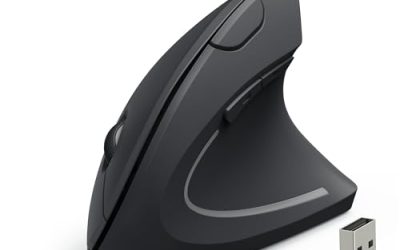
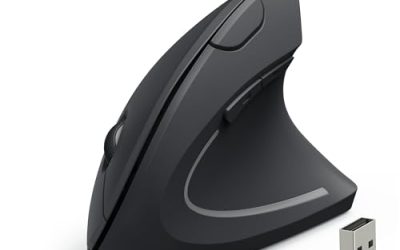
Anker 2.4G Wireless Ergonomic Mouse, Right Hand Vertical Mouse USB Receiver
This guide brings those pieces together in one place. It covers five products that each solve a different desk problem, from wrist-friendly pointing to mood lighting and better posture. Read the How to Choose section first if you are building a desk from scratch, or jump straight to the product sections to compare features, fit, and everyday use.
As an Amazon Associate, we earn from qualifying purchases.
How to Choose
Start with comfort. A vertical mouse changes the angle of your hand so your palm faces inward rather than down, which many users find more natural over a full workday. Look for a wireless model with a simple USB receiver if you want a clean desk, and check that it is shaped for your dominant hand. If you share a desk or switch between computers, a plug-and-play receiver keeps setup simple.
Next, think about light and atmosphere. A neon sign adds color and personality without taking up desk surface, since most designs hang on the wall. Choose a color that matches your room rather than fighting it: blue tones suit cool gaming setups, while warmer tones fit wood furniture and cozy reading corners. Check how the sign is powered and where the cable will run, so it does not cross your workspace.
Sound matters more than people expect. Small desktop speakers are fine for calls, videos, and background music, while a 2.1 system with a subwoofer adds depth for games and films. Decide based on desk space: a compact 2.0 pair fits narrow desks, while a subwoofer needs floor or shelf room. Finally, a monitor stand ties everything together. A two-tier wooden riser lifts the screen toward eye level, creates storage underneath for a keyboard or notebook, and adds a warm furniture look that matches home decor better than bare plastic stands.
1. Anker 2.4G Wireless Ergonomic Mouse, Right Hand Vertical Mouse USB Receiver
Top Pick
1. Anker 2.4G Wireless Ergonomic Mouse, Right Hand Vertical Mouse USB Receiver
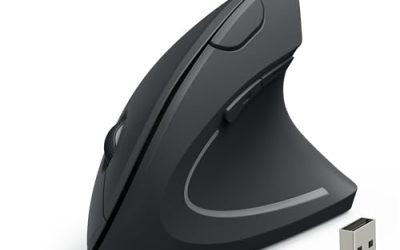
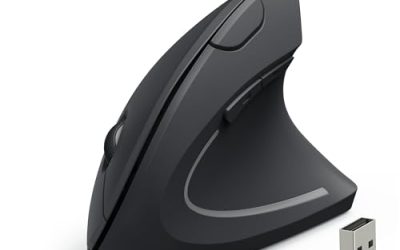
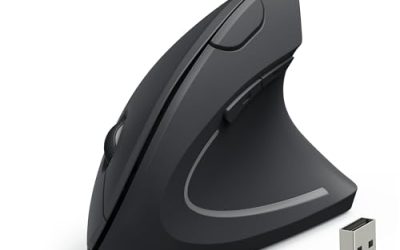
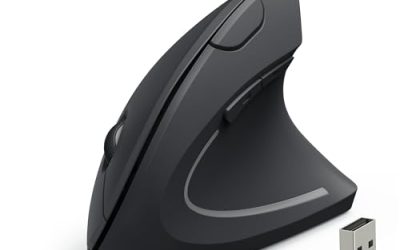
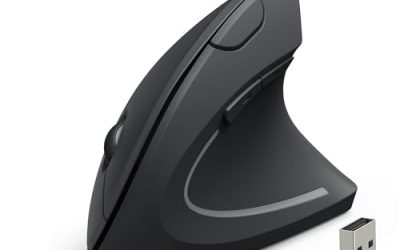
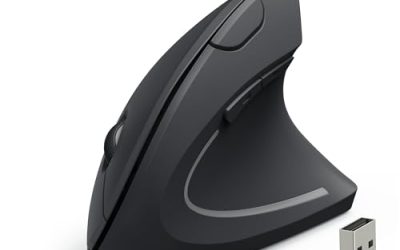
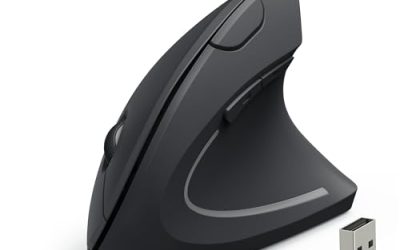
The Anker vertical mouse is the comfort anchor of this guide. Its upright shape holds the hand in a handshake-style position, and the wireless connection keeps the desk free of a trailing cable. It connects through a USB receiver, so it works with most laptops and desktops without complicated pairing steps.
Who It Suits
This mouse suits right-handed users who spend long hours at a desk and want a more natural wrist angle. It is a good fit for writers, office workers, and casual gamers who prefer simple wireless setup over extra buttons or software. Left-handed users should look for a mirrored design instead, since the shape is molded for the right hand.
2. Gamerneon Blue Poker Neon Sign Casino Playing Cards Neon Signs for Man Cave
Runner-Up
2. Gamerneon Blue Poker Neon Sign Casino Playing Cards Neon Signs for Man Cave
A neon sign turns a plain wall into a focal point, and this blue poker design leans into a playful casino theme. The playing-card motif suits game rooms, streaming backgrounds, and home bars, and the blue glow pairs well with dark furniture and wood accents. Because it hangs on the wall, it adds personality without using any desk surface.
Who It Suits
This sign suits anyone building a game corner, man cave, or streaming backdrop who wants instant character. It also works as a gift for card players and poker fans. If your room uses warm, traditional decor, consider whether the blue tone and casino theme match before hanging it as a permanent fixture.
For everyday desk sound, a compact 2.0 speaker pair keeps things simple. The Cyber Acoustics CA-2014 delivers stereo sound in a small footprint, making it easy to place on either side of a monitor. It suits video calls, tutorials, podcasts, and background music where clarity matters more than deep bass.
Who It Suits
These speakers suit students, home office workers, and anyone with a narrow desk who still wants better sound than built-in laptop speakers. They are less suited to users who want room-filling bass for films or games; in that case, the 2.1 system below is the better match.
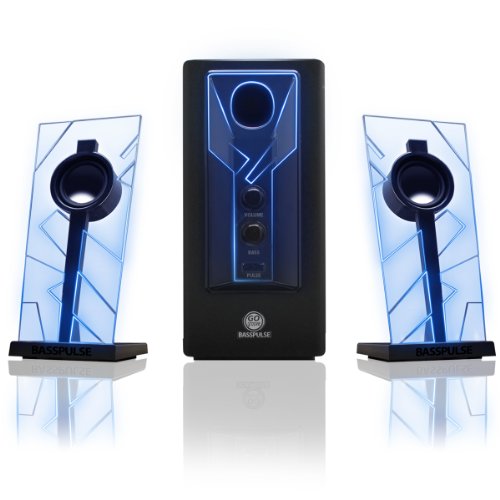
4. GOgroove BassPULSE 2.1 Computer Speakers with Blue LED Glow Lights and Powered Subwoofer
4. GOgroove BassPULSE 2.1 Computer Speakers with Blue LED Glow Lights and Powered Subwoofer
The GOgroove BassPULSE system adds a powered subwoofer to two satellite speakers, giving games and films more low-end weight. The blue LED glow also ties the desk together visually, especially alongside a blue neon sign or a gaming setup with cool lighting. The satellites stay compact on the desk while the subwoofer can sit on the floor or a lower shelf.
Who It Suits
This system suits gamers, film watchers, and music listeners who want fuller sound than a basic 2.0 pair can offer. It also suits desks where lighting is part of the look. If your workspace is very small or shared with people who dislike bass, the compact Cyber Acoustics pair is the quieter choice.
5. BONTEC Wood Monitor Stand Riser, 2-Tier Desktop Organizer
5. BONTEC Wood Monitor Stand Riser, 2-Tier Desktop Organizer
A wooden monitor riser improves posture and organization at the same time. The BONTEC two-tier design lifts the screen, adds a second level for small items, and leaves open space underneath for a keyboard, notebook, or mouse when you need a clear desk. The wood finish also suits home furniture better than plain metal or plastic stands, which matters in living rooms and bedrooms where the desk is always on display.
Who It Suits
This stand suits anyone whose monitor sits too low or whose desk feels crowded. It works well for home offices, study desks, and craft corners where small tools need a home. Measure your monitor base and desk depth first, since a two-tier stand needs enough room to sit flat and stable.
Putting the Desk Setup Together
These five pieces combine into a balanced desk. Place the wooden riser first and set the monitor on top, then slide the keyboard underneath when you need writing space. Put the vertical mouse on your dominant side with enough room for natural movement. Set the speakers on either side of the monitor, or place the subwoofer on the floor if you choose the 2.1 system. Hang the neon sign on the wall behind or above the desk so its glow frames the setup without shining directly into your eyes.
Cable management makes the difference between a tidy desk and a messy one. Route the speaker and sign cables along the back edge of the desk, keep the mouse receiver plugged into a port you can reach, and use the space under the riser for chargers and small notebooks. A setup that looks calm is easier to keep clean, and a comfortable chair height paired with a raised screen reduces the hunch that builds up over a long day.
Care and Everyday Use Tips
Wipe the wooden stand with a soft dry cloth and avoid soaking the surface, since standing water can mark wood finishes. Keep drinks away from speakers and the mouse receiver, and dust speaker grilles gently so sound stays clear. For the neon sign, check the hanging hardware from time to time and keep the cable away from heat sources. If you move the desk, unplug everything first and coil cables loosely rather than bending them sharply, which helps them last longer.
FAQ
Is a vertical mouse hard to get used to?
Most people adjust within a few days. The hand sits in a more upright position, so movements feel slightly different at first. Start with normal browsing and document work before using it for fast-paced games, and give your wrist time to settle into the new angle.
Where should a neon sign be hung?
Hang it on the wall behind or above the desk, high enough that it does not reflect directly on the monitor screen. Avoid placing it where direct sunlight hits it all day, and make sure the power cable reaches an outlet without crossing your chair path.
Should I choose 2.0 or 2.1 speakers?
Choose 2.0 speakers for calls, videos, and small desks where space is tight. Choose a 2.1 system if you play games or watch films at the desk and want deeper bass. The subwoofer needs floor or shelf space, so measure before deciding.
Will a two-tier monitor stand fit my desk?
Measure the width and depth of your desk and the footprint of your monitor base. A two-tier stand works best on desks with enough depth to keep the screen at a comfortable viewing distance. If your desk is very shallow, a single-tier riser may fit better.
Final Verdict
For comfort, the Anker vertical mouse is the strongest starting point, since it changes how your hand works all day. For personality, the Gamerneon blue poker sign adds instant character to a game room or streaming corner. Sound buyers should pick the Cyber Acoustics pair for compact everyday clarity or the GOgroove BassPULSE system for fuller bass and matching blue glow. The BONTEC wooden riser ties the whole desk together with better screen height, extra storage, and a furniture-friendly finish. Together, these five products cover comfort, sound, light, and organization without overcomplicating the setup.
Product and ASIN Reference
Product
ASIN
Anker 2.4G Wireless Ergonomic Mouse, Right Hand Vertical Mouse USB Receiver
B00BIFNTMC
Gamerneon Blue Poker Neon Sign Casino Playing Cards Neon Signs for Man Cave
Compare the best vertical mice and neon signs for a warmer desk: an ergonomic wireless mouse, a poker neon sign, computer speakers, and a monitor stand.
Compare the best vertical mice, neon signs, computer speakers, and a wood monitor stand for a comfortable woodworking shop desk and design corner setup.


 3. Cyber Acoustics CA-2014 2.0 Computer Speakers, 4W, Stereo Sound
 4. GOgroove BassPULSE 2.1 Computer Speakers with Blue LED Glow Lights and Powered Subwoofer
 5. BONTEC Wood Monitor Stand Riser, 2-Tier Desktop Organizer