As an Amazon Associate I earn from qualifying purchases. This post may contain affiliate links at no extra cost to you.
A workshop desk has to do two jobs at once: a place for plans and computer work, and part of the room where projects take shape. When the desk feels cramped, even simple tasks like checking a cut list can feel harder than they should. Small upgrades to hand position, screen height, sound, and ambient light can change how the whole corner feels.
OUR TOP PICK
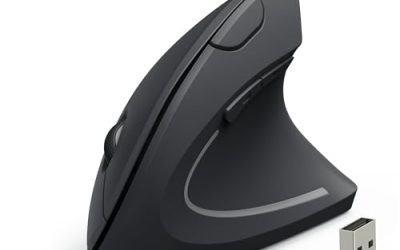
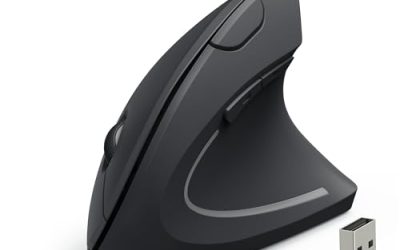
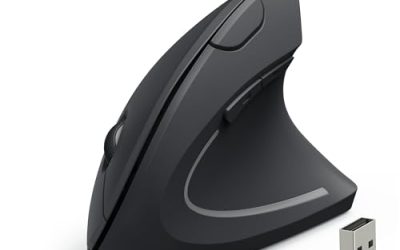
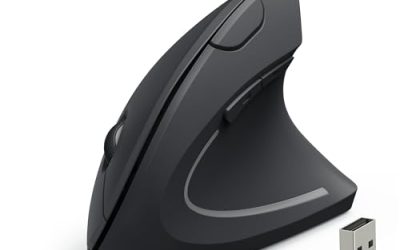
Anker 2.4G Wireless Ergonomic Mouse, Right Hand Vertical Mouse USB Receiver
This guide looks at five pieces that work well together: a right hand vertical wireless mouse, a blue poker neon sign, two speaker options with different footprints, and a two tier wood monitor riser. Each covers a different need, so the best choice depends on whether comfort, storage, sound, or style matters most.
As an Amazon Associate, we earn from qualifying purchases.
How to Choose
Start with the surface you have. Measure the desk depth before choosing anything large. A two tier riser can reclaim space by lifting the screen and creating a shelf underneath, but only if room remains for a mouse and a task lamp. Consider where cables will run and whether a sign or speaker would block a pegboard or outlet.
Next, think about mouse grip. A vertical mouse places the hand in a more upright position rather than flat on the desk. Hand size and grip style matter, and right hand models suit right hand users. Wireless models keep the desk clear but need a USB receiver slot, so check what the listing states.
Sound is another practical factor. A compact 2.0 speaker set takes less room and is easier to place on either side of a monitor, while a 2.1 set adds a powered subwoofer for fuller low end. The trade off is space and cable management. Look at stated power, connection type, and where the controls sit.
Lighting and decor should support the work, not distract from it. A neon style sign adds color to a man cave, game room, or workshop wall, but it should not shine directly into the screen. Consider wall space above the desk and the distance to an outlet. Finally, check stated dimensions, materials, and included hardware, and treat anything not stated as unknown rather than assuming.
Anker 2.4G Wireless Ergonomic Mouse, Right Hand Vertical Mouse USB Receiver
Top Pick
Anker 2.4G Wireless Ergonomic Mouse, Right Hand Vertical Mouse USB Receiver
Product name: Anker 2.4G Wireless Ergonomic Mouse, Right Hand Vertical Mouse USB Receiver
Connection: 2.4G wireless with USB receiver, as stated in the product name
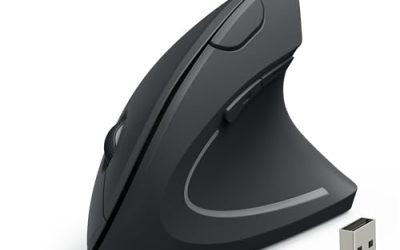
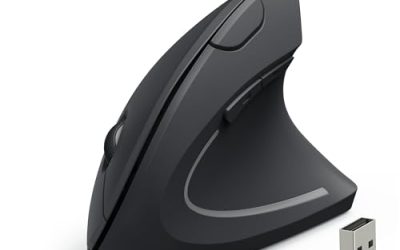
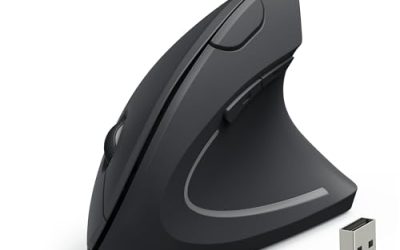
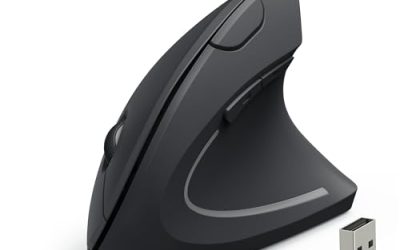
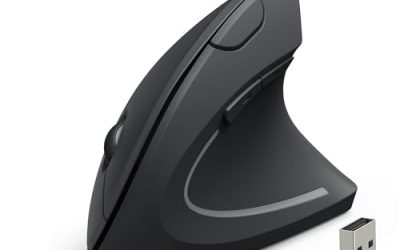
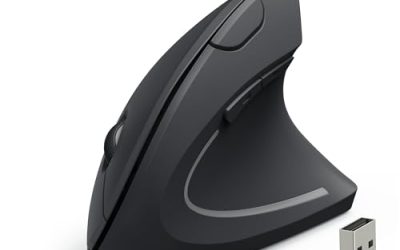
The Anker vertical mouse turns the hand so it rests in a more upright position instead of lying flat. For anyone who spends long stretches at a workshop computer checking plans or managing project files, that change in posture is the main reason to consider this style. The listing describes a right hand vertical mouse with a USB receiver, keeping the setup wireless.
In daily use, a vertical shape takes a short adjustment period, with movement coming more from the arm than the wrist. Because this model is for the right hand, left hand users should look for a left hand version instead. The wireless design also suits a desk that doubles as a work surface, since the mouse can be moved aside quickly when the bench is needed for layout work.
Who It Suits
This mouse suits right hand users who want to try a vertical grip for computer work at a workshop desk, especially those who notice wrist or forearm strain with a flat mouse during long sessions. It also suits anyone who prefers a wireless setup with a small USB receiver rather than a cable. Users who need left hand support, a wired connection, or detailed button specifications should check those details before choosing, since they are not stated here.
Gamerneon Blue Poker Neon Sign Casino Playing Cards Neon Signs for Man Cave
Runner-Up
Gamerneon Blue Poker Neon Sign Casino Playing Cards Neon Signs for Man Cave
Product name: Gamerneon Blue Poker Neon Sign Casino Playing Cards Neon Signs for Man Cave
Theme: Blue poker and casino playing cards
Style: Neon sign
Intended space: Man cave, as stated in the product name
The Gamerneon sign brings a playful casino theme to a workshop, game room, or man cave wall, with blue poker and playing cards imagery in a neon style. It is a decor piece first and a light source second, adding color above the monitor or beside shelving.
Placement is the key decision. Hung too low or too close to the screen, a bright sign can create glare. Hung higher, it becomes background ambiance. Consider the wall material, the stated mounting method, and the reach of the power cord, and leave clearance so the sign does not block a pegboard or shelves used often.
Who It Suits
This sign suits anyone who wants a bold, themed accent above a workshop desk, game room desk, or man cave setup and enjoys poker or casino imagery. It fits best in a space where decor matters alongside function and where wall space is available above or beside the desk. Users who need precise size, brightness, or mounting details should confirm those points before choosing, since they are not stated here.
The Cyber Acoustics CA-2014 is the compact option. As a 2.0 set without a subwoofer, it keeps the footprint small. The listing states 4W and stereo sound, matching a basic desk set for everyday listening and video calls rather than a room filling system.
That smaller size is the main advantage. Two compact speakers can sit beside a monitor or laptop without taking over the work surface, and cable routing is simpler than with a subwoofer system. If sound is a secondary need and desk space is tight, this style is often the easier fit.
Who It Suits
This speaker set suits users with limited desk space who want simple stereo sound for a workshop computer, laptop, or home office desk. It also suits anyone who prefers a clean setup without a subwoofer on the floor. Users who want stronger bass, stated connection details, or specific control placement should check those points before choosing, since they are not stated here.
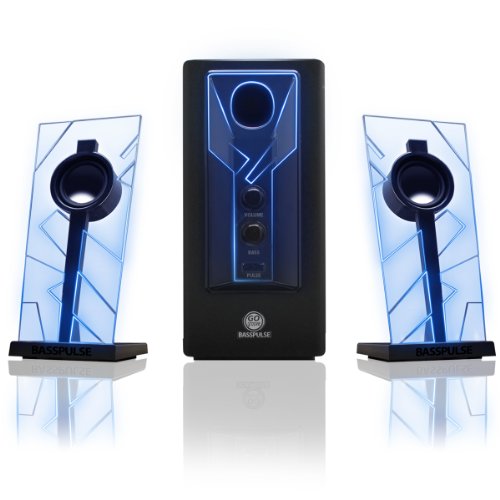
GOgroove BassPULSE 2.1 Computer Speakers with Blue LED Glow Lights and Powered Subwoofer
GOgroove BassPULSE 2.1 Computer Speakers with Blue LED Glow Lights and Powered Subwoofer
Product name: GOgroove BassPULSE 2.1 Computer Speakers with Blue LED Glow Lights and Powered Subwoofer
The GOgroove BassPULSE set takes the opposite approach. As a 2.1 system with a powered subwoofer and blue LED glow lights, it aims at fuller sound and visual flair. In a workshop or game room, the glow can echo a neon sign while the subwoofer adds low end small speakers cannot produce.
The trade off is space. A subwoofer needs a home on the floor or a lower shelf, and the extra cable needs a clean path. For a larger desk or dedicated computer corner that is manageable, but for a narrow bench that doubles as an assembly surface it may be too much.
Who It Suits
This set suits users who want richer sound with a dedicated subwoofer and who enjoy LED accent lighting on a workshop, gaming, or home office desk. It fits best where floor or shelf space is available for the subwoofer and where the desk is mainly a computer station. Users with very limited space or a desk that is frequently cleared for projects may prefer the compact 2.0 option instead.
BONTEC Wood Monitor Stand Riser, 2-Tier Desktop Organizer
BONTEC Wood Monitor Stand Riser, 2-Tier Desktop Organizer
Product name: BONTEC Wood Monitor Stand Riser, 2-Tier Desktop Organizer
The BONTEC wood monitor stand riser is the furniture piece in this guide. By raising the monitor on a two tier stand, it brings the screen closer to eye level and creates storage underneath for a keyboard, notebook, or small parts tray, keeping the main surface clearer.
Wood construction also suits a woodworking space, blending with a wood desk or workbench. The key checks are size and sturdiness: the top must fit the monitor base and the height should suit the chair and screen. Where details are not stated, measure carefully.
Who It Suits
This riser suits users who want a higher screen position and more organized desk storage, especially in a workshop or home office where a wood finish fits the room. It also suits anyone whose desk surface is crowded and who could use the space under the monitor more effectively. Users with very large monitors or specific height needs should confirm dimensions and capacity before choosing, since they are not stated here.
Putting the Workshop Desk Setup Together
Start with the BONTEC riser centered on the desk and the monitor on top, leaving the lower shelf for a keyboard or notebook. Set the Anker mouse on the right with clear surface for movement. Choose one speaker path: the compact Cyber Acoustics 2.0 set flanking the monitor, or the GOgroove 2.1 set with the subwoofer on the floor. Hang the Gamerneon sign above the desk where it adds color without shining into the screen, route cables behind the riser, and leave a clear zone in front for plans and small parts.
FAQ
Is a vertical mouse comfortable for long computer sessions?
A vertical mouse holds the hand in a more upright position, which some users find more comfortable during long sessions at a desk. Others prefer a traditional flat mouse. Comfort depends on hand size, grip style, and the kind of work being done, so it helps to consider how much time is spent on precise cursor work versus general browsing and file management.
Should a workshop desk use 2.0 or 2.1 speakers?
A 2.0 set is smaller and simpler, which suits tight desks and basic listening. A 2.1 set adds a powered subwoofer for fuller low end and takes more space. The right choice depends on available desk and floor space, how important bass is, and whether the desk is mainly a computer station or also a work surface that gets cleared often.
Where should a neon sign be placed above a desk?
Place the sign high enough that it does not shine directly into the monitor or sit in the main line of sight during focused work. Wall space above the desk or to the side works well, as long as the power cord can reach an outlet without crossing the work surface. Avoid blocking shelves, pegboards, or tool storage that get used every day.
How does a monitor riser help a crowded desk?
A monitor riser lifts the screen and creates usable storage underneath, which can hold a keyboard, notebook, or small items that would otherwise spread across the desk. It can also bring the screen to a more comfortable viewing height. The benefit depends on the riser size fitting the monitor base and the desk depth, so measurements matter.
Final Verdict
For a workshop desk that needs comfort, organization, sound, and a touch of personality, these five picks cover the main bases. The Anker vertical mouse addresses hand position for right hand users, the BONTEC wood riser improves screen height and storage, and the speaker choice comes down to space: the Cyber Acoustics 2.0 set for a compact, tidy desk, or the GOgroove 2.1 set for fuller sound with LED glow. The Gamerneon blue poker sign finishes the corner with themed decor for a man cave or game room style workshop. Measure the desk first, confirm any unstated details that matter, and choose the combination that leaves the work surface clear and comfortable.
Product and ASIN Reference
Product Name
ASIN
Anker 2.4G Wireless Ergonomic Mouse, Right Hand Vertical Mouse USB Receiver
B00BIFNTMC
Gamerneon Blue Poker Neon Sign Casino Playing Cards Neon Signs for Man Cave
Compare the best vertical mice and neon signs for a warmer desk: an ergonomic wireless mouse, a poker neon sign, computer speakers, and a monitor stand.
Compare the best vertical mice, neon signs, computer speakers, and a wood monitor stand for a comfortable woodworking shop desk and design corner setup.


 GOgroove BassPULSE 2.1 Computer Speakers with Blue LED Glow Lights and Powered Subwoofer
 BONTEC Wood Monitor Stand Riser, 2-Tier Desktop Organizer