Find the best large format 3D printer for your workshop today. Compare four big-build-volume FDM printers on size, speed, chamber heat, and auto leveling.
Find the best large format 3D printer for your workshop today. Compare four big-build-volume FDM printers on size, speed, chamber heat, and auto leveling.
As an Amazon Associate I earn from qualifying purchases. This post may contain affiliate links at no extra cost to you.
The best large format 3D printer for most workshops is the QIDI Max4 Combo, with a 390 by 390 by 340 mm build volume, a heated chamber, and a top speed of 800 mm per second. If you want the largest open-frame build area, the Anycubic Kobra 3 Max prints 420 by 420 by 500 mm in a single piece. The ELEGOO Neptune 4 Max and the Creality K2 Plus Combo round out the shortlist with large build volumes and automatic leveling.
A standard desktop 3D printer usually tops out around 220 to 250 mm on each axis, which is enough for brackets, knobs, and small fixtures. A large-format machine changes what a workshop can produce in one piece: full-size cosplay helmets, furniture components, large enclosures, jigs, and molds that would otherwise need to be split into sections and glued together. Fewer joints means stronger parts and less finishing work, and a big bed also lets you print a whole batch of smaller parts in a single run.
Our top pick: QIDI Max4 Combo. Runner-up: ELEGOO Neptune 4 Max. This guide compares published specifications only: build volume, print speed, nozzle and chamber temperatures, leveling systems, filament compatibility, and connectivity as listed by each maker. Every printer below has a build volume of at least 300 mm on every axis, which is the practical line between a standard machine and a large-format one.
At a Glance
Product
Best for
Key specification
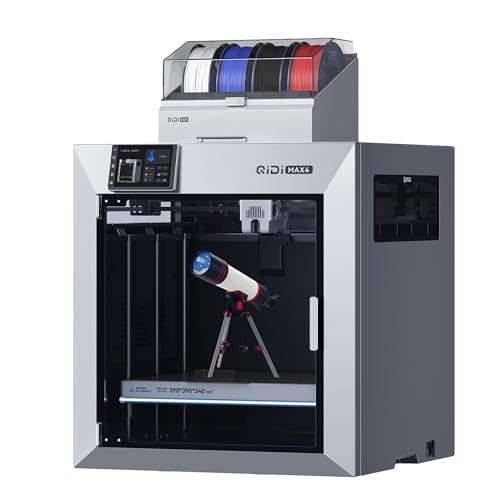
QIDI Max4 Combo
Large enclosed engineering prints
390 x 390 x 340 mm build volume, 800 mm/s top speed, 65°C heated chamber
Anycubic Kobra 3 Max
Largest single-piece prints
420 x 420 x 500 mm build volume, 600 mm/s top speed
ELEGOO Neptune 4 Max
Large open-frame prints with Klipper speed
420 x 420 x 480 mm build volume, 500 mm/s top speed, Klipper firmware
Creality K2 Plus Combo
Enclosed multi-color large prints
350 x 350 x 350 mm build volume, 600 mm/s top speed, CFS multi-color system
How to Choose
1. Start With Build Volume
Build volume is the first number to check, and it is the whole point of a large-format printer. Measure the largest part you plan to print in one piece, then add clearance on every side for a brim or raft and for bed clips. A 300 mm cube handles helmets and large brackets, while a 420 mm bed handles full-size props, large vase-mode prints, and furniture parts. Remember that the listed volume is the maximum travel of the machine, and usable space near the edges can be slightly smaller once clips and purge lines are in place.
2. Choose Open Frame or Enclosed
Open-frame printers cost less per liter of build volume and are easy to watch and reach into, which suits PLA and PETG work in a room with stable temperature. Enclosed printers hold warm air around the print, which reduces warping and layer splitting in ABS, ASA, nylon, and polycarbonate. An enclosed machine also keeps drafts away from tall prints and contains fumes and noise better. If your workshop runs cool or drafty, or if you plan to print engineering filaments, an enclosure is worth the extra footprint.
3. Compare Print Speed and Acceleration
Top speed figures describe the fastest the print head can move on long straight runs, and they matter most on large prints where hours add up. Acceleration matters just as much, because a printer that reaches high speed quickly spends less time speeding up and slowing down on short moves. All four printers here list top speeds of 500 to 800 mm per second, but real printing speed depends on the filament, the layer height, and the model shape. A large print at moderate speed often finishes sooner than a small print pushed to its limit with cooling problems.
4. Check Nozzle and Chamber Temperature
Nozzle temperature decides which filaments a printer can melt, and chamber temperature decides whether those filaments stay stable while printing. A 300°C nozzle covers PLA, PETG, ABS, ASA, TPU, and nylon, while a 370°C nozzle adds high-temperature filaments such as polycarbonate and fiber-filled composites. A heated chamber, usually 60 to 65°C on the enclosed models here, keeps large ABS and nylon parts from warping as they cool. If you only print PLA and PETG, chamber heat is not essential, but it becomes important as soon as parts grow past 200 mm in any direction.
5. Look for Automatic Leveling
A large bed is harder to keep level by hand than a small one, so automatic leveling is close to essential at this size. The printers in this guide use automatic bed leveling with multiple probe points, and some add vibration compensation and first-layer scanning. Automatic leveling shortens setup, reduces failed first layers, and matters more as bed size grows, because a small tilt across 420 mm becomes a large height difference at the far corner. Check whether the listing states the number of leveling points and whether auxiliary manual leveling is also available.
6. Consider Filament Handling and Multi-Color
Some large-format printers print one filament at a time, while others connect to a filament system that swaps between spools for multi-color or multi-material prints. A multi-color system adds parts and setup, and it creates purge waste on every color change, so it suits decorative multi-color models more than structural single-color parts. A direct-drive extruder handles flexible filament better than a Bowden setup, and a filament runout sensor plus power-loss recovery protects long prints that run overnight. Match the filament system to the work you actually do, not to the feature list.
7. Measure Footprint, Weight, and Power
A large-format printer is a piece of furniture, not a desktop accessory. The machines here measure roughly 500 to 740 mm on a side and weigh from about 21 kg to about 54 kg, so they need a sturdy bench, a level surface, and clearance above for the gantry and filament spool. Check the machine dimensions, not just the build volume, and leave room behind the printer for cables and ventilation. A heavy enclosed printer may need two people to lift safely, and a high-wattage heated bed benefits from a dedicated outlet rather than a shared power strip.
Our Picks
QIDI Max4 Combo — ASIN B0GF87BKPD
Top Pick
QIDI Max4 Combo — ASIN B0GF87BKPD
Best for: Large enclosed engineering prints, helmets, drone frames, and molds that need a heated chamber.
The QIDI Max4 Combo leads this guide with a 390 by 390 by 340 mm build volume inside a fully enclosed frame, a top speed of 800 mm per second, and a third-generation heated chamber that reaches 65°C. Its high-flow nozzle reaches 370°C and its heated bed reaches 120°C, which covers engineering filaments such as nylon, polycarbonate, and carbon-fiber composites. Closed-loop motors on the X and Y axes, dual Z lead screws, and an HD camera with AI monitoring round out a machine built for large functional parts. The included QIDI BOX supports multi-color and multi-material printing with up to 16 colors.
Consideration: At 120 pounds and 28 by 28 by 30 inches, it is the heaviest and largest machine in this guide, so it needs a sturdy bench and two people to position safely.
The Anycubic Kobra 3 Max has the largest build volume in this guide at 420 by 420 by 500 mm, which fits full-size props and tall single-piece prints that no other printer here can handle. Its listed top speed is 600 mm per second with 10,000 mm per second squared acceleration, and it includes automatic leveling, smart vibration compensation, and a PEI build plate. The printer supports multi-color printing when connected to the separate ACE Pro filament system, which is an optional add-on rather than part of the base machine. Its open gantry frame keeps the machine easy to reach into and simple to watch while printing.
Best for: The largest single-piece prints, tall props, and big vase-mode models on an open frame.
Consideration: The open frame has no heated chamber, so large ABS and nylon prints are more likely to warp in a cool or drafty room.
ELEGOO Neptune 4 Max — ASIN B0D3WVRBSD
Runner-Up
ELEGOO Neptune 4 Max — ASIN B0D3WVRBSD
Best for: Large open-frame prints where Klipper speed and a huge build area matter most.
The ELEGOO Neptune 4 Max pairs a 420 by 420 by 480 mm build volume with Klipper firmware, a combination that delivers a listed top speed of 500 mm per second and 8,000 mm per second squared acceleration. Its direct-drive extruder uses a 5.2 to 1 reduction ratio for strong, smooth filament feeding, and its nozzle reaches 300°C for PLA, PETG, ABS, TPU, and nylon. Automatic leveling covers 121 points across the bed, and the machine connects over Wi-Fi, USB, or LAN with filament detection and print-resume support. Dual-sided cooling fans and model cooling blowers help prevent warping on large flat prints.
Consideration: The open frame and 85°C maximum bed temperature make it less suited than the enclosed picks for large ABS parts in a cool workshop.
Creality K2 Plus Combo — ASIN B0DY119F9G
Creality K2 Plus Combo — ASIN B0DY119F9G
Best for: Enclosed multi-color prints at large scale, and workshops that want an actively heated chamber in a 350 mm cube.
The Creality K2 Plus Combo is the enclosed multi-color pick in this guide, with a 350 by 350 by 350 mm build volume and a top speed of 600 mm per second. Its actively heated chamber reaches 60°C, its nozzle reaches 350°C, and its CFS filament system prints in up to 4 colors from one unit and up to 16 colors with additional units. Dual AI cameras watch for print failures, full-auto leveling handles bed calibration, and step-servo motors drive the CoreXY frame. The machine supports PLA, PETG, ABS, ASA, and carbon-fiber-filled filaments, with the listing noting that flexible TPU is not compatible with the CFS unit.
Consideration: Its 350 mm build volume is the smallest in this guide, so the very largest single-piece prints still need one of the 390 mm or 420 mm machines above.
Which One Is Right for You?
Choose the QIDI Max4 Combo if you print large functional parts in engineering filaments and want the heated chamber, the highest top speed, and the strongest all-around specification set. Choose the Anycubic Kobra 3 Max if your priority is the biggest possible single-piece print and you work mostly in PLA and PETG in a room with stable temperature. Choose the ELEGOO Neptune 4 Max if you want the largest build area per machine and Klipper-based speed on an open frame, with the option to add bed clips for very wide prints. Choose the Creality K2 Plus Combo if you want enclosed multi-color printing with a heated chamber and dual AI cameras, and your parts fit inside a 350 mm cube.
If you are still unsure, measure your largest planned part first. A printer that fits that part with room to spare is the right size, and the chamber, nozzle temperature, and filament system should follow from the materials that part needs.
Frequently Asked Questions
What build volume counts as large format?
There is no official cutoff, but printers with at least 300 mm on every axis are generally treated as large format, compared with standard machines around 220 to 250 mm. The printers in this guide range from a 350 mm cube to 420 by 420 by 500 mm, and the extra volume is what lets you print helmets, large enclosures, and furniture parts in one piece instead of splitting them.
Is an enclosed printer necessary for large prints?
An enclosure is not necessary for PLA and PETG, which print well on an open frame in a room with stable temperature. It becomes important for ABS, ASA, nylon, and polycarbonate, because a warm chamber reduces warping and layer splitting on large parts. If your workshop is cool or drafty, or if you plan to print engineering filaments, choose one of the enclosed models in this guide.
Can a large-format printer print small parts well?
Yes, a large-format printer can print small parts, and its large bed lets you print many small parts in one batch. Small parts still need the same care as on any printer: a level bed, correct first-layer settings, and enough cooling. The main trade-off is bench space, since a large machine occupies far more room than a standard printer even when printing small objects.
What filaments work with large-format printers?
All four printers here list PLA, PETG, ABS, and TPU among their supported filaments, and the enclosed models add nylon, ASA, polycarbonate, and carbon-fiber composites depending on nozzle and chamber temperature. Flexible filament works best with a direct-drive extruder, and multi-color printing needs the matching filament system for that model. Always check the filament list on the product page before ordering a new material.
How much space does a large-format printer need?
Plan for the full machine dimensions plus clearance on every side, not just the build volume. The machines in this guide measure roughly 500 to 740 mm on a side, weigh from about 21 kg to about 54 kg, and need room above for the gantry and filament spool plus space behind for cables. Put the printer on a sturdy, level bench, keep the area around it clear, and allow airflow around the frame for cooling.
Bottom Line
The QIDI Max4 Combo is the strongest all-around large-format printer in this guide, with the largest enclosed build volume, the fastest listed top speed, and a heated chamber for engineering filaments. The Anycubic Kobra 3 Max takes the crown for sheer build size at 420 by 420 by 500 mm, while the ELEGOO Neptune 4 Max matches its footprint with Klipper speed and the Creality K2 Plus Combo adds enclosed multi-color printing. Measure your largest part, match the chamber and nozzle to your filament, and pick the machine that fits both.
Disclosure: As an Amazon Associate, this site earns from qualifying purchases.
J
JD's Woodworks Editorial Team
We compare specs, warranty terms, long-term owner feedback and street pricing before anything earns a spot. Rankings are never paid.
Affiliate disclosure. As an Amazon Associate we earn from qualifying purchases at no extra cost to you. Prices accurate as of the date shown.
Miter saw vs table saw: compare crosscuts, rip cuts, accuracy, space, and value to choose the right saw for your shop and your first woodworking projects.
Compare five solar portable generators for shops, campsites, and outages, covering battery size, output, solar charging, outlets, and what to check first.
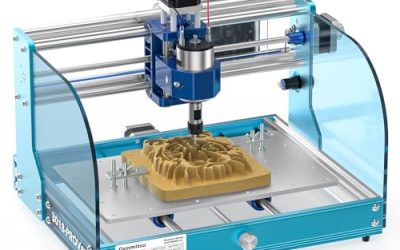
The best portable CNC machines for small shops and shared spaces, compared by footprint, weight, work area, and setup. Compact benchtop picks for wood, acrylic, and soft metal.
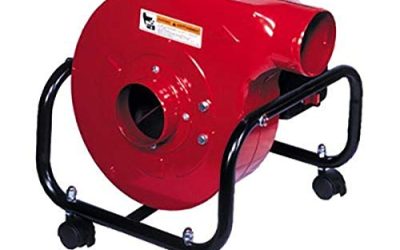
Find the best Penn Industries dust collector on Amazon: the PSI Woodworking DC3XX blower and the DC725 tabletop unit, compared on airflow, pressure, and shop fit.
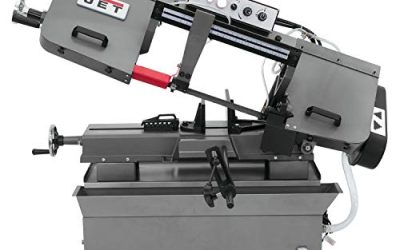
Compare five large stationary horizontal metal band saws for fabrication shops on cutting capacity, motor, power supply, blade speed, and mitering before buying.
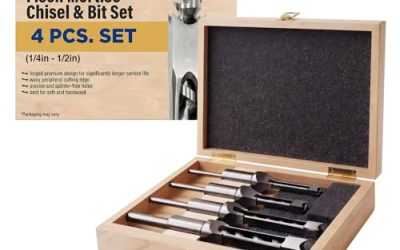
Find the best mortising chisel bits for clean square mortises in this guide: hollow-chisel sets and singles compared by size, shank, steel, and machine fit.
Find the best drill press base for your shop. Compare rolling stands and mobile bases by capacity, footprint, casters, locking, and setup before you buy.
Find the best dewalt planer dw734 blades for your 12-1/2-inch thickness planer. Compare OEM and aftermarket 3-knife sets, steel types, and fit before you buy.