4 Best Laser Engraving Machines for Wood (November 2026)
Find the best laser engraving machine for wood signs, gifts and shop projects, comparing laser power, work area and safety features from each Amazon listing.
Best for: A home shop where the machine shares a room with other people.
Watch out for: The enclosed frame limits very long boards, so check the interior size against your usual blanks.
Best for: A maker who wants a large bed and air assist in one box.
Watch out for: It is a Class 4 open-frame machine, so plan ventilation and eye protection before the first job.
Best for: A first laser for simple engraving on wood and leather.
Watch out for: Thin stock is its comfort zone, so thick plywood needs many slow passes.
Find the best laser engraving machine for wood signs, gifts and shop projects, comparing laser power, work area and safety features from each Amazon listing.
As an Amazon Associate I earn from qualifying purchases. This post may contain affiliate links at no extra cost to you.
A laser engraver turns plain boards into signs, gifts and shop labels, and the right machine depends on what you plan to cut as much as what you plan to mark. A low-power diode head handles fine lines and photo-style images on basswood and plywood, while a stronger module pushes through thicker stock in fewer passes. Enclosed machines suit a shared room, and open frames suit a dedicated bench with room to add ventilation. This guide sorts four machines by power, work area and safety design so you can match the tool to the work you actually do.
The four picks below suit hobbyists engraving signs at home, makers selling small batches of wooden gifts, and shop owners adding labels and templates to their work. Each machine was picked from the name and specifications shown on its Amazon page, with laser power, work area and safety features taken from the listing itself.
Quick Picks
As an Amazon Associate we earn from qualifying purchases
Product
Best for
Key spec from title
Creality Falcon2 Pro 22W
Enclosed home shop use
22W enclosed laser cutter
xTool D1 Pro 10W
Detailed photo engraving on wood
10W diode laser
Longer Ray5 10W
Large 400x400mm work area
10W with air assist
Atomstack A5 Pro 5W
First laser for simple engraving
5W fixed-focus laser
How to Choose
Laser Power and Cutting Depth
Laser power decides how deep a machine cuts and how fast it marks. A 5W diode head engraves clean lines on basswood, plywood and leather, and it cuts thin veneer and cardboard in a few passes. A 10W head moves through thicker plywood and MDF with less charring, because fewer passes mean less heat soaking into the edges. A 22W module cuts deeper stock in a single pass and keeps edges cleaner on thick boards. Match the power to the thickest material you plan to cut regularly, not to the thinnest piece you own. A machine that only just manages your usual stock will run long jobs and wear its module sooner.
Work Area and Frame Size
Work area decides which boards fit under the beam without repositioning. A 400 by 400 mm bed takes a standard craft panel and most sign blanks, while a 410 by 400 mm bed adds a little room for longer pieces. Measure the boards you use most and compare them with the carving size on the listing, because a bed that is slightly too small forces you to split every design. Check the frame footprint too, since an open gantry needs clear bench space around it and an enclosed unit needs room for its lid to open. A machine that fits your bench leaves space for the material, the laptop and the offcuts.
Safety and Ventilation
Laser safety starts with the enclosure and the eyewear rules on the listing. An enclosed Class 1 machine contains the beam inside its housing and runs an automatic fan, which suits a room shared with other people. Open-frame Class 4 machines need the laser protective cover fitted before every job, and the Atomstack listing states that goggles are required when the cover is not installed. The same listing prohibits use by children under 14 and warns never to aim the beam at a reflective surface. Air assist blows smoke away from the lens, while a window fan or duct carries fumes out of the room.
Software and File Support
Software decides how easily a design reaches the machine. Longer lists LaserGRBL and LightBurn support with USB, TF card and WiFi connections, so a file can travel from a laptop or straight from a card. Atomstack lists NC, BMP, JPG, PNG and DXF file formats, which covers traced images and vector drawings from common design tools. xTool runs its own Creative Space software and also works with LightBurn, giving a choice between a guided setup and a full-featured cutter. Creality adds HD camera positioning, which lines up a design on a placed board instead of guessing the origin. Check that your usual design tool exports a format the machine accepts before you order.
The 4 Best Options
Creality Falcon2 Pro 22W
Top Pick
Creality Falcon2 Pro 22W
Best for: A home shop where the machine shares a room with other people.
Watch out for: The enclosed frame limits very long boards, so check the interior size against your usual blanks.
A home shop where the machine shares a room with other people.
Watch out for: The enclosed frame limits very long boards, so check the interior size against your usual blanks.
Watch out for
The enclosed frame limits very long boards, so check the interior size against your usual blanks.
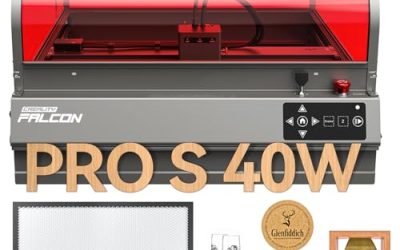
The Falcon2 Pro is the enclosed pick in this group, and its housing is the feature that sets it apart. A 22W diode module sits inside a closed frame with air assist, an automatic fan and HD camera positioning, so a design can be lined up on a placed board while the beam stays contained. The listing states a 25,000mm per minute engraving speed and Class 1 safety, which makes it the easiest of the four to place in a room where other people come and go. Its 18 by 18 by 8 inch frame is compact for an enclosed machine.
xTool D1 Pro 10W
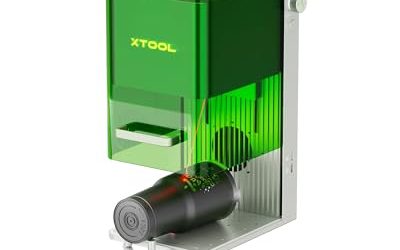
The D1 Pro 10W is the precision pick, built around a 10W diode module with infrared positioning that shows where the beam will land before a job starts. Its listing states an engraving speed of up to 400mm per second and a focus adjustment that takes three steps, which keeps setup short when switching between materials of different thickness. The machine runs xTool Creative Space and also works with LightBurn, so a buyer can start with the guided software and move to a fuller cutter later. A 12-month warranty and a 19.67 pound frame round out a machine that suits detailed work on wood.
Specs:
Laser output: 10W
Engraving speed: Up to 400mm/s
Positioning: Infrared positioning
Focus: Three-step focus adjustment
Safety class: Class 4
Software: xTool Creative Space and LightBurn
Dimensions: 31.3 x 14.76 x 6.1 inches
Weight: 19.67 pounds
Warranty: 12 months
Best for: Detailed photo-style engraving on basswood and plywood.
Watch out for: It is an open-frame Class 4 machine, so the protective cover and eyewear rules on the listing apply.
ASIN: B0B2RF1FVC
Longer Ray5 10W
Runner-Up
Longer Ray5 10W
Best for: A maker who wants a large bed and air assist in one box.
Watch out for: It is a Class 4 open-frame machine, so plan ventilation and eye protection before the first job.
A maker who wants a large bed and air assist in one box.
Watch out for: It is a Class 4 open-frame machine, so plan ventilation and eye protection before the first job.
Watch out for
It is a Class 4 open-frame machine, so plan ventilation and eye protection before the first job.
The Ray5 10W is the workhorse of the group, pairing a 10W optical output with a 400 by 400 mm work area and an included air assist kit. Its listing states a 0.06 by 0.06 mm laser spot and a fastest working speed of 24,000mm per minute, which keeps fine lines sharp and long jobs moving. Files reach the machine by USB, TF card or WiFi, and it works with LaserGRBL and LightBurn, so the workflow fits a laptop or a card loaded at the bench. The listing shows the machine cutting 8mm plywood and making multiple passes through 30mm acrylic, which covers most shop engraving and light cutting work.
Atomstack A5 Pro 5W
Atomstack A5 Pro 5W
Best for: A first laser for simple engraving on wood and leather.
Watch out for: Thin stock is its comfort zone, so thick plywood needs many slow passes.
The A5 Pro 5W is the entry point in this group, a fixed-focus diode machine with a 410 by 400 mm carving size that takes full craft panels. Its listing states a 5 to 5.5W optical output at a 455nm wavelength with 0.01mm engraving accuracy, which is enough for crisp text and line art on wood, bamboo, leather and MDF. File support covers NC, BMP, JPG, PNG and DXF, and the all-metal frame keeps the gantry steady across a long engraving run. The listing carries CE, FCC, RoHS and FDA certifications and prints clear precautions, including fitting the protective cover and keeping children under 14 away from the machine.
Which One Fits Your Situation
The Hobbyist Engraving Signs at Home
Start with the machine that fits the room as much as the work. The enclosed Falcon2 Pro keeps the beam contained and the fan running, which suits a spare room or a shared garage. The Atomstack A5 Pro suits a buyer learning the craft on simple designs before moving to a stronger module. Measure the bench first and leave room for boards, a laptop and a small fan for fumes.
The Maker Selling Wooden Gifts in Small Batches
A maker selling gifts in batches needs repeatable results across many pieces. The Longer Ray5 pairs a large bed with air assist, so plaques and ornaments engrave evenly without stopping to clear smoke from the lens. The xTool D1 Pro suits photo-style images and fine detail that buyers notice on a gift. Keep a test board of each wood type nearby, since grain and finish change how deep a line burns.
The Shop Owner Adding Labels and Templates
A shop owner adding labels and templates to daily work needs a machine that starts fast. The Falcon2 Pro camera lines a design up on a placed board, which cuts setup time on one-off labels. The Ray5 covers larger template panels and repeated cuts without repositioning. Choose the machine whose bed fits the largest label you cut each week, and keep file formats matched to the design tool the shop uses.
The First-Time Buyer Learning the Craft
A first-time buyer should pick the machine with the clearest safety guidance and the simplest setup. The Atomstack A5 Pro prints its precautions on the listing, from fitting the protective cover to keeping young children away, which gives a new user a clear routine. The xTool D1 Pro adds infrared positioning and a three-step focus routine that removes guesswork. Start with thin basswood and simple line art, then move to thicker stock.
Common Mistakes
Buying the lowest-power head for thick stock, then running long jobs that char the edges.
Skipping ventilation and letting smoke settle on the lens and the workpiece.
Running an open-frame machine without the protective cover fitted or goggles on hand.
Choosing a work area smaller than the boards you engrave most often.
Picking a machine whose software cannot open the file formats your design tool exports.
Frequently Asked Questions
Can a diode laser cut plywood?
A diode laser can cut plywood, and the passes needed depend on module power and sheet thickness. A 5W head cuts thin veneer and light plywood, a 10W head moves through standard craft plywood, and a 22W module cuts thicker stock in fewer passes. Test on an offcut first, since glue layers and voids change how cleanly a line cuts.
Do I need an enclosure for a laser engraver?
An enclosure is not required for every machine, but it makes the work safer and cleaner. An enclosed Class 1 machine contains the beam and runs a fan that clears smoke. A Class 4 machine needs the protective cover fitted, goggles when the cover is off, and a ventilated room, which matters most when children or visitors share the space.
What wood works best for laser engraving?
Basswood and plywood are the most forgiving woods for laser engraving, because their grain is even and they mark with clean contrast. Bamboo and light hardwoods also engrave well, while MDF makes more dust and needs good extraction. Avoid oily or resin-heavy boards for a first project, since resin can flare. Test on an offcut first to see how a board responds.
Can I engrave metal with a diode laser?
A diode laser can mark some metals, but the result depends on the surface. Anodized aluminum, painted steel and coated stainless steel take a mark well, because the beam removes or changes the coating. Bare polished metal reflects the beam and engraves poorly, so it needs a marking spray. The Atomstack listing names lacquered metal and mirror stainless steel.
J
JD's Woodworks Editorial Team
We compare specs, warranty terms, long-term owner feedback and street pricing before anything earns a spot. Rankings are never paid.
Affiliate disclosure. As an Amazon Associate we earn from qualifying purchases at no extra cost to you. Prices accurate as of the date shown.
Four hobby TIG welders compared for home shops: AC/DC picks for aluminum, a compact DC model for steel, listed specs, included gear and honest tradeoffs.
The best Creality Falcon engravers compared: Falcon A1 10W, CR-Laser Falcon 10W, Falcon2 Pro 22W and Falcon2 Pro S 40W, by power, work area and enclosure.
The best CNC machines for manufacturing compared: large-bed routers and closed-loop desktop mills with the work area, spindle and control for batch work.