
What's inside
As an Amazon Associate I earn from qualifying purchases. This post may contain affiliate links at no extra cost to you.
For most buyers, the best open source CNC combination is a rigid, repairable router frame paired with a grblHAL or LinuxCNC controller; choose FluidNC for a compact Wi-Fi-enabled build, and MPCNC or PrintNC when customization matters more than fast assembly.
“Open source CNC” can describe the machine design, the controller firmware, the software, or all three. That distinction matters: an open hardware frame may still use proprietary control software, while an inexpensive open-source controller may be a poor match for a heavy steel machine. The useful comparison is therefore not just price, but compatibility, documentation, community support, customization, build time, and whether you can still repair the machine years from now.
As an Amazon Associate we earn from qualifying purchases at no extra cost to you.
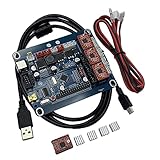

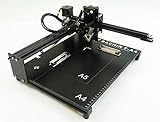
Quick comparison of leading open CNC options
| Option | Typical working area | Controller and software | Typical assembly time | Best fit |
|---|---|---|---|---|
| OpenBuilds LEAD-style router | Approximately 500 × 750 mm to 1,000 × 1,500 mm | Arduino/grbl or grblHAL; OpenBuilds CONTROL, bCNC, or sender of choice | 20–40 hours | First full-size router with readily available V-slot parts |
| MPCNC Primo | Commonly 500 × 500 mm to 1,000 × 1,000 mm | Mostly grbl-compatible Arduino boards; Marlin is also used in some builds | 25–60 hours, including printed parts | Low-cost experimentation and unusual shapes or sizes |
| PrintNC | Commonly 600 × 900 mm or larger | LinuxCNC, grblHAL, or other step-and-direction controllers | 60–150 hours | Rigid metal-cutting-capable router built by an experienced fabricator |
| FluidNC controller | Depends on the machine; typically 3–6 axes | ESP32 hardware running FluidNC; sender over USB, Ethernet, or Wi-Fi depending on board | 2–8 hours for controller installation | Compact, modern electronics retrofit with flexible configuration |
| LinuxCNC control PC | Depends on the machine and motion hardware | LinuxCNC on a dedicated Linux computer; parallel port, Mesa, or compatible motion hardware | 8–30 hours for a basic setup | Multi-axis machines, probing, rigid workflows, and maximum control |
These figures are planning ranges rather than manufacturer specifications. The final size depends on the selected rails, extrusion, spindle, electronics, and workholding. A larger cutting area also increases flex, cable length, alignment work, and the amount of material removed from a single sheet.
Head-to-head: which open-source CNC path is strongest?
Best balance of simplicity and repairability: grblHAL
grblHAL is a strong general-purpose choice for a router or light mill. It keeps the familiar G-code workflow of the original grbl while supporting more capable microcontrollers, additional axes, networking options, and hardware-specific drivers. Boards are available for common stepper-driver and industrial I/O arrangements, so the controller can grow beyond a basic three-axis hobby machine.
Its main advantage is replaceability. A machine built around step-and-direction signals, standard limit switches, a 24 V control supply, and external stepper drivers is not tied to one proprietary control box. Its weaker point is that documentation varies by board and driver. Before buying, check the exact board’s pinout, firmware configuration method, spindle-output voltage, limit-switch wiring, and supported stepper-driver current.
Best for a compact retrofit: FluidNC
FluidNC runs on ESP32-based controllers and uses a configuration file rather than requiring firmware to be rebuilt for every machine change. That makes it attractive for small routers, diode-laser conversions, pen plotters, and existing machines where a modern board is easier to install than a desktop PC.
FluidNC offers useful networking and configuration convenience, but Wi-Fi should not be mistaken for industrial reliability. Keep a wired connection or local control method available, use shielded signal wiring where appropriate, and isolate spindle noise from the controller. It is a particularly good open-source CNC option when you want several motors, a probe, a variable-speed spindle, and a tidy enclosure without LinuxCNC’s steeper setup.
Best for advanced control: LinuxCNC
LinuxCNC is the most capable choice in this comparison for users who need detailed kinematics, custom HAL logic, probing routines, coordinated motion, or a serious multi-axis setup. With compatible Mesa motion-control hardware, it can provide a robust architecture for mills, routers, plasma tables, and retrofits.
The trade-off is configuration time. LinuxCNC is not usually the fastest route from an empty box to the first cut. You must choose a suitable computer, motion interface, real-time configuration, I/O wiring, and machine profile. It rewards methodical builders and makes future changes possible, but it is less forgiving of improvised wiring and incomplete documentation.
Best for a low-cost experimental machine: MPCNC
MPCNC is built around printed corner and carriage components with user-supplied tubes, belts, motors, and cutting tools. It is accessible because the design can be adapted to available materials and printed replacement parts. The same flexibility is also its limitation: long spans and lightweight structures can reduce stiffness, particularly when cutting aluminum or using aggressive router settings.
Choose MPCNC for wood, plastics, foam, drawing, and learning CNC fundamentals. It is less suitable when your priority is production repeatability or frequent metal cutting. Printed parts are replaceable, but they are not maintenance-free: heat, overtightened fasteners, poor print orientation, and dust can shorten their useful life.
Best for rigidity: PrintNC
PrintNC uses a heavier steel-tube architecture and printed components to create a substantially stiffer machine than many lightweight hobby routers. It can be configured for serious woodworking and occasional nonferrous-metal work, but the build demands accurate drilling, alignment, welding or carefully prepared steel, and a realistic approach to spindle and workholding costs.
PrintNC is not the best first CNC project for someone without fabrication tools. Its openness is valuable because the design can be modified and repaired, yet the machine’s performance depends heavily on build accuracy. A rigid frame will not compensate for poorly aligned linear motion or a weak spoilboard.
Decision matrix by situation
| Your situation | Recommended direction | Why |
|---|---|---|
| Budget under about $1,000 and beginner experience | MPCNC or a small V-slot router with grblHAL | Lower entry cost, abundant community examples, and simpler electronics |
| Limited space, occasional weekend use | 500 × 500 mm-class machine with FluidNC | Compact footprint and quick recovery after storage |
| Frequent furniture or sheet-goods work | 1,000 × 1,500 mm-class rigid router with grblHAL or LinuxCNC | Full-sheet access and more durable motion hardware |
| Metalworking interest and fabrication experience | PrintNC with LinuxCNC or grblHAL | Stiffer structure and more room for industrial-style upgrades |
| Need custom kinematics, probing, or four-plus axes | LinuxCNC with compatible motion hardware | More extensive real-time control and machine-logic customization |
| Want the easiest future electronics replacement | External stepper drivers plus grblHAL or LinuxCNC | Separates inexpensive, replaceable components instead of using a sealed controller |
Open-source CNC software: what belongs in the workflow?
Controller firmware is only one part of CNC software open source users may need. FreeCAD can create models and generate toolpaths through its Path workbench. OpenBuilds CONTROL is a practical sender for compatible machines. bCNC provides a feature-rich sender with probing and visualization tools. Universal Gcode Sender supports many grbl-family workflows. For design, Inkscape remains useful for two-dimensional geometry, while KiCad can help document custom controller wiring.
Compatibility must be checked at the post-processor level. A sender that connects to a controller may still produce commands the firmware does not support, such as probing cycles, tool changes, arcs, or spindle commands. Start with a simple three-axis post, verify units and coordinate zero, and only then enable advanced features.
Worked ownership calculation
Suppose a $1,200 open-source router is used for 120 jobs over three years. The machine cost alone is $10 per job. Add $180 for replacement belts, bearings, spoilboard material, brushes, and wiring, plus $120 for dust-collection consumables, and the practical equipment cost becomes $12.50 per job before cutters and electricity.
This calculation explains why repairability matters. A controller costing $100–$250 and using standard connectors may be replaced without discarding the machine. By contrast, a failed proprietary control box can turn a usable frame into an expensive retrofit project. Budget separately for a dust shoe, emergency-stop circuit, enclosure, cable chain, limit switches, and a reliable probing method.
Assembly and maintenance realities
- Square the frame before tuning steps: software cannot correct a mechanically twisted gantry over the entire work area.
- Use a spoilboard deliberately: surface it after the machine is aligned, and re-surface it when workholding or cutting depth becomes inconsistent.
- Protect motion hardware from dust: vacuum chips frequently and avoid packing abrasive dust into V-wheels, linear bearings, or lead screws.
- Check fasteners after the first few hours: vibration commonly loosens motor mounts, couplers, eccentric spacers, and spindle brackets.
- Replace cutting tools before forcing the machine: dull bits increase heat, deflection, missed steps, and risk to the workpiece.
- Keep configuration backups: save firmware settings, machine dimensions, steps-per-millimeter values, tool libraries, and CAM posts in more than one location.
- Separate power and signal wiring: spindle cables and mains wiring should not run loosely alongside limit-switch and probe wires.
The parts most likely to wear are cutters, belts, V-wheels, bearings, brushes, spoilboards, and spindle or router brushes where applicable. Printed structural parts can last well when correctly printed and protected, but they should be inspected for cracks around fasteners. Linear rails and lead screws generally last much longer when kept clean and lightly lubricated according to their design.
Final recommendation
For a first serious woodworking machine, choose a documented V-slot or steel-frame design with a 500 × 750 mm or larger work area, external stepper drivers, and grblHAL. Choose FluidNC when compact networking and easy configuration are priorities. Choose LinuxCNC when advanced control is worth a longer setup. Choose MPCNC for inexpensive experimentation, and PrintNC when rigidity and fabrication capability outweigh assembly time.
The best open-source CNC machine is not the one with the longest feature list. It is the one whose mechanical design matches your material, whose controller has a documented wiring path, and whose worn parts can be purchased or remade without replacing the entire machine.