What's inside
As an Amazon Associate I earn from qualifying purchases. This post may contain affiliate links at no extra cost to you.
>The best laser cutter for most small businesses in 2026 is a 55W-class CO2 machine with a workbed around 20″ × 12″ to 24″ × 12″ — machines like the xTool P2/P3 or Glowforge Pro hit the sweet spot of throughput, material range, and total cost under roughly $5,000. If you cut thicker wood daily, a 60–80W OMTech or Thunder Laser CO2 unit pays for itself faster despite a higher entry price. Below is how to match the machine to your actual shop situation.
As an Amazon Associate we earn from qualifying purchases at no extra cost to you.



Our Top Picks
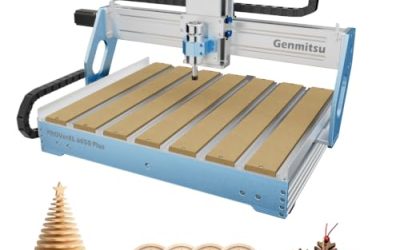
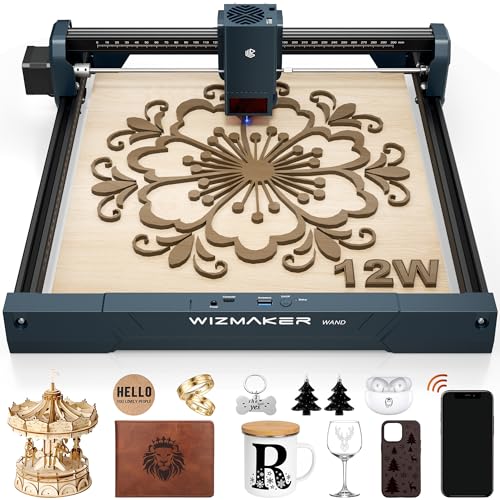
 Laser Cutter and Engraver Machine 20W for DIY300mm 20W21.5 x 18.48 x 8.5 inches16 poundsCheck on Amazon

Start With Your Material, Not the Machine
Laser cutter specs are meaningless until you know your heaviest recurring job. Three questions drive everything:
- Thickest material per job? Engraving-only work and thin ply can run on a 20–40W diode. Cutting 1/4″ hardwood or 1/2″ acrylic in one pass needs 55W+ CO2.
- Largest single piece? Bed size caps your product line. A 16″ × 12″ bed can’t produce an 18″ sign blank without tiling joints.
- How many hours per day? Occasional jobs tolerate slower diode speeds; a production queue needs CO2 wattage and a chiller that won’t overheat mid-batch.
Comparison: Real Machines by Spec
| Machine (type) | Laser | Bed size | Max cut (plywood) | Work area height | Typical street price range |
|---|---|---|---|---|---|
| xTool S1 (diode) | 40W diode | ~19.6″ × 12.5″ | ~3/4″ pine (multi-pass) | ~4″ (riser base more) | $1,500–$2,000 |
| Glowforge Aura (diode) | 12W diode | 12″ × 12″ | ~1/4″ (multi-pass) | ~2″ | $900–$1,200 |
| xTool P2 (CO2) | 55W CO2 | ~24″ × 12″ | ~1/2″ birch ply | ~2.7″ (riser to ~8.4″) | $3,500–$4,500 |
| Glowforge Pro (CO2) | 45W CO2 | ~19.5″ × 11″ (passthrough unlimited length) | ~1/2″ softwood | ~2″ | $5,000–$6,000 |
| OMTech Polar+/maker-style CO2 | 50–60W CO2 | ~20″ × 12″ to 28″ × 20″ | ~1/2–3/4″ ply | ~4–6″ | $2,500–$4,000 |
| Thunder Laser Nova (CO2) | 60–100W CO2 | ~24″ × 16″ and up | ~3/4″ ply at 80W+ | ~6″+ | $6,000–$10,000 |
| Epilog / Trotec (industrial CO2) | 40–120W CO2 | varies 16″ × 12″ to 48″ × 36″ | 1/2–3/4″ consistently | 6–12″ | $10,000–$40,000+ |
Decision Matrix: Which Fits Your Shop?
| Your situation | Best fit | Why |
|---|---|---|
| Sidelight business, under $2K, mostly thin wood, leather, slate engraving | 20–40W enclosed diode (xTool S1 class) | Low entry cost, no water cooling, acceptable speed on thin stock |
| Etsy-style shop selling engraved goods + 1/4″ ply cutouts, want minimal tinkering | 45–55W desktop CO2 (P2, Glowforge Pro) | One-pass cuts, camera alignment, fast job setup |
| Cutting 3/8–1/2″ wood or acrylic several hours daily | 60–80W CO2 (OMTech, Thunder Nova) | Throughput doubles vs 45W; pays the premium back in a few months of volume |
| Industrial volumes, tight tolerances, multiple operators | Epilog/Trotec class | Duty cycle, support, and resale value justify the price |
| Metal marking needed | Add a 20–30W fiber laser separately (~$2,000–$4,000) | CO2 can’t mark bare metal; a fiber is cheaper than a hybrid workarounds |
Throughput: The Spec Listings Don’t Show
Cutting speed roughly scales with wattage, but not linearly. A 45W CO2 cuts 1/4″ birch ply at roughly 8–12 mm/s; a 55W does it around 15–18 mm/s; an 80W handles it at 25+ mm/s and can do 1/2″ stock that the smaller machines need two passes for. Across an 8-hour production day, that difference is the gap between ~40 product units and ~80.
Diode lasers are far slower for cutting — a 40W diode does 1/4″ pine at maybe 3–5 mm/s with charring — but engraving speed is comparable to CO2 on shallow work. If your revenue is engraving-heavy, a diode at one-third the price is rational; if it’s cut-heavy, it’s a false economy.
Ventilation and Shop Fit
- Exhaust: Every laser needs extraction. Budget $150–$500 for an inline duct fan and ducting to a window, or $400–$1,200 for a fume extractor if venting outside isn’t possible. Acrylic and MDF fumes are the worst; wood smoke is unpleasant but manageable.
- Footprint: A P2-class desktop is ~40″ × 25″ and needs clearance behind for the duct. OMTech floor units run 40–55″ wide and weigh 250–400 lbs — check door width and floor loading.
- Power: Desktop units run on standard 110V. Large CO2 machines may want a dedicated 15–20A circuit.
- Cooling: Glass-tube CO2 lasers need a water chiller (~$200–$500 for a CW-5200-class unit). RF/metal tubes (Epilog, Trotec) are air-cooled but cost far more upfront.
Total Ownership Cost: A Worked Example
Take a 55W CO2 desktop running 20 production hours/week:
- Machine + chiller + ventilation: ~$4,500–$5,500 initial
- CO2 glass tube replacement every ~2,000–3,000 hours: ~$300–$600 (that’s roughly a tube every 2–3 years at this duty)
- Lens and mirror replacements: ~$50–$100/year with regular cleaning
- Air assist pump consumables and filters: ~$100–$200/year
- Electricity: ~$30–$60/month at typical rates
Over three years, ownership lands around $7,500–$9,000 total — roughly $0.80–$1.00 per machine-hour. If your products earn $15–$30 per machine-hour of cutting/engraving, the machine pays for itself in 4–8 months of real use. Machines sitting idle under a cover never pay back regardless of price.
What Wears First and Common Mistakes
- Wear items: The laser tube degrades first, then the lens (scratches, resin haze), then belts and mirrors. Diode modules last longer but lose output gradually.
- Mistake 1 — skipping air assist: Air assist prevents flame-ups and charred edges. Running without it ruins optics fast.
- Mistake 2 — dirty optics: Smoke residue on the lens absorbs energy, killing effective wattage before the tube actually dies. Clean weekly in production use.
- Mistake 3 — buying wattage for “someday”: An 80W floor unit cutting occasional coasters wastes space, power, and tube life. Buy for your 80% job.
- Mistake 4 — ignoring bed size vs. sheet goods: Many products nest best from 12″ × 20″ or 24″ × 12″ sheets. Check whether your supplier’s blank sizes fit your bed before buying.
FAQ
Can a laser cutter run a business alone?
It can anchor one — personalized gifts, signage, and wedding goods are proven niches — but margins depend on design and sales channels more than the machine.
CO2 vs. diode for a small business?
Cut-heavy → CO2. Engrave-heavy on thin materials with a tight budget → diode. Many shops start on a diode and add CO2 when orders justify it.
Do I need ventilation even for a “filter” model?
Yes — a fume extractor counts, but something must move exhaust out of the work area. Running unvented isn’t a real option indoors.
Related guides
More from Amazon
Programs that pair well with the guide above. Offers and eligibility are set by Amazon and may change.
A free business account with business pricing and bulk-buying tools for work, shop or home office.
Create a business accountFree shipping on eligible items, Prime Video and more. Eligible new members can start with a free trial.
Start a Prime free trialAudiobooks and podcasts to listen to on the go. Eligible new members can start with a free trial.
Try Audible freeAd-free music streaming. Eligible new subscribers can start with a free trial.
Try Music Unlimited freeAs an Amazon Associate we earn from qualifying purchases.