Key takeaways
- Keep one console, PC or streamer performing through NAT without drops. Three routers with gaming ports, QoS and strong CPUs, compared on listed specs.
What's inside
As an Amazon Associate I earn from qualifying purchases. This post may contain affiliate links at no extra cost to you.
When one device in the house does the demanding work — a gaming PC, a console in an online match, or a single streamer pushing a live broadcast — the router performing NAT for it has to stay consistent. Address translation itself is simple, but a weak processor, crowded bands, or traffic tools that cannot single out that device turn into stutters, session drops, and downloads that stall whenever someone else starts streaming in another room.
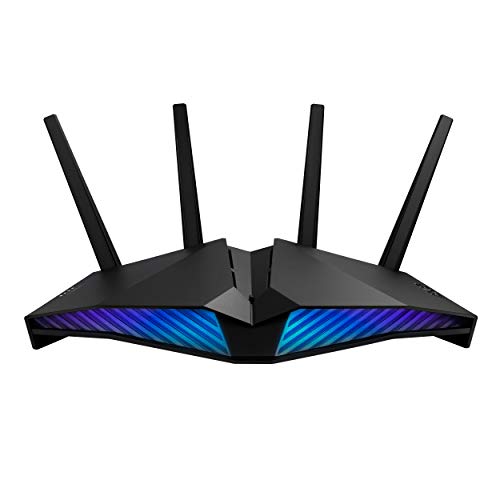

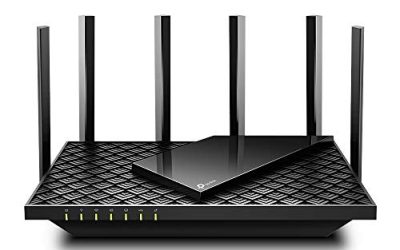
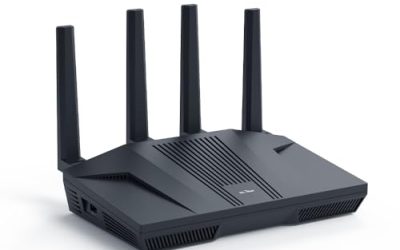
This guide is for buyers whose priority is one hero device rather than whole-house coverage records. The three routers below were chosen from their Amazon listings for the features that protect a single connection: dedicated gaming ports, QoS or game acceleration that prioritises one device, multi-gig wired ports, and processors with enough headroom to keep NAT and prioritisation running together.
Quick Picks
As an Amazon Associate we earn from qualifying purchases
| Product | Best for | Key spec from title |
|---|---|---|
| ASUS RT-AX82U | One wired console or PC that must win priority | Dedicated gaming port, AX5400 WiFi 6 |
| ASUS RT-AX88U | A desk full of wired gear behind one NAT device | 8 Gigabit LAN ports, Adaptive QoS |
| NETGEAR Nighthawk RS90 | A single demanding device on a multi-gig plan | 2.5 Gig internet port, WiFi 7 BE3600 |
How to Choose
Give the hero device a wired path first
Wireless is shared by design, so the most reliable way to keep one device performing through NAT is to wire it. Look for a dedicated gaming LAN port, which automatically prioritises whatever is plugged into it, or enough standard LAN ports that the hero device never has to share a switch with everything else. The RT-AX82U reserves one of its four LAN ports for gaming priority, while the RT-AX88U spreads eight Gigabit LAN ports across a desk. A wired path also removes band steering and roaming from the equation entirely, leaving the router’s NAT and QoS engines as the only variables.
Check the processor behind the NAT table
Every packet your hero device sends or receives passes through the router’s NAT process, and enabling QoS, security scanning, or a VPN adds more work per packet. Listings that state a tri-core or quad-core processor are telling you the router has headroom for that combined load. The RT-AX82U lists a 1.5 GHz tri-core processor, the RT-AX88U a 1.8 GHz quad-core, and the RS90 a quad-core 2.0 GHz chip. When a listing hides the processor entirely, treat that as a warning sign for a NAT-plus-prioritisation role, because the cheapest models cut costs exactly there.
Match the priority tool to how the device connects
Prioritisation only helps if it can find your device. A gaming port works for a wired console or PC and needs no configuration. App-based modes, such as the RT-AX82U’s Mobile Game Mode, suit a phone or tablet that cannot be wired. Adaptive QoS on the RT-AX88U classifies traffic by type and device through the control panel, which fits mixed homes where the hero device changes. Decide which of your devices is the hero, note whether it connects by cable or Wi-Fi, and pick the router whose listed priority tool matches that connection method.
Keep the internet port from becoming the bottleneck
A router can prioritise perfectly and still cap your hero device if its internet port is slower than your plan. Gigabit WAN ports are fine for sub-gigabit service, but multi-gig cable and fibre plans need a 2.5 Gbps port so the full connection reaches the NAT engine. The RS90 builds its design around a 2.5 Gig internet port, and the RT-AX88U focuses instead on gigabit wired depth for local gear. Match the port to your plan speed first, then compare wireless classes, because a faster radio behind a slower WAN port delivers nothing extra to a single device.
The 3 Best Options
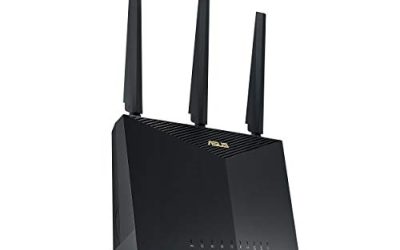
ASUS RT-AX82U
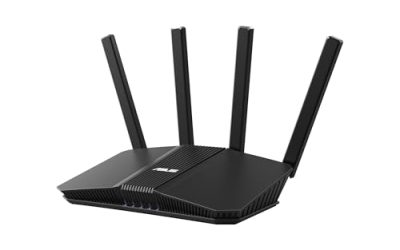
The RT-AX82U is built around one wired hero device. One of its four LAN ports is dedicated to gaming, automatically prioritising whichever console or PC is plugged into it, and the listing states that wireless devices can also be prioritised through the online control panel. Its 1.5 GHz tri-core processor runs NAT, prioritisation, and the included AiProtection Pro security together, while dual-band WiFi 6 at up to 5400 Mbps with 160MHz channels covers the rest of the home. Mobile Game Mode in the ASUS Router app extends the same priority idea to a phone that cannot be wired.
Specs
- Model: RT-AX82U
- Wireless class: AX5400 dual-band WiFi 6, up to 5400 Mbps, 160MHz channels
- Processor: 1.5 GHz tri-core
- Memory: 512 MB
- Priority tools: dedicated gaming LAN port, Mobile Game Mode, device prioritisation in the control panel
- Security: AiProtection Pro powered by Trend Micro, WPA3
- Expansion: AiMesh compatible
- Connectivity: Ethernet, USB, Wi-Fi
- Weight: 1.6 lb
- In the box: RT-AX82U, power adapter, RJ-45 cable, quick start guide, warranty card
Best for: A single wired console or gaming PC that should always win priority at the router.
Watch out for: The shopabunda reproduction of this listing showed a used-condition featured offer, so confirm the condition and seller on the live Amazon page before ordering.
ASIN: B08BJJ3RGW
ASUS RT-AX88U
The RT-AX88U suits a setup where the hero device sits among many wired machines. Eight Gigabit LAN ports mean a PC, console, streamer, and storage box can each hold a direct cable, and Adaptive QoS decides which traffic goes first when several of them are active at once. The listing pairs that with a built-in wtfast game accelerator and a 1.8 GHz quad-core processor, so NAT, QoS classification, and AiProtection Pro scanning run on one substantial chip. Its AX6000 dual-band WiFi 6 radio, with 160MHz bandwidth and 1024-QAM, keeps wireless devices fed without stealing the wired device’s lane.
Specs
- Model: RT-AX88U
- Wireless class: AX6000 dual-band WiFi 6, 4×4, 160MHz bandwidth, 1024-QAM
- Combined speed: about 6000 Mbps, 1148 Mbps on 2.4 GHz and 4804 Mbps on 5 GHz
- Processor: 1.8 GHz 64-bit quad-core
- LAN ports: 8x Gigabit
- Priority tools: Adaptive QoS, built-in wtfast game accelerator
- Technologies: MU-MIMO, OFDMA
- Security: AiProtection Pro powered by Trend Micro
- Expansion: AiMesh compatible
- Dimensions: 7.4 x 2.4 x 11.8 inches
- Weight: 5.25 pounds
Best for: A wired-heavy desk or entertainment rack where one device needs priority among many cabled connections.
Watch out for: There is no multi-gig port in the listing, so a faster-than-gigabit internet plan would be capped at the WAN port.
ASIN: B07HM6KJN8
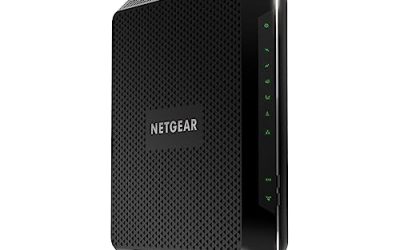
NETGEAR Nighthawk RS90
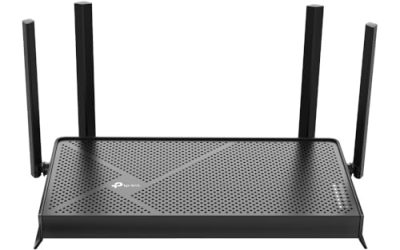
The RS90 approaches the problem from the internet side. Its 2.5 Gig internet port lets a multi-gig cable or fibre plan reach the router intact, and a quad-core 2.0 GHz processor with MU-MIMO and OFDMA keeps one demanding device supplied while up to 50 connected devices share the dual-band WiFi 7 radio. Combined speeds reach up to 3.6 Gbps across the 2.4 GHz and 5 GHz bands, with coverage listed up to 2,000 sq. ft. Management runs through the Nighthawk app, which handles setup, speed checks, device pausing, and guest networks, and Advanced Router Protection with automatic firmware updates covers security.
Specs
- Model: RS90-100NAS
- Wireless standard: WiFi 7, 802.11be, dual-band
- Combined speed: up to 3.6 Gbps across 2.4 GHz and 5 GHz
- Coverage: up to 2,000 sq. ft.
- Device capacity: up to 50 connected devices
- Internet port: 2.5 Gig
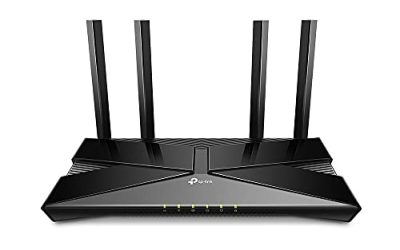
- Processor: quad-core 2.0 GHz
- Technologies: MU-MIMO, OFDMA
- Management: Nighthawk app for iOS and Android
- Security: Advanced Router Protection, automatic firmware updates
- Weight: 1.9 lb
- In the box: RS90 router, 12V/1.5A power adapter, 2m Ethernet cable, quick start guide
Best for: One demanding device on a multi-gig internet plan in an apartment or smaller home.
Watch out for: The listing names no dedicated gaming port or QoS mode, so priority comes from the fast internet port and processor rather than a per-device priority tool.
ASIN: B0DW27FNG3
Which One Fits Your Situation
Your console keeps losing priority to streaming in the next room
Choose the RT-AX82U and plug the console into its dedicated gaming port. That port prioritises the connected device automatically, so a film starting elsewhere in the house does not push your session aside. The control panel also lets you prioritise a wireless device when the hero machine changes, and AiProtection Pro runs alongside without a separate security box or subscription decision at setup time for the household.
Your desk runs a PC, console, streamer, and storage box at once
Choose the RT-AX88U. Eight Gigabit LAN ports give every machine its own cable, removing switch sharing from the picture, and Adaptive QoS arbitrates when the PC is in a match while the storage box syncs. The built-in game accelerator and quad-core processor are aimed at exactly this mixed wired load, where the NAT device has to classify and forward several busy streams without letting the hero device’s traffic queue behind bulk transfers.
Your plan is faster than gigabit and one device should use all of it
Choose the RS90. A gigabit WAN port would silently cap a multi-gig plan before NAT even starts, and this router’s 2.5 Gig internet port removes that ceiling. Its WiFi 7 radio and quad-core processor then keep the hero device supplied while phones, televisions, and smart home gear share the remaining capacity, which makes it the natural pick for a fast plan in a compact home.
Your hero device is a phone or tablet that cannot be wired
Choose the RT-AX82U for its Mobile Game Mode, which applies priority from the ASUS Router app with a tap when the device joins the network. A gaming port cannot help a device with no Ethernet socket, so an app-level mode is the correct tool here. Position the router so the phone uses the 5 GHz band, where the AX5400 radio and 160MHz channels give it the widest single-device lane available in this group.
Common Mistakes
- Leaving the ISP gateway’s router function switched on, creating double NAT: two devices performing translation break port behaviour and add a hop, so put the gateway in bridge mode or make one router the only NAT device, a step the RS90 listing itself flags for modem-router combos.
- Prioritising everything: marking every device as high priority recreates the original queue, so reserve the gaming port, QoS rule, or app mode for the one hero device the purchase was about.
- Judging by wireless class alone: an AX6000 or BE3600 label describes shared radio capacity, not single-device NAT performance, which depends more on the processor and the wired path you give that device.
- Hiding the router in a cabinet behind the television: heat and obstruction degrade the radio and can throttle sustained loads, so give the unit open air and a central position even when the hero device is wired.
- Forgetting firmware after setup: automatic updates, where the listing offers them, keep NAT and security fixes current, so check the update setting during installation instead of a year later.
Frequently Asked Questions
What does NAT have to do with one device performing well?
NAT is the translation your router performs between your home network and the internet, and every packet from your hero device passes through it. A router with a stronger processor and a priority tool keeps that device’s packets moving first, so its sessions stay stable while other devices generate traffic in the background.
Is a gaming port better than QoS for a single device?
For a wired device, a gaming port is simpler because priority is automatic for whatever is plugged in, with nothing to configure or maintain. QoS is more flexible because it can prioritise wireless devices and traffic types, but it needs correct setup. The RT-AX82U offers both styles, while the RT-AX88U leans on Adaptive QoS.
Can double NAT cause the drops I am seeing?
It can contribute. When an ISP gateway and your own router both perform NAT, port mappings and session handling pass through two translation layers, which some games and voice applications handle poorly. Using bridge mode on the gateway, or letting a single router handle NAT for the whole home, removes that extra layer entirely.
Do I need WiFi 7 for one demanding device?
Not necessarily. A wired WiFi 6 router with a gaming port can serve a single console or PC extremely well, because the cable removes wireless contention altogether. WiFi 7, as on the RS90, matters more when the hero device is wireless or your internet plan exceeds gigabit speed and needs the faster internet port that often accompanies newer models.
Related guides
More from Amazon
Programs that pair well with the guide above. Offers and eligibility are set by Amazon and may change.
A free business account with business pricing and bulk-buying tools for work, shop or home office.
Create a business accountFree shipping on eligible items, Prime Video and more. Eligible new members can start with a free trial.
Start a Prime free trialAudiobooks and podcasts to listen to on the go. Eligible new members can start with a free trial.
Try Audible freeAd-free music streaming. Eligible new subscribers can start with a free trial.
Try Music Unlimited freeAs an Amazon Associate we earn from qualifying purchases.