4 Best Routers for Schools and Classes (November 2026)
Compare the best routers for schools and classrooms by device capacity, mesh expansion, central app management and content controls named on each Amazon listing.
Compare the best routers for schools and classrooms by device capacity, mesh expansion, central app management and content controls named on each Amazon listing.
As an Amazon Associate I earn from qualifying purchases. This post may contain affiliate links at no extra cost to you.
A school router fails in a different way from a home router. It rarely fails at nine in the morning with two laptops connected; it fails when a whole class signs in at once, a second class next door does the same, and the office still needs the printer, the attendance system and a video call to keep working. The buying decision is therefore about simultaneous clients and simple management, not a single headline speed figure.
This guide is for small schools, tutoring centres, training rooms and school offices choosing from consumer and small-business routers sold on Amazon. Picks were selected from the device counts, coverage figures and management features stated on each listing, favouring systems a small team can expand room by room.
Quick Picks
As an Amazon Associate we earn from qualifying purchases.
Product
Best for
Key spec from title
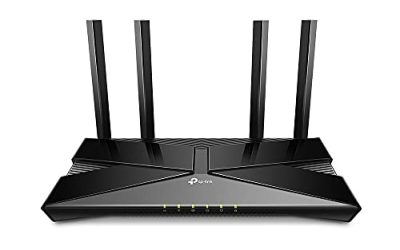
TP-Link Archer AX73
One busy classroom or school office
Connect 200+ devices
TP-Link Deco XE75 (3-Pack)
Several rooms on one network name
Covers up to 7,200 sq ft
Amazon eero 6+
Simple app-managed deployment
Connect 75+ devices
TP-Link Archer BE550
Newer laptops and a fast wired core
Tri-band BE9300 Wi-Fi 7
How to Choose
Count Simultaneous Clients, Not Enrolled Students
The load that matters is the number of devices connected at the same lesson change, not the size of the school roll. A class set of laptops, a teacher machine, a display, student phones and office equipment can pass one hundred connections in a modest building. Use the device figure in each listing as a first filter, then leave headroom: a router listed for a number close to your real count will struggle on the busiest morning. Where a listing gives no device figure, treat that as a question to resolve from the maker documentation before shortlisting it for a classroom.
Decide How the Network Will Be Managed
A school rarely has a full-time network engineer, so management style decides whether a system stays maintained. App-managed mesh systems let a caretaker or office manager rename the network, add a node and restart a unit from a phone. Traditional routers with a web interface give more manual control but need someone comfortable logging in. Neither is automatically better. Pick the style your staff will actually use, and check the listing for how setup and management are described. A powerful router nobody updates is a worse school purchase than a simpler system that stays current.
Filtering and Guest Access Need Checking on the Listing
Schools usually need a separate network for visitors and a way to apply content controls to student devices. Do not assume either feature exists because a router looks businesslike. Check the listing wording for parental controls, guest network and any named security service, and note whether a named service is part of the product or an added plan, where the listing says so. For example, the Archer AX73 listing names HomeShield, while the eero listing describes its system in simpler whole-home terms. Match the wording to your safeguarding policy rather than buying on a vague promise.
Expansion Should Follow the Building
Corridors, thick walls and separate blocks make one central router a poor plan for most school buildings. Prefer a family that can grow: a mesh system that accepts extra units, or a router that works with a named mesh standard from the same maker. Start with the rooms that suffer most, usually the farthest classrooms, and confirm extra nodes are sold separately before committing. Also count wired points. Offices, printers and desktop suites still need Ethernet, so a node with too few sockets can create a second problem while solving the wireless one.
The 4 Best Options
TP-Link Archer AX73
Top Pick
TP-Link Archer AX73
Best for: A single classroom, computer room or school office with many devices connecting at once.
Model: Archer AX73, AX5400 class
Wi-Fi: Dual-band Wi-Fi 6, 6-stream
Device capacity from listing: connect 200+ devices
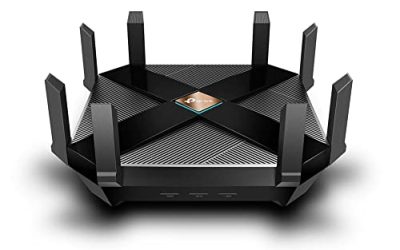
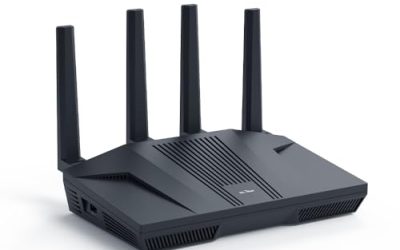
The Archer AX73 is the single-router pick for one demanding room or a compact school office. Its listing describes an AX5400 dual-band gigabit Wi-Fi 6 router with a 1.5 GHz triple-core CPU, MU-MIMO and OFDMA, and states it can connect more than two hundred devices. That device figure is why it leads this guide: a class set plus staff machines fits the stated design. HomeShield is named in the listing material, which is relevant where the same network must apply basic controls to student devices.
TP-Link Deco XE75 (3-Pack)
The Deco XE75 three-pack is the building-wide option. The listing describes an AXE5400 tri-band Wi-Fi 6E mesh system covering up to 7,200 sq ft, with AI-driven mesh and a 6 GHz band, replacing a router and extender setup. Three units let a school put a node in the office, one in a classroom block and one in a hall or library, all under one network name managed through the Deco system. That layout suits phased rollouts, because further Deco units can be added to the same system when another wing is funded.
Specs
Model: Deco XE75 (3-pack)
Wi-Fi: AXE5400 tri-band Wi-Fi 6E with 6 GHz band
Coverage from listing: up to 7,200 sq ft
Mesh: AI-driven mesh, replaces router and extender
Pack size: 3 units
Best for: Small schools spreading one managed network across several classrooms and shared spaces.
Watch out for: Check the Ethernet sockets on each unit against the printers and desktop machines planned for that room before installation day.
ASIN: B0B88T5RDY
Amazon eero 6+
Runner-Up
Amazon eero 6+
Best for: Small sites where office staff, not IT specialists, will run the network day to day.
Model: eero 6+ mesh Wi-Fi system
Wi-Fi: Dual-band Wi-Fi 6, AX3000 class
Internet plans from listing: supports plans up to a gigabit
Coverage from listing: up to 4,500 sq ft for the 3-pack
The eero 6+ is the low-administration choice. Its listing describes a dual-band mesh Wi-Fi 6 system that supports internet plans up to a gigabit, covers up to 4,500 sq ft in the three-pack configuration and connects more than seventy-five devices. For a tutoring centre, a small independent school or a school office annex, the attraction is the guided app approach: setup, naming and adding units follow one process that non-specialist staff can repeat. It gives up the manual depth of a traditional router in exchange for a system that is more likely to be kept updated.
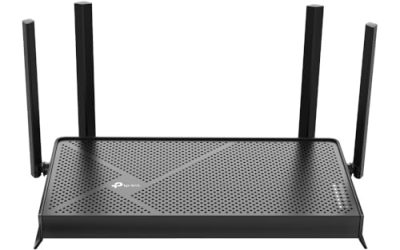
TP-Link Archer BE550
TP-Link Archer BE550
Best for: A computer suite or new classroom block with newer devices and multi-gig wired equipment.
The Archer BE550 suits a school equipping newer classrooms and a fast wired core at the same time. The listing describes a tri-band BE9300 Wi-Fi 7 router with six internal antennas, full 2.5G ports and coverage up to 2,000 sq ft, with EasyMesh expansion and VPN support named in the title. In a school, the multi-gig ports matter for the office server, a network printer hub or a switch feeding a computer suite, while Wi-Fi 7 covers the newest staff and student laptops. It is a forward-looking single unit rather than a whole-building kit.
Which One Fits Your Situation
One Computer Room Carries the Whole Load
Start with the TP-Link Archer AX73. A timetabled computer room concentrates devices in one place at predictable times, which is exactly the pattern its listing addresses with a stated capacity above two hundred devices and Wi-Fi 6 features for handling many simultaneous connections. Place it centrally in that room, wire the teacher machine and printer where possible, and keep the wireless capacity for the class set itself.
Classrooms Spread Across a Building
Choose the TP-Link Deco XE75 three-pack. Distance and walls, not raw speed, are usually the problem when one corridor works and the next does not. Three mesh units under one network name let staff and students move between rooms without reconnecting, and the listing coverage figure suits a compact school building. Add further units room by room rather than replacing the system when the rollout reaches the far wing.
Nobody on Staff Manages Networks Full-Time
Pick the Amazon eero 6+. Where the office manager or caretaker is also the network administrator, a guided app process and one repeatable way to add units matter more than advanced manual settings. The eero 6+ listing positions the system around simple whole-home style management at gigabit plan speeds, which translates well to a tutoring centre or small school office that needs reliability without a specialist routine.
A New Block Is Being Fitted Out
Consider the TP-Link Archer BE550 for the wired core of the new space. A refit is the one moment when multi-gig cabling, a suitable switch and newer devices arrive together, so the full 2.5G ports named in its listing can actually be used. Use EasyMesh-compatible additions for adjoining rooms later, and keep older areas on the existing system until their own refit comes around.
Common Mistakes
Sizing a router from total student numbers instead of the devices connecting in the busiest single period.
Buying one powerful central router for a building whose walls and corridors clearly need several nodes.
Assuming content filtering or a guest network is included without checking the exact listing wording.
Forgetting wired equipment such as printers, office desktops and displays when counting ports on each node.
Choosing a system with management tools the available staff will never open, so updates and changes never happen.
Frequently Asked Questions
How many routers does a small school need?
It depends on the building more than the student count. One strong router can serve a single classroom or a compact office. Several classrooms spread along corridors or across floors usually need a mesh system with a unit in each zone. Use the coverage figure on the listing as a starting estimate, then reduce it mentally for thick walls and separate blocks.
Can a home mesh system work in a school?
For a small school, tutoring centre or annex, yes, provided the device capacity in the listing covers your busiest period and the management style suits your staff. Larger sites with formal safeguarding, logging or network separation requirements should treat these systems as a starting point and check each required feature in the listing wording before buying, rather than assuming business features are present.
Should student and staff devices share one network?
Separating them is the safer default where the router supports it. A guest or secondary network for students and visitors keeps office machines, printers and records systems on a different network from dozens of personal devices. Check the listing for guest network wording before purchase, because the number and flexibility of extra networks varies a lot between models in this guide.
Is Wi-Fi 7 worth it for a school now?
Only in specific cases. Most school laptops and tablets in daily use are Wi-Fi 6 or older, so a Wi-Fi 7 router will not change their connection speed. It becomes worthwhile during a refit, when newer devices are arriving and multi-gig wired ports can be used by switches and servers. Otherwise, device capacity and building coverage usually deserve the budget first.
J
JD's Woodworks Editorial Team
We compare specs, warranty terms, long-term owner feedback and street pricing before anything earns a spot. Rankings are never paid.
Affiliate disclosure. As an Amazon Associate we earn from qualifying purchases at no extra cost to you. Prices accurate as of the date shown.
Find the best wpa 3 routers for safer home Wi-Fi, with Wi-Fi 6 and Wi-Fi 6E models that protect every device on the network for families and small offices.
Compare 4 wireless routers that pair well with Excede satellite internet, from Wi-Fi 7 standalones to a mesh kit for wide rural homes and busy families.
Looking for the best wifi routers 1gb? Compare four gigabit routers for home internet, with Wi-Fi speed, ports, and coverage for each model and every home.
Looking for the best twc modems routers? Compare three modem-router combos approved for Spectrum cable, with DOCSIS, Wi-Fi, and ports explained for every home.
Looking for the best routers with verizon fios? Compare three routers that work with a FiOS connection, with Wi-Fi speed, ports, and coverage for every home.
Compare the best routers for wireless internet at home by band, coverage, device handling and mesh options, using only the specs stated on each Amazon listing.
Compare the best routers for security by VPN support, named protection services, guest networks and update handling, taken from the wording of each Amazon listing.
Compare the best routers for a homelab by VLAN support, multi-gig wired ports, VPN throughput and expansion options, with specs taken from each Amazon listing.
Compare the best routers for a home network with two verified Amazon US Wi-Fi 6 picks, covering bands, ports, coverage, security and setup checks for your home.