4 Best Routers for a Homelab Setup (November 2026)
Compare the best routers for a homelab by VLAN support, multi-gig wired ports, VPN throughput and expansion options, with specs taken from each Amazon listing.
Compare the best routers for a homelab by VLAN support, multi-gig wired ports, VPN throughput and expansion options, with specs taken from each Amazon listing.
As an Amazon Associate I earn from qualifying purchases. This post may contain affiliate links at no extra cost to you.
A homelab router is not really chosen on headline Wi-Fi speed. The real decision is control: can you separate a server, a workstation, cameras and guest devices into their own networks, keep wired transfers between machines fast, and still reach the lab remotely without opening the whole network to the internet? A router that streams well in a living room can fail all three of those jobs.
This guide is for home server owners, self-hosters running services such as media servers and file shares, and learners building a small virtualisation lab. Every pick below was chosen from the name and specifications on its Amazon product page, with an emphasis on multi-gig ports, VPN support, multiple networks and room to expand.
Quick Picks
As an Amazon Associate we earn from qualifying purchases.
Product
Best for
Key spec from title
GL.iNet GL-MT6000 (Flint 2)
OpenWrt control and fast VPN
2 x 2.5G Ethernet ports
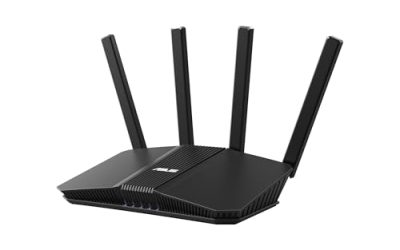
ASUS RT-AX86U Pro
AiMesh expansion and a 2.5G port
AX5700 dual-band Wi-Fi 6
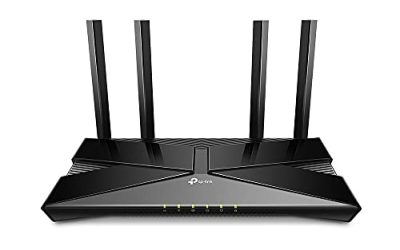
TP-Link Archer BE550
Multi-gig wired backbone
Full 2.5G ports, tri-band BE9300
TP-Link Deco XE75 (2-Pack)
Adding wired nodes around the lab
AXE5400 tri-band Wi-Fi 6E mesh
How to Choose
Segmentation Comes Before Speed
A homelab usually needs at least three separate networks: a trusted network for workstations, a restricted network for servers, and an isolated network for cameras, smart plugs and guests. Before buying, check the listing and the maker documentation it points to for guest networks, multiple SSIDs and any VLAN wording. For example, a router that only offers one guest network forces servers and IoT devices to share space, which defeats the point of the lab. If you plan to put a managed switch behind the router, confirm the router can hand separate networks to that switch rather than treating every wired port as one flat network.
Wired Ports Decide Your Ceiling
Wireless ratings do not move files between a NAS and a workstation; Ethernet ports do. A single 2.5G port helps only one link, while two or more multi-gig ports let the router sit between a fast NAS, a switch and a fibre modem without a gigabit bottleneck. Count the devices you will wire first: server, NAS, main PC, switch uplink and a spare for testing. If that count exceeds the router ports, budget for a switch and make sure at least the uplink path is multi-gig. USB ports also matter in a lab, because several routers here can share a drive or a printer from that port.
VPN Throughput Is a Separate Number
Remote access is where many homelab routers disappoint. A router can route gigabit traffic locally yet handle only a fraction of that through an encrypted tunnel, because VPN work loads the processor rather than the radios. Look for the VPN type named in the listing, such as OpenVPN or WireGuard, and treat any speed figure in the listing as applying to that tunnel type only. If you mainly reach the lab from a laptop while travelling, WireGuard support is usually the practical priority. If you connect two homes, check that the router can act as both VPN server and client before you commit.
Plan the Second Node Now
Labs grow sideways: a rack in one room, a test bench in another, a camera run outside. Decide now whether expansion means adding a mesh node, an AiMesh or OneMesh unit, or simply access points behind a switch. Mesh expansion is simpler to manage from one app, while wired access points give you more placement freedom. Check that the system you pick sells compatible extra nodes as standalone units, and note whether nodes keep Ethernet ports for wired backhaul. Buying the first unit of an expandable family is almost always cheaper than replacing a closed system later.
The 4 Best Options
GL.iNet GL-MT6000 (Flint 2)
Top Pick
GL.iNet GL-MT6000 (Flint 2)
Best for: Self-hosters who want OpenWrt control, VPN access and multi-gig ports in one box.
Model: GL-MT6000 (Flint 2)
Wi-Fi: Wi-Fi 6, up to 1148 Mbps on 2.4 GHz and 4804 Mbps on 5 GHz from the listing
Ethernet: 2 x 2.5G ports, as named in the product title
Software named in listing: pre-installed OpenWrt, OpenVPN, WireGuard, AdGuard Home
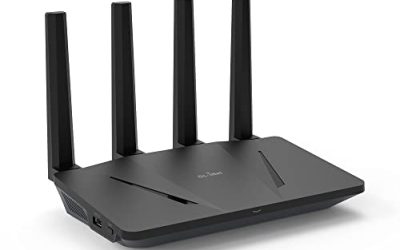
The Flint 2 suits lab owners who want to shape the network themselves rather than accept a fixed app menu. Its Amazon title leads with two 2.5G Ethernet ports, and the listing describes pre-installed OpenWrt, OpenVPN and WireGuard support and AdGuard Home. That combination fits a lab where the router also filters DNS, terminates a remote-access tunnel and feeds a multi-gig switch. It is the most configurable option here, and the one that rewards readers comfortable changing settings beyond a setup wizard.
ASUS RT-AX86U Pro
Runner-Up
ASUS RT-AX86U Pro
Best for: Mixed homes where the lab shares a router with family devices and AiMesh growth is planned.
Model: RT-AX86U Pro, AX5700 class
Wi-Fi: Dual-band Wi-Fi 6
Ethernet: 2.5G port and a gaming port, as named in the title
Features named in title: port forwarding, VPN, AiMesh compatible
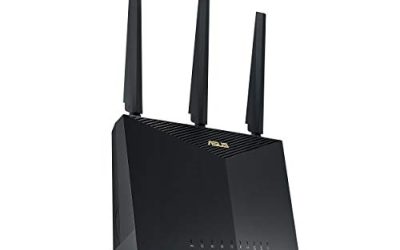
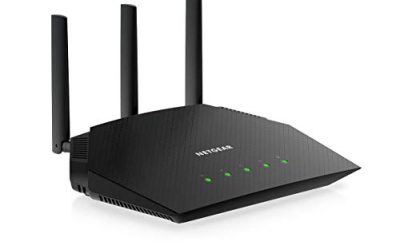
The RT-AX86U Pro fits a lab that still has to serve the household well. The listing names a 2.5G port, a dedicated gaming port, port forwarding, VPN support and AiMesh compatibility, so the same unit can anchor the lab and later become one node in a wider AiMesh system. Its subscription-free network security, as described in the title, is useful when lab machines stay online around the clock. Choose it when you want one polished router now, with a documented path to add ASUS nodes in other rooms later.
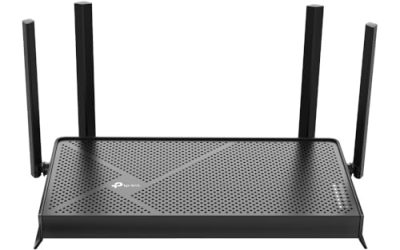
TP-Link Archer BE550
TP-Link Archer BE550
Best for: Labs moving to multi-gig wired transfers between NAS, server and workstation.
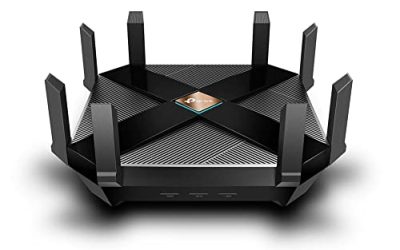
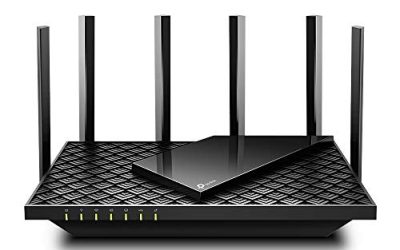
The Archer BE550 is the wired-backbone pick. Its title states full 2.5G ports, and the listing describes a tri-band BE9300 Wi-Fi 7 router with six internal antennas and coverage up to 2,000 sq ft. For a lab, the value is less the Wi-Fi 7 badge and more that every wired socket can run at multi-gig speed, so a NAS, a switch and a workstation do not compete for one fast port. EasyMesh support, named in the title, gives a route to add coverage later without replacing the main unit.
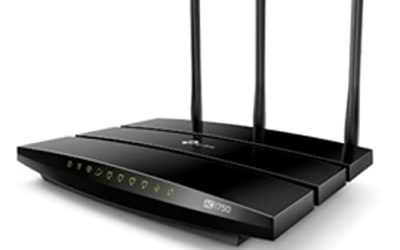
TP-Link Deco XE75 (2-Pack)
TP-Link Deco XE75 (2-Pack)
Best for: Split layouts where the rack and the living space need separate wired points.
Model: Deco XE75 (2-pack)
Wi-Fi: AXE5400 tri-band Wi-Fi 6E with 6 GHz band
Coverage from listing: up to 5,500 sq ft
Mesh: AI-driven mesh, replaces router and extender
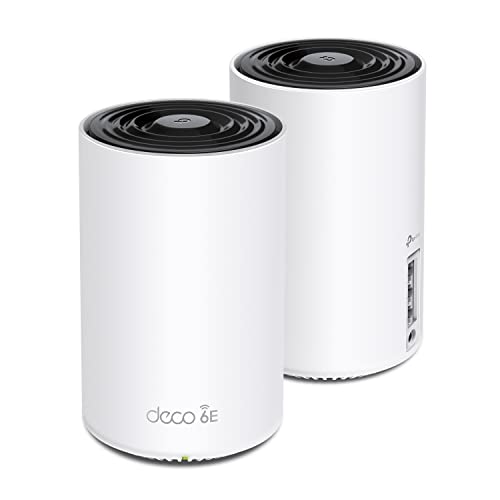
The Deco XE75 two-pack solves a layout problem rather than a processing one: the lab is in one room and the people are in another. The listing describes an AXE5400 tri-band Wi-Fi 6E mesh system covering up to 5,500 sq ft, with AI-driven mesh and a 6 GHz band. Place one unit at the modem and the second near the rack, then wire lab machines into the nearer node. That keeps servers on Ethernet while the household roams on one network name, and extra Deco units can be added if the building grows.
Which One Fits Your Situation
You Run Services and Want Them Separated
Pick the GL.iNet GL-MT6000 (Flint 2). A media server, a test virtual machine and a camera recorder should not sit on the same flat network as a family laptop. The Flint 2 listing leads with OpenWrt and VPN support, which matches a reader who plans to divide services into groups, filter DNS at the router and reach the lab through a tunnel instead of open ports. Its two 2.5G ports also keep the server link fast while the modem uses the other socket.
Your Lab Shares the Family Router
Choose the ASUS RT-AX86U Pro. In many houses the lab is two machines in a corner, not a separate building, and the router must keep calls, streaming and schoolwork stable at the same time. The RT-AX86U Pro listing names VPN, port forwarding and AiMesh, so it covers the lab tasks while staying a mainstream household router. It is also the easiest of these four to expand later with a compatible ASUS node when a dead spot appears.
Your Bottleneck Is Moving Files, Not Coverage
Take the TP-Link Archer BE550. If backups to a NAS crawl and large virtual machine images take too long to copy, radios are not the problem. The BE550 listing states full 2.5G ports, which lets the router pass multi-gig traffic between wired machines instead of capping every path at gigabit speed. Pair it with a multi-gig switch and suitable cables, and check that the NAS itself has a fast enough port to benefit.
The Rack Is Nowhere Near the Modem
Go with the TP-Link Deco XE75 two-pack. Running one long cable across a rented home or a finished room is not always possible. A second Deco unit near the rack gives nearby machines an Ethernet socket while the mesh link carries traffic back to the modem. The listing covers up to 5,500 sq ft for the pair, which suits a house where the lab sits in a garage, basement or spare room far from the entry point.
Common Mistakes
Buying on the combined Wi-Fi number while the wired ports stay gigabit, then wondering why NAS transfers never improve.
Putting servers, cameras and guests on one flat network because segmentation was never checked in the listing.
Assuming VPN speed matches local routing speed, without checking which VPN type the listing actually names.
Choosing a closed single router for a building that clearly needs a second node within a year.
Forgetting the switch: counting router ports after the lab has already outgrown them.
Frequently Asked Questions
Do I need VLAN support for a small homelab?
Not always on day one, but you do need some way to separate groups of devices. A guest network can isolate cameras or visitors in a simple setup. Once you run several services, host machines for other people, or add a managed switch, check the listing and maker documentation carefully for how many separate networks the router can maintain before buying.
Is one 2.5G port enough for a lab?
One fast port helps a single link, such as the connection to a multi-gig switch or one fast NAS. It does not speed up traffic between two other wired devices if their path stays gigabit. If both the modem connection and the server link need multi-gig speed at once, choose a model whose listing states two or more fast ports, like the options above.
Should the lab router also be the home router?
It can be, and for smaller homes that is the simpler layout. The trade-off is that experiments, restarts and firmware changes affect everyone in the house. If other people depend on the connection for work or school, favour a stable mainstream model such as the ASUS option here, and keep experimental services on separate machines rather than on the router itself.
Mesh system or single router for a lab?
Choose a single router when the lab sits in one room and most machines can be wired to it or to a nearby switch. Choose mesh when the rack and the modem are far apart, or when household coverage matters as much as the lab. With mesh, wire what you can into the nearest node and confirm the node port count on the listing first.
J
JD's Woodworks Editorial Team
We compare specs, warranty terms, long-term owner feedback and street pricing before anything earns a spot. Rankings are never paid.
Affiliate disclosure. As an Amazon Associate we earn from qualifying purchases at no extra cost to you. Prices accurate as of the date shown.
Find the best wpa 3 routers for safer home Wi-Fi, with Wi-Fi 6 and Wi-Fi 6E models that protect every device on the network for families and small offices.
Compare 4 wireless routers that pair well with Excede satellite internet, from Wi-Fi 7 standalones to a mesh kit for wide rural homes and busy families.
Looking for the best wifi routers 1gb? Compare four gigabit routers for home internet, with Wi-Fi speed, ports, and coverage for each model and every home.
Looking for the best twc modems routers? Compare three modem-router combos approved for Spectrum cable, with DOCSIS, Wi-Fi, and ports explained for every home.
Looking for the best routers with verizon fios? Compare three routers that work with a FiOS connection, with Wi-Fi speed, ports, and coverage for every home.
Compare the best routers for wireless internet at home by band, coverage, device handling and mesh options, using only the specs stated on each Amazon listing.
Compare the best routers for security by VPN support, named protection services, guest networks and update handling, taken from the wording of each Amazon listing.
Compare the best routers for schools and classrooms by device capacity, mesh expansion, central app management and content controls named on each Amazon listing.
Compare the best routers for a home network with two verified Amazon US Wi-Fi 6 picks, covering bands, ports, coverage, security and setup checks for your home.




 TP-Link Deco XE75 (2-Pack)