4 Best Routers for Network Security (November 2026)
Compare the best routers for security by VPN support, named protection services, guest networks and update handling, taken from the wording of each Amazon listing.
Compare the best routers for security by VPN support, named protection services, guest networks and update handling, taken from the wording of each Amazon listing.
As an Amazon Associate I earn from qualifying purchases. This post may contain affiliate links at no extra cost to you.
Router security is decided long before anything goes wrong. The real choice is which protective jobs you want the router itself to do: encrypt remote access through a VPN, keep visitors and smart gadgets on a separate guest network, block malicious destinations where the listing offers that service, and stay current through firmware updates you will actually install. A fast router that does none of those jobs leaves every device behind it to protect itself.
This guide is for households with many smart devices, home workers handling sensitive accounts, and anyone replacing a router specifically to tighten the network edge. Every feature below is taken from the wording of the Amazon listing for that product, including where a named security service is described as subscription-free and where the listing does not say that.
Quick Picks
As an Amazon Associate we earn from qualifying purchases.
Product
Best for
Key spec from title
ASUS RT-AX86U Pro
Built-in protection without a subscription
Subscription-free network security
GL.iNet GL-MT6000 (Flint 2)
VPN and DNS filtering control
2 x 2.5G Ethernet ports, OpenWrt
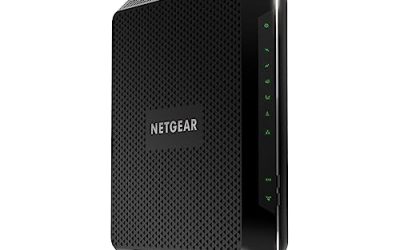
NETGEAR Nighthawk RAX43
Named Armor security features
AX4200, up to 2,500 sq ft coverage
TP-Link Archer BE550 Pro
Separate IoT network on Wi-Fi 7
1 x 10G + 4 x 2.5G ports, Private IoT
How to Choose
Separate the Networks Before Anything Else
The single most useful security feature in a home router is separation. A guest network keeps visitors away from your computers and storage, and a separate network for cameras, plugs and other smart devices limits what a compromised gadget can reach. Check the listing for guest network wording and, where offered, a dedicated IoT network such as the Private IoT feature named in the Archer BE550 Pro title. Count the groups you actually need: main devices, guests, smart home, and perhaps a work laptop. If a router cannot keep at least the first three apart, it is the wrong base for a security-focused setup.
Read VPN Claims Carefully
Listings use VPN in two different senses, and confusing them leads to the wrong purchase. A VPN server lets you connect back into your home network securely from outside, which is the feature that replaces risky port forwarding. A VPN client routes some or all home traffic out through a VPN service. Check which roles the listing names, and which protocols, such as OpenVPN or WireGuard, it states. For example, the GL.iNet listings name both OpenVPN and WireGuard directly in the title, while other listings simply say VPN support. If remote access is your main reason for buying, buy on the specific wording, not the general claim.
Treat Named Security Services as Listing Claims to Verify
Several makers name a protection service in the listing: ASUS describes subscription-free network security on the RT-AX86U Pro, TP-Link names HomeShield on its routers, and NETGEAR titles the RAX43 with security features linked to its Armor service. These services differ in what they block, what they report and what continues without payment, and listings do not always spell out the terms in the title. Read the full listing text for the exact model, note any wording about trials or plans where it appears, and never assume two brands mean the same thing by network security. The router you want is the one whose stated terms you are comfortable keeping.
Updates and Passwords Decide the Long Term
A router is only as secure as its current firmware and its admin password. Before buying, check that the maker still supports the model with updates, and prefer a setup process that prompts you to change the default credentials and offers automatic updates where the listing or setup flow mentions them. Plan the unglamorous steps as part of the purchase: unique admin password, WPA3 where your devices support it and the listing names it, remote administration switched off, and a calendar habit of checking for updates. No product in this guide removes the need for those steps; the better ones simply make them easier to keep.
The 4 Best Options
ASUS RT-AX86U Pro
Top Pick
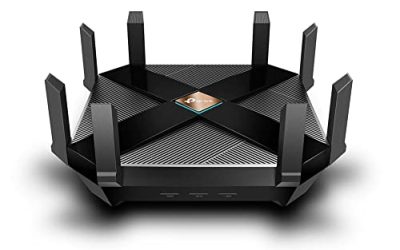
ASUS RT-AX86U Pro
Best for: Households wanting built-in network protection that the listing describes as subscription-free.
Model: RT-AX86U Pro, AX5700 class
Wi-Fi: Dual-band Wi-Fi 6
Security named in title: subscription-free network security
Ethernet: 2.5G port and a gaming port, as named in the title
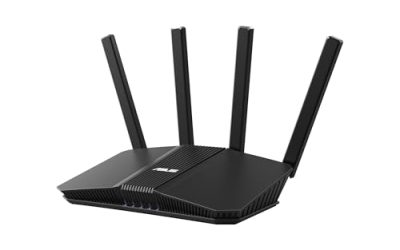
The RT-AX86U Pro leads this guide because its title makes the clearest ownership promise: subscription-free network security. The listing describes an AX5700 dual-band Wi-Fi 6 extendable gaming router with a 2.5G port, port forwarding, VPN support and AiMesh compatibility. For a security buyer, that combination means protection that continues without an ongoing plan, a VPN option for remote access, and an upgrade path to AiMesh nodes that keeps the same system as the home grows. It is the straightforward choice for a household that wants built-in protection without managing it like a project.
GL.iNet GL-MT6000 (Flint 2)
Runner-Up
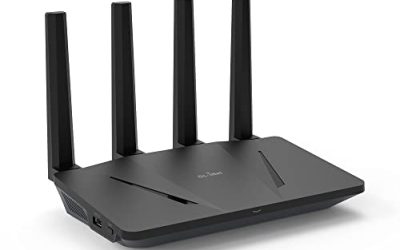
GL.iNet GL-MT6000 (Flint 2)
Best for: Confident owners who want VPN and DNS-level filtering under their own control.
Model: GL-MT6000 (Flint 2)
Wi-Fi: Wi-Fi 6, up to 1148 Mbps on 2.4 GHz and 4804 Mbps on 5 GHz from the listing
Ethernet: 2 x 2.5G ports, as named in the product title
Software named in listing: pre-installed OpenWrt, OpenVPN, WireGuard, AdGuard Home
The Flint 2 is the control-first security pick. Its listing names pre-installed OpenWrt, OpenVPN and WireGuard, AdGuard Home and two 2.5G Ethernet ports. For a buyer who wants to run the router as a VPN endpoint, filter DNS lookups at the network edge and adjust detailed settings rather than accept a fixed menu, that wording is the strongest in this guide. It suits a home worker or a technically confident owner who will maintain the configuration over time, and who prefers open, inspectable software behaviour to a managed service.
NETGEAR Nighthawk RAX43
NETGEAR Nighthawk RAX43
Best for: Family homes wanting a named security service inside a conventional, app-managed router.
Model: RAX43-100NAS, Nighthawk AX5
Wi-Fi: 5-stream dual-band Wi-Fi 6, AX4200 up to 4.2 Gbps
Coverage from title: up to 2,500 sq ft and 25 devices
Family homes wanting a named security service inside a conventional, app-managed router.
Watch out for
Check the current listing configuration before ordering, because this model also appears in renewed listings; confirm you are buying the configuration you intend.
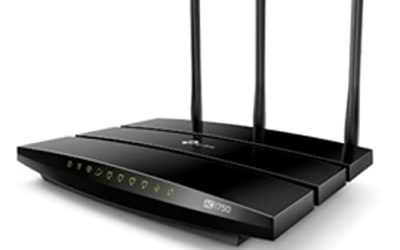
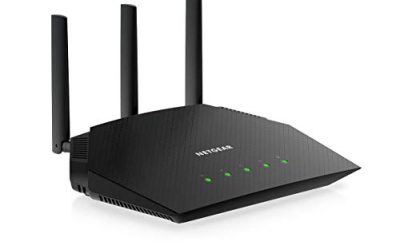
The RAX43 is the mainstream security option. Its current Amazon title describes a Nighthawk Wi-Fi 6 router with security features, a five-stream dual-band gigabit design, AX4200 wireless speed up to 4.2 Gbps, and coverage up to 2,500 sq ft and 25 devices. NETGEAR associates the model with its Armor cyber security in the listing material, which positions it for households that want threat protection presented through the familiar Nighthawk app rather than through manual rules. It fits a family home that wants a recognised security layer with ordinary setup effort.
TP-Link Archer BE550 Pro
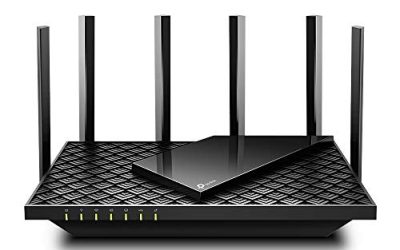
TP-Link Archer BE550 Pro
Best for: Smart homes that want a dedicated IoT network plus VPN server and client support.
Model: Archer BE550 Pro, BE9700 class
Wi-Fi: Tri-band Wi-Fi 7 with 6 GHz band
Ethernet: 1 x 10G port and 4 x 2.5G ports, as named in the title
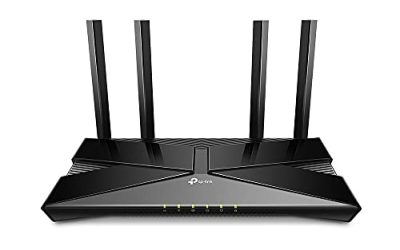
Security named in title: HomeShield, Private IoT network
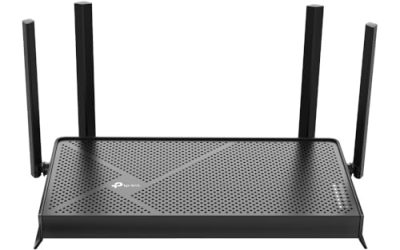
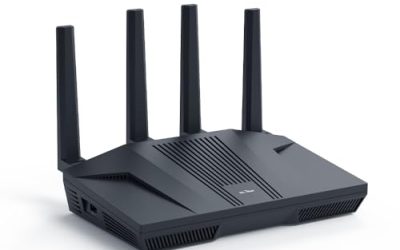
The Archer BE550 Pro is the segmentation pick for a smart-device-heavy home. Its title names a BE9700 tri-band Wi-Fi 7 router with one 10G port and four 2.5G ports, USB 3.0, six internal antennas, VPN clients and server, the 6 GHz band, EasyMesh, HomeShield and a Private IoT feature. That last item is the security headline: a dedicated space for smart devices, separated from the main network, on current-generation hardware. It suits a newer home where the gadget count keeps rising and the owner wants that separation built in from the start.
Which One Fits Your Situation
You Want Protection Without Another Subscription
Start with the ASUS RT-AX86U Pro. Its listing states subscription-free network security in the title itself, which is the clearest answer in this guide for a buyer tired of features that fade after a trial. It still covers the practical basics, with VPN support for safer remote access and AiMesh expansion if the home later needs more coverage, so choosing it does not mean giving up a growth path.
You Work From Home and Connect Back Remotely
Choose the GL.iNet GL-MT6000 (Flint 2). A home worker who reaches files, a home server or a work machine from outside needs a proper VPN endpoint, and the Flint 2 listing names OpenVPN and WireGuard directly, alongside AdGuard Home for network-level filtering. It is also the best fit if you want to inspect and adjust settings yourself rather than trust a managed service to make those decisions for you.
A Family Home That Wants Security in the Background
Pick the NETGEAR Nighthawk RAX43. Most households will not maintain firewall rules, and a security layer presented through the router app is more likely to stay switched on. The RAX43 title leads with security features on a conventional five-stream Wi-Fi 6 router sized for up to 2,500 sq ft and 25 devices, which matches a typical family home that wants protection to be a setting, not a chore.
Your Smart Devices Outnumber Your Computers
Take the TP-Link Archer BE550 Pro. Cameras, plugs, bulbs and appliances are the devices least likely to receive careful updates, so keeping them on the Private IoT network named in its title limits their reach if one misbehaves. The same unit adds VPN client and server support and multi-gig ports, which suits a newer, device-dense home that wants separation and current hardware in one purchase.
Common Mistakes
Leaving the default admin password and remote administration settings untouched after setup.
Putting cameras, plugs and other smart devices on the main network with computers and storage.
Buying on a general VPN claim without checking whether the listing means a VPN server, a client, or both.
Assuming every named security service works the same way, without reading the listing terms for that exact model.
Opening ports to a home server for remote access when a VPN endpoint would do the same job more safely.
Frequently Asked Questions
Does a secure router replace antivirus on my devices?
No. A router can filter traffic at the network edge, separate devices and provide a safer route in from outside, but it cannot clean a compromised laptop or judge every file a device opens. Treat router security as one layer alongside device updates and ordinary security software, not as a replacement for them. The models here differ in how much of that edge work their listings describe.
Is a guest network really a security feature?
Yes, a practical one. Guests get internet access without reaching your computers, printer or storage, and the same separation can hold smart devices that you do not fully control. Check the listing for guest network wording before buying, and set the guest network up during installation rather than later, because later rarely happens in a busy household.
VPN server or VPN client: which do I need?
A VPN server is for reaching your own home network safely while you are away, for example to open a home server or camera system without exposing it directly. A VPN client sends home traffic out through a VPN service. Some listings name both, some name one. Decide which job you actually have, then match it to the exact wording in the product title and listing text.
How often should I update router firmware?
Check whenever the router or its app prompts you, and make a habit of looking every few months if it does not. Updates close known flaws, and an unpatched router undermines every other security feature in this guide. Prefer a model whose setup encourages current firmware, change the admin password at installation, and keep a note of when you last checked.
J
JD's Woodworks Editorial Team
We compare specs, warranty terms, long-term owner feedback and street pricing before anything earns a spot. Rankings are never paid.
Affiliate disclosure. As an Amazon Associate we earn from qualifying purchases at no extra cost to you. Prices accurate as of the date shown.
Find the best wpa 3 routers for safer home Wi-Fi, with Wi-Fi 6 and Wi-Fi 6E models that protect every device on the network for families and small offices.
Compare 4 wireless routers that pair well with Excede satellite internet, from Wi-Fi 7 standalones to a mesh kit for wide rural homes and busy families.
Looking for the best wifi routers 1gb? Compare four gigabit routers for home internet, with Wi-Fi speed, ports, and coverage for each model and every home.
Looking for the best twc modems routers? Compare three modem-router combos approved for Spectrum cable, with DOCSIS, Wi-Fi, and ports explained for every home.
Looking for the best routers with verizon fios? Compare three routers that work with a FiOS connection, with Wi-Fi speed, ports, and coverage for every home.
Compare the best routers for wireless internet at home by band, coverage, device handling and mesh options, using only the specs stated on each Amazon listing.
Compare the best routers for schools and classrooms by device capacity, mesh expansion, central app management and content controls named on each Amazon listing.
Compare the best routers for a homelab by VLAN support, multi-gig wired ports, VPN throughput and expansion options, with specs taken from each Amazon listing.
Compare the best routers for a home network with two verified Amazon US Wi-Fi 6 picks, covering bands, ports, coverage, security and setup checks for your home.




 TP-Link Archer BE550 Pro