Key takeaways
- Compare 4 wireless routers that pair well with Excede satellite internet, from Wi-Fi 7 standalones to a mesh kit for wide rural homes and busy families.
What's inside
As an Amazon Associate I earn from qualifying purchases. This post may contain affiliate links at no extra cost to you.
Excede, the satellite internet service from Viasat, reaches homes that cable and fiber leave behind, but the Wi-Fi side of the setup is still yours to improve. The satellite modem has to stay in place, because it is the piece that talks to the dish. What you can change is the router plugged into it, and that choice decides how evenly Wi-Fi spreads through the house, how well the router shares a limited satellite link between phones, laptops and TVs, and how much control you get over security and guest access.


This guide compares four standalone routers that sit behind an Excede modem: two Wi-Fi 7 models from TP-Link and ASUS, a mesh-ready Wi-Fi 6 router from Linksys, and a NETGEAR Orbi mesh kit for larger properties. Each one connects to the modem with a standard Ethernet cable, so none of them replaces the satellite equipment itself. The right pick depends less on headline speed, which satellite service cannot fill anyway, and more on coverage, device handling and management tools.
Quick Picks
As an Amazon Associate we earn from qualifying purchases.
| Product | Best for | Key spec from title |
|---|---|---|
| TP-Link Archer BE230 | Most Excede households | BE3600 dual-band Wi-Fi 7 with dual 2.5G ports |
| ASUS RT-BE58U | Controls and security | BE3600 Wi-Fi 7 with 2.5G port and AiMesh |
| Linksys Hydra 6 | Simple mesh-ready setup | AX3000 dual-band Wi-Fi 6 with Intelligent Mesh |
| NETGEAR Orbi 370 Series (RBE372) | Large or spread-out homes | BE5000 Wi-Fi 7 mesh, router plus one satellite |
How to Choose
Start With the Modem Connection, Not the Speed Rating
An Excede router is a standard Ethernet router fed by the satellite modem, so the first check is simple: it needs its own WAN port and must not be a cable or DSL modem combo, which cannot connect to satellite equipment. Beyond that, ignore the biggest numbers on the box. Satellite throughput is far below what any router here can move locally, so a higher speed class does not make the satellite link faster. What matters is how the router behaves once connected: stable firmware, sensible defaults, and a setup flow that lets the new router run Wi-Fi while the modem handles the dish link.
Match Coverage to the Shape of Your Home
Satellite homes are often rural properties: long ranch layouts, thick walls, detached garages and workshops that still need a signal. A single standalone router suits a compact, open home where most devices sit within a room or two of the modem. As distance and wall count grow, a mesh-ready router or a multi-unit mesh kit becomes the safer choice, because extra nodes carry Wi-Fi around corners instead of forcing one radio to shout through the whole building. Think about where the modem and dish cable enter the house, since that fixed point anchors the main router, then judge honestly whether one unit can reach the far bedrooms, office and porch from there.
Prioritize Device Handling and Traffic Controls
On a satellite connection, bandwidth is the scarce resource, not local Wi-Fi speed. When several people stream, call and browse at once, the router decides how gracefully that shared link is divided. Look for clear per-device views, guest network controls and quality-of-service or parental tools that let you calm down one hungry device instead of restarting the whole network. Wi-Fi 6 and Wi-Fi 7 features such as OFDMA and Multi-Link Operation also help many devices share airtime more efficiently inside the home. None of this creates more satellite capacity, but it stops a single laptop update or cloud backup from making everyone else’s connection feel broken.
Check Security, Updates and Expansion Before Buying
A router is a long-term purchase, so look past launch features. Regular automatic firmware updates, a proper WPA3 option and a named security suite all matter more on an always-on satellite connection than an extra antenna. Brand ecosystems also differ: TP-Link uses EasyMesh, ASUS uses AiMesh, Linksys uses Intelligent Mesh and NETGEAR uses its Orbi satellites, and nodes usually only expand within their own family. Picking the ecosystem you are happy to grow with avoids a dead end later. Finally, confirm the router offers an access-point or bridge-friendly setup path, because some Excede modems include their own basic Wi-Fi, and running two competing routers causes more problems than it solves.
The 4 Best Options
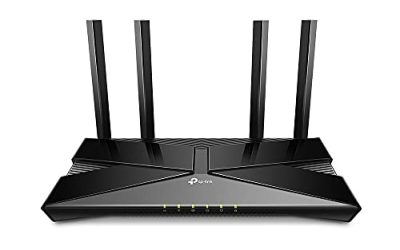
TP-Link Archer BE230
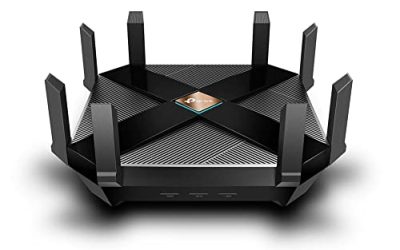
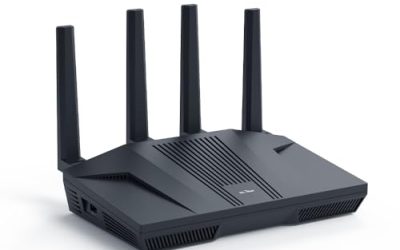
The Archer BE230 is the most balanced starting point for an Excede household that wants modern Wi-Fi without paying for a mesh kit it may never need. Its dual-band Wi-Fi 7 design focuses on efficient sharing between devices rather than chasing a 6 GHz band the satellite link cannot feed. Dual 2.5G ports give the wired side real headroom for a desktop, a NAS or a future faster connection, while EasyMesh support means coverage can grow later with a compatible TP-Link node instead of a full replacement. HomeShield adds a clear security and parental-control layer for families.
Specs
- BE3600 dual-band Wi-Fi 7 router
- Dual 2.5G ports plus three Gigabit ports
- Multi-Link Operation (MLO) and EasyMesh support
- TP-Link HomeShield security
- OpenVPN and WireGuard VPN support
Best for: Most Excede households wanting one modern, expandable router
Watch out for: No 6 GHz band, so Wi-Fi 7 benefits stay on the 2.4 GHz and 5 GHz bands
ASIN: B0FD7YD48M
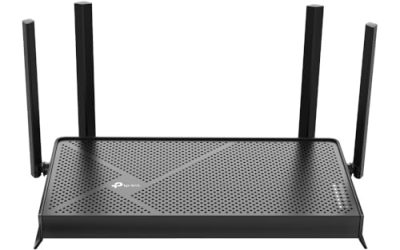
ASUS RT-BE58U
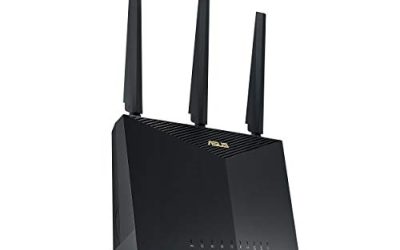
The RT-BE58U suits Excede users who like to see and shape what their network is doing. It matches the TP-Link on Wi-Fi 7 class and headline speed, then leans harder into management: AiMesh expansion, a dedicated IoT network for smart plugs and cameras, separate kid and VPN networks, and commercial-grade security built into the firmware. A single 2.5G port covers the modem-side or one fast wired device, backed by four Gigabit ports for the rest of the desk. For a rural home office on satellite internet, that mix of visibility and control is worth more than raw wireless numbers.
Specs
- BE3600 dual-band Wi-Fi 7 router
- 4096-QAM and Multi-Link Operation (MLO)
- One 2.5G port plus four 1G ports
- AiMesh extendable, with IoT, kid and VPN networks
- Commercial-grade network security and parental controls
Best for: Home offices and tinkerers who want detailed control behind the modem
Watch out for: The richer settings take longer to learn than app-led rivals
ASIN: B0DHWBS9G6
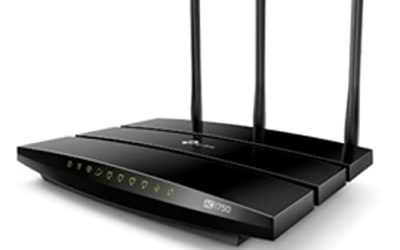
Linksys Hydra 6
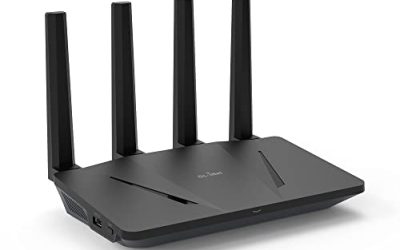
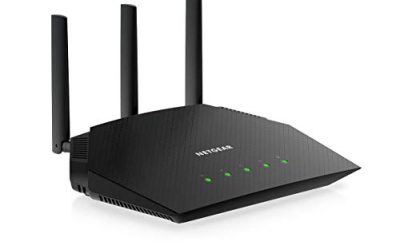
The Hydra 6 is the calm, straightforward option for an Excede home that does not need the newest Wi-Fi generation. Its Wi-Fi 6 AX3000 design is already far faster than a satellite feed, so nothing is lost where it counts, and Intelligent Mesh means the single router can later pair with other Linksys mesh nodes if a dead spot shows up in a back bedroom or workshop. Setup and day-to-day management stay app-led and uncluttered, which suits households that want the router to disappear after installation day. It is a sensible replacement for an aging router that keeps dropping connections.
Specs
- AX3000 dual-band Wi-Fi 6 router
- Intelligent Mesh technology for later expansion
- Model MR20EC (Amazon listing variant)
- Dual-band design for streaming, calls and browsing across connected devices
Best for: Smaller homes wanting simple setup and a mesh upgrade path
Watch out for: Wi-Fi 6 only, with no Wi-Fi 7 features such as MLO
ASIN: B0CDCJBDZ4
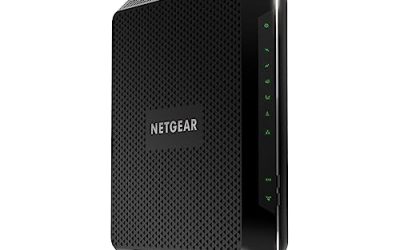
NETGEAR Orbi 370 Series (RBE372)
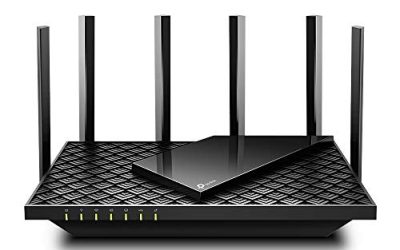
The Orbi 370 kit answers the most common satellite-internet complaint: the modem sits at one end of a long house and Wi-Fi fades before it reaches the other. This two-piece Wi-Fi 7 mesh system pairs the router unit with one satellite, spreading one network across a wide or awkward floor plan without extenders or second network names. Its BE5000 class gives the local network plenty of room for a busy family’s devices, while the mesh backhaul keeps the satellite unit connected to the router. For farmhouses, ranch homes and properties with thick interior walls, that coverage-first design fits better than any single box.
Specs
- BE5000 dual-band Wi-Fi 7 mesh system
- Router plus one satellite included (RBE372)
- Speeds up to 5 Gbps across the local network
- Dedicated mesh connection between router and satellite
Best for: Large, long or thick-walled homes where one router cannot reach
Watch out for: A second unit needs a sensible midway spot with power, not the dead zone itself
ASIN: B0FH39FD1Y
Which One Fits Your Situation
A Compact Home Close to the Modem
If your Excede modem lands near the middle of a small or open-plan home, start with the TP-Link Archer BE230 or the Linksys Hydra 6. Both cover a modest floor plan from one unit, and both can grow into a mesh later if a weak room appears. The TP-Link is the pick for Wi-Fi 7 and faster wired ports; the Linksys is the pick if simple app-led setup matters more than the newest standard.
A Busy Family Sharing One Satellite Link
When several people stream, call and study at the same time, choose the router with the clearest view of connected devices. The ASUS RT-BE58U leads here, with its separate IoT and kid networks and detailed controls, while the Archer BE230 counters with HomeShield tools in a simpler package. Either way, the win is not speed: it is stopping one device from monopolizing the shared satellite connection and being able to see, name and manage everything that joins the network.
A Wide Rural Property or Farmhouse
For long ranch layouts, thick walls or a workshop that also needs Wi-Fi, go straight to the NETGEAR Orbi 370 kit. The satellite unit carries the network into rooms a single router placed at the modem cannot reach, and everything stays on one network name as you move around. Place the satellite partway toward the weak area rather than inside it, and keep the main unit beside the Excede modem where the dish cable enters the building.
A Home Office That Depends on the Connection
If satellite internet is also your work connection, the ASUS RT-BE58U is the strongest fit. Its VPN network support, wired ports for a work computer and detailed security settings suit video calls and file work, and AiMesh lets you add coverage later without replacing the router. Wire the work machine directly to the router whenever possible, because a cable removes local Wi-Fi from the equation entirely and leaves the wireless bands free for the rest of the household.
Common Mistakes
- Buying a cable or DSL modem-router combo and expecting it to work with Excede; the satellite modem stays in place and the new router must be a standalone Ethernet router.
- Chasing the highest speed class on the box, even though the satellite link, not the router, sets the ceiling for internet traffic.
- Leaving the Excede modem’s built-in Wi-Fi and the new router both broadcasting and routing, which creates double NAT confusion and split device lists.
- Placing a mesh satellite inside the dead zone it is meant to fix, where it cannot get a clean signal back to the main router.
- Judging a router by the room the modem sits in, instead of testing coverage in the far bedroom, office or workshop where Wi-Fi actually gets used.
Frequently Asked Questions
Can I replace the Excede modem with one of these routers?
No. The satellite modem is provider equipment that communicates with the dish, and it has to stay in the setup. These routers plug into that modem with an Ethernet cable and take over the home Wi-Fi side: coverage, device management, security and guest access. Think of the modem as the satellite link and the router as the part of the network you actually choose, configure and upgrade over time.
Will a faster Wi-Fi 7 router make Excede internet faster?
It will not raise the speed of the satellite link itself, which your service and conditions set. What a better router improves is everything inside the home: stronger coverage in far rooms, smoother sharing when many devices are active, and fewer drops. If pages stall because Wi-Fi fades at the far end of the house, an upgrade helps. If the satellite signal itself is the limit, it does not.
Should I turn off the Wi-Fi on my Excede modem?
In most setups, yes. Many Excede modems include basic built-in Wi-Fi, and leaving it on alongside a new router creates two competing networks and can cause double NAT problems for calls, gaming and remote access. The usual approach is to let the modem pass the connection through to your router, or at minimum disable the modem’s wireless radios, so the new router is the single manager of your home network.
Is mesh worth it for a satellite internet home?
Mesh is worth it when the building, not the plan, is the problem. Long ranch homes, thick walls and detached workspaces often leave one router stranded beside the modem. A mesh kit such as the Orbi 370, or a mesh-ready router you can extend later, spreads one network across that space. In a compact home where one router reaches every room, mesh adds cost without adding anything noticeable.
Related guides
More from Amazon
Programs that pair well with the guide above. Offers and eligibility are set by Amazon and may change.
A free business account with business pricing and bulk-buying tools for work, shop or home office.
Create a business accountFree shipping on eligible items, Prime Video and more. Eligible new members can start with a free trial.
Start a Prime free trialAudiobooks and podcasts to listen to on the go. Eligible new members can start with a free trial.
Try Audible freeAd-free music streaming. Eligible new subscribers can start with a free trial.
Try Music Unlimited freeAs an Amazon Associate we earn from qualifying purchases.