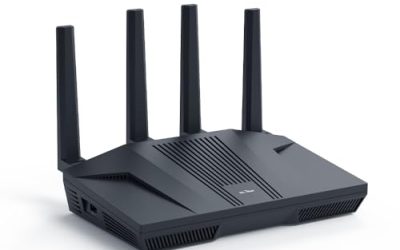
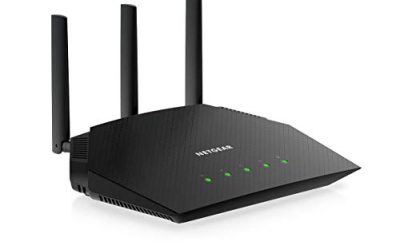
4 Best WPA3 Routers for Home Networks (November 2026)
Find the best wpa 3 routers for safer home Wi-Fi, with Wi-Fi 6 and Wi-Fi 6E models that protect every device on the network for families and small offices.
Find the best wpa 3 routers for safer home Wi-Fi, with Wi-Fi 6 and Wi-Fi 6E models that protect every device on the network for families and small offices.
As an Amazon Associate I earn from qualifying purchases. This post may contain affiliate links at no extra cost to you.
WPA3 is the current security standard for home Wi-Fi, and it fixes the weaknesses that made WPA2 easy to attack with password guessing. Every router below supports WPA3, so the choice is really about speed class, ports, and coverage rather than security alone. A WPA3 router protects phones, laptops, cameras, and smart home devices with stronger encryption and safer password handling, which matters now that a home network holds far more than a few computers.
This guide is for homeowners replacing an old router, and for anyone setting up a network that must protect many devices at once. It also suits renters who want a secure router without learning networking jargon. Each router below was chosen from the names and specifications shown on its Amazon page, with attention to WPA3 support, Wi-Fi standard, ports, and device capacity.
Quick Picks
As an Amazon Associate we earn from qualifying purchases
Product
Best for
Key spec from title
TP-Link Archer AX10
A first Wi-Fi 6 router with WPA3
AX1500 Wi-Fi 6, 4 gigabit LAN ports
TP-Link Archer AX21
A family home with many devices
AX1800 Wi-Fi 6, EasyMesh compatible
TP-Link Archer AX73
Large homes with heavy streaming
AX5400 Wi-Fi 6, 6 antennas
TP-Link Archer AXE75
Newer devices on the 6 GHz band
AXE5400 tri-band Wi-Fi 6E, WPA3
How to Choose
What WPA3 Changes
WPA3 changes how devices prove themselves to the router, and that change is what makes it safer than WPA2. The older standard let an attacker capture a handshake and guess the password offline without limit, while WPA3 uses a safer exchange that resists guessing and protects each session separately. It also encrypts traffic on open networks better and makes weak passwords harder to exploit. Check that the router lists WPA3 in its specifications rather than assuming every new router includes it, and turn WPA3 on in the settings after setup, since some routers ship with mixed mode enabled. A router that lists WPA3 in its specifications is the one to buy.
Wi-Fi 6 Versus Wi-Fi 6E
Wi-Fi 6 and Wi-Fi 6E differ by one band, and that band decides whether the newest devices gain anything. Wi-Fi 6 covers the 2.4 GHz and 5 GHz bands with better handling of many devices at once, which suits almost every home today. Wi-Fi 6E adds the 6 GHz band, which the Archer AXE75 offers, and that extra spectrum helps only when phones and laptops actually support it. Check the newest devices in the house before paying for 6E, because a 6 GHz radio does nothing for a phone that cannot see it. The 6 GHz band also helps in flats where neighbours crowd the older bands.
Ports and Your Broadband Plan
Count the wired devices and read the broadband plan before comparing wireless speeds, because the ports decide the real ceiling. A 2.5G port matters when the plan runs faster than a gigabit, and the AXE75 carries one, while the other three routers here top out at gigabit on the wired side. LAN ports matter just as much: four gigabit ports cover a console, a desktop, and a network drive, while a household with more wired devices may need a switch. Match the port count to the devices that will never move to Wi-Fi, and remember that the router cannot deliver more than the plan brings in.
Coverage and Device Capacity
Coverage and device capacity decide whether the network reaches every room without stalling, so think about the house rather than the headline speed. More antennas with beamforming push signal into far rooms, and the AX73 uses six external antennas for that job. Device capacity matters too: a home with dozens of connected gadgets needs a router that handles them all at once, and the AX73 connects more than 200 devices. Place the router centrally and out in the open, since a strong router in a bad spot still leaves dead zones behind walls and furniture. A mesh system fits better than a bigger single router for a large home.
The 4 Best Options
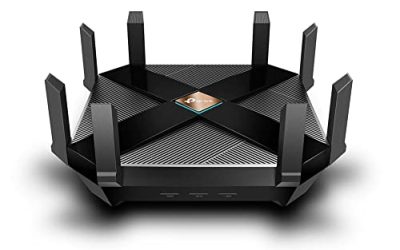
TP-Link Archer AX10
Top Pick
TP-Link Archer AX10
Best for: A first Wi-Fi 6 router with WPA3 in a small home or flat.
The TP-Link Archer AX10 suits a first Wi-Fi 6 upgrade in a small home, because it covers the basics well without a large box or a complicated setup. Its AX1500 dual-band signal handles streaming and video calls in one or two rooms, and the four gigabit ports give a work computer or a console a wired option. OFDMA and MU-MIMO share the airtime fairly among phones, laptops, and smart home gadgets, while beamforming aims the signal at connected devices. Parental controls and Alexa voice control round out a router that suits renters and first-time buyers.
TP-Link Archer AX21
Runner-Up
TP-Link Archer AX21
Best for: A family home with many devices on one network.
The TP-Link Archer AX21 suits a family home where many devices connect at once and nobody wants to think about the network. Its AX1800 dual-band Wi-Fi 6 signal carries streams, calls, and games together, while OFDMA and MU-MIMO share the airtime fairly among phones, tablets, and laptops. Four gigabit LAN ports plus a gigabit WAN port cover the wired devices, and EasyMesh compatibility means coverage can grow with an extra node later. Voice control through Alexa lets the household pause the internet or check the network without opening an app.
TP-Link Archer AX73
TP-Link Archer AX73
Best for: A large home with many devices and heavy streaming.
The TP-Link Archer AX73 suits a large home with heavy streaming and many devices, because its AX5400 signal and six external antennas push coverage into far rooms. A 1.5 GHz triple-core processor keeps routing, security checks, and traffic shaping from becoming a bottleneck when many devices connect, and the router connects more than 200 devices at once. OFDMA, MU-MIMO, HomeShield security, and WPA3 cover the household, while the Tether app handles setup and management from a phone. It is the pick for a busy home that needs capacity.
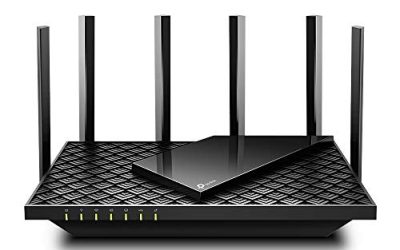
TP-Link Archer AXE75
TP-Link Archer AXE75
Best for: Fast plans and newer devices that can use the 6 GHz band.
The TP-Link Archer AXE75 suits homes whose newest devices can use the 6 GHz band, because its AXE5400 tri-band Wi-Fi 6E radio opens a clean lane away from crowded spectrum. The 2.5G WAN port and four gigabit LAN ports cover fast plans and wired essentials, while a quad-core CPU and WPA3 security handle the load. Six external antennas keep coverage solid across the house, and 160 MHz channels on the 6 GHz band give newer phones and laptops room to move. It is the forward-looking pick for a home that has already bought Wi-Fi 6E devices.
Which One Fits Your Situation
You Are Buying Your First WPA3 Router
Choose the TP-Link Archer AX10 when the goal is a simple, affordable router with WPA3 for a small home. It delivers Wi-Fi 6, four wired ports, and parental controls, and it suits mid-tier plans without demanding networking knowledge. The companion app walks through setup in a few steps.
Your Home Has Many Devices
Choose the TP-Link Archer AX21 when phones, tablets, laptops, and smart home gadgets all share the network. Its AX1800 signal carries streams, calls, and games together without stalling, and EasyMesh compatibility handles a busy household. The four LAN ports cover the wired devices, and Alexa voice control helps when hands are full.
Your Home Is Large With Heavy Streaming
Choose the TP-Link Archer AX73 when the house is large and several screens stream at once. Six antennas with beamforming reach far rooms, the triple-core processor keeps up with many devices, and the router connects more than 200 gadgets. Measure the shelf first, since the router is large.
Your Newest Devices Support Wi-Fi 6E
Choose the TP-Link Archer AXE75 when the newest phone or laptop can see the 6 GHz band, because that is the only way the extra spectrum pays off. The 2.5G WAN port also suits plans faster than a gigabit. If no device supports 6E yet, the AX73 covers the home for less.
Common Mistakes
Buying a router without checking that WPA3 is listed in its specifications.
Paying for Wi-Fi 6E when no device in the house supports the 6 GHz band.
Judging a router by headline speed alone while ignoring ports, processor, and device capacity.
Hiding the router inside a cabinet, so a strong signal never reaches the far rooms.
Leaving the default admin password unchanged and updates off after setup.
Frequently Asked Questions
Is WPA3 better than WPA2?
Yes, WPA3 is safer than WPA2, because it uses a stronger method for devices to prove themselves to the router, which resists password guessing far better. It also protects each session separately and encrypts open networks more strongly. Most devices from the last few years support WPA3, while very old gadgets may still need WPA2 mixed mode.
Do I need to turn WPA3 on myself?
Some routers enable WPA3 by default, while others ship with a mixed WPA2 and WPA3 mode, so check the wireless security settings after setup. Choose WPA3-only when every device supports it, and mixed mode when an old printer or camera needs WPA2. Change the default admin password at the same time, since the wireless password is only part of the protection.
Will WPA3 slow down my Wi-Fi?
No, WPA3 does not slow down Wi-Fi in any way a household would notice, since the security handshake happens once when a device connects. Speed depends on the Wi-Fi standard, the broadband plan, and the distance from the router, not on the security mode. A slow network usually points to placement, congestion, or an old device rather than WPA3.
Can old devices connect to a WPA3 router?
Most old devices can connect when the router runs in mixed WPA2 and WPA3 mode, which accepts both standards. A very old device that supports only WPA or WEP may fail, and in that case mixed mode will not help. Check the oldest device on the network before switching to WPA3-only, and keep mixed mode when in doubt.
J
JD's Woodworks Editorial Team
We compare specs, warranty terms, long-term owner feedback and street pricing before anything earns a spot. Rankings are never paid.
Affiliate disclosure. As an Amazon Associate we earn from qualifying purchases at no extra cost to you. Prices accurate as of the date shown.
Compare 4 wireless routers that pair well with Excede satellite internet, from Wi-Fi 7 standalones to a mesh kit for wide rural homes and busy families.
Looking for the best wifi routers 1gb? Compare four gigabit routers for home internet, with Wi-Fi speed, ports, and coverage for each model and every home.
Looking for the best twc modems routers? Compare three modem-router combos approved for Spectrum cable, with DOCSIS, Wi-Fi, and ports explained for every home.
Looking for the best routers with verizon fios? Compare three routers that work with a FiOS connection, with Wi-Fi speed, ports, and coverage for every home.
Compare the best routers for wireless internet at home by band, coverage, device handling and mesh options, using only the specs stated on each Amazon listing.
Compare the best routers for security by VPN support, named protection services, guest networks and update handling, taken from the wording of each Amazon listing.
Compare the best routers for schools and classrooms by device capacity, mesh expansion, central app management and content controls named on each Amazon listing.
Compare the best routers for a homelab by VLAN support, multi-gig wired ports, VPN throughput and expansion options, with specs taken from each Amazon listing.
Compare the best routers for a home network with two verified Amazon US Wi-Fi 6 picks, covering bands, ports, coverage, security and setup checks for your home.




 TP-Link Archer AXE75