As an Amazon Associate I earn from qualifying purchases. This post may contain affiliate links at no extra cost to you.
The real decision when a home has many wireless devices is not which router claims the highest single speed, but which one keeps every phone, laptop, television, console and smart plug behaving when they all ask for attention at once. A router can look strong in a one-device test and still feel crowded at dinner time, when streams, calls, downloads and background updates overlap in different rooms and compete for the same airtime.
This guide is for busy family homes, shared houses, home offices with several connected machines, and anyone whose smart home keeps adding bulbs, cameras and speakers to the network. Each router below was selected from its name and specifications on its Amazon listing, focusing on the Wi-Fi standard, band structure and multi-device features that the listing itself names, such as OFDMA, MU-MIMO and mesh compatibility.
Quick Picks
As an Amazon Associate we earn from qualifying purchases
Product
Best for
Key spec from title
TP-Link Archer AX73
Busy homes wanting the higher AX5400 class
AX5400 Wi-Fi 6, dual-band gigabit, long range coverage
TP-Link Archer AX55
Smaller busy homes that want EasyMesh options
AX3000 Wi-Fi 6, dual-band, OFDMA, MU-MIMO, USB 3.0
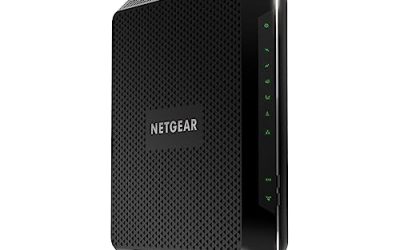
NETGEAR Nighthawk RAX50
Larger floor plans guided by a stated coverage figure
AX5400 dual-band, up to 5.4 Gbps, 2,500 sq. ft. coverage in title
Count simultaneous activity, not just connected devices
A long list of connected gadgets is not the same as a heavy load, because a smart plug sitting idle asks far less of a router than a television streaming while two laptops join video calls. Start by counting the devices that are active at your busiest hour, then note which of them need steady throughput and which only need a reliable signal. The routers in this guide all use Wi-Fi 6, whose listings name features designed for crowded networks. That context matters more than a headline speed figure quoted for a single close-range connection in an empty room.
OFDMA and MU-MIMO are the multi-device features to look for
When a listing names OFDMA, it is pointing to a method that lets a router handle several small transmissions more efficiently instead of making devices wait in a longer queue. MU-MIMO, named in the TP-Link Archer AX55 title, concerns serving more than one device with data streams at the same time. Neither feature removes the limits of your internet connection or your floor plan, yet both are directly relevant to a house full of phones and laptops. Prioritise routers whose Amazon titles and specification tables actually print these terms over models that only promise fast peak speeds.
Dual-band structure and speed class set expectations
Every router here is dual-band, splitting traffic between a longer-range lower band and a faster shorter-range band, and their classes differ, from AX3000 in the Archer AX55 to AX5700 in the ASUS RT-AX86U Pro. Treat those class numbers as a way to compare the ranges in this guide, not as a promise of the speed any one phone will see through two walls. Place heavier work such as streaming and calls on the band that reaches that room best, and keep distant smart devices on whichever band holds a stable connection at that distance.
Mesh compatibility decides how you fix a weak room later
A single router, however capable, still sends its signal from one point, and thick walls or a long floor plan can leave a far bedroom struggling while the living room is fine. Two listings here name a mesh path directly, with EasyMesh in the Archer AX55 title and AiMesh in the ASUS title, while the Archer AX73 listing names OneMesh in its wider product material. If you suspect one unit will not cover the whole home, choose a router whose listing names its expansion system now, so adding a compatible node later does not mean replacing the main unit.
The 4 Best Options
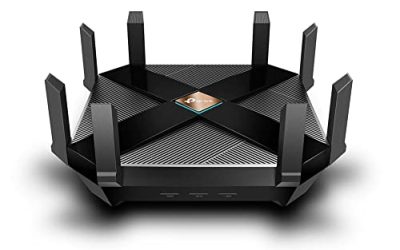
TP-Link AX5400 WiFi 6 Router (Archer AX73)
Top Pick
TP-Link AX5400 WiFi 6 Router (Archer AX73)
Best for: Busy family homes that want one AX5400 router for many simultaneous streams and calls.
Busy family homes that want one AX5400 router for many simultaneous streams and calls.
Watch out for
The title says long range coverage without printing a numeric area, so do not compare its reach with the RAX50 figure as if both listings measured coverage the same way.
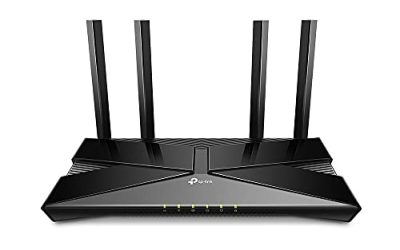
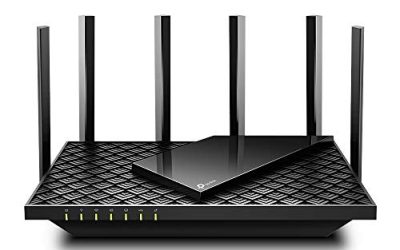
The Archer AX73 is the higher-class TP-Link option in this guide, with its Amazon title naming AX5400 Wi-Fi 6, dual-band gigabit connectivity and long range coverage for streaming. For a house full of devices, that AX5400 class gives more aggregate capacity to share than the AX3000 model below, which matters when several streams and calls run together in the evening. Its listing also describes a design built around handling many simultaneous connections. Pick this router when one central unit must carry a busy family network and you want the stronger of the two TP-Link choices without stepping into a gaming-focused design.
Smaller homes with many everyday devices that want EasyMesh expansion and named OFDMA support.
Watch out for
Its AX3000 class is lower than the other routers here, so count your simultaneous heavy streams carefully before choosing it for a large, very busy household.
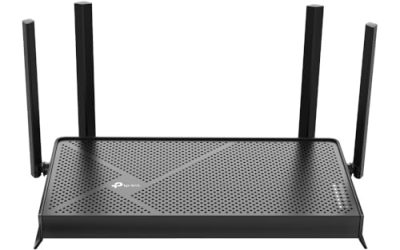
This Archer AX55 listing is unusually explicit about the features a crowded home needs, naming EasyMesh compatibility, VPN client and server support, HomeShield, OFDMA, MU-MIMO and a USB 3.0 port in its title. Its AX3000 class sits below the AX73, so it fits a smaller home or a household whose many devices are mostly phones, laptops and smart gadgets rather than several heavy streams at once. The EasyMesh naming is valuable if a far room later needs help. Choose it when the multi-device feature list matters more to you than the highest speed class in this guide.
Larger homes where a stated coverage figure helps match the router to the floor plan.
Watch out for
A renewed version of this router circulates under a different code, so confirm the listing you order is the RAX50-100NAS configuration tied to the ASIN below.
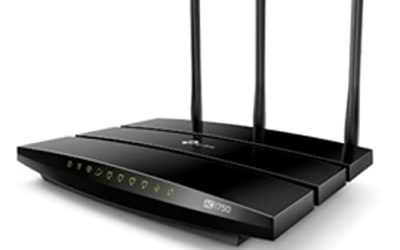
The Nighthawk RAX50 makes its case through a figure the other listings do not print in the same way, because its title states 2,500 sq. ft. of coverage alongside AX5400 dual-band wireless speed up to 5.4 Gbps. That makes it the easiest option here to discuss against a floor plan, particularly in a larger single-storey home where distance, rather than device count alone, causes the complaints. The listing names a 6-stream design and the model code RAX50-100NAS. Select it when coverage across a wide home is your first problem and the multi-device load sits on top of that.
ASUS RT-AX86U Pro (AX5700) Dual Band WiFi 6 Extendable Gaming Router
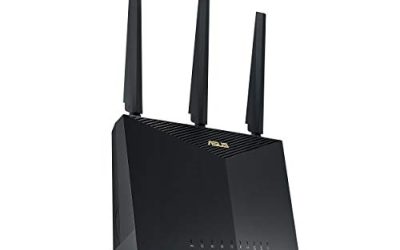
ASUS RT-AX86U Pro (AX5700) Dual Band WiFi 6 Extendable Gaming Router
Best for: Mixed homes with gaming, work and streaming that want a 2.5G port and AiMesh expansion.
Mixed homes with gaming, work and streaming that want a 2.5G port and AiMesh expansion.
Watch out for
Its gaming-focused features are only useful if your household will use them, so check the port and security wording on the listing rather than paying attention to the gaming label alone.
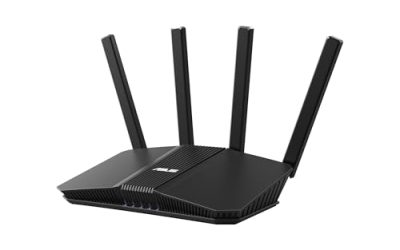
ASUS gives this router the highest class number in the guide, AX5700, and its title adds practical hardware details, including a 2.5G port, a gaming port, port forwarding, VPN support and AiMesh compatibility. Its listing describes Wi-Fi speeds up to 5700 Mbps, a 2.0 GHz quad-core processor and subscription-free network security. For a multi-device home, the appeal is headroom plus control, with AiMesh offering a named expansion route when one unit cannot reach every room. It suits a household that mixes work calls, consoles, streaming and many smart devices and wants the strongest specification set here.
Which One Fits Your Situation
Several streams and calls run every evening
Start with the Archer AX73 when the evening peak is the problem, because its AX5400 class offers more shared capacity than the AX3000 Archer in this guide. A family running two televisions, homework laptops and phones at once needs aggregate headroom more than any single-device figure. Place it centrally, keep heavy devices on the band that reaches them best, and revisit mesh expansion only if a particular room still struggles after placement is sensible.
Many smart devices in a modest-size home
Choose the Archer AX55 if your device count is high but your floor area and simultaneous heavy use are moderate. Its title names OFDMA and MU-MIMO directly, which are the features most relevant to a crowd of phones, plugs, speakers and laptops. EasyMesh compatibility also gives you a defined next step if a hallway or back room turns out weaker than expected once every device is connected and in its normal place.
A wide home where far rooms lose signal
Look at the Nighthawk RAX50 when distance is the complaint you hear most, since its title states a coverage area that helps frame the conversation about a larger floor plan. It will not defeat every wall material or awkward layout, yet its AX5400 class and 6-stream design pair that coverage claim with solid multi-device capacity. It is the natural first candidate for a broad single-storey home that wants to stay with one router.
Gaming, work and streaming share one network
Pick the ASUS RT-AX86U Pro when different kinds of traffic compete and you want more control over how the network handles them. The 2.5G port, gaming port and AiMesh naming in its title give it the broadest hardware feature set here. Households with a console, remote workers and streamers under one roof will appreciate that combination, provided the router can be placed where its signal reaches the busiest rooms without obstruction.
Common Mistakes
Judging a router only by its headline speed class while ignoring OFDMA, MU-MIMO and mesh wording on the listing.
Counting idle smart plugs as equal to active streaming devices when estimating how busy a network really is.
Placing a new router in a corner or cupboard and then blaming its specification for weak far-room signal.
Comparing a numeric coverage claim from one listing with vague long-range wording from another as if they were measured identically.
Buying a router whose expansion system is unnamed, then discovering a weak room cannot be fixed with a compatible node.
Frequently Asked Questions
How many devices can a Wi-Fi 6 router handle at once?
There is no single honest number, because an idle sensor and a streaming television place very different demands on the same network. Judge a router by the features its listing names, such as OFDMA and MU-MIMO, and by its speed class relative to your busiest hour. The practical limit arrives when simultaneous active devices in distant rooms begin competing for airtime and for the capacity of your incoming internet connection at the same time.
Is AX5400 meaningfully different from AX3000 for a busy home?
In this guide the difference shows up as aggregate headroom, with the AX5400 Archer AX73 and Nighthawk RAX50 sitting a class above the AX3000 Archer AX55. A home running several simultaneous streams and calls can use that extra capacity, while a smaller household with lighter peaks may not notice it daily. Compare the full listing, including mesh options and ports, rather than treating the class number as the whole decision on its own.
When should I choose a mesh-ready router instead of a stronger single unit?
Choose mesh readiness when your problem is geography, such as a long home, multiple floors or rooms separated by dense walls. The Archer AX55 names EasyMesh and the ASUS names AiMesh in their titles, giving each a stated expansion path. A stronger single router helps when devices cluster within reasonable reach of one central point. If signal already fails in a far room, expansion planning usually matters more than a higher speed class.
Does a router upgrade fix a slow internet connection?
A router upgrade fixes local wireless problems, such as crowded airtime, weak coverage in a room or an older Wi-Fi standard struggling with many devices. It cannot raise the ceiling set by the service entering your home. Before ordering, note whether wired devices also feel slow at peak times. If they do, the bottleneck may sit outside the router, and the models here should be judged on coverage and multi-device handling rather than on promised speed alone.
A Final Note on Placement and Checking
Even the right router can disappoint when it is hidden behind a television, placed on the floor or pushed into the far corner nearest the incoming connection. Give any model in this guide a central, raised and reasonably open position before deciding that a room needs extra hardware. Then open the Amazon listing for the router you chose and match the model name, speed class and feature wording against the Specs list above, because similar router names often cover several hardware versions. That check, plus sensible placement, does more for a crowded home network than chasing the largest number printed on a box.
J
JD's Woodworks Editorial Team
We compare specs, warranty terms, long-term owner feedback and street pricing before anything earns a spot. Rankings are never paid.
Affiliate disclosure. As an Amazon Associate we earn from qualifying purchases at no extra cost to you. Prices accurate as of the date shown.
Find the best wpa 3 routers for safer home Wi-Fi, with Wi-Fi 6 and Wi-Fi 6E models that protect every device on the network for families and small offices.
Compare 4 wireless routers that pair well with Excede satellite internet, from Wi-Fi 7 standalones to a mesh kit for wide rural homes and busy families.
Looking for the best wifi routers 1gb? Compare four gigabit routers for home internet, with Wi-Fi speed, ports, and coverage for each model and every home.
Looking for the best twc modems routers? Compare three modem-router combos approved for Spectrum cable, with DOCSIS, Wi-Fi, and ports explained for every home.
Looking for the best routers with verizon fios? Compare three routers that work with a FiOS connection, with Wi-Fi speed, ports, and coverage for every home.
Compare the best routers for wireless internet at home by band, coverage, device handling and mesh options, using only the specs stated on each Amazon listing.
Compare the best routers for security by VPN support, named protection services, guest networks and update handling, taken from the wording of each Amazon listing.
Compare the best routers for schools and classrooms by device capacity, mesh expansion, central app management and content controls named on each Amazon listing.
Compare the best routers for a homelab by VLAN support, multi-gig wired ports, VPN throughput and expansion options, with specs taken from each Amazon listing.




 ASUS RT-AX86U Pro (AX5700) Dual Band WiFi 6 Extendable Gaming Router