5 Best CNC Machines for Manufacturing (November 2026)
The best CNC machines for manufacturing compared: large-bed routers and closed-loop desktop mills with the work area, spindle and control for batch work.
As an Amazon Associate I earn from qualifying purchases. This post may contain affiliate links at no extra cost to you.
Buying a CNC for manufacturing is a different decision from buying one for weekend projects. When the same part has to come off the bed twenty times in a row, the questions change: can several blanks be nested in a single setup, will the spindle hold up through hours of cutting instead of minutes, and does the frame repeat the same cut on Friday that it made on Monday. Bed size alone settles none of that, and the cheapest machine that can cut a part once is rarely the one that earns its place in a production routine.
The picks below suit three kinds of buyers: small shops adding a first production machine, makers turning a proven product into steady batch runs, and benches that need a second machine for overflow work. Each one was chosen from its Amazon listing name and specifications, with weight given to work area, spindle type, drive system and frame construction rather than to engraving features or bundled accessories.
Quick Picks
As an Amazon Associate we earn from qualifying purchases.
Product
Best for
Key spec from title
Genmitsu PROVerXL 6050 Plus
Largest batches on one bed
600 x 500 x 115 mm work area
Genmitsu 4040-PRO MAX
Hardwood and metal short runs
710W trimmer router, linear rails
FoxAlien Masuter 3S
Long, repeatable cutting sessions
NEMA 23 closed-loop steppers
TwoTrees TTC450 Pro
Big signs and nested sheet parts
460 x 460 x 80 mm work area
FoxAlien Masuter Pro
A first production bench machine
400 x 400 mm all-metal frame
How to Choose
Work Area and Batch Layout
Work area decides how a production run is laid out, not just how big a single part can be. A bed in the 600 x 500 mm class lets a shop nest a full set of parts from one blank, so one setup produces a matched batch instead of a single piece. Smaller 400 mm square beds still suit compact products, but every extra setup adds clamping, zeroing and alignment time. Check the Z height as well: thick blanks, fixtures and tall workholding all eat into the listed travel, and a machine that cannot clear the jig cannot run the job at all.
Spindle Power and Tooling
The spindle is where hobby machines and production machines separate. Small DC spindles in the 60W to 100W range are engraving tools; they slow down, heat up and wear quickly when asked to profile parts all day. A 400W spindle or a 710W trimmer router holds speed through hardwood and sheet goods far better and accepts the larger shank tooling that production cutting relies on. Look at what the listing includes, what the spindle clamp diameter accepts, and whether a documented upgrade path exists, because the spindle a machine ships with is often the first thing a growing shop replaces.
Frame Rigidity and Drive System
Repeatability comes from the frame and the drive hardware. All-metal gantries flex less than plastic or thin extrusion builds, and linear rails keep the moving parts tracking straight under side loads from the cutter. On the drive side, closed-loop stepper motors correct missed steps instead of silently ruining a part, which matters most on long jobs where nobody watches every pass. Lead screws, ball screws and belts each trade speed against stiffness, so match the system to the material: heavy cutting in hardwood and aluminum rewards the stiffer, slower arrangements.
Controller, Software and Shop Workflow
Every machine here runs on GRBL-style control, so the daily workflow is similar: design in CAD, generate toolpaths in CAM software, then send or load the job. What differs is how the machine is run at the bench. Offline controllers and touchscreens free up the shop computer and suit repeat jobs loaded from storage, while a tethered laptop gives easier mid-job control. Plan the unglamorous parts of the workflow too: dust collection sized to the machine, spoilboard surfacing, clamps or a hybrid T-slot table for workholding, and a stock of the end mills the parts actually use.
The 5 Best Options
Genmitsu PROVerXL 6050 Plus
Top Pick
Genmitsu PROVerXL 6050 Plus
Best for: Small shops cutting nested batches of parts from sheet stock.
The PROVerXL 6050 Plus is the production pick of this group because its 600 x 500 x 115 mm work area is the largest here, and area is what turns a CNC from a prototyping tool into a batch tool. Whole sets of parts nest on one blank, setups drop, and finished pieces match because they were cut in the same run. The hybrid T-slot table makes clamping those layouts practical, NEMA 23 stepper motors move the big gantry, and the frame is built around linear rails and lead screws rather than light extrusion.
Genmitsu 4040-PRO MAX
Runner-Up
Genmitsu 4040-PRO MAX
Best for: Short production runs in hardwood and mixed materials.
The 4040-PRO MAX takes a different route to production work: a smaller bed than the 6050 Plus, but a 710W trimmer router doing the cutting and linear rails guiding every axis. That combination suits short runs in hardwood, acrylic and light metal, where cut quality and pace matter more than nesting capacity. The trimmer uses the same 65 mm class of tooling as common palm routers, so bits are easy to source, and the six-speed control lets the operator match spindle speed to the material instead of accepting a fixed setting.
FoxAlien Masuter 3S
FoxAlien Masuter 3S
Best for: Repeat jobs and long cutting sessions where a lost step means a scrapped batch.
Work area: 400 x 400 mm, 95 mm Z travel
Spindle: 400W, with a 65 mm clamp for trimmer upgrades
Motors: NEMA 23-76 closed-loop steppers, 2.2 Nm torque
The Masuter 3S is built around its motors. Its NEMA 23 closed-loop steppers deliver 2.2 Nm of torque and correct position errors as they happen, which is exactly the failure mode that quietly scraps parts during long, unattended cutting sessions. A 400W spindle, dual HG-15 linear rails on the Z axis and a T12 lead screw give the machine a stiffer cutting platform than its 400 x 400 mm footprint suggests, and rapid moves up to 10,000 mm per minute keep cycle times down when a job has many parts spread across the bed.
TwoTrees TTC450 Pro
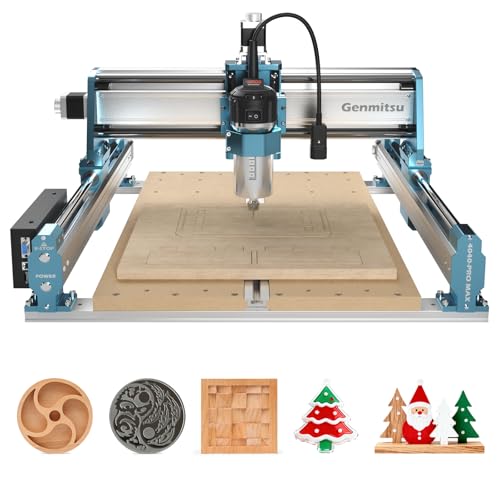
TwoTrees TTC450 Pro
Best for: Sign work and nested flat parts that need bed area more than spindle muscle.
Work area: 460 x 460 x 80 mm
Spindle: 80W standard, upgradeable to a 500W spindle
The TTC450 Pro offers the second-largest bed in this group at 460 x 460 x 80 mm, in an all-metal frame aimed at shops cutting signs, panels and nested flat parts. That area advantage is real for production layout work: more blanks per setup, fewer changeovers, and room to keep a fixture mounted at one end of the bed. The listing pairs the frame with closed-loop stepper motors and a touchscreen controller, and the machine leaves room to grow, with ports and mounting provisions for axis and spindle upgrades as the work demands more.
FoxAlien Masuter Pro
FoxAlien Masuter Pro
Best for: A first bench machine that can grow with a product line.
Work area: 15.75 x 15.75 x 2.36 inches (400 x 400 x 60 mm)
Frame: all-metal structure, linear rail Z axis
Spindle: 60W included, clamps for 52 mm and 65 mm
Control: GRBL-based controller with emergency stop
The Masuter Pro is the sensible first production machine here: an all-metal 400 x 400 mm router with a linear rail Z axis, a dust-proof controller box with an emergency stop, and a wide upgrade path. Shops often outgrow a first machine’s spindle before anything else, and this one accepts that reality, shipping with both 52 mm and 65 mm spindle clamps so a 300W spindle or a trim router can be fitted later. It has been sold in this form for several years, which means community knowledge, spare parts and setup guidance are easy to find.
Which One Fits Your Situation
You Sell the Same Parts Every Week
When the product is proven and orders repeat, nesting capacity and step reliability decide the machine. The PROVerXL 6050 Plus fits the most parts per setup, while the Masuter 3S protects long jobs with closed-loop motors. Either way, the winning setup is the one that runs a full batch with the fewest changeovers and the least supervision, so prioritize bed area and drive hardware over engraving extras.
You Cut Hardwood and Light Metal in Short Runs
Short runs in dense material reward spindle power and rail-guided stiffness more than bed size. The 4040-PRO MAX pairs a 710W trimmer with linear rails, so it profiles hardwood and light aluminum without the flex and slowdowns of lighter machines. Keep tooling sharp, keep passes conservative, and this class of machine handles steady small-batch work in demanding materials.
You Make Signs and Flat Panel Products
Signs, plaques and flat-pack parts live or die by bed area. The TTC450 Pro gives those layouts room to nest, and its upgrade path lets the spindle catch up once order volume justifies it. Flat work also forgives a modest spindle longer than three-dimensional carving does, because most cuts are shallow profiles in sheet material rather than deep pocketing in solid stock.
You Are Adding a First Machine to a Manual Shop
A shop new to CNC needs a machine that is forgiving to learn and cheap to keep running in time and tooling, not money terms but attention. The Masuter Pro fits that role: standard GRBL workflow, a large owner community, and clamps that accept bigger spindles later. Start with one product, dial in feeds and workholding on it, and let the machine earn a bigger replacement.
Common Mistakes
Choosing by bed size alone, then discovering the Z height or spindle cannot handle the actual parts and fixtures.
Running the stock low-power spindle for production cutting until it overheats, slows down or fails mid-batch.
Skipping dust collection and workholding in the setup plan, even though both decide cut quality and safe operation.
Expecting the machine to replace CAM skills; toolpath choices, feeds and speeds matter as much as hardware.
Ignoring the maker’s guidance on materials and duty cycle, and treating a desktop machine like an industrial machining center.
Frequently Asked Questions
Can a desktop CNC machine really handle manufacturing work?
Yes, within its class. These machines manufacture small parts in wood, plastics, MDF and light metals in batches, and many small shops run them daily for products like signs, enclosures and furniture components. The limits are material hardness, part size and cutting pace. They are production tools for light-duty work, not replacements for industrial machining centers, and choosing parts that suit the machine is part of the job.
What should be set up around the machine before production starts?
Dust collection matched to the machine, eye protection for anyone nearby, a surfaced spoilboard, reliable workholding such as clamps or a hybrid table, and a stock of sharp end mills in the sizes the parts use. Follow the maker’s manual for assembly, wiring and material limits before the first run. A repeatable setup routine, written down once and followed every time, prevents most scrapped batches.
Do these machines need a computer connected while cutting?
Most GRBL machines can run either way. A tethered computer sends the job and allows pausing or stopping from the desk, while offline controllers and touchscreens run jobs from stored files and free the computer for design work. For repeat production, offline control is convenient because the same file can be reloaded for every batch. Either arrangement works; consistency of workflow matters more than the connection type.
How long do spindles and bits last in batch work?
It depends on material, feeds and how hard the tooling is pushed. Abrasive sheet goods such as MDF dull bits faster than clean hardwood, and an undersized spindle run at its limit wears sooner than a larger one working comfortably. Production shops treat bits as consumables, track cutting time per tool, and replace them on schedule rather than after a failed part reveals the edge is gone.
J
JD's Woodworks Editorial Team
We compare specs, warranty terms, long-term owner feedback and street pricing before anything earns a spot. Rankings are never paid.
Affiliate disclosure. As an Amazon Associate we earn from qualifying purchases at no extra cost to you. Prices accurate as of the date shown.
Four hobby TIG welders compared for home shops: AC/DC picks for aluminum, a compact DC model for steel, listed specs, included gear and honest tradeoffs.
The best Creality Falcon engravers compared: Falcon A1 10W, CR-Laser Falcon 10W, Falcon2 Pro 22W and Falcon2 Pro S 40W, by power, work area and enclosure.



 TwoTrees TTC450 Pro
 FoxAlien Masuter Pro