4 Best Routers for Wireless Internet (November 2026)
Compare the best routers for wireless internet at home by band, coverage, device handling and mesh options, using only the specs stated on each Amazon listing.
Compare the best routers for wireless internet at home by band, coverage, device handling and mesh options, using only the specs stated on each Amazon listing.
As an Amazon Associate I earn from qualifying purchases. This post may contain affiliate links at no extra cost to you.
For most households, choosing a router for wireless internet comes down to two ordinary frustrations: the signal that dies in the back bedroom, and the evening slowdown when streaming, calls, homework and smart home devices all compete at once. The headline speed printed on the box settles neither problem. What matters is how the router spreads coverage through your actual rooms and how calmly it shares the connection between everything you own.
This guide is for families replacing an ageing router, renters who cannot run cables, and larger households deciding between one strong unit and a mesh system. Each pick below was chosen from the name and specifications on its Amazon listing, and the four options are deliberately different shapes of answer to the same home problem.
Quick Picks
As an Amazon Associate we earn from qualifying purchases.
Product
Best for
Key spec from title
GL.iNet GL-AX1800 (Flint)
VPN-ready single router for a flat
5 x 1G Ethernet ports
TP-Link Archer AX73
Busy family homes with many devices
Connect 200+ devices
Amazon eero 6+
Whole-home mesh without the fuss
Coverage up to 4,500 sq ft (3-pack)
TP-Link Deco XE75 (2-Pack)
Larger homes and 6 GHz devices
AXE5400 tri-band Wi-Fi 6E
How to Choose
Match the Router Shape to the Building
A single router placed near the middle of a flat can cover it well, and costs less effort than a mesh kit. The same approach fails in a long house, a home with an extension, or any layout where the modem enters at one far corner. In those homes the signal has to cross too many walls before it reaches the rooms where people actually sit. Use the coverage figure in each listing as a rough guide only, then discount it for brick, concrete and foil-backed insulation. If two or more rooms currently have no usable signal, plan on mesh from the start instead of hoping a stronger single box will push through.
Bands Matter More Than the Biggest Number
Dual-band routers split traffic between 2.4 GHz, which travels further, and 5 GHz, which carries more speed at shorter range. Tri-band systems add either a second 5 GHz radio or a 6 GHz band, which helps when many devices are active or when mesh units need a cleaner path between themselves. The combined speed figure in a title adds all bands together, but no single phone or laptop uses that total. A household with a few devices gains little from tri-band, while a home where two people stream, one games and a class set of smart devices idles in the background will feel the difference on busy evenings.
Count Devices the Way Your Home Uses Them
Modern homes hold more connections than people expect: phones, laptops, televisions, consoles, speakers, cameras, plugs, a printer and the doorbell can pass thirty devices before guests arrive. Listings that state a device figure, such as the Archer AX73 or the eero 6+, give you a direct comparison point. Treat the stated figure as a ceiling to stay comfortably under, not a target. Also look for MU-MIMO and OFDMA in the listing, because those Wi-Fi 6 features describe how the router talks to several devices at once, which is the real evening-peak problem in most homes.
Keep a Few Things Wired
Even in a wireless-first home, some devices belong on a cable: the main television or streaming box, a desktop that handles large uploads, and a games console in a competitive household. Wiring those heavy, stationary devices frees wireless capacity for everything that genuinely moves around. That makes the Ethernet port count in a listing worth reading, including on mesh units, where sockets are often fewer than on a traditional router. If a mesh node will sit behind the television, confirm it has enough ports for the TV and console, or plan a small switch for that spot.
The 4 Best Options
GL.iNet GL-AX1800 (Flint)
Top Pick
GL.iNet GL-AX1800 (Flint)
Best for: Flats and small houses wanting one central router with VPN support and plenty of wired ports.
Model: GL-AX1800 (Flint)
Wi-Fi: Dual-band Wi-Fi 6, up to 600 Mbps on 2.4 GHz and 1200 Mbps on 5 GHz from the listing
Ethernet: 5 x 1G Ethernet ports, as named in the title
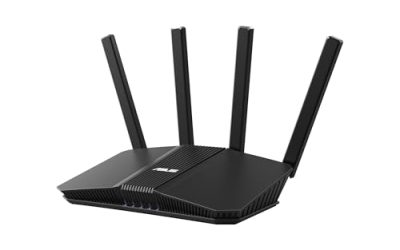
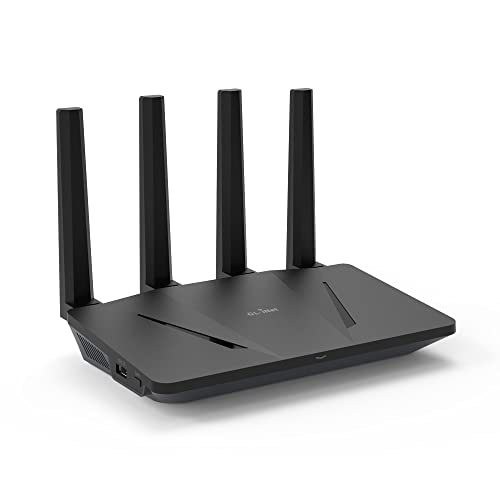
The original Flint is the compact single-router option with an unusual amount of control for its size. Its Amazon title describes a dual-band gigabit Wi-Fi 6 router with five 1G Ethernet ports, support for up to 120 devices, and OpenVPN and WireGuard. That makes it a good fit for a flat or small house where the router sits centrally and the owner also wants a VPN available for remote work or travel. Four of those ports serve wired devices, which is generous for a router in this class and helps keep a desk setup fully cabled.
TP-Link Archer AX73
Runner-Up
TP-Link Archer AX73
Best for: Larger families in one-level or open-plan homes with many devices active at the same time.
Model: Archer AX73, AX5400 class
Wi-Fi: Dual-band Wi-Fi 6, 6-stream
Device capacity from listing: connect 200+ devices
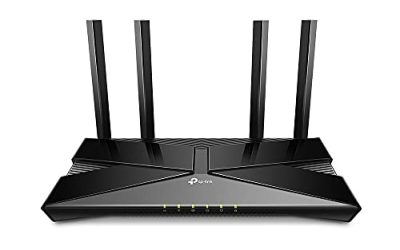
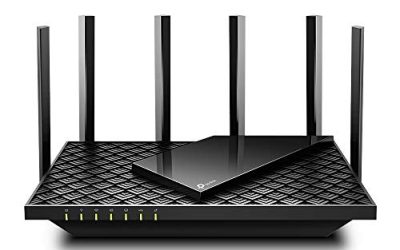
The Archer AX73 is the traditional router for a busy family home. The listing describes an AX5400 dual-band gigabit Wi-Fi 6 router for streaming and long-range coverage, with a 1.5 GHz triple-core CPU, MU-MIMO and OFDMA, and a stated ability to connect more than two hundred devices. Six antennas and beamforming, as described in the listing material, suit an open-plan house where one central position can see most rooms. Choose it when the home layout is friendly but the number of people and devices is not.
Amazon eero 6+
Amazon eero 6+
Best for: Homes with dead spots in several rooms that want simple app-led setup and even coverage.
Model: eero 6+ mesh Wi-Fi system
Wi-Fi: Dual-band Wi-Fi 6, AX3000 class
Internet plans from listing: supports plans up to a gigabit
Coverage from listing: up to 4,500 sq ft for the 3-pack
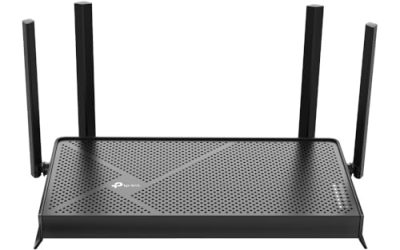
The eero 6+ answers the coverage problem by splitting it into pieces. The listing describes a dual-band mesh Wi-Fi 6 system supporting internet plans up to a gigabit, covering up to 4,500 sq ft in its three-pack form and connecting more than seventy-five devices. Instead of one loud signal from the hallway, each unit covers its own area and they present one network name throughout the home. Setup and management run through the eero app, which suits households that want the network to stay a background utility rather than a hobby.
TP-Link Deco XE75 (2-Pack)
TP-Link Deco XE75 (2-Pack)
Best for: Larger or two-storey homes with newer devices that can use the 6 GHz band.
Model: Deco XE75 (2-pack)
Wi-Fi: AXE5400 tri-band Wi-Fi 6E with 6 GHz band
Coverage from listing: up to 5,500 sq ft
Mesh: AI-driven mesh, replaces router and extender
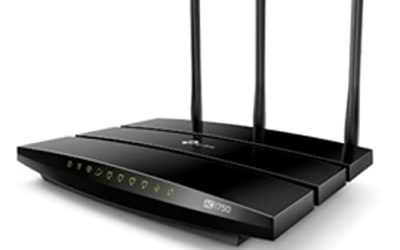
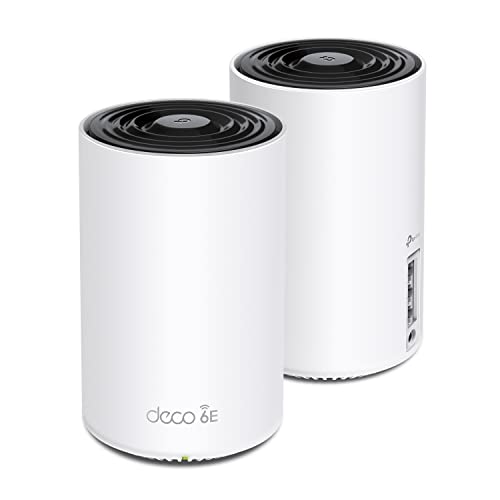
The Deco XE75 two-pack is the step up for larger homes and newer devices. Its listing describes an AXE5400 tri-band Wi-Fi 6E mesh system covering up to 5,500 sq ft, with AI-driven mesh and a new 6 GHz band, replacing a router and extender. The extra band gives compatible phones and laptops a less crowded lane and gives the two units a cleaner conversation with each other. It suits a house where the basic mesh idea is right but the household also owns recent devices that can use 6 GHz and expects to keep the system for years.
Which One Fits Your Situation
A Flat Where the Router Sits in the Middle
Take the GL.iNet GL-AX1800 (Flint). When every room is within a short distance of one central point, a single router is the simplest and tidiest answer, and the Flint adds five Ethernet ports and VPN support that most compact routers skip. Wire the desk and the television, let phones and tablets use the wireless bands, and the stated capacity for up to 120 devices leaves ample room for smart home additions.
A Full House on One Level
Choose the TP-Link Archer AX73. Open-plan and single-level homes reward one strong central router, especially when the real pressure is the number of simultaneous devices rather than distance. The AX73 listing states capacity above two hundred devices and names the Wi-Fi 6 features that share airtime between them. It keeps the network in one box, which also makes it the easiest option here to place, wire and replace later.
Dead Spots in the Bedrooms and Kitchen
Go with the Amazon eero 6+. When the problem is geography, more power in the wrong place will not help; a unit in the weak area will. The eero system spreads coverage across up to three units under one name, and the app-led process suits a household that does not want to learn router settings. Start with the pack size that matches your floor area on the listing and add a unit later if one room still lags.
A Bigger House With New Phones and Laptops
Pick the TP-Link Deco XE75 two-pack. Recent devices that support Wi-Fi 6E can use its 6 GHz band, while everything older continues on 5 GHz and 2.4 GHz, so nothing is left behind. The two units cover a larger footprint than a single router and can be joined by extra Deco units if an extension or garden room is added. It is the most future-facing of the four without moving to a full Wi-Fi 7 system.
Common Mistakes
Comparing routers by the combined speed number, which no single device in the home can ever use.
Buying a stronger single router to fix a dead spot caused by walls, distance or a corner modem position.
Ignoring the device count until smart home gadgets quietly push the home past what an old router handles calmly.
Leaving televisions, consoles and desktops on wireless when a cable would free capacity for everything else.
Choosing a mesh pack size from the headline coverage figure without allowing for thick walls and separate floors.
Frequently Asked Questions
Do I need a new router if my internet plan stays the same?
Often, yes. The plan sets the speed entering the home, but the router decides how well that speed is shared and how far it reaches. An older router can bottleneck a modern plan, handle busy evenings poorly and leave far rooms unserved. If dropouts and dead spots are your complaints rather than raw download speed, a router change is usually the relevant fix.
Is mesh always better than one router?
No. In a flat or a compact house with a central router position, one good router is simpler and works well. Mesh earns its place when distance and walls defeat a single unit, because each node only has to cover its own area. The trade-off is more units to place and power, and management through an app rather than a traditional settings page.
What does Wi-Fi 6E add over Wi-Fi 6 for a home?
Wi-Fi 6E adds the 6 GHz band on top of the 2.4 GHz and 5 GHz bands used by Wi-Fi 6. Compatible devices get a less crowded lane, which helps in dense housing and in mesh systems. The band travels a shorter distance, so it rewards sensible unit placement. Older devices simply stay on the other bands, which means a 6E system like the Deco XE75 still serves the whole household.
How many devices can a home router really handle?
Use the figure in the listing as your guide and stay comfortably below it. A quiet device such as a smart plug uses far less attention than a laptop on a video call, so the mix matters as much as the count. If your home is approaching the stated figure of a smaller router, or evenings already feel congested, step up to a model whose listing states a higher device capacity.
J
JD's Woodworks Editorial Team
We compare specs, warranty terms, long-term owner feedback and street pricing before anything earns a spot. Rankings are never paid.
Affiliate disclosure. As an Amazon Associate we earn from qualifying purchases at no extra cost to you. Prices accurate as of the date shown.
Find the best wpa 3 routers for safer home Wi-Fi, with Wi-Fi 6 and Wi-Fi 6E models that protect every device on the network for families and small offices.
Compare 4 wireless routers that pair well with Excede satellite internet, from Wi-Fi 7 standalones to a mesh kit for wide rural homes and busy families.
Looking for the best wifi routers 1gb? Compare four gigabit routers for home internet, with Wi-Fi speed, ports, and coverage for each model and every home.
Looking for the best twc modems routers? Compare three modem-router combos approved for Spectrum cable, with DOCSIS, Wi-Fi, and ports explained for every home.
Looking for the best routers with verizon fios? Compare three routers that work with a FiOS connection, with Wi-Fi speed, ports, and coverage for every home.
Compare the best routers for security by VPN support, named protection services, guest networks and update handling, taken from the wording of each Amazon listing.
Compare the best routers for schools and classrooms by device capacity, mesh expansion, central app management and content controls named on each Amazon listing.
Compare the best routers for a homelab by VLAN support, multi-gig wired ports, VPN throughput and expansion options, with specs taken from each Amazon listing.
Compare the best routers for a home network with two verified Amazon US Wi-Fi 6 picks, covering bands, ports, coverage, security and setup checks for your home.



 TP-Link Deco XE75 (2-Pack)