3 Best Routers That Work With Verizon FiOS (November 2026)
Looking for the best routers with verizon fios? Compare three routers that work with a FiOS connection, with Wi-Fi speed, ports, and coverage for every home.
Looking for the best routers with verizon fios? Compare three routers that work with a FiOS connection, with Wi-Fi speed, ports, and coverage for every home.
As an Amazon Associate I earn from qualifying purchases. This post may contain affiliate links at no extra cost to you.
Verizon FiOS delivers internet over fiber to an optical terminal in the home, and the router connects to that terminal rather than to a cable modem. That difference matters, because a FiOS connection needs only a router, not a modem-router combination, and any good router with an Ethernet WAN port will work. The buyer who needs one is usually replacing the router Verizon supplied, and the right replacement gives faster Wi-Fi, better coverage, and no monthly rental fee.
This guide is for FiOS customers who want to replace the supplied router with one they own. The routers below were chosen from the names and specifications on their Amazon pages, with attention to Wi-Fi standard, speed, Ethernet ports, and how each router fits a home on a fiber connection. The routers below all work with a FiOS connection, and the guide compares them on Wi-Fi class, speed, ports, and coverage, so the owner can match the router to the plan and the size of the home.
Quick Picks
As an Amazon Associate we earn from qualifying purchases.
Product
Best for
Key spec from title
TP-Link Archer AX6000
A large home on gigabit FiOS
Wi-Fi 6 with up to 6,000 Mbps
TP-Link Archer A7
A standard home on FiOS
AC1750 dual-band Wi-Fi
NETGEAR Nighthawk RAXE300
A busy home with many devices
WiFi 6E router
How to Choose
Connect the router to the FiOS terminal
A FiOS connection reaches the home through an optical network terminal, usually called the ONT, and the router connects to that terminal with an Ethernet cable. The router needs a WAN port that accepts that Ethernet cable, which almost every modern router has, and it needs no modem at all. Check where the ONT sits in the home and how the Ethernet cable runs to the router’s location, because the router should sit where its Wi-Fi covers the rooms that need it. If the ONT is in a garage or a basement, a long Ethernet cable or a mesh system may be needed to place the router centrally. The ONT feeds the router.
Match the Wi-Fi standard to the FiOS speed
The Wi-Fi standard decides how much of the FiOS speed actually reaches the devices, so match it to the plan. A Wi-Fi 6 router suits a gigabit FiOS plan, because it handles high speeds and many devices at once with less congestion, while a Wi-Fi 5 router suits a slower plan and fewer devices. A Wi-Fi 6E router adds a third band for devices that support it, which helps in a home with many phones, laptops, and smart devices. Choose the standard that matches the plan speed, not the newest standard for its own sake, because a fast router on a slow plan gains nothing. Wi-Fi 6 suits a gigabit plan best.
Check the Ethernet ports for wired devices
Wired devices need Ethernet ports, so count them before buying. A router with four gigabit LAN ports suits a home with a desktop, a game console, and a streaming box wired in, while a router with eight ports suits a home office with more wired gear. A 2.5 gigabit WAN port helps on a gigabit FiOS plan, because it lets the router take the full speed from the ONT without a bottleneck. Check the port count and speed in the listing, and add a small switch if the home needs more wired ports than the router provides. Count the wired devices before choosing a port count.
Place the router for coverage
The router’s position decides the Wi-Fi coverage more than any specification, so plan it before buying. A router in the center of the home on an open shelf covers more rooms than one hidden in a corner behind a television, and a router with external antennas can be aimed to cover the rooms that need signal. A large home or a home with thick walls may need a mesh system instead of a single router, because one router cannot cover every room through several walls. Measure the home and count the walls between the router and the farthest room before choosing. A central shelf beats a corner every time.
The 3 Best Options
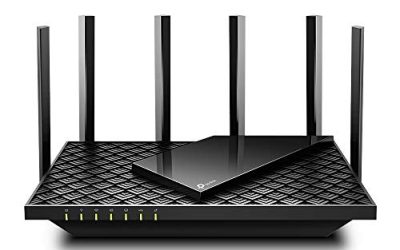
TP-Link Archer AX6000
Top Pick
TP-Link Archer AX6000
Best for: Large homes on gigabit FiOS that need fast Wi-Fi and many Ethernet ports.
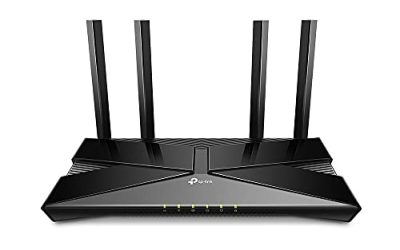
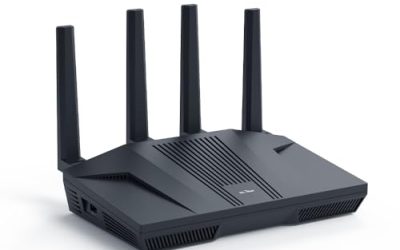
The TP-Link Archer AX6000 is the most powerful router in this group, and it suits a large home on a gigabit FiOS plan. It uses Wi-Fi 6 with speeds up to 6,000 Mbps, eight high-gain external antennas for coverage, eight gigabit LAN ports plus a 2.5 gigabit WAN port, and a quad-core processor to handle many devices at once. It fits FiOS customers who want the fastest Wi-Fi their plan can deliver and who have enough devices to need the capacity. Its eight antennas and eight LAN ports suit a large home with many devices.
Watch out for: Check the listing for current availability, since older crawls showed conflicting stock signals for this model.
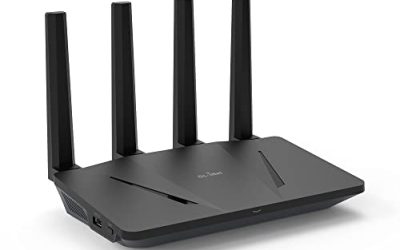
TP-Link Archer A7
Runner-Up
TP-Link Archer A7
Best for: Standard homes on FiOS that need reliable dual-band Wi-Fi at a modest level.
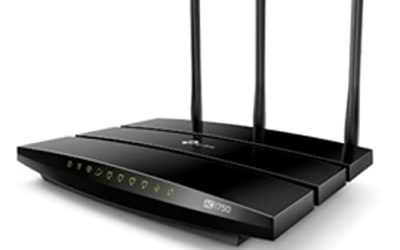
The TP-Link Archer A7 suits FiOS customers who want a reliable router for a standard home without paying for speed they will not use. It uses AC1750 dual-band Wi-Fi, with 450 Mbps on the 2.4 GHz band and 1,300 Mbps on the 5 GHz band, and it has four gigabit LAN ports, a gigabit WAN port, and a USB port for sharing a drive or a printer. It works with Alexa for voice control, and it fits a home where the FiOS plan is moderate and the device count is ordinary. Its modest size and price suit a standard home on a gigabit plan.
Watch out for: AC1750 Wi-Fi suits a moderate FiOS plan, but a gigabit plan deserves a Wi-Fi 6 router instead.
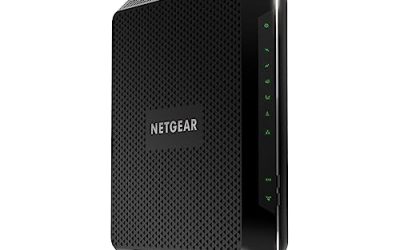
NETGEAR Nighthawk RAXE300
NETGEAR Nighthawk RAXE300
Best for: Busy homes on FiOS with many devices, including newer phones and laptops that support WiFi 6E.
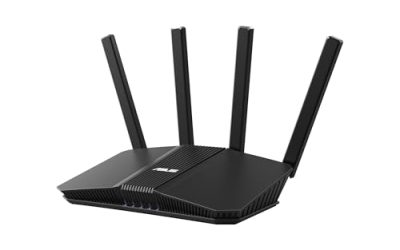
The NETGEAR Nighthawk RAXE300 suits a busy FiOS home with many devices, because it is a WiFi 6E router that adds a third band for the newest phones and laptops. The extra band reduces congestion when many devices share the network, which matters in a home with streaming, gaming, and smart devices running at once. It fits FiOS customers whose devices support WiFi 6E and who want the newest standard for a crowded network. Its Wi-Fi 6E band adds capacity where many devices share the network.
Watch out for: WiFi 6E needs compatible devices to use the third band, so check the devices before paying for it.
Which One Fits Your Situation
A large home on gigabit FiOS
Choose the TP-Link Archer AX6000, because its Wi-Fi 6 speed, eight antennas, and eight gigabit LAN ports suit a large home with many devices and a fast plan. The 2.5 gigabit WAN port takes the full speed from the ONT, and the quad-core processor handles the load. Place it centrally on an open shelf for the best coverage. Its antenna count and port count cover a large home well.
A standard home replacing the supplied router
Choose the TP-Link Archer A7, because its AC1750 dual-band Wi-Fi and four gigabit ports suit an ordinary home on a moderate FiOS plan. It connects to the ONT with an Ethernet cable and needs no modem, and its USB port adds drive or printer sharing. It is the better pick when the plan is moderate and the device count is ordinary. A mid-range router replaces the supplied one without fuss.
A busy home with many devices
Choose the NETGEAR Nighthawk RAXE300, because its WiFi 6E third band gives the newest devices their own space and reduces congestion. It suits a home where streaming, gaming, and smart devices run at once, and the extra band keeps the network responsive. Check that the phones and laptops support WiFi 6E before choosing it. A quad-core processor keeps many devices moving at once.
A home where the ONT is far from the living area
Choose the Archer AX6000 for its eight antennas and strong coverage, and run a long Ethernet cable from the ONT to a central spot for the router. A router hidden in a garage or basement covers poorly, so the cable and the placement matter more than the router’s specifications. A mesh system is the alternative if one router cannot cover the home. A long cable links a distant ONT.
Common Mistakes
Buying a modem-router combination for FiOS, when a FiOS connection needs only a router. FiOS needs only a router, since the ONT already acts as the modem and a combo adds nothing.
Choosing a Wi-Fi 5 router for a gigabit FiOS plan, then wondering why devices never reach the plan speed. A Wi-Fi 5 router caps wireless speed well below a gigabit plan.
Placing the router in a corner or behind a television, where walls and furniture block the signal. Walls and furniture block the signal, so a central open shelf works better than a corner.
Forgetting to check the Ethernet port count, then finding there are not enough wired ports for the home. Count the wired devices first, then choose a router with enough ports.
Paying for WiFi 6E when no device in the home supports the third band. Check which bands the devices support before paying for a third band that no device can use.
Frequently Asked Questions
Do I need a special router for Verizon FiOS?
A FiOS connection needs a router with a gigabit WAN port, because the fiber line delivers its speed through an Ethernet cable. Any router with a gigabit WAN port will work, though a Wi-Fi 6 model suits a gigabit plan better. Check that the router has a gigabit WAN port before buying, since a slower port caps the speed.
Can I use my own router instead of the Verizon one?
Yes, a FiOS customer can use their own router by connecting it to the ONT with an Ethernet cable, and many owners do this for better Wi-Fi and more control. The Verizon router must be returned or kept as a backup, and the TV service may need it for its guide. Check the TV setup before switching routers.
What speed router do I need for a gigabit FiOS plan?
A gigabit FiOS plan needs a router with a gigabit WAN port and Wi-Fi 6, because only then can the wireless network keep up with the plan. A router with a slower WAN port caps the whole home at that slower speed. Check the WAN port and the Wi-Fi class in the listing before buying for a gigabit plan.
Where should I place a router for the best FiOS Wi-Fi?
Place the router centrally on an open shelf, away from walls, metal, and other electronics, so the signal reaches every room. A router in a corner or behind a television loses coverage to walls and furniture. If the home is large, add a mesh system or a second access point rather than moving the router to an edge.
J
JD's Woodworks Editorial Team
We compare specs, warranty terms, long-term owner feedback and street pricing before anything earns a spot. Rankings are never paid.
Affiliate disclosure. As an Amazon Associate we earn from qualifying purchases at no extra cost to you. Prices accurate as of the date shown.
Find the best wpa 3 routers for safer home Wi-Fi, with Wi-Fi 6 and Wi-Fi 6E models that protect every device on the network for families and small offices.
Compare 4 wireless routers that pair well with Excede satellite internet, from Wi-Fi 7 standalones to a mesh kit for wide rural homes and busy families.
Looking for the best wifi routers 1gb? Compare four gigabit routers for home internet, with Wi-Fi speed, ports, and coverage for each model and every home.
Looking for the best twc modems routers? Compare three modem-router combos approved for Spectrum cable, with DOCSIS, Wi-Fi, and ports explained for every home.
Compare the best routers for wireless internet at home by band, coverage, device handling and mesh options, using only the specs stated on each Amazon listing.
Compare the best routers for security by VPN support, named protection services, guest networks and update handling, taken from the wording of each Amazon listing.
Compare the best routers for schools and classrooms by device capacity, mesh expansion, central app management and content controls named on each Amazon listing.
Compare the best routers for a homelab by VLAN support, multi-gig wired ports, VPN throughput and expansion options, with specs taken from each Amazon listing.
Compare the best routers for a home network with two verified Amazon US Wi-Fi 6 picks, covering bands, ports, coverage, security and setup checks for your home.