3 Best TWC Modem Router Combos for Spectrum (November 2026)
Looking for the best twc modems routers? Compare three modem-router combos approved for Spectrum cable, with DOCSIS, Wi-Fi, and ports explained for every home.
Looking for the best twc modems routers? Compare three modem-router combos approved for Spectrum cable, with DOCSIS, Wi-Fi, and ports explained for every home.
As an Amazon Associate I earn from qualifying purchases. This post may contain affiliate links at no extra cost to you.
Time Warner Cable is now Spectrum, and a modem-router combination bought for TWC is really a combination approved for Spectrum’s cable network. The buyer who needs one wants to stop paying the monthly equipment rental and own the box that connects the home to the cable line. The right combination is approved by the provider, matches the plan speed, and gives Wi-Fi that covers the home without a second device.
This guide is for Spectrum customers, including former TWC customers, who want to own their modem and router in one box. The combinations below were chosen from the names and specifications on their Amazon pages, with attention to DOCSIS version, Wi-Fi speed, plan compatibility, and Ethernet ports. The combos below are all approved for Spectrum cable, and the guide compares them on DOCSIS standard, speed, Wi-Fi, and ports, so the owner can match the combo to the plan and the number of devices in the home. Each combo is a single box that replaces the rented modem and router.
Quick Picks
As an Amazon Associate we earn from qualifying purchases.
Product
Best for
Key spec from title
NETGEAR Nighthawk C7000
A fast cable plan with strong Wi-Fi
DOCSIS 3.0 and AC1900 Wi-Fi
Motorola MG7700
A reliable combo for plans up to 800 Mbps
DOCSIS 3.0 and gigabit router
ARRIS SURFboard SBG7400AC2
A solid combo with fast Wi-Fi
DOCSIS 3.0 and AC2350 Wi-Fi
How to Choose
Confirm the combination is approved for Spectrum
Provider approval is the first check, because a modem that is not approved cannot be activated on the network. Spectrum publishes a list of approved modems, and a combination should name Spectrum, along with Xfinity and Cox, in its compatibility list before it is bought. The combinations in this guide are listed as approved for Spectrum, Xfinity, and Cox, which covers the former TWC network and the other major cable providers. Check the provider’s approved list with the exact model number before ordering, since approval can change and a similar model number is not the same device. Confirm the exact model number is on the approved list.
Match DOCSIS and speed to the plan
The DOCSIS version and the speed rating decide whether the combination can use the plan’s full speed, so match them to the plan before buying. A DOCSIS 3.0 combination with 24 downstream channels suits plans up to 800 Mbps, which covers most Spectrum plans, while a faster plan needs a DOCSIS 3.1 combination to reach its full speed. Check the plan speed in the account, then choose a combination rated for at least that speed, because a combination rated below the plan becomes the bottleneck. A combination rated well above the plan costs more without adding speed the plan cannot deliver. A DOCSIS 3.0 modem covers plans up to 800 Mbps.
Check the Wi-Fi speed and coverage
The Wi-Fi side of the combination decides how fast the wireless devices run, so check the Wi-Fi standard and speed in the listing. An AC1900 combination suits a standard home with ordinary devices, while an AC2350 combination gives faster Wi-Fi for a home with more devices and heavier streaming. The Wi-Fi coverage depends on the antennas and the placement, so a combination in the center of the home on an open shelf covers more rooms than one hidden in a corner. Count the devices and the rooms before choosing, and consider a separate router or a mesh system if one box cannot cover the home. Wireless speed should match the plan speed closely.
Count the Ethernet ports for wired devices
Wired devices need Ethernet ports, so count them before buying a combination. A combination with four gigabit Ethernet ports suits a home with a desktop, a game console, and a streaming box wired in, while a home office with more wired gear may need a small switch as well. Check the port count and speed in the listing, because a combination with only two ports forces a choice about which devices get wired. A gigabit port matters on a fast plan, since a slower port would cap the wired speed below what the plan delivers. Four ports suit most homes; more ports suit wired setups.
The 3 Best Options
NETGEAR Nighthawk C7000
Top Pick
NETGEAR Nighthawk C7000
Best for: Spectrum customers on a fast plan who want a DOCSIS 3.0 combination with strong Wi-Fi.
The NETGEAR Nighthawk C7000 suits Spectrum customers who want a fast combination with strong Wi-Fi, because it pairs a DOCSIS 3.0 modem with AC1900 dual-band Wi-Fi. The modem uses 24 downstream and 8 upstream channels, and the combination is listed for cable plans up to 800 Mbps with Xfinity, Spectrum, and Cox. It fits a home where the plan is fast and the Wi-Fi needs to keep up, and owning it replaces the monthly rental fee with a one-time purchase. Its AC1900 Wi-Fi and 24 downstream channels suit a fast plan without fuss.
Watch out for: Confirm the exact model number against the provider’s approved list, since similar model numbers are different devices.
Motorola MG7700
Runner-Up
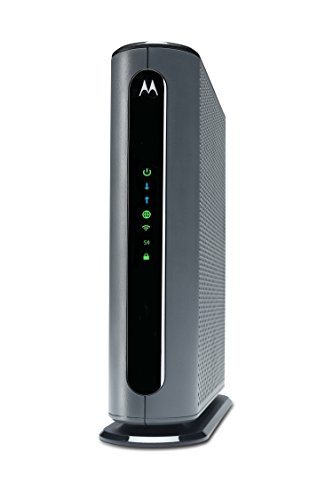
Motorola MG7700
Best for: Spectrum customers who want a reliable combination with a gigabit router for plans up to 800 Mbps.
The Motorola MG7700 suits customers who want a reliable combination for plans up to 800 Mbps, because it pairs a DOCSIS 3.0 modem with a gigabit router and a Power Boost feature. The combination is approved by Comcast Xfinity, Cox, and Spectrum, and it is listed for cable plans up to 800 Mbps. It fits a home where the plan is moderate to fast and the owner wants a single box that handles both the modem and the Wi-Fi without a second device. Its Power Boost feature helps the connection stay steady when many devices are online.
Watch out for: Check that the plan speed fits within the 800 Mbps rating, since a faster plan needs a DOCSIS 3.1 combination.
ARRIS SURFboard SBG7400AC2
ARRIS SURFboard SBG7400AC2
Best for: Spectrum customers who want the fastest Wi-Fi in a DOCSIS 3.0 combination.
The ARRIS SURFboard SBG7400AC2 suits customers who want a combination with faster Wi-Fi than the other two, because it pairs a DOCSIS 3.0 modem with AC2350 Wi-Fi. The modem uses 24 downstream and 8 upstream channels, and the combination is listed for speeds up to 960 Mbps with four 1 gigabit Ethernet ports. It fits a home where the Wi-Fi load is heavy and the owner wants the fastest wireless speed a DOCSIS 3.0 combination offers. Its four gigabit ports cover wired devices across the home with room to spare.
Watch out for: Check the provider’s approved list with the exact model number before ordering, since approval can change.
Which One Fits Your Situation
Replacing the rented modem and router on a fast plan
Choose the NETGEAR Nighthawk C7000, because its DOCSIS 3.0 modem and AC1900 Wi-Fi suit a fast Spectrum plan up to 800 Mbps, and owning it replaces the monthly rental fee. Confirm the model number against the provider’s approved list, then activate it with the provider’s setup process. It is the better pick when the plan is fast and the Wi-Fi needs to keep up. One box replaces the rented pair.
A home that needs one box for modem and Wi-Fi
Choose the Motorola MG7700, because its DOCSIS 3.0 modem and gigabit router with Power Boost handle both jobs in a single box approved for Spectrum. It suits a home where the plan is moderate to fast and the owner wants a simple setup without a separate router. Check that the plan fits within the 800 Mbps rating before ordering. A single box keeps the setup tidy and simple.
A home with heavy Wi-Fi use
Choose the ARRIS SURFboard SBG7400AC2, because its AC2350 Wi-Fi is the fastest in this group and its four gigabit ports suit wired devices as well. It fits a home where streaming, gaming, and video calls run at once, and the faster Wi-Fi keeps the network responsive. Confirm the exact model number against the approved list, since similar numbers are different devices. Strong Wi-Fi keeps many devices moving at once.
A former TWC customer setting up Spectrum service
Choose any of the three, because all are listed as approved for Spectrum, which is the network that replaced TWC. Check the plan speed first, then pick the combination that matches it: the C7000 or MG7700 for plans up to 800 Mbps, or the SBG7400AC2 for the fastest Wi-Fi. Activate the new combination with Spectrum, then return the rented equipment. The same DOCSIS standard covers the old TWC network.
Common Mistakes
Buying a modem that is not approved for Spectrum, then finding it cannot be activated. Confirm the exact model is on Spectrum’s approved list before ordering.
Choosing a combination rated below the plan speed, which becomes the bottleneck for the whole home. Match the modem rating to the plan speed, or the modem becomes the bottleneck for the whole home.
Forgetting to check the Wi-Fi speed, then finding wireless devices run far slower than the plan. Compare the wireless speed with the plan speed before buying, since slow Wi-Fi wastes a fast plan.
Ordering a similar model number instead of the exact approved model, which may not be approved at all. Order the exact approved model, since a similar model number may not be approved at all.
Keeping the rented modem after buying a replacement, and paying the rental fee for a box that is no longer used. Return the rented modem after the replacement is working, to stop the rental fee.
Frequently Asked Questions
What is a modem-router combo?
A modem-router combo is one box that holds both the modem and the router, so it connects to the cable line and broadcasts Wi-Fi from a single device. It replaces two boxes with one, which saves space and simplifies setup. A combo suits a home that wants one device, while separate boxes suit a home that wants to upgrade each part alone.
Will these combos work with Spectrum?
Yes, these combos work with Spectrum cable internet, because Spectrum uses the same DOCSIS standard as the former Time Warner Cable network. The combo must be on Spectrum’s approved list and match the plan’s speed. Check the model number against the approved list before buying, since an unapproved modem will not connect.
Do I need a DOCSIS 3.1 modem?
A DOCSIS 3.1 modem suits a plan above 800 Mbps, because DOCSIS 3.0 tops out near that speed. For a plan of 800 Mbps or less, a DOCSIS 3.0 modem with 24 or 32 channels is enough. Check the plan speed before buying, since a faster modem will not make a slower plan faster.
Can I use a modem-router combo with a mesh system?
Yes, a modem-router combo can feed a mesh system by connecting the mesh base to one of its LAN ports, though the combo’s own Wi-Fi should be turned off to avoid interference. The mesh then handles the wireless network while the combo acts as the modem. Check the mesh maker’s guide for the exact setup steps.
J
JD's Woodworks Editorial Team
We compare specs, warranty terms, long-term owner feedback and street pricing before anything earns a spot. Rankings are never paid.
Affiliate disclosure. As an Amazon Associate we earn from qualifying purchases at no extra cost to you. Prices accurate as of the date shown.
Find the best wpa 3 routers for safer home Wi-Fi, with Wi-Fi 6 and Wi-Fi 6E models that protect every device on the network for families and small offices.
Compare 4 wireless routers that pair well with Excede satellite internet, from Wi-Fi 7 standalones to a mesh kit for wide rural homes and busy families.
Looking for the best wifi routers 1gb? Compare four gigabit routers for home internet, with Wi-Fi speed, ports, and coverage for each model and every home.
Looking for the best routers with verizon fios? Compare three routers that work with a FiOS connection, with Wi-Fi speed, ports, and coverage for every home.
Compare the best routers for wireless internet at home by band, coverage, device handling and mesh options, using only the specs stated on each Amazon listing.
Compare the best routers for security by VPN support, named protection services, guest networks and update handling, taken from the wording of each Amazon listing.
Compare the best routers for schools and classrooms by device capacity, mesh expansion, central app management and content controls named on each Amazon listing.
Compare the best routers for a homelab by VLAN support, multi-gig wired ports, VPN throughput and expansion options, with specs taken from each Amazon listing.
Compare the best routers for a home network with two verified Amazon US Wi-Fi 6 picks, covering bands, ports, coverage, security and setup checks for your home.