As an Amazon Associate I earn from qualifying purchases. This post may contain affiliate links at no extra cost to you.
A 1,700 square foot condominium sits in an awkward middle ground for Wi-Fi. It is larger than the studio and one-bedroom flats a basic router handles easily, yet it is usually a single floor, so a sprawling multi-unit mesh kit built for a house is often more hardware than the layout needs. Concrete party walls, mirrored closets and a modem point fixed by the building’s wiring complicate things further.
This guide compares four current routers whose listings fit that footprint: two dual-band Wi-Fi 7 single routers rated around this size, a tri-band Wi-Fi 7 model with the 6 GHz band for busier homes, and one Wi-Fi 6 mesh kit for condos where walls defeat any single box. Each pick is judged on the coverage its listing states, its wired ports, and how it copes with neighbouring networks above, below and beside you.
Quick Picks
As an Amazon Associate we earn from qualifying purchases.
Product
Best for
Key spec from title
TP-Link Archer BE230
Most 1,700 sq ft condos on gigabit plans
Dual-band BE3600 Wi-Fi 7, 2.5G WAN port
ASUS RT-BE82U
Wired desks and subscription-free security
BE6500 Wi-Fi 7, five 2.5GbE ports
GL.iNet Flint 3 (GL-BE9300)
A VPN on every device, plus the 6 GHz band
Tri-band BE9300 Wi-Fi 7, five 2.5G ports
TP-Link Deco X55 (3-Pack)
Thick walls or a long, awkward layout
AX3000 mesh, covers up to 6,500 sq ft
How to Choose
Start With the Coverage Rating, Then Scale It Down
Coverage figures on router listings assume open space, so treat them as a ceiling rather than a promise. A single router rated for about 2,000 square feet is the natural starting point for a 1,700 square foot condominium, because it leaves a small margin for the walls, doors and furniture the rating ignores. Independent measurements of routers in this class tend to land a few hundred square feet below the box figure, which is exactly why that margin matters. If your unit is long and narrow, or the modem point sits at one end, even a correctly rated single router may leave the far bedroom thin, and that is a layout problem rather than a power problem.
Decide Between One Router and a Mesh Kit
Most condominiums are one floor, which favours a single router placed near the middle of the unit: there are no stairs for the signal to climb, and one good broadcaster can reach every room. A mesh kit earns its place when the floor plan fights back, with a modem jack in the entry hall, concrete or brick internal walls, or a primary bedroom at the far end of a corridor. Mesh units can also link by Ethernet where the building is wired for it, which steadies the connection between nodes. Buying a three-unit kit for a condo usually means using two units and keeping the third as a spare, so weigh that against a stronger single router first.
Match the Bands and Ports to Your Plan and Devices
Dual-band Wi-Fi 7 routers skip the 6 GHz band, which sounds like a loss but matters less in a condominium than in a detached house: 6 GHz travels poorly through walls, so it mainly helps devices in the same room as the router. A tri-band model still helps a busy condo, because the extra band gives recent phones and laptops a quieter lane away from neighbours’ traffic. Ports matter just as much. On an internet plan above gigabit speed, look for a 2.5G WAN port so the connection is not capped at the door, and count the LAN ports your television, console and work computer need before choosing.
Plan for Neighbouring Networks and Ongoing Costs
A condominium surrounds your network with other networks: the flats above, below and beside you all broadcast on the same handful of channels, especially on the crowded 2.4 GHz band. Features that help here include automatic channel selection, a separate network for smart-home gadgets so they stop competing with your laptop, and current security standards with automatic firmware updates. Also check what the listing leaves behind a subscription. Some brands include network security and parental controls outright, while others move the advanced versions of those tools into a paid tier after purchase, which changes the real cost of owning the router over several years in the same home.
The 4 Best Options
TP-Link Archer BE230
Top Pick
TP-Link Archer BE230
Best for: A centrally placed single router for an open or lightly walled 1,700 sq ft condo.
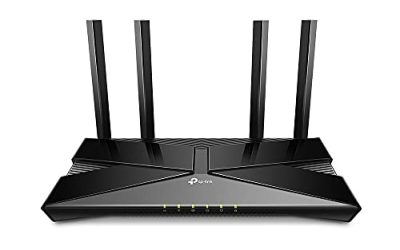
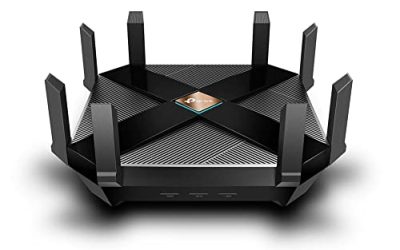
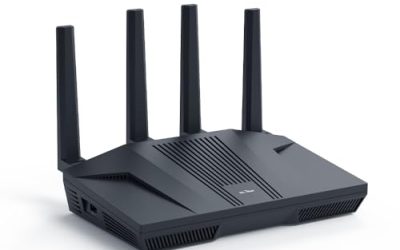
The Archer BE230 is the straightforward answer for most 1,700 square foot condos: a dual-band Wi-Fi 7 router whose maker rates it for homes around 2,000 square feet, which leaves sensible headroom over this footprint once walls take their share. Its listing pairs a 2.5G WAN port with a second 2.5G port for one fast wired device, so a gigabit or faster plan arrives intact. Four antennas, EasyMesh support if you later add a node, and a private network option for smart-home gadgets round out a listing aimed squarely at apartments and modest houses rather than large homes.
ASUS RT-BE82U
Runner-Up
ASUS RT-BE82U
Best for: A home office corner in the condo that needs several fast wired connections.
Wi-Fi: Dual-band Wi-Fi 7 (802.11be), 6500 Mbps class
Ports: Five 2.5GbE ports
Wireless features: 4096-QAM, up to 3 SSIDs for IoT devices
Mesh: AiMesh extendable, works as a router or a node
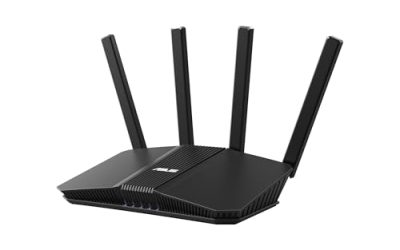
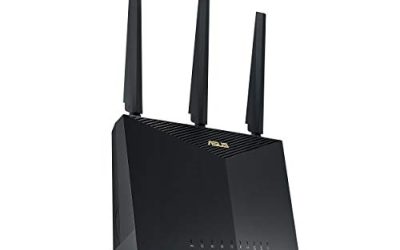
The RT-BE82U suits a condo where the router also anchors a wired desk. It is a dual-band Wi-Fi 7 router in the BE6500 class with five 2.5GbE ports, an unusually generous wired side for a home this size, so a work computer, a console and a television can all plug in without a separate switch. Its listing names AiMesh support, so it can start alone and later become one node in a wider ASUS system if you move somewhere larger. ASUS also includes its network security and parental controls without a subscription tier, which keeps the running cost flat after purchase.
GL.iNet Flint 3 (GL-BE9300)
GL.iNet Flint 3 (GL-BE9300)
Best for: Tech-comfortable households that want whole-home VPN cover and the 6 GHz band.
Wi-Fi: Tri-band Wi-Fi 7, BE9300 class, including the 6 GHz band
Ports: Five 2.5G ports
Software: Open-source-based router software
Features: VPN client and server tools, ad blocking built in
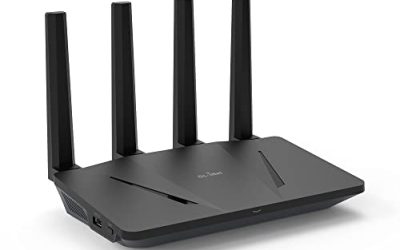
The Flint 3 is the pick for a condo household that wants a VPN running on every device at once, or a household full of recent phones and laptops that can use the 6 GHz band. It is a tri-band Wi-Fi 7 router in the BE9300 class with five 2.5G ports, and it runs open-source-based software with VPN tools and ad blocking built in rather than sold as an add-on. It can also fail over to a backup connection if the main line drops. The trade-off is a large box with tall antennas and menus that assume more know-how than an app-led setup.
TP-Link Deco X55 (3-Pack)
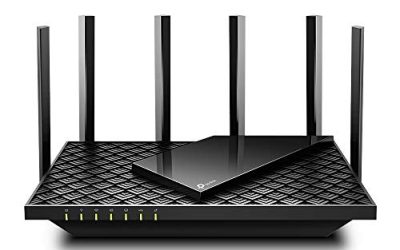
The Deco X55 is the mesh option for condos where no single router can see every room: a long floor plan, a modem point stuck by the front door, or internal walls that swallow a 5 GHz signal. The three-pack listing rates the kit for up to 6,500 square feet, far beyond this footprint, so in a 1,700 square foot unit you would typically place two units and keep the third spare or pass it on. Each unit has three gigabit ports, and the units can link by Ethernet backhaul where cabling exists, which keeps speeds steadier between rooms than a purely wireless relay.
Specs
Wi-Fi: AX3000 Wi-Fi 6 mesh system, dual-band
Coverage: Up to 6,500 sq ft for the 3-pack, per the listing
Ports: 3 gigabit ports per unit
Backhaul: Supports Ethernet backhaul between units
Role: Replaces a wireless router and extender with one mesh network
Best for: Walled or corridor-style condos where one router leaves a dead far room.
Watch out for: It is Wi-Fi 6 rather than Wi-Fi 7, and the kit’s full coverage rating far exceeds a condo’s needs.
ASIN: B09PRB1MZM
Which One Fits Your Situation
Your Condo Is Open-Plan and the Modem Sits Near the Middle
Start with the Archer BE230. An open layout is the one case where a single router’s coverage rating roughly holds, and its rating above this footprint leaves margin for the kitchen and bathroom walls. Place it high and in the open, and only reconsider mesh if a back bedroom still struggles after you have tried a better position.
You Work From a Desk That Needs Wired Connections
Choose the RT-BE82U and put it at the desk rather than beside the television. Five 2.5GbE ports let the work computer, a backup drive and a console share the fastest wired path, while the Wi-Fi side covers the rest of the unit. Its subscription-free security also suits a home where work traffic shares the network.
Your Household Runs a VPN and Owns Recent Devices
Pick the Flint 3. Its tri-band design gives Wi-Fi 7 and 6E devices the 6 GHz lane, which is the least crowded spectrum in a dense building, and its built-in VPN tools can cover devices that have no VPN app of their own. Budget a little setup time, because its menus reward patience more than the app-led rivals.
Your Modem Point Is Stuck at One End of a Long Unit
Use the Deco X55 kit, starting with two units: one at the modem and one partway down the corridor rather than inside the weak room itself. Add the third unit only if a room still drops out. Where the condo has Ethernet sockets, wired backhaul between the units makes the far end feel like the near end.
Common Mistakes
Buying the largest mesh kit on the shelf for a single-floor condo, then crowding three units into a space where two already overlap and interfere with each other.
Reading the coverage figure on the box as a guarantee, when it assumes open space and shrinks quickly through concrete, brick and mirrored surfaces.
Placing the router inside a media cabinet or behind the television because it looks tidier, which blocks the signal exactly where the home needs it most.
Paying for a multi-gig internet plan while keeping a router with only a gigabit WAN port, which caps the whole home below the speed on the bill.
Ignoring the subscription tier behind security and parental controls, and discovering a year later that features shown on the box need a paid plan.
Frequently Asked Questions
Can one router really cover a 1,700 square foot condominium?
Often, yes, provided it sits near the centre of the unit and the internal walls are ordinary stud and plasterboard. Listings rate suitable single routers around 2,000 square feet, and independent measurements land somewhat lower, which still spans this footprint. Concrete walls, a long narrow plan or a modem point at one end are the usual reasons one box falls short.
Is a mesh kit overkill for a condo of this size?
It can be. A three-unit kit rated for several thousand square feet is more coverage than a single-floor 1,700 square foot unit needs, and most buyers end up placing two units. Mesh earns its keep when the layout is long, the walls are dense, or the modem cannot move from the entry hall, because placement then matters more than raw power.
Does the 6 GHz band help in a condominium building?
It helps nearby devices most. The 6 GHz band is far less crowded than 2.4 and 5 GHz in a dense building, so a recent phone or laptop in the same room or the next one gets a cleaner, faster lane. Its weakness is range: it fades quickly through walls, so it complements a router’s other bands rather than replacing them.
Where should the router go in a 1,700 square foot condo?
Aim for the middle of the unit, raised on a shelf and out in the open, away from metal cabinets, mirrors and the microwave. In a long unit, favour the middle of the corridor over the room with the modem if an Ethernet run lets you relocate the router. A few feet of repositioning often fixes a weak bedroom more cheaply than new hardware.
J
JD's Woodworks Editorial Team
We compare specs, warranty terms, long-term owner feedback and street pricing before anything earns a spot. Rankings are never paid.
Affiliate disclosure. As an Amazon Associate we earn from qualifying purchases at no extra cost to you. Prices accurate as of the date shown.
Find the best wpa 3 routers for safer home Wi-Fi, with Wi-Fi 6 and Wi-Fi 6E models that protect every device on the network for families and small offices.
Compare 4 wireless routers that pair well with Excede satellite internet, from Wi-Fi 7 standalones to a mesh kit for wide rural homes and busy families.
Looking for the best wifi routers 1gb? Compare four gigabit routers for home internet, with Wi-Fi speed, ports, and coverage for each model and every home.
Looking for the best twc modems routers? Compare three modem-router combos approved for Spectrum cable, with DOCSIS, Wi-Fi, and ports explained for every home.
Looking for the best routers with verizon fios? Compare three routers that work with a FiOS connection, with Wi-Fi speed, ports, and coverage for every home.
Compare the best routers for wireless internet at home by band, coverage, device handling and mesh options, using only the specs stated on each Amazon listing.
Compare the best routers for security by VPN support, named protection services, guest networks and update handling, taken from the wording of each Amazon listing.
Compare the best routers for schools and classrooms by device capacity, mesh expansion, central app management and content controls named on each Amazon listing.
Compare the best routers for a homelab by VLAN support, multi-gig wired ports, VPN throughput and expansion options, with specs taken from each Amazon listing.
Compare the best routers for a home network with two verified Amazon US Wi-Fi 6 picks, covering bands, ports, coverage, security and setup checks for your home.