Key takeaways
- Compare the best routers for a home network with two verified Amazon US Wi-Fi 6 picks, covering bands, ports, coverage, security and setup checks for your home.
What's inside
As an Amazon Associate I earn from qualifying purchases. This post may contain affiliate links at no extra cost to you.
As an Amazon Associate we earn from qualifying purchases.
A home network lives or dies at one box. The router is where the connection from your modem or fibre terminal becomes the network every phone, laptop, television, games console, printer and smart bulb in the house actually uses. It hands out local addresses, decides which traffic goes where, separates your household from the wider internet behind a firewall, and carries the wireless signal that most devices depend on for most of the day. When a home network feels slow, patchy or unreliable, the cause is very often an ageing router that was designed for a smaller household with fewer devices and slower broadband than the one it now serves.

This guide is about standalone home Wi-Fi routers, the single main unit that sits between your modem and everything else. Both models below were verified on Amazon US, with the model name and ASIN read from the product information on each listing, and both listings show a buying route with no unavailability wording. Both are Wi-Fi 6 routers, but they sit at very different levels of ambition. One is a compact four-stream model aimed at apartments and smaller homes, with a stated coverage figure and a stated device count that match that scale. The other is a large eight-port flagship class machine built for houses full of wired equipment, with the port count, processor headroom and security suite to run a demanding network for years.
A word about speed figures before the details. The class numbers attached to routers, such as AX1800 or AX6000, are the sum of the maximum link rates of every band under ideal laboratory conditions. No single device ever connects at the combined figure, and your real throughput is capped by your broadband plan, your devices and your walls. Treat the class as shorthand for capacity and headroom when many devices are active at once, and judge a router mainly by its bands, its wired ports, its security features and whether its stated coverage matches the home it has to serve.
Disclosure: This article contains affiliate links. If you buy through these links, we may earn a commission at no additional cost to you.
How to Choose a Router for a Home Network
Start with your broadband plan, because it sets the ceiling. A router cannot deliver more than the connection feeding it, so match the router class to the plan with some headroom rather than buying far beyond it. A household on a modest cable or fibre plan is well served by an AX1800 class router, while a gigabit plan shared by a busy family justifies a higher class with more streams, wider channels and a faster processor. Check the WAN port as well as the wireless side: a gigabit WAN port is the right partner for plans up to gigabit level, and anything slower at that socket becomes the bottleneck for the whole house.
Next, count devices honestly, including the ones that are easy to forget. Phones, tablets, laptops and televisions are the obvious load, but smart plugs, bulbs, cameras, doorbells, speakers, thermostats and appliances all hold connections around the clock. Wi-Fi 6 helps here because features such as OFDMA let the router serve several devices within a single transmission slot instead of making each one wait its turn, and MU-MIMO lets it exchange data with multiple devices at once. A stated device figure on a listing is a useful guide to the scale a router was designed for, so compare it with your real count rather than your guess.
Coverage is the third check, and it is about layout as much as size. A stated coverage figure assumes reasonably open placement, so a router rated for a smaller floor area can still struggle in a long house, a home with thick masonry walls, or a property where the router must sit in a corner because that is where the line enters. Central, elevated placement with clear air around the antennas does more for real coverage than any headline figure. If your home is large or awkwardly shaped, look for a router that can later join a mesh system from the same maker, so a second unit can be added as a node instead of replacing the first purchase entirely.
Wired ports matter more than many buyers expect. Anything fixed in place, a desktop computer, a television, a console, a network storage drive, a work laptop at a desk, is usually better on a cable, which frees wireless capacity for the devices that genuinely move. Count the LAN ports you need today and add one for growth, and note whether a listing states a USB port if you want to share storage or a printer. A router with eight LAN ports removes the need for a separate switch in a wired-heavy home, while four ports are enough for most households.
Security deserves a deliberate look because the router guards every device behind it, including smart home gadgets that rarely receive updates of their own. WPA3 support, automatic firmware updates, a proper guest network for visitors and for less trusted gadgets, and a built-in security suite that watches for malicious traffic are all worth having. Parental controls and quality of service settings also live at the router, so a household that wants to prioritise a work call or a game over background downloads should confirm those features are present rather than assuming them.
Finally, think about management. An app-based setup suits most households and makes tasks such as changing the network name, checking connected devices and running updates straightforward. A full web interface gives deeper control for advanced settings such as port forwarding, VPN servers and detailed traffic rules. Many routers provide both. Whichever you choose, change the default administrator password, turn on automatic updates, and place the router where its signal starts from the middle of your home rather than the edge of it.
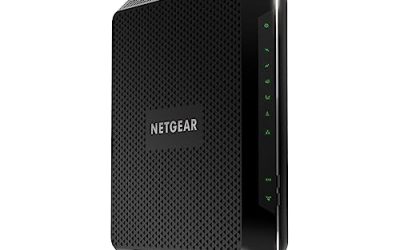
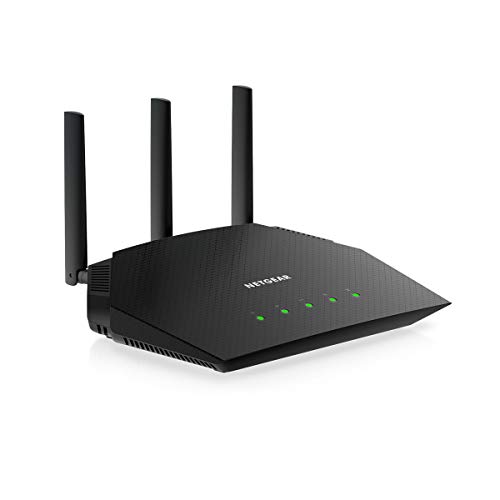
NETGEAR 4-Stream WiFi 6 Router (R6700AXS)
- Link: https://www.amazon.com/dp/B09DFRGYNQ
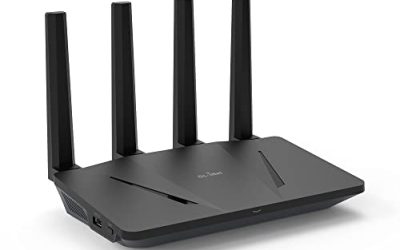
The R6700AXS is NETGEAR’s four-stream Wi-Fi 6 router in the AX1800 class, and its listing frames it squarely at the smaller end of home networking: coverage stated at up to 1,500 square feet and capacity stated for more than twenty devices. That is the shape of an apartment, a small house or a flatshare, and within that shape the specification is well judged. The combined wireless speed is stated at up to 1.8 Gbps across its two bands, the wireless type is listed as 802.11ax, and the model is designed, in NETGEAR’s own description, to support the latest one gigabit internet plans, which makes it a sensible partner for the cable and fibre tiers most smaller homes actually buy.
Four streams is the detail that separates this class from older entry routers. With Wi-Fi 6 handling several devices per transmission and four streams to share between the bands, the router keeps phones, a television, a laptop and a scattering of smart home devices moving without the queueing delays that make a busy evening feel sluggish on older hardware. NETGEAR describes the performance step over the previous generation in its listing, and the practical meaning for a household is simple: more simultaneous activity handled calmly, rather than a higher headline number on one device.
The security bundle is the feature that distinguishes the S variant. The listing states that the router comes with one year of NETGEAR Armor internet security included, which adds network-level protection for the devices behind the router. For a household that does not want to manage security device by device, protection that lives on the router itself is an appealing arrangement, and it covers exactly the gadgets, cameras, plugs and bulbs, that are hardest to protect individually. The standard Wi-Fi 6 feature set sits underneath it, and setup and management run through NETGEAR’s usual app-based route.
Choose this router if your home is compact, your device count is moderate and your plan sits at or below gigabit level. It is the straightforward replacement for an ageing provider-supplied or early Wi-Fi 5 router in a flat or small house, and its stated coverage and device figures line up honestly with that job. A large multi-storey house, a very long floor plan or a household counting devices by the dozen should look at the second model instead, or plan on mesh expansion rather than asking one compact unit to cover everything.
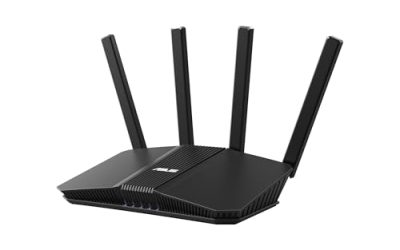
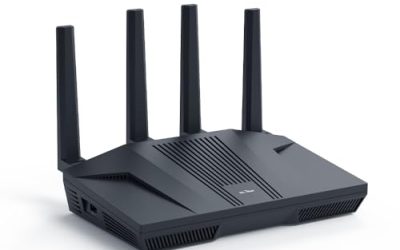
ASUS RT-AX88U AX6000 Dual Band WiFi 6 Gaming Router
- Link: https://www.amazon.com/dp/B07HM6KJN8
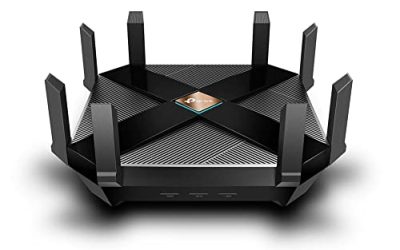
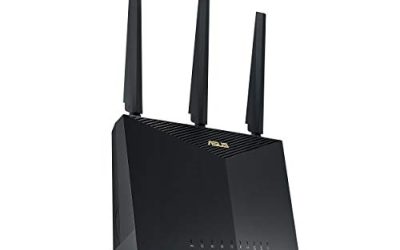
The RT-AX88U sits at the opposite end of the home router market. It is a dual-band Wi-Fi 6 router in the AX6000 class, with the listing stating a total networking speed of about 6,000 Mbps, split between up to 1,148 Mbps on the 2.4 GHz band and up to 4,804 Mbps on the 5 GHz band, using 160 MHz bandwidth and 1024-QAM. It is a four-by-four design on both bands, which gives it the stream count to serve several demanding devices at once, and although ASUS markets it toward gaming households, nothing about the specification is gaming-specific in practice. It is simply a large, powerful general-purpose home router with quality of service tools that can prioritise latency-sensitive traffic when the household asks it to.
The wired side is where this model pulls furthest away from ordinary home routers. The listing highlights eight gigabit LAN ports, a count that lets a household cable a desktop, a console, a television, a network storage drive, a second access point and a work machine without buying a separate switch. For homes where a desk setup, a media corner and a small home office all want wired connections, that port count removes a whole layer of extra hardware and cabling compromises. The item details also confirm the practical side of ownership: the box includes the router, a network cable, the power adapter, a quick start guide, a user guide and a warranty card.
Security and longevity are the other half of its case. The listing states that the RT-AX88U carries AiProtection Pro, powered by Trend Micro, with automatic, regularly updated security signatures intended to protect devices and personal data from internet threats, and ASUS describes that protection as included for the life of the product rather than as a time-limited extra. Adaptive QoS is also listed, which lets the household decide which traffic matters most when the connection is busy. AiMesh compatibility means the router can later become part of an ASUS mesh system, either as the main unit with a node added for a dead corner, or as a node itself if the household eventually moves to a newer ASUS flagship.
Choose this router if your home is wired-heavy, your device count is high, or you simply want to buy one substantial router and keep it for a long service life. It is more router than a small flat needs, and its size and port count only earn their place where there is equipment to connect and traffic to manage. In the right house, a busy family home with a home office, wired entertainment gear and storage on the network, it is the kind of purchase that quietly removes the router from the list of things the household ever thinks about.
Comparison Table
| Feature | NETGEAR R6700AXS | ASUS RT-AX88U |
|---|---|---|
| Wi-Fi standard | Wi-Fi 6 (802.11ax) | Wi-Fi 6 (802.11ax) |
| Speed class | AX1800, up to 1.8 Gbps combined | AX6000, about 6,000 Mbps combined |
| Bands | Dual-band | Dual-band |
| Band split | Four streams across both bands | Up to 1,148 Mbps on 2.4 GHz and 4,804 Mbps on 5 GHz |
| Stated coverage | Up to 1,500 square feet | Not stated as a single figure in the listing |
| Stated device scale | More than 20 devices | Built for dense, demanding device environments |
| LAN ports | Gigabit ethernet ports | 8 gigabit LAN ports |
| Security | NETGEAR Armor, one year included as stated | AiProtection Pro powered by Trend Micro, included for the product lifetime as stated |
| Traffic controls | Standard router management | Adaptive QoS |
| Mesh expansion | Not the focus of this model | AiMesh compatible |
| Best fit | Apartments and smaller homes | Larger, wired-heavy households |
Frequently Asked Questions
How many routers does a home network need?
One, in most cases. A single main router connected to the modem or fibre terminal runs the whole network. A second unit only enters the picture as a mesh node or access point extending coverage in a large or awkwardly shaped home, and it should be added to the first router’s system rather than run as a competing second network.
Is Wi-Fi 6 worth choosing for a home network now?
Yes, for most households buying today. Wi-Fi 6 handles many simultaneous devices more efficiently than the previous generation through features such as OFDMA and MU-MIMO, which is exactly the load a modern home applies. Older devices still connect normally, so nothing in the house is left behind by the upgrade.
Where should a home router be placed?
Centrally, raised off the floor, and in the open rather than inside a cupboard or behind a television. The signal spreads outward from the router in every direction, so a corner placement wastes much of it outside the house. Keep it away from thick masonry, large metal objects and sources of interference where you can, and let the antennas stand as the maker intends.
Do wired ports still matter on a wireless router?
They do. Fixed equipment such as desktops, televisions, consoles and storage drives usually runs more steadily on a cable, and every device moved to a wire leaves more wireless capacity for phones, tablets and laptops. Count the wired devices you own before choosing, because port counts vary widely between models, from a handful to the eight LAN ports on the larger router in this guide.
Can either router replace a provider gateway completely?
That depends on your service. Both models in this guide are standalone routers, so they take over routing and Wi-Fi duties behind a separate modem or fibre terminal. On cable or DSL services where the provider gateway contains the modem, the usual arrangement is to put that gateway into bridge or modem mode and let your own router run the network, or to keep the gateway and disable its wireless side.
Conclusion
A home network router should be bought against the home it will serve, not against the biggest number on a box. For an apartment or smaller house with a moderate device count and a plan at or below gigabit level, the NETGEAR R6700AXS covers the brief cleanly, with Wi-Fi 6 capacity matched to its stated coverage and a year of router-level security included. For a larger household with wired equipment in several rooms, a storage drive on the network and traffic worth prioritising, the ASUS RT-AX88U brings the port count, the stream count and the lifetime security suite to run that network without extra hardware. Either way, place the router centrally, turn on automatic updates, set a proper administrator password, and the centre of your home network should stay off your mind for years.
Related guides
More from Amazon
Programs that pair well with the guide above. Offers and eligibility are set by Amazon and may change.
A free business account with business pricing and bulk-buying tools for work, shop or home office.
Create a business accountFree shipping on eligible items, Prime Video and more. Eligible new members can start with a free trial.
Start a Prime free trialAudiobooks and podcasts to listen to on the go. Eligible new members can start with a free trial.
Try Audible freeAd-free music streaming. Eligible new subscribers can start with a free trial.
Try Music Unlimited freeAs an Amazon Associate we earn from qualifying purchases.