As an Amazon Associate I earn from qualifying purchases. This post may contain affiliate links at no extra cost to you.
IGL TeleConnect is not cable, and it is not fiber. It is a family-run fixed wireless provider serving Lake Park, Milford, and the surrounding Iowa Great Lakes communities, delivering internet and phone service from communications towers to homes that larger carriers have often passed over. That delivery method changes what a good router purchase looks like. The signal arrives at your house through provider-installed wireless equipment, and your own router takes over from an indoor Ethernet connection, spreading that connection around the home as Wi-Fi. Because the incoming speeds on a fixed wireless service are modest compared with a gigabit cable plan, the router you choose will rarely be the bottleneck on raw speed. What it decides instead is coverage, stability, and how gracefully your household shares a limited connection among phones, laptops, televisions, and smart devices.
That is good news for your budget, even though this guide discusses value in practical rather than monetary terms. You do not need a flagship router to make the most of IGL TeleConnect. You need a modern Wi-Fi 6 router with honest coverage for your floor plan, sensible traffic management for busy evenings, current security, and a setup process you can manage without calling a neighbor for help. This guide explains how IGL service reaches your router, what to confirm with the provider before you buy, and four verified router and mesh options that fit different sizes of home in northwest Iowa, from a compact house in town to a farmhouse with thick walls and a workshop that also needs a signal.
As an Amazon Associate we earn from qualifying purchases.
How IGL TeleConnect Service Reaches Your Router
Fixed wireless works differently from the wired services most router guides assume. Instead of a cable or fiber line entering your home, IGL TeleConnect beams service from a tower to receiving equipment installed at your property. Public reporting on the company describes tower sites serving multiple customers across a community, with additional sites added as needed, and the provider has used point-to-multipoint wireless platforms capable of delivering substantial capacity to business customers. For a household, the practical picture is simpler: the provider’s outdoor equipment does the long-distance work, and inside the home an Ethernet connection hands the internet to networking gear that you control.
Two ownership details matter before you shop. First, the provider’s installed equipment remains the provider’s property under its service terms, and it must be returned if service ends. Your router is separate from that equipment. You are not replacing the tower-facing receiver when you buy a router from this guide; you are replacing or adding the box that creates your home Wi-Fi network and routes traffic between your devices. Second, because the provider manages the outdoor link, some troubleshooting belongs to them. If the incoming connection itself drops in bad weather or loses line of sight, no home router can fix that. What a good router does fix is everything on your side of the Ethernet jack: dead zones, overloaded Wi-Fi on busy evenings, outdated security, and the tangle of extenders many rural homes accumulate over the years.
Confirm three things with IGL TeleConnect before ordering. Ask whether your installation hands off a standard Ethernet connection that a third-party router can use directly, or whether provider-managed routing sits in between and should be adjusted to avoid double network address translation, which can complicate gaming, remote access, and some video calling setups. Ask what download and upload speeds your specific plan is provisioned for, because homes at different distances from a tower may be on different tiers. Finally, ask whether there is any requirement to register the router or any restriction on customer-owned equipment on your account. A short call up front prevents the classic rural internet frustration of unboxing new gear on a Friday evening and discovering a configuration question nobody can answer until Monday.
What Actually Matters on a Modest-Speed Connection
Router marketing leads with maximum speed figures, and on IGL TeleConnect those headline numbers are the least useful part of the box. Even an entry-level Wi-Fi 6 router in this guide is rated far above what a fixed wireless household plan delivers to the home. The connection from the tower is the ceiling. Your router’s job is to waste as little of that ceiling as possible and to distribute it fairly.
Coverage comes first. Rural Iowa homes present real obstacles: long ranch layouts, farmhouses with plaster and lath or thick interior walls, metal outbuildings, and routers forced into a corner because that is where the installer could bring the connection inside. A router’s antenna design, beamforming, and placement flexibility matter more here than a higher speed class. For homes where a single router cannot reach, a mesh system that replaces extenders with one coordinated network is usually the cleaner answer.
Traffic management comes second. When a household shares a comparatively modest connection, one large download or a cloud backup running at full tilt can make a video call stutter in the next room. Modern routers handle this with features such as OFDMA and MU-MIMO, which let the router talk to several devices efficiently instead of making them queue clumsily, and with quality-of-service controls that let you prioritize a work laptop or a call over background traffic. Wi-Fi 6 is worthwhile on IGL service not because of its top speed, but because of this multi-device efficiency.
Security and updates come third. Choose a router that supports WPA3, receives firmware updates, and offers a guest network so visitors and smart-home gadgets do not share the same network as your banking laptop. Finally, consider wired ports. A desktop, a television, or a work computer plugged directly into the router by Ethernet does not compete for Wi-Fi airtime at all, which is a genuine advantage when bandwidth is limited.
The Picks at a Glance
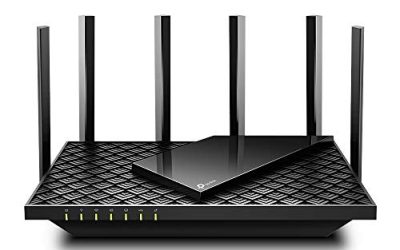
For a small to mid-sized home, the TP-Link Archer AX21 is the straightforward starting point: Wi-Fi 6, four antennas, and simple app setup. The TP-Link Archer AX55 steps up to a faster AX3000 class with wider channels for households with more devices. For larger or awkwardly shaped homes, the TP-Link Deco X55 two-pack replaces a single router with a mesh network that covers the whole floor plan under one network name. For a large property where the router also anchors wired devices and future faster service, the ASUS RT-AX86U adds a 2.5 gigabit port, gaming and VPN features, and the option to grow into an AiMesh network later. Each pick below includes its verified Amazon listing so you can check the exact model before buying.
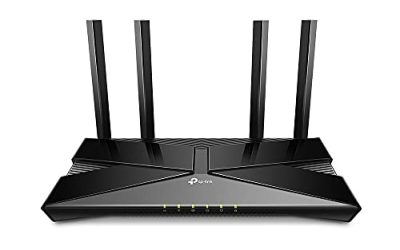
1. TP-Link Archer AX21 — The Sensible Default for Most IGL Homes
Top Pick
1. TP-Link Archer AX21 — The Sensible Default for Most IGL Homes
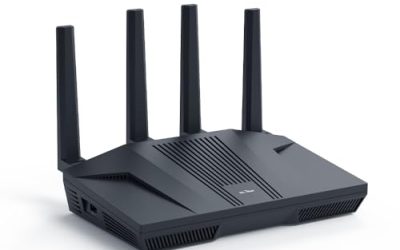
The Archer AX21 is an AX1800 dual-band Wi-Fi 6 router, and for a typical IGL TeleConnect household that specification is well matched to the job. Its combined rating of up to 1.8 Gbps across the 2.4 GHz and 5 GHz bands sits comfortably above the speed arriving from the tower, so the router is never the limiting factor, while its Wi-Fi 6 features do the useful work: OFDMA and MU-MIMO for handling many devices at once, beamforming with four external antennas to focus signal toward your devices, and WPA3 security.
Setup runs through the TP-Link Tether app or a web interface, and the listing notes compatibility with voice control through Amazon Alexa. The router provides gigabit Ethernet ports — one for the incoming connection and four for wired devices in typical configuration — which lets you plug in the household computer or television and keep them off the wireless network entirely. It is also EasyMesh compatible, so if you later find one room is still weak, a compatible extender can join the same network rather than creating a separate one with a different name.
Choose the AX21 if your home is small to mid-sized, the router can sit reasonably centrally, and your household’s main frustrations are an aging router, dropped connections, or Wi-Fi that struggles when several people are online at once. Skip it if your home is long, multi-storey, or built with signal-blocking materials; no single entry-level router overcomes physics, and the mesh pick below exists for exactly that case.
2. TP-Link Archer AX55 — More Headroom for Busy Households
Runner-Up
2. TP-Link Archer AX55 — More Headroom for Busy Households
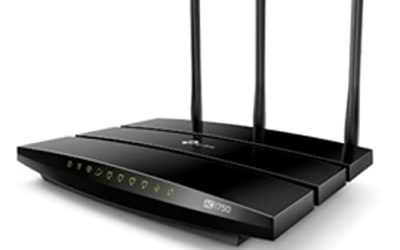
The Archer AX55 moves up to the AX3000 class, rated at 2402 Mbps on the 5 GHz band and 574 Mbps on the 2.4 GHz band in the manufacturer’s specifications, with support for wide 160 MHz channels on 5 GHz. On an IGL connection you will not see those figures from the internet, and it is important to be clear about that: the extra capacity pays off inside the home, moving files between your own devices, streaming from a local media library, and keeping latency steadier when the house is busy. The AX55 also carries TP-Link HomeShield features, a USB 3.0 port for sharing storage on the network, VPN server and client support, and EasyMesh compatibility for later expansion.
For an IGL household where several people work, study, and stream over one fixed wireless connection, that combination of stronger multi-device handling and built-in security tooling is the practical reason to step up from the AX21. The four-antenna design and beamforming serve the same coverage purpose, and gigabit ports again let the most demanding devices go wired.
Choose the AX55 if your household has many connected devices, someone works from home over the connection daily, or you want the router to remain comfortable if you later move to a faster service in town. If your home is simply hard to cover, spend the difference on mesh coverage instead of a faster single router.
3. TP-Link Deco X55 (2-Pack) — For Farmhouses and Hard-to-Cover Homes
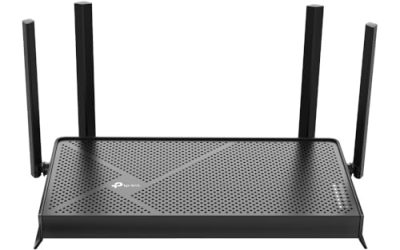
The Deco X55 is a Wi-Fi 6 mesh system rather than a single router, and the two-pack listing states coverage of up to 4,500 square feet. Two units work as one network with one name: one connects by Ethernet to the incoming IGL connection, and the second sits partway toward the rooms the first cannot reach, relaying traffic wirelessly or, better still, over an Ethernet cable between units where wiring exists, a feature the listing calls Ethernet backhaul. Each unit provides three gigabit ports, so the satellite unit can also wire a television or computer at the far end of the house.
Mesh is the honest answer to the most common rural Wi-Fi complaint, which is not speed in the room with the router but absence of usable signal in the bedroom, office, or kitchen at the other end of the house. Because both units broadcast the same network and hand devices between them as you move, you avoid the extender trap of manually switching networks room to room. Setup and management run through the Deco app, which keeps the system approachable for households that do not want to administer a traditional router interface.
Choose the Deco X55 two-pack if your home is large, spread over more than one floor, or built in an L or long ranch shape, or if the IGL connection enters at one end of the house and cannot be moved. A farmhouse office in a converted outbuilding may still need a wired run or a further unit, and the system expands by adding units. Households in compact homes gain little from mesh and are better served by the Archer picks above.
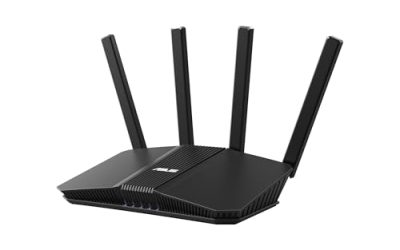
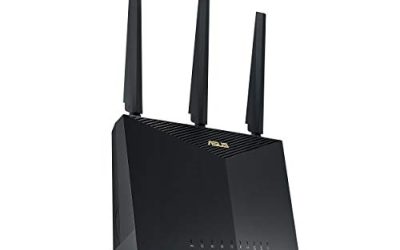
The RT-AX86U is an AX5700 dual-band Wi-Fi 6 router aimed at demanding users, and on IGL service it is deliberately more router than the connection requires. Its reasons to exist here are longevity and control: a 2.5 gigabit port that can serve as a fast wired link, a dedicated gaming port, subscription-free network security through AiProtection, built-in VPN support including Instant Guard, and AiMesh compatibility so a second ASUS unit can extend coverage later without replacing the main router. For a household running a small business from home, a workshop network, or a property where the router also ties together wired computers, storage, and cameras on the local network, that local performance and feature depth are used every day even though the internet link itself is modest.
The ASUS router interface offers more granular quality-of-service and traffic controls than the simpler app-led routers above, which helps a household ration a shared fixed wireless connection deliberately — prioritizing calls and remote work during the day, for example. That depth comes with a steeper learning curve, and first-time router buyers who want a ten-minute setup should look at the TP-Link picks first.
Choose the RT-AX86U if you expect to keep the router through a future move or service change, run significant wired networking at home, or want the strongest control and security feature set in this guide. It is the pick for the anchor property, not the starter apartment.
Placement and Setup Tips for Fixed Wireless Homes
Where the router sits matters as much as which router you buy. Place it as centrally as the incoming Ethernet connection allows, up on a shelf rather than on the floor, and away from thick masonry, large metal appliances, and the tangle of electronics that often surrounds an entertainment center. If the connection enters at one end of the house — common when the outdoor receiver is mounted on the nearest wall to the tower — a mesh system or a single longer Ethernet run to a central router location will do more for your Wi-Fi than any specification on a box.
During setup, update the firmware before anything else, set a unique network name and a strong password with WPA3 or the combined WPA2 and WPA3 mode enabled for older devices, and turn on automatic updates if the router offers them. Create a guest network for visitors and for smart bulbs, plugs, and cameras. Then walk the house with your phone and check the rooms where you actually work and watch, not just the room with the router. If one important room is weak, adjust placement or antenna angles before concluding the router is wrong for the house.
Keep expectations aligned with the service itself. A new router makes your home network efficient and even; it cannot add capacity to the tower link, and evening speeds on any shared wireless network can vary with local demand and weather. If speeds collapse everywhere in the home including on a computer wired directly to the incoming connection, that points to the provider link, and a call to IGL TeleConnect — not another router — is the right next step.
How to Choose Among These Four
Start with your floor plan, not your speed tier. A compact home with a central router spot is well served by the Archer AX21. The same home with a crowd of devices and a daily work-from-home load fits the Archer AX55 better. Any home where signal simply does not reach the far rooms needs the Deco X55 mesh, regardless of which single router you might otherwise prefer. And a property with serious wired networking, a home business, or a plan to keep the router for many years justifies the RT-AX86U.
Whichever you choose, verify the exact model name and code on the Amazon listing before ordering, keep the provider’s installed equipment untouched and in place, and confirm the Ethernet handoff arrangement with IGL TeleConnect if anything about your installation looks non-standard. Done in that order, a router upgrade on fixed wireless is one of the more satisfying home network improvements available: the connection you already pay for, finally distributed around the house the way it should be.
J
JD's Woodworks Editorial Team
We compare specs, warranty terms, long-term owner feedback and street pricing before anything earns a spot. Rankings are never paid.
Affiliate disclosure. As an Amazon Associate we earn from qualifying purchases at no extra cost to you. Prices accurate as of the date shown.
Find the best wpa 3 routers for safer home Wi-Fi, with Wi-Fi 6 and Wi-Fi 6E models that protect every device on the network for families and small offices.
Compare 4 wireless routers that pair well with Excede satellite internet, from Wi-Fi 7 standalones to a mesh kit for wide rural homes and busy families.
Looking for the best wifi routers 1gb? Compare four gigabit routers for home internet, with Wi-Fi speed, ports, and coverage for each model and every home.
Looking for the best twc modems routers? Compare three modem-router combos approved for Spectrum cable, with DOCSIS, Wi-Fi, and ports explained for every home.
Looking for the best routers with verizon fios? Compare three routers that work with a FiOS connection, with Wi-Fi speed, ports, and coverage for every home.
Compare the best routers for wireless internet at home by band, coverage, device handling and mesh options, using only the specs stated on each Amazon listing.
Compare the best routers for security by VPN support, named protection services, guest networks and update handling, taken from the wording of each Amazon listing.
Compare the best routers for schools and classrooms by device capacity, mesh expansion, central app management and content controls named on each Amazon listing.
Compare the best routers for a homelab by VLAN support, multi-gig wired ports, VPN throughput and expansion options, with specs taken from each Amazon listing.