As an Amazon Associate I earn from qualifying purchases. This post may contain affiliate links at no extra cost to you.
Spectrum internet arrives over a cable modem, and that simple fact makes choosing your own router unusually straightforward. Spectrum supplies a modem with its internet plans, the modem connects to the coaxial outlet on your wall, and it presents a standard Ethernet connection on the other side. Any modern router plugged into that Ethernet port can run your home Wi-Fi. There is no proprietary router requirement, no special login ceremony, and no need to match your router to Spectrum the way you must match a modem to an approved list. The real questions are how fast your plan is, how large and awkward your home is, and how many devices compete for the network on a busy evening.
Buying your own router instead of relying on provider Wi-Fi gives you control that compounds over time: your own network name and settings that survive an equipment swap, better coverage chosen for your floor plan rather than a one-size gateway, current security features, and parental and guest-network controls that you administer yourself. This guide matches four verified routers and mesh systems to Spectrum’s common plan tiers — the entry tier around 300 Mbps, the mid tier around 500 Mbps, and the gigabit tier, with a note on the faster 2 Gbps service now appearing in select areas — and explains the setup steps and the mistakes that cause most Spectrum home network headaches.
As an Amazon Associate we earn from qualifying purchases.
How Spectrum Internet Works With Your Own Router
Spectrum’s network is built on DOCSIS cable technology. The modem Spectrum provides handles the cable side of the connection; your router handles everything inside the home — Wi-Fi, wired devices, network security, and traffic management. The two boxes divide the job cleanly, and keeping the provider modem while adding your own router is the arrangement this guide assumes throughout.
That division has a practical consequence for shopping: router compatibility with Spectrum is essentially universal. If a router has a gigabit or faster internet port — every pick in this guide does — it will work behind the Spectrum modem. What changes between models is wireless capability, coverage, ports, and software features. Shoppers sometimes confuse routers with modems and worry about Spectrum’s approved modem list; that list governs modems, not routers. If you later decide to buy your own modem as well, that is a separate purchase that does need to be checked against Spectrum’s approved equipment for your speed tier.
One configuration trap deserves mention before the picks. If you currently use a Spectrum-supplied Wi-Fi router or a combined gateway setup in addition to the modem, adding your own router without removing or disabling the old wireless routing creates two routers managing one network, a situation called double network address translation. It can break port forwarding, complicate gaming and remote access, and split your devices across two networks that cannot see each other. The clean setup is one router — yours — behind the modem, with the provider’s Wi-Fi equipment returned or its routing fully handed over. The setup section below walks through the order of operations.
Match the Router to Your Spectrum Plan
Spectrum sells speed in tiers, and the tier sets the floor for what your router must handle. On the entry tier, advertised at up to 300 Mbps in many areas, any current Wi-Fi 6 router with gigabit ports can carry the full plan speed to your devices; coverage and reliability, not throughput, are what you are shopping for. On the mid tier at up to 500 Mbps, a Wi-Fi 6 router in the AX3000 class gives comfortable headroom for a busy household. On the gigabit tier, wireless performance starts to matter in earnest: a stronger Wi-Fi 6 router, a Wi-Fi 6E system, or a mesh network with a capable backhaul will get noticeably more of the plan speed to a laptop in another room than an entry router will.
The 2 Gbps tier, available only in select markets, is the exception that changes hardware requirements. A router with a standard gigabit internet port physically cannot pass more than gigabit-class throughput, so a 2 Gig household needs a router with a 2.5 gigabit or faster internet port, and Spectrum’s arrangements for that tier differ from the standard modem setup. If you are on or planning to move to that tier, treat the port specification as your first filter and confirm the current equipment requirements with Spectrum before ordering.
Home size cuts across all of this. A single well-placed router serves most apartments and smaller houses. A multi-storey house, a long floor plan, or a home where the modem sits in a far corner because that is where the cable outlet is will frustrate even a powerful single router, and that is a coverage problem with a mesh-shaped solution. Decide which problem you actually have — plan speed, coverage, or both — before choosing below.
The Picks at a Glance
The TP-Link Archer AX55 is the balanced default for the 300 and 500 Mbps tiers and a sound gigabit choice for smaller homes. The NETGEAR Nighthawk RAX50 steps up wireless capacity for larger households that want a single traditional router with a stated coverage figure. The ASUS RT-AX86U is the control-and-longevity pick, with a 2.5 gigabit port, deep software features, and room to grow into a mesh network later. The TP-Link Deco XE75 two-pack is the coverage answer for bigger homes, adding a 6 GHz band and mesh simplicity. All four are routers or mesh router systems of exactly the type this keyword calls for, each with a verified Amazon listing below.
1. TP-Link Archer AX55 — The Balanced Pick for Most Spectrum Homes
Top Pick
1. TP-Link Archer AX55 — The Balanced Pick for Most Spectrum Homes
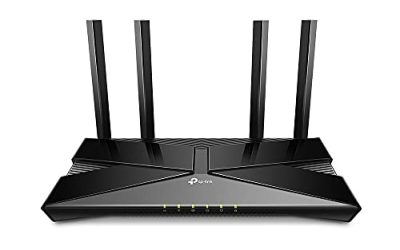
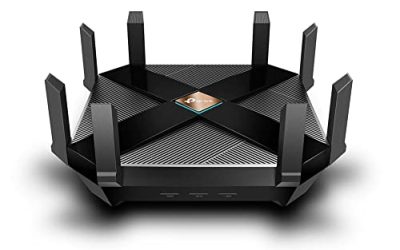
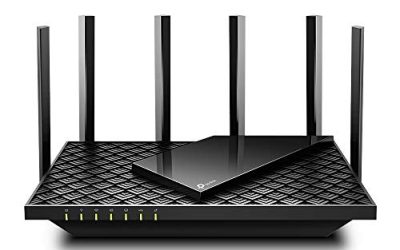
The Archer AX55 is a dual-band Wi-Fi 6 router in the AX3000 class, rated by the manufacturer at 2402 Mbps on the 5 GHz band and 574 Mbps on the 2.4 GHz band, with 160 MHz channel support on 5 GHz, OFDMA and MU-MIMO for multi-device efficiency, and four external antennas with beamforming. Behind a Spectrum modem on the 300 or 500 Mbps tiers, it delivers the full plan speed with room to spare, and in a small to mid-sized home on the gigabit tier it remains a sensible, unpretentious choice.
Day-to-day features are well judged for a household router: TP-Link HomeShield security and parental controls, a USB 3.0 port for sharing a drive on the home network, VPN server and client support, and setup through the Tether app. Its gigabit Ethernet ports wire the devices that benefit most — a desktop, a television, a game console — directly to the router, reserving Wi-Fi capacity for the devices that cannot plug in. EasyMesh compatibility means a compatible extender can later join the network if a dead spot emerges after a furniture rearrangement or a home addition.
Choose the AX55 if you want one router, sensibly specified, that you can set up in an evening and stop thinking about. Look further down this list if your home is large enough that a single router’s coverage is already in doubt, or if you want a multi-gig port for a future faster tier.
2. NETGEAR Nighthawk RAX50 — A Stronger Single Router for Larger Households
Runner-Up
2. NETGEAR Nighthawk RAX50 — A Stronger Single Router for Larger Households
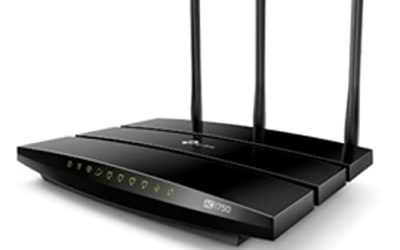
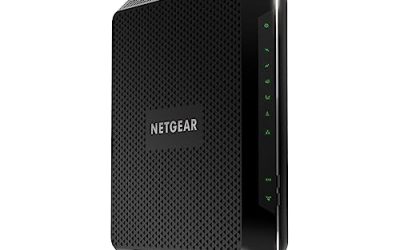
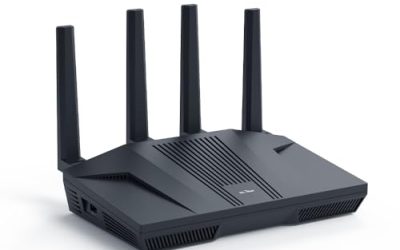
The Nighthawk RAX50 is a six-stream Wi-Fi 6 router in the AX5400 class, with a combined dual-band rating of up to 5.4 Gbps, and its listing states coverage of up to 2,500 square feet, which makes it the easiest pick in this guide to match against a floor plan. The extra wireless capacity over the AX55 is not about beating your Spectrum plan’s headline speed; it is about sustaining performance when a household runs video calls, streaming televisions, consoles, and a shelf of smart devices at the same time, in a home large enough that the router must work at range.
NETGEAR’s Nighthawk app handles setup and everyday management, and the router provides four gigabit Ethernet ports plus a USB 3.0 port in its listed configuration. Security support includes WPA3, and the platform offers NETGEAR’s optional protection services for households that want them. As a traditional single router it keeps the network simple — one box to place well, one set of settings to learn — while covering homes where an entry router would leave the far bedrooms thin.
Choose the RAX50 if a single-router layout suits your home but you want more capacity and stated coverage than the balanced pick offers, particularly on the 500 Mbps or gigabit tiers. If your home defeats single routers because of its shape or construction rather than its size, the mesh system below will serve you better than any amount of single-router power.
3. ASUS RT-AX86U — For Control, Wired Speed, and Room to Grow
3. ASUS RT-AX86U — For Control, Wired Speed, and Room to Grow
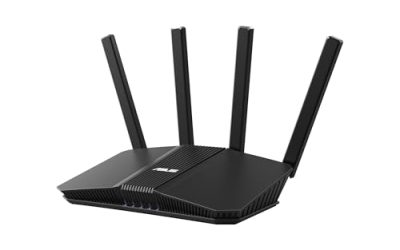
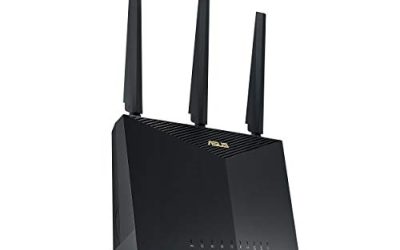
The RT-AX86U is a dual-band Wi-Fi 6 router in the AX5700 class, and it distinguishes itself with hardware and software depth. Its 2.5 gigabit port can serve as a fast internet or local network connection, which makes it the one traditional router in this guide with a genuine path onto faster-than-gigabit service and fast wired transfers to network storage at home. ASUS lists a dedicated gaming port, mobile game mode, port forwarding tools, subscription-free AiProtection network security, Instant Guard VPN, and broader VPN support — a feature set aimed at households that manage their network deliberately rather than merely using it.
The AiMesh capability matters for Spectrum homes specifically: if coverage later proves short in one wing of the house, a compatible ASUS router can join as a mesh node under the RT-AX86U instead of forcing a replacement of the whole setup. The trade-off for all this depth is complexity. The interface rewards an owner willing to explore settings — quality of service tuning, traffic monitoring, per-device rules — and can overwhelm someone who wants the router to disappear after setup.
Choose the RT-AX86U if you are on the gigabit tier and want the strongest single-router control set here, if a home office or gaming setup depends on wired performance and traffic prioritization, or if you expect to step up to a faster tier and want the multi-gig port already in place. Confirm Spectrum’s current equipment arrangement first if that faster tier is the 2 Gbps service, as noted earlier.
4. TP-Link Deco XE75 (2-Pack) — Mesh Coverage With a 6 GHz Band
4. TP-Link Deco XE75 (2-Pack) — Mesh Coverage With a 6 GHz Band
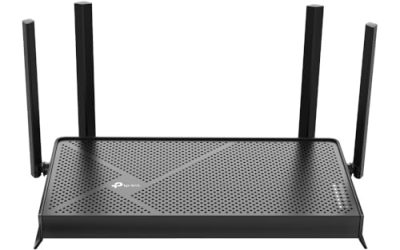
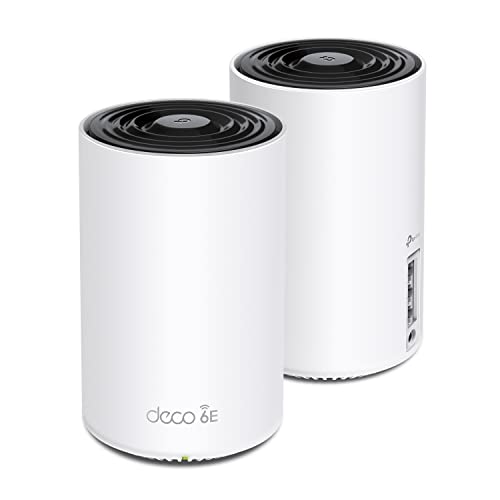
The Deco XE75 is a tri-band Wi-Fi 6E mesh system, and the two-pack listing states coverage of up to 5,500 square feet. Its third band operates at 6 GHz, which serves two purposes: newer devices that support Wi-Fi 6E can connect on a band free of the congestion of older equipment, and the mesh units can use modern spectrum for their own coordination, with AI-driven mesh features managing how the units work together. Each unit replaces both router and extender roles; the first connects by Ethernet to the Spectrum modem, and the second goes where coverage needs help, with everything presenting as one network under one name.
For Spectrum households, mesh solves the most stubborn real-world problem: the modem lives where the cable outlet is, not where the home needs Wi-Fi centered. A two-pack lets the second unit sit near the bedrooms, office, or patio regardless of where Spectrum’s coax enters. Management runs through the Deco app, with TP-Link HomeShield features available in the platform, and the system expands by adding units if a renovation or a larger home demands more coverage.
Choose the Deco XE75 two-pack if your home is large, multi-storey, or laid out so that no single router position covers it, or if you are on the gigabit tier and want Wi-Fi 6E devices served on the 6 GHz band throughout the house. Compact apartments gain little from two units and are better served by the Archer AX55 at the top of this guide.
Setting Up Your Own Router on Spectrum, Step by Step
Setup follows a reliable order. First, unplug the Spectrum modem from power. If a Spectrum Wi-Fi router is also in the chain, remove it so your new router will be the only router on the network. Connect an Ethernet cable from the modem to your new router’s internet port — on a mesh system, that is the main unit. Power the modem back on and give it several minutes to come fully online and lock onto the cable network; rushing this step is the most common cause of a new router appearing not to work. Then power on your router and follow its app or web setup: name your network, set a strong password, enable WPA3 or the combined WPA2 and WPA3 mode for older devices, and update the firmware when prompted.
After setup, place the router as centrally and as high as practical, away from thick walls and large metal objects, and check coverage in the rooms that matter. Plug stationary, demanding devices into Ethernet ports where you can. If speeds disappoint, test once with a computer wired directly to the router and, if needed, wired to the modem with the router temporarily out of the chain; that isolates whether the problem is your Wi-Fi, your router, or the incoming Spectrum service, and it gives you a clear answer to report if you need to call Spectrum. Keep the modem’s role in mind throughout: your router settings, network name, and passwords live on your equipment and stay yours if Spectrum ever swaps the modem.
How to Choose Among These Four
Match the plan first, then the house. On the 300 Mbps tier in a smaller home, the Archer AX55 is more router than the plan requires, in a good way. On the 500 Mbps and gigabit tiers, the same AX55 still fits compact homes, while the Nighthawk RAX50 suits larger single-router households and the RT-AX86U suits owners who want multi-gig hardware, gaming and VPN features, and deep controls. Any tier in a large or awkwardly shaped home points to the Deco XE75 mesh, because coverage, once missing, cannot be fixed by a faster router in the wrong place.
Before ordering, verify the exact model name and code on the Amazon listing, confirm whether your current Spectrum setup includes a separate provider Wi-Fi router that needs to come out of the chain, and check your plan tier so the router’s internet port and wireless class fit where your service is heading, not only where it is today. With those three checks done, any of these four will run a Spectrum home network with more coverage, more control, and more staying power than a default setup — and the modem Spectrum already provides does the rest.
J
JD's Woodworks Editorial Team
We compare specs, warranty terms, long-term owner feedback and street pricing before anything earns a spot. Rankings are never paid.
Affiliate disclosure. As an Amazon Associate we earn from qualifying purchases at no extra cost to you. Prices accurate as of the date shown.
Find the best wpa 3 routers for safer home Wi-Fi, with Wi-Fi 6 and Wi-Fi 6E models that protect every device on the network for families and small offices.
Compare 4 wireless routers that pair well with Excede satellite internet, from Wi-Fi 7 standalones to a mesh kit for wide rural homes and busy families.
Looking for the best wifi routers 1gb? Compare four gigabit routers for home internet, with Wi-Fi speed, ports, and coverage for each model and every home.
Looking for the best twc modems routers? Compare three modem-router combos approved for Spectrum cable, with DOCSIS, Wi-Fi, and ports explained for every home.
Looking for the best routers with verizon fios? Compare three routers that work with a FiOS connection, with Wi-Fi speed, ports, and coverage for every home.
Compare the best routers for wireless internet at home by band, coverage, device handling and mesh options, using only the specs stated on each Amazon listing.
Compare the best routers for security by VPN support, named protection services, guest networks and update handling, taken from the wording of each Amazon listing.
Compare the best routers for schools and classrooms by device capacity, mesh expansion, central app management and content controls named on each Amazon listing.
Compare the best routers for a homelab by VLAN support, multi-gig wired ports, VPN throughput and expansion options, with specs taken from each Amazon listing.




 4. TP-Link Deco XE75 (2-Pack) — Mesh Coverage With a 6 GHz Band