Key takeaways
- Find the best routers Target shoppers compare, from mesh systems to a standalone Wi-Fi 6 pick, with the model, coverage and port checks to make in store.
What's inside
As an Amazon Associate I earn from qualifying purchases. This post may contain affiliate links at no extra cost to you.
As an Amazon Associate we earn from qualifying purchases.


Shopping for a router at a big-box store sounds simple until you are standing in the aisle. The shelf mixes standalone routers, mesh systems in two- and three-packs, extenders, and modem-router combinations, all wearing similar speed numbers and all promising whole-home coverage. Target’s networking aisle leans toward the mainstream brands most households already know — mesh systems from Google, NETGEAR, TP-Link, and eero-style kits sit beside standalone TP-Link and NETGEAR routers — so the real task is not finding a router, it is matching the right format and model number to your home before you reach the checkout.
This guide walks through four Wi-Fi router options of the kind Target shoppers most often compare: a value mesh system, a Wi-Fi 6E mesh system, a tri-band mesh system built for larger homes, and a standalone Wi-Fi 6 router for smaller spaces. Every model below is a Wi-Fi router or mesh Wi-Fi system — no extenders or modems are mixed in — and every specification is taken from the manufacturer’s published details or the product listing. It also covers the checks worth making in the aisle, because pack size, band count, and port layout differ between boxes that look nearly identical on the shelf.
What Target Shoppers Usually Get Wrong
The most common mistake is buying by the biggest number on the box. The speed class, such as AX3000 or AX4200, is the combined theoretical maximum of all bands added together, not the speed any one device will see, and it says nothing about whether the format fits your home. A powerful standalone router placed in a basement corner will still leave a far bedroom struggling, while a modest mesh system with a satellite in the hallway solves the same problem completely. Format first, speed class second.
The second mistake is confusing the pack configurations. Mesh systems are sold as one-, two-, and three-packs with identical-looking packaging, and the coverage figure on the front changes with the pack size. A shopper who picks up a two-pack while reading the three-pack’s coverage number will under-cover the house. The third mistake is overlooking ports. Mesh units often carry only two Ethernet ports each, so a home office that needs to plug in a desktop, a printer, and a storage drive may be better served by a standalone router with four LAN ports, or by planning a small network switch alongside the mesh kit.
Finally, check what the box does not include. Almost every router on the shelf is a router only: it needs the modem or fibre terminal from your internet provider in front of it. If your provider supplied a combined modem-router, that is fine — the new router connects to it — but a shopper expecting to return the provider’s equipment entirely needs a modem as a separate purchase, and none of the four options below replaces one.
The Routers at a Glance
| Router | Format | Wi-Fi class | Coverage (maker rating) | Ports per unit | Best suited to |
|---|---|---|---|---|---|
| TP-Link Deco X55 (2-pack) | Mesh system | AX3000 Wi-Fi 6 | Up to 4,500 sq. ft. | 3 Gigabit | Value whole-home coverage |
| Google Nest Wifi Pro (3-pack) | Mesh system | Wi-Fi 6E, tri-band | Up to 6,600 sq. ft. | 2 Gigabit | Homes with Wi-Fi 6E devices |
| NETGEAR Orbi RBK753 | Mesh system | AX4200 Wi-Fi 6, tri-band | Up to 7,500 sq. ft. | Router 4, satellites 2 each | Large homes, many devices |
| TP-Link Archer AX55 | Standalone router | AX3000 Wi-Fi 6 | 3-bedroom homes (maker guidance) | 1 Gigabit WAN, 4 Gigabit LAN, USB 3.0 | Apartments and smaller homes |
TP-Link Deco X55 AX3000 Mesh System (2-Pack)
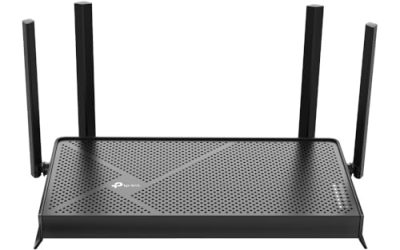
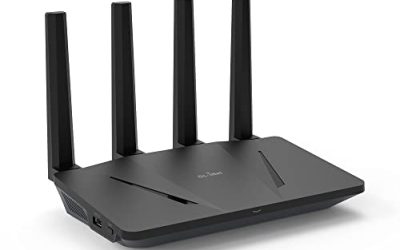
The Deco X55 is the mesh system that value-focused shoppers most often end up comparing, because it brings Wi-Fi 6 mesh coverage to a two-pack format without moving into the premium tier. TP-Link rates the system at AX3000, with up to 2402 Mbps on the 5 GHz band and up to 574 Mbps on 2.4 GHz, and rates the two-pack’s coverage at up to 4,500 square feet with support for up to 150 connected devices across the system. Those are manufacturer figures for favourable layouts, but they describe the class of home the kit is built for: a typical family house where one router leaves the far rooms thin.
Each Deco X55 unit carries three Gigabit Ethernet ports, which is generous for a mesh node. The main unit uses one for the incoming connection and still leaves two for wired devices, and a satellite placed in a study or media room can hard-wire a desktop, console, or television without running cable back to the router. The system supports wired Ethernet backhaul, so if your home has network cabling between rooms, the units can use it for their link and reserve all the wireless capacity for devices. TP-Link’s AI-driven mesh feature is described in the listing as learning the network environment and optimising connections, and the Deco app handles setup, with HomeShield providing the basic security and parental-control layer and a Pro tier offered by subscription.
In the aisle, the X55 check is simple: confirm the pack count on the box matches the coverage you are counting on, because one-, two-, and three-pack versions all exist. For a two-storey or long single-storey home of ordinary construction, the two-pack is the sweet spot this listing describes; very large homes should compare the three-pack or the Orbi below instead of stretching a smaller kit.
Google Nest Wifi Pro (3-Pack)
Nest Wifi Pro is the option for shoppers who want the shelf’s simplest setup plus the newer 6 GHz band. It is a Wi-Fi 6E mesh system: tri-band, with 2.4 GHz, 5 GHz, and 6 GHz radios, and Google rates combined speeds at up to 5.4 Gbps with each unit covering up to 2,200 square feet, so the three-pack in this listing is rated for up to 6,600 square feet of coverage. The 6 GHz band gives Wi-Fi 6E devices a less crowded lane and can serve as a cleaner link between mesh units, though devices need to support Wi-Fi 6E to use it directly.
Management runs entirely through the Google Home app, which handles setup, device lists, guest network, and family controls with minimal manual configuration, and Google states the system automatically adjusts network performance and prioritises activities such as video calls. Each unit has two Gigabit Ethernet ports, so wired connections are possible at each point but limited in number — plan accordingly if a desk needs several wired devices. WPA3 security is supported, and the units are designed to sit visibly on shelves rather than hide in a cupboard, which genuinely helps signal spread.
Two compatibility notes matter before buying. Google states plainly that Nest Wifi Pro is not compatible with earlier Nest Wifi or Google Wifi generations, so owners of those systems cannot reuse their old points as satellites in this network. It is also a router system only, requiring a separate modem. For a household already invested in Google’s ecosystem, with newer phones and laptops that support Wi-Fi 6E, the three-pack is the most forward-looking mainstream mesh option in this comparison.
NETGEAR Orbi RBK753 Mesh System
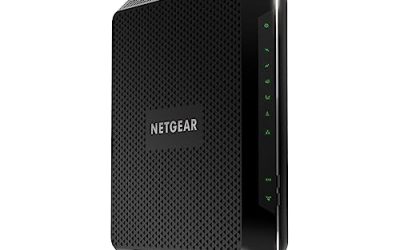
The Orbi RBK753 is the large-home entry in the group. NETGEAR sells it as a router with two satellite extenders, rates the tri-band Wi-Fi 6 system at AX4200 with up to 4.2 Gbps combined, and rates coverage at up to 7,500 square feet for more than 40 devices — figures aimed squarely at big floor plans, multi-storey houses, and homes where the network has to reach an office, a media room, and bedrooms in opposite directions at once. The tri-band design dedicates one 5 GHz band to communication between the router and satellites, which preserves the other bands for devices; that dedicated backhaul is the main technical reason tri-band mesh costs more than dual-band mesh.
Port counts are a practical Orbi strength. The router unit provides four Gigabit Ethernet ports in total including its WAN connection, and each satellite provides two Gigabit LAN ports, so televisions and consoles near a satellite can be wired rather than left on Wi-Fi. Setup and management run through the Orbi app, and NETGEAR offers its Armor security service on this platform as a subscription after any trial period, so treat that layer as an optional extra rather than a core reason to buy.
Shoppers comparing the RBK753 in store should check the exact model suffix, because NETGEAR sells several Orbi generations and refreshed variants with similar names and different speed classes. The listing verified for this guide is the AX4200 RBK753 set. If your home is genuinely large or built with signal-blocking materials, this is the system here designed for it; if your home is average-sized, its coverage rating is more than you can use and one of the smaller kits will serve the same rooms.
TP-Link Archer AX55
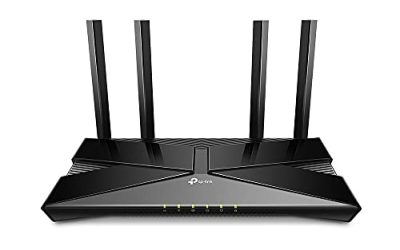
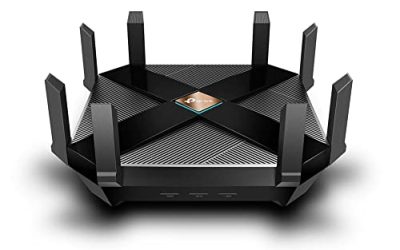
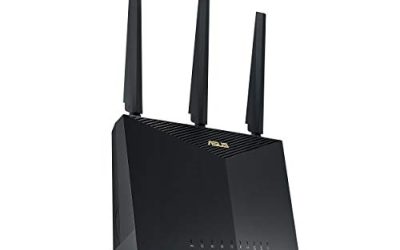
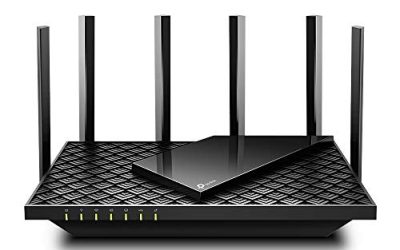
Not every Target shopper needs mesh. For an apartment, a small house, or any home where the router can sit centrally, the Archer AX55 is a standalone Wi-Fi 6 router that keeps the traditional shape: external antennas, a row of ports, and a lower commitment than a multi-unit kit. TP-Link rates it at AX3000, with up to 2402 Mbps on the 5 GHz band and up to 574 Mbps on 2.4 GHz, and positions it for three-bedroom homes. Four fixed high-performance antennas, beamforming, and a high-power front-end module are the manufacturer’s stated coverage tools.
The wired layout is where the AX55 quietly beats the mesh kits for a desk-based household: one Gigabit WAN port, four Gigabit LAN ports, and a USB 3.0 port for sharing storage on the network. It supports OFDMA and MU-MIMO for handling many devices at once, WPA3 security, VPN server and client functions, and TP-Link’s HomeShield controls. It is also EasyMesh compatible, so a compatible extender or router can be added later to form a mesh if the home outgrows a single unit — a useful middle path between buying mesh now and being locked into one box forever. Management is available through the Tether app or a web interface.
Choose the AX55 if your floor plan is compact, your wired devices cluster near the router, and you would rather spend on one capable unit than on satellites you may not need. Choose one of the mesh systems instead if the router must live wherever the provider’s line enters the home and the rooms that matter are far from that spot.
In-Aisle Checklist Before You Pay
Run through these checks with the box in hand. First, the model number: read it off the packaging and confirm it matches the system you researched, since several of these brands sell near-identical boxes in different speed classes and pack sizes. Second, the pack count and its matching coverage figure, which should be printed for that specific configuration. Third, the band count: dual-band is fine for most homes, tri-band helps large mesh deployments, and Wi-Fi 6E adds the 6 GHz band for newer devices. Fourth, ports per unit, counted against the wired devices you actually own. Fifth, confirm you already have a modem or provider terminal at home, because the router alone cannot connect to the internet service. Sixth, if you plan to reuse older mesh points or extenders, verify cross-generation compatibility on the manufacturer’s page before assuming they will join the new network — the Nest Wifi Pro example above shows that even same-brand reuse is not guaranteed.
It is also worth checking the return window and keeping the receipt and packaging until the system has run through a few ordinary evenings at home. Router performance depends on your walls, your neighbours’ networks, and your provider’s line in ways no shelf label can fully predict, and the honest test is a busy weeknight in your own rooms: streaming in the living room, a call in the office, and phones moving between rooms throughout.
Which One Should a Target Shopper Take Home?
Take the Deco X55 two-pack if you want mesh coverage for a typical family home at the mainstream end of the shelf, with unusually useful wired ports on each unit. Take the Nest Wifi Pro three-pack if your devices include Wi-Fi 6E phones and laptops, your home is on the larger side, and you prefer Google’s app-led management. Take the Orbi RBK753 if the house is genuinely big, the device count is high, and a dedicated backhaul band justifies stepping up. Take the Archer AX55 if your home is compact and centrally served, and you value ports, a USB connection, and a single-unit setup over mesh expansion.
Whichever box leaves the store with you, set it up in a central, elevated, open position, keep your existing network name and password where possible so household devices reconnect on their own, enable automatic updates, and give the system a few evenings of normal use before judging it. The best router is the one whose format matches your floor plan — and that decision is made in the aisle, not at the speed test.
FAQ
Which One Should a Target Shopper Take Home?
Related guides
More from Amazon
Programs that pair well with the guide above. Offers and eligibility are set by Amazon and may change.
A free business account with business pricing and bulk-buying tools for work, shop or home office.
Create a business accountFree shipping on eligible items, Prime Video and more. Eligible new members can start with a free trial.
Start a Prime free trialAudiobooks and podcasts to listen to on the go. Eligible new members can start with a free trial.
Try Audible freeAd-free music streaming. Eligible new subscribers can start with a free trial.
Try Music Unlimited freeAs an Amazon Associate we earn from qualifying purchases.